How to Fix Broken Internal Links and Improve Your WordPress SEO
Internal links are one of the simplest parts of SEO to create, but they are also easy to neglect.You publish an article, add links to a few related posts, and move on to the next piece of content.Months later, one of those linked pages gets deleted, its URL changes, or a plugin creates an unexpected redirect.Now your article contains a link that no longer takes the reader where it should.
That is a broken internal link.Broken links are more than a small technical annoyance. They can interrupt the reader's journey, make your website harder to navigate, and prevent search engines from efficiently discovering the pages you want them to find.Google specifically recommends making links crawlable and ensuring important pages can be reached through links from other discoverable pages.
A healthy internal-link structure connects your content into a useful website—not just a collection of individual articles.
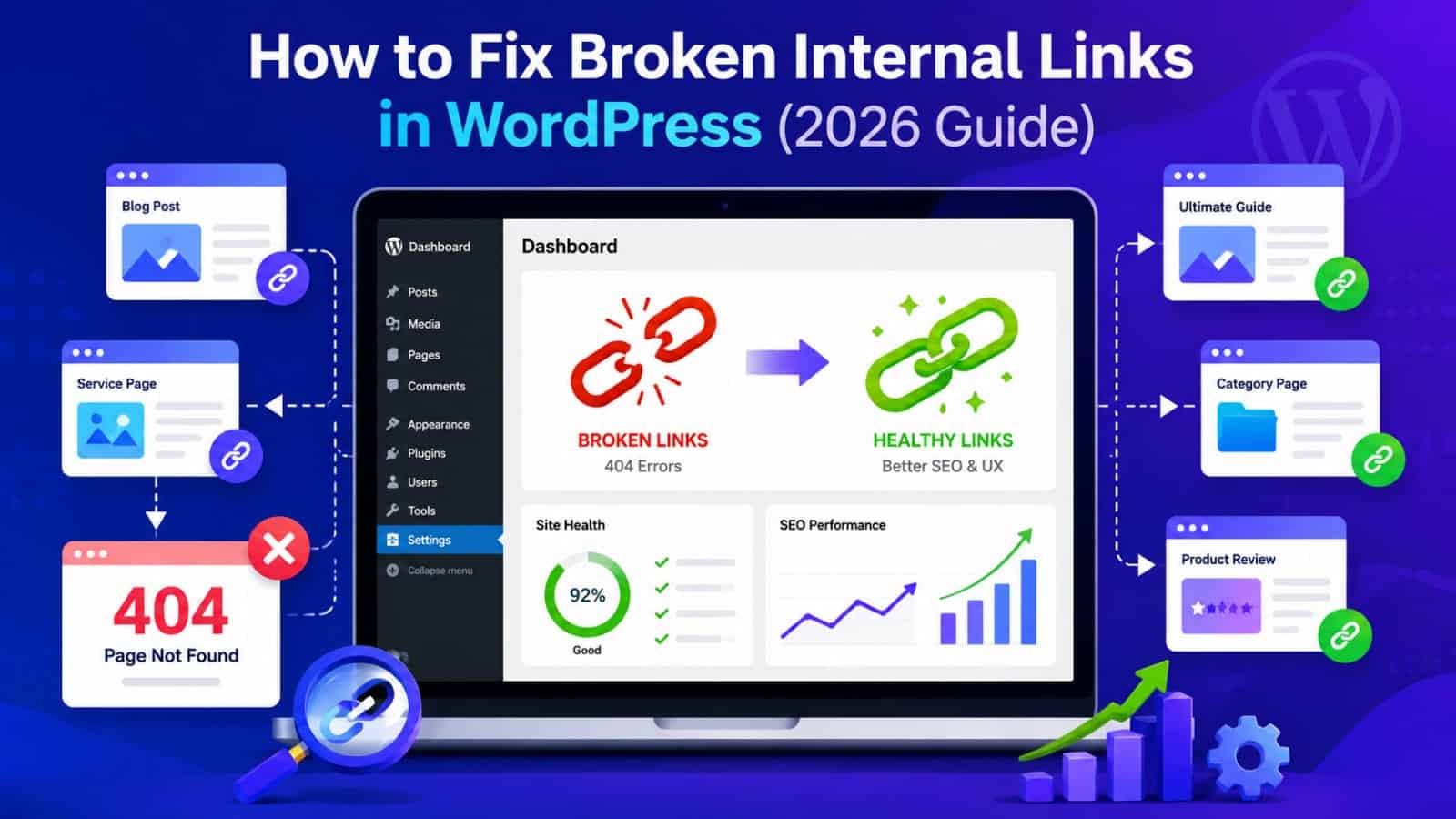
What Is a Broken Internal Link?
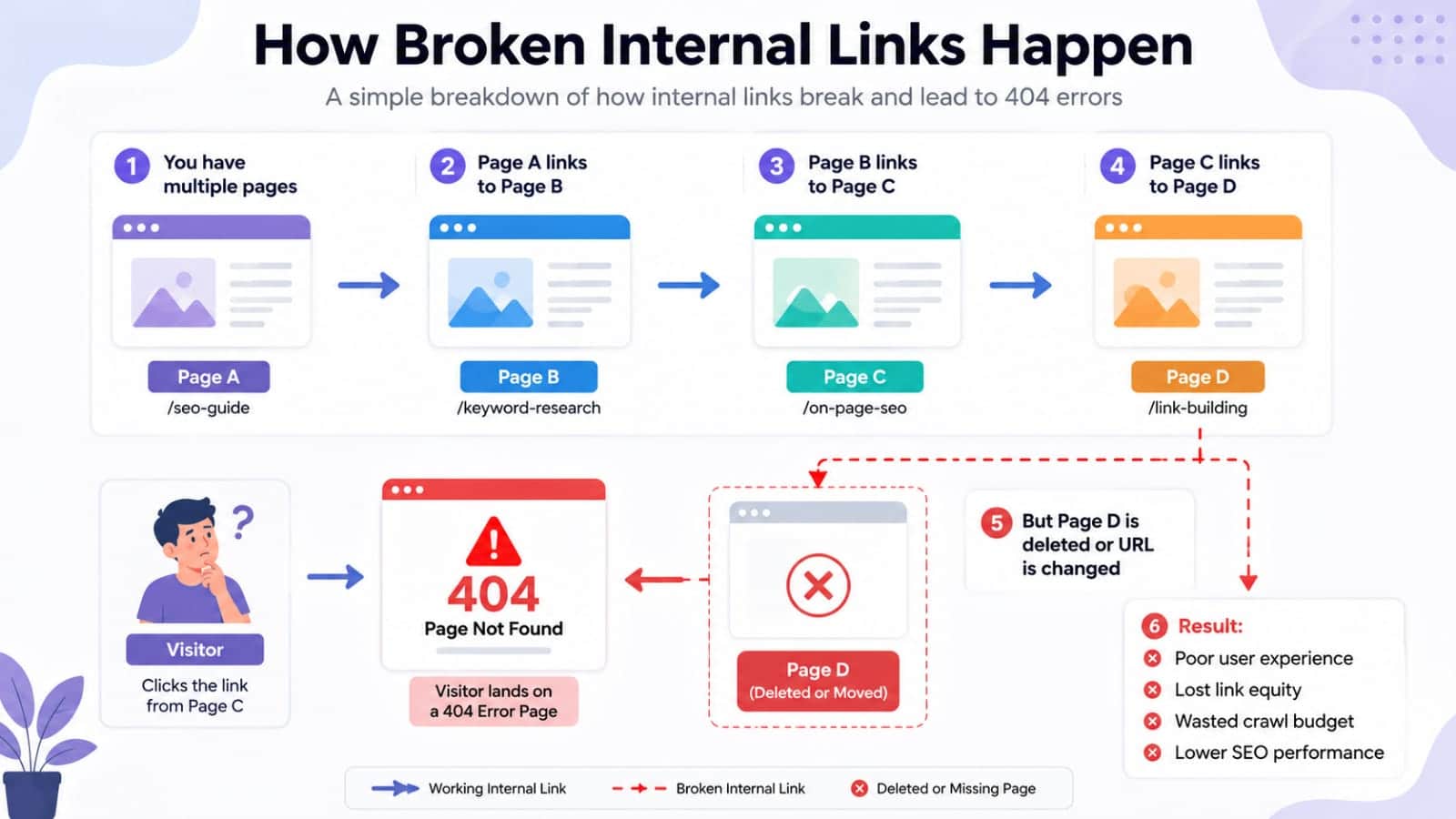
A broken internal link is a link on your website that points to another page on the same website, but the destination no longer works as expected.
For example, imagine you publish:yoursite.com/wordpress-seo-guide/Later, you change the URL to:yoursite.com/wordpress-seo-tips/If an older article still links to the original URL, visitors may encounter a 404 page.
The same problem can happen when you delete an article without replacing it, change a permalink, accidentally add an incorrect URL, or migrate your website.
Why Broken Internal Links Matter for SEO
A broken internal link does not automatically mean your entire website will lose rankings.The real problem is what the broken link represents.It can create a poor user experience.It can interrupt navigation between related articles.
It can make important content harder to discover.It can waste opportunities to connect related pages.Google explains that links help its systems discover new pages and understand the relevance of pages through their relationships.
Therefore, fixing broken internal links is part of maintaining a healthy website structure.
Broken Link vs Broken Page
These are not always the same thing.A broken link means the link itself points somewhere incorrectly.A broken page means the destination URL may no longer exist or may be returning an error.For example:
Article A → Article BIf Article B has been deleted, Article A contains the broken link.If Article B still exists but the link uses the wrong URL, the link is the problem.Understanding the difference helps you choose the correct solution.
What Causes Broken Internal Links?
Several common situations can create broken internal links.
Changing a URL
Changing a WordPress permalink is one of the most common causes.You may change:/best-seo-tools//best-free-seo-tools-2026/but forget that older articles still point to the original address.
Deleting an Article
When you delete an article, every internal link pointing toward it becomes a potential dead end.This is particularly problematic when the deleted article was part of a larger content cluster.
Website Migration
Changing domains, restructuring categories, moving content, or redesigning a website can create hundreds of outdated internal URLs.Google recommends creating a URL mapping during site moves and updating internal links to point directly to the new URLs.
Typing the URL Incorrectly
A simple spelling mistake can create a broken link.For example:
/seo-tools/instead of:
/seo-tool/
The page may look correct in your editor, but the visitor receives an error when clicking it.
How to Find Broken Internal Links
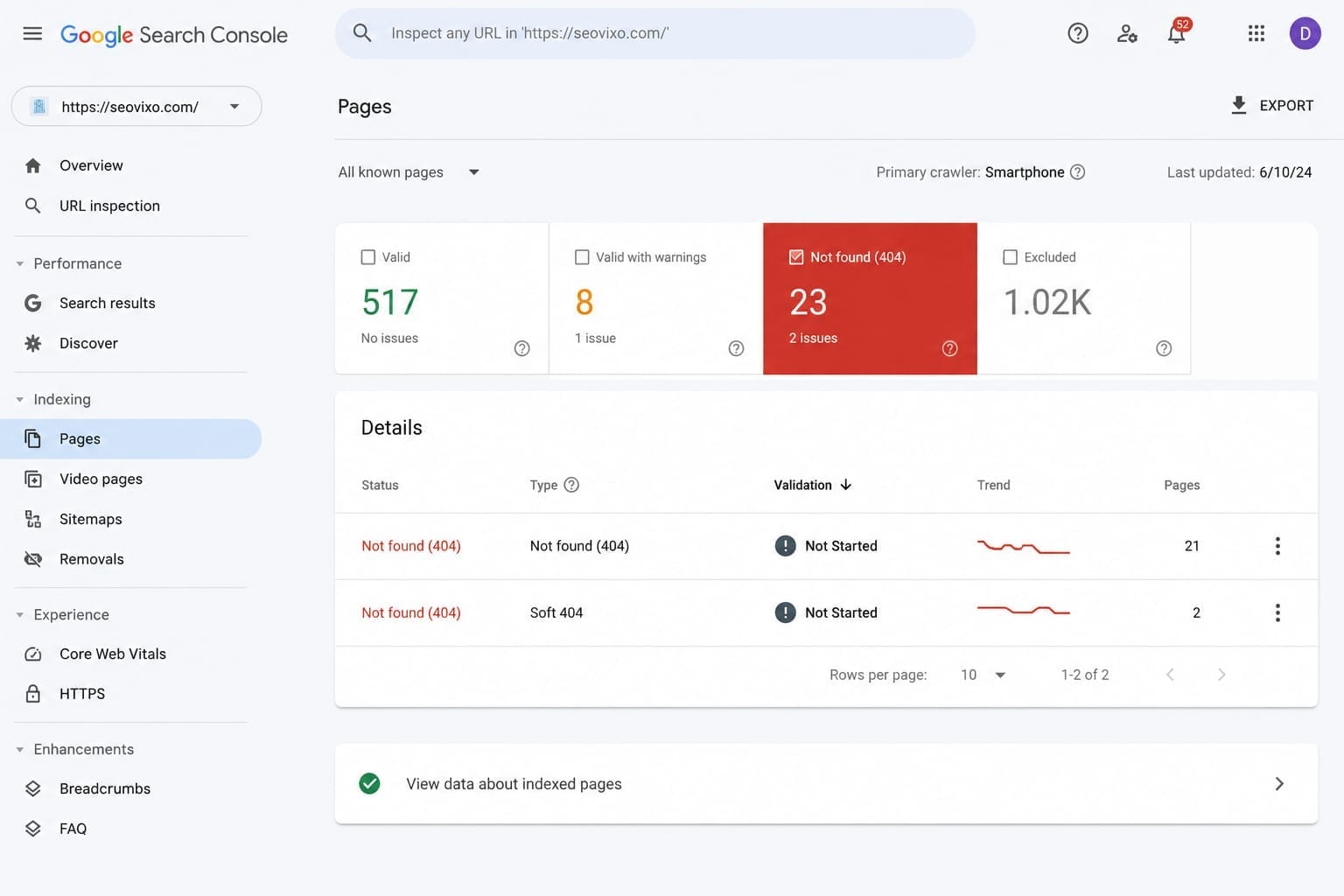
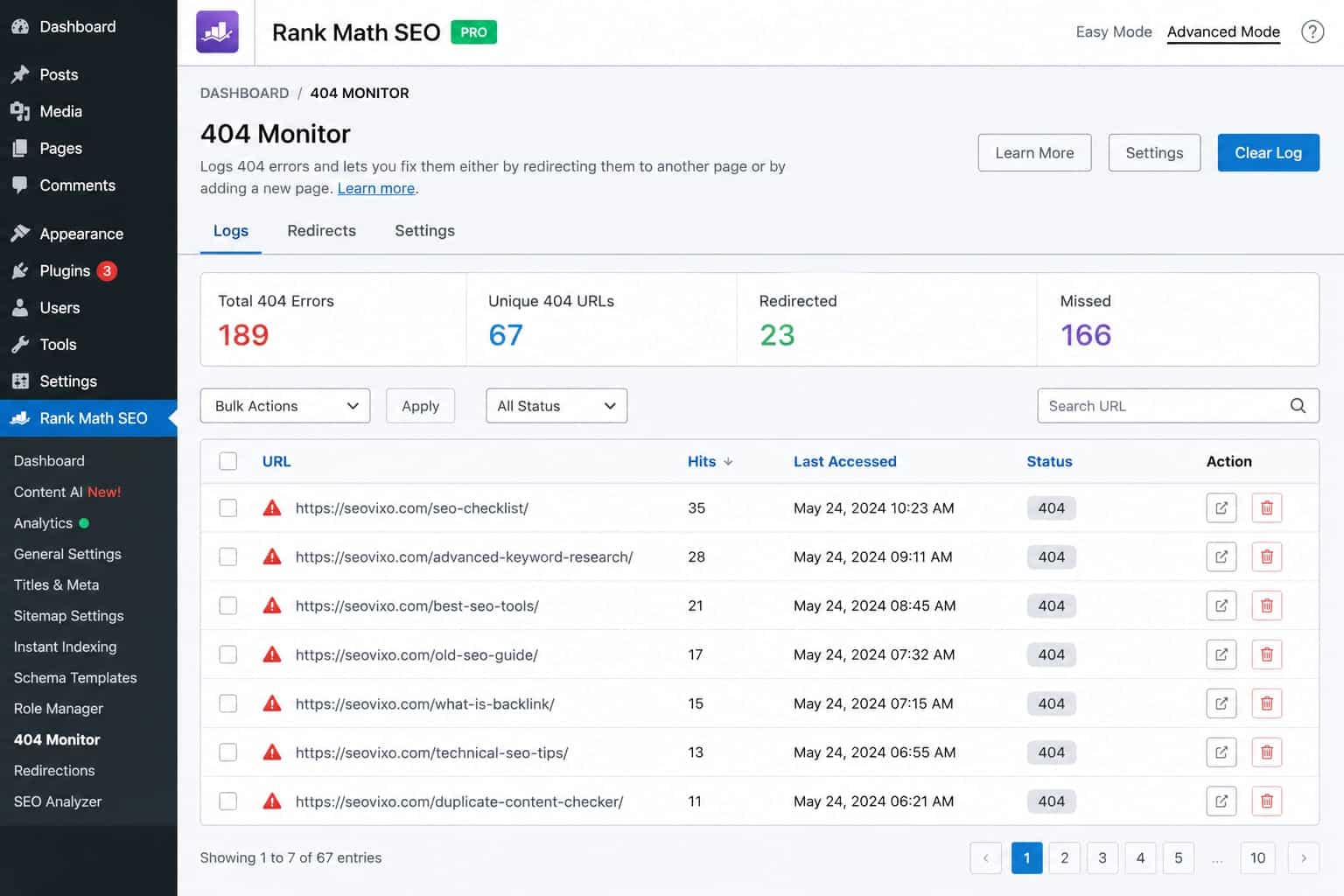
You do not need to manually click every link on a large website.SEO crawling tools can scan your pages and identify broken destinations.Useful options include:
- Google Search Console
- Ahrefs Site Audit
- Screaming Frog SEO Spider
- Semrush Site Audit
- WordPress link
-checking tools
Screaming Frog is particularly useful when you want a URL-level crawl.
Ahrefs can also identify broken internal links as part of a broader site audit.Search Console is different because it provides Google's own perspective on crawling, indexing, and search performance.
Use more than one source when investigating a serious technical problem.
A crawler may find a broken link that Search Console has not surfaced yet, while Search Console may reveal indexing problems that a crawler cannot explain.
How to Fix a Broken Internal Link
Finding the problem is only half the job.You need to choose the correct replacement.
Fix the Link Directly
If the destination page still exists at a different URL, update the internal link.For example:
Old:
/seo-tools/New:/best-seo-tools/
Change the link so it points directly to the current URL.
This is generally better than leaving unnecessary redirect chains throughout your internal structure.
Redirect the Old URL
If the page has permanently moved and the old URL may still receive visitors or external links, use a permanent redirect.Google recommends a 301 redirect when a page has permanently moved to another location.
But remember:
A redirect is not an excuse to leave hundreds of old internal links untouched.If you control the internal links, update them to the final destination.
Replace the Link With a Better Page
Sometimes the original article is gone because you no longer need it.In that situation, identify whether another relevant article can satisfy the same user need.Do not replace every broken link with your homepage.The replacement should make sense in the context of the sentence.
When Should You Remove a Broken Link?
Not every deleted page needs a replacement.Suppose an old article covered a temporary event that is no longer relevant.If there is no useful replacement, removing the link may be better than sending readers somewhere unrelated.
The goal is not to maximize the number of internal links.The goal is to make every link useful.Google explicitly says there is no magical ideal number of internal links for a page.
How to Choose Better Internal-Link Anchor Text
Fixing the URL is not enough.Look at the anchor text too.Compare:Click herewith:
SEO audit checklist for beginners
The second option gives readers a much clearer idea of what they will find after clicking.Google recommends descriptive, concise, relevant anchor text and warns against forcing excessive keywords into links.
Use natural language.
If the destination page explains internal linking, an anchor such as “internal linking strategy” can be useful.If it explains Search Console, “Google Search Console guide” may be more descriptive.Avoid repeating exactly the same keyword-rich anchor every time.
Broken Links vs Redirects vs Deleted Pages
How Internal Links Help Google Understand Your Website
Internal links create relationships between pages.Imagine your website contains a main article about SEO.It links to:
Technical SEO
Keyword research
Internal linking
Search Console
Content optimization
Those links help establish relationships between the broader topic and its supporting resources.Google says its systems analyze link structure to discover pages and understand how pages relate to each other. Its sitelinks guidance also recommends a logical site structure and linking important pages from relevant pages.
This is why internal linking should be planned rather than added randomly.
Build Internal Links During Content Updates
You do not need to wait for a crawler to tell you something is broken.Whenever you update an old article, review its internal links.Check whether:
- The destination still exists
- The anchor text is relevant
- The linked article is still useful
- New related articles should be added
- Old URLs should be replaced
- Redirects can be eliminated
This makes internal-link maintenance part of your normal content-refresh process.
How Often Should You Check Broken Internal Links?
For a small blog, a complete technical crawl every few months can be reasonable.You should also check after major changes such as:
- Changing permalink structures
- Deleting multiple articles
- Website migration
- Redesigning navigation
- Changing categories
- Merging articles
- Moving content to new URLs
Larger websites may need more frequent automated monitoring.The important thing is consistency.
Common Internal-Link Mistakes
One mistake is linking to irrelevant pages simply to increase internal links.Another is using the homepage as the replacement for every deleted article.Another is creating long redirect chains.
You should also avoid stuffing exact-match keywords into every anchor.And don't assume that every broken URL needs to be redirected.The correct solution depends on what happened to the destination page.
Fix the underlying URL problem instead of simply hiding it with redirects..
Final Takeaway
Broken internal links are easy to create and surprisingly easy to overlook.A deleted article, changed permalink, website migration, or simple typo can leave outdated links throughout your content.The solution is straightforward:Find the broken links.Identify why they are broken.Update links when the destination still exists.
Use a permanent redirect when a page has genuinely moved.Replace deleted resources with relevant alternatives when appropriate.Remove links that no longer provide value.Then review your anchor text and internal-link structure.Google recommends crawlable links, descriptive anchor text, and a logical structure that helps users and search engines discover important pages.
If every important page can be reached naturally, every internal link has a useful destination, and your anchor text gives readers meaningful context, your website becomes easier to navigate and easier for search engines to understand.