On-Page SEO Checklist for Beginners (Step-by-Step Guide 2026)
On-page SEO is one of the most important parts of ranking a website on Google. Even high-quality content may fail to rank if your on-page SEO is weak.
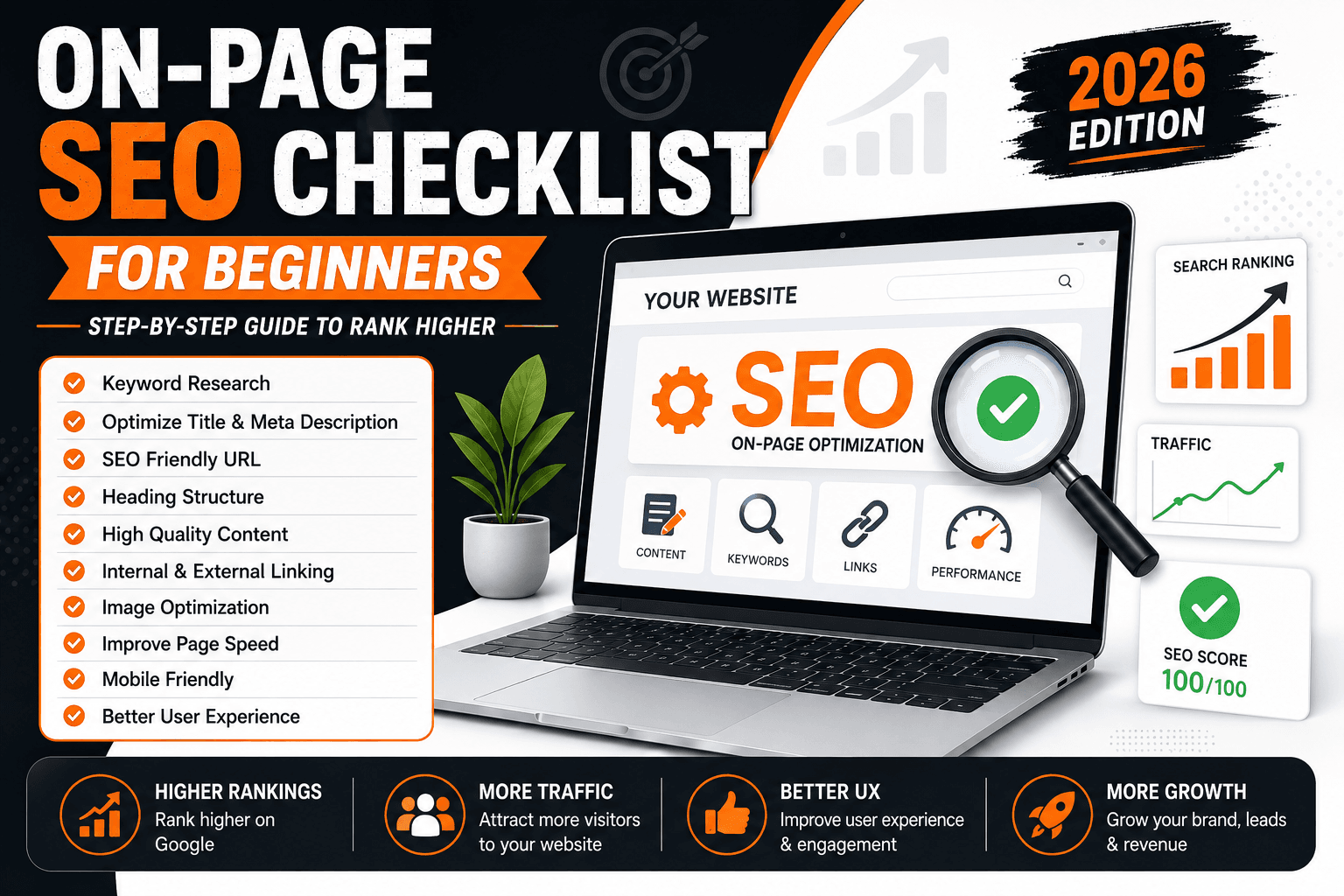
The good news is that on-page SEO is something you can fully control. With the right checklist, beginners can improve rankings, increase traffic, and create SEO-friendly content.
In this complete guide, you’ll learn the exact on-page SEO checklist step-by-step.
📑 Table of Contents
- What is On-Page SEO?
- Why On-Page SEO is Important
- Step 1: Keyword Research
- Step 2: Optimize Title Tag
- Step 3: Meta Description
- Step 4: URL Structure
- Step 5: Heading Structure
- Step 6: Content Optimization
- Step 7: Internal Linking
- Step 8: External Links
- Step 9: Image SEO
- Step 10: Website Speed
- Step 11: Mobile Friendly Design
- Step 12: Featured Snippets
- Step 13: Schema Markup
- Step 14: User Experience
- FAQs
- Complete SEO Checklist
- Common SEO Mistakes
- Best SEO Tools
- Pro Tips
- Conclusion
What is On-Page SEO?
On-page SEO refers to optimizing individual web pages to improve search engine rankings and user experience.
✅ On-Page SEO Includes:
- Keyword optimization
- Title tags
- Meta descriptions
- Internal linking
- Image optimization
- Content structure
- Page speed
Unlike off-page SEO, on-page SEO focuses directly on your website content and structure.
Why On-Page SEO is Important
Google uses on-page signals to understand your content.
Without proper optimization:
- Your pages may not rank
- Users may leave quickly
- Your CTR can decrease
💡 Proper on-page SEO improves:
- Search rankings
- User experience
- Traffic
- Conversions
Step 1: Start with Keyword Research
Before writing content, you need the right keyword.
🔍 Beginner Keyword Research Tips
- Target low competition keywords
- Use long-tail keywords
- Focus on search intent
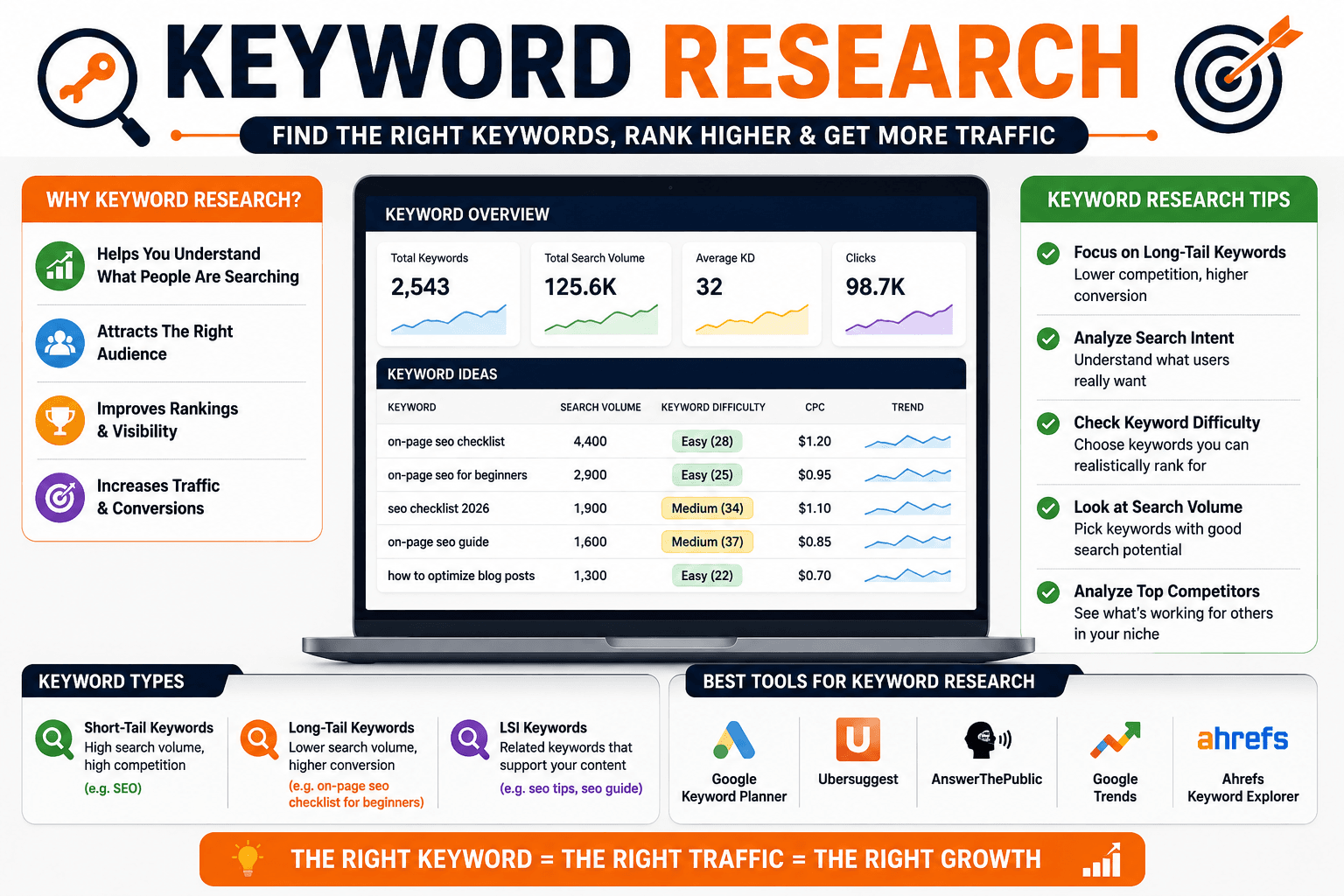
Example:
- ❌ SEO
- ✅ On-page SEO checklist for beginners
Best Free Keyword Tools
Step 2: Optimize Your Title Tag
Your title tag is one of the strongest ranking factors.
✅ Title Optimization Checklist
- Include main keyword
- Keep under 60 characters
- Make it clickable
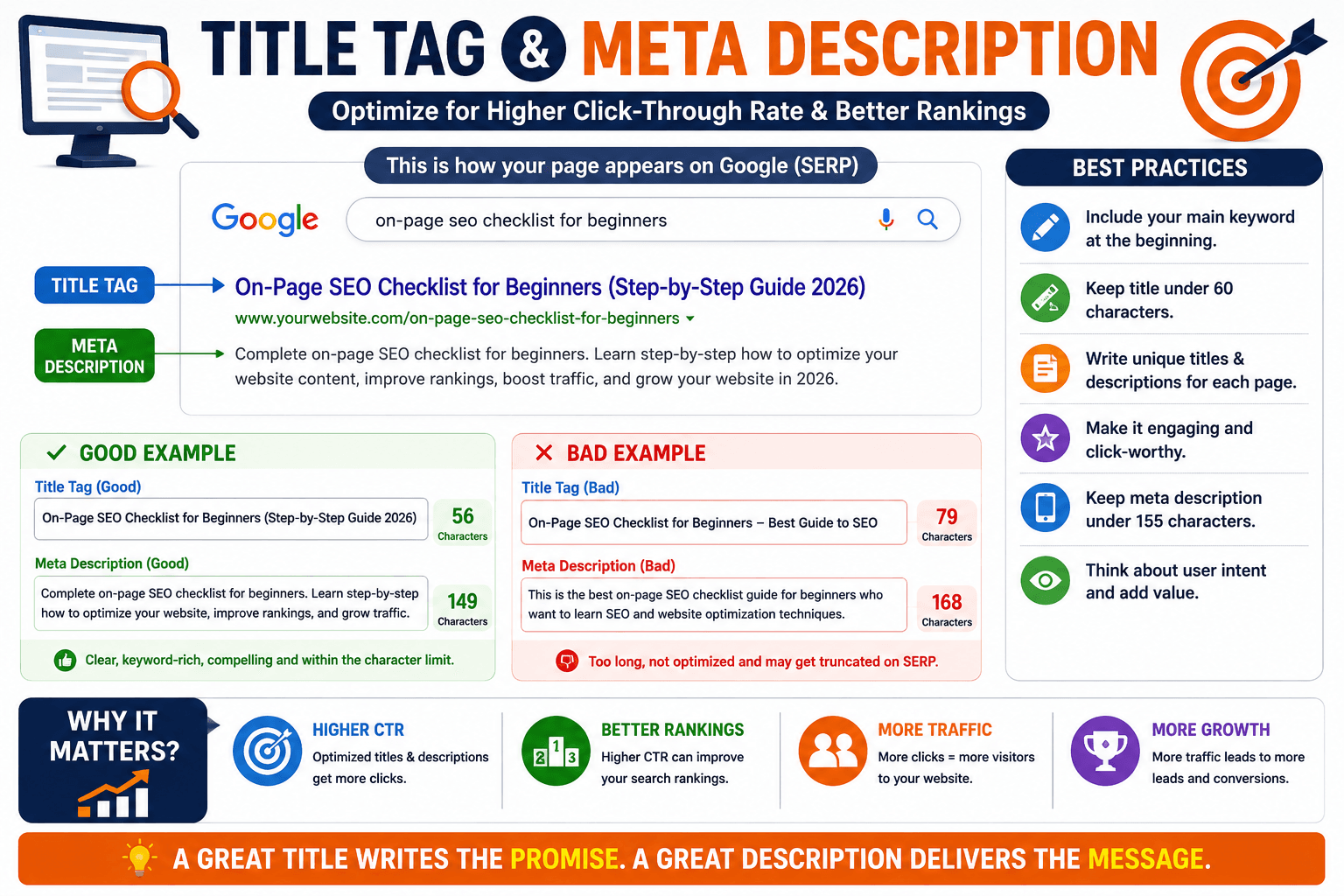
Good Example:
On-Page SEO Checklist for Beginners (Step-by-Step Guide)
Step 3: Write a Strong Meta Description
Meta descriptions improve click-through rate (CTR).
📌 Meta Description Tips
- Include target keyword
- Keep under 155 characters
- Make users curious
💡 Higher CTR can improve rankings over time.
Step 4: Optimize Your URL Structure
SEO-friendly URLs are simple, clean, and keyword-rich.
✅ Best URL Example
yourwebsite.com/on-page-seo-checklist
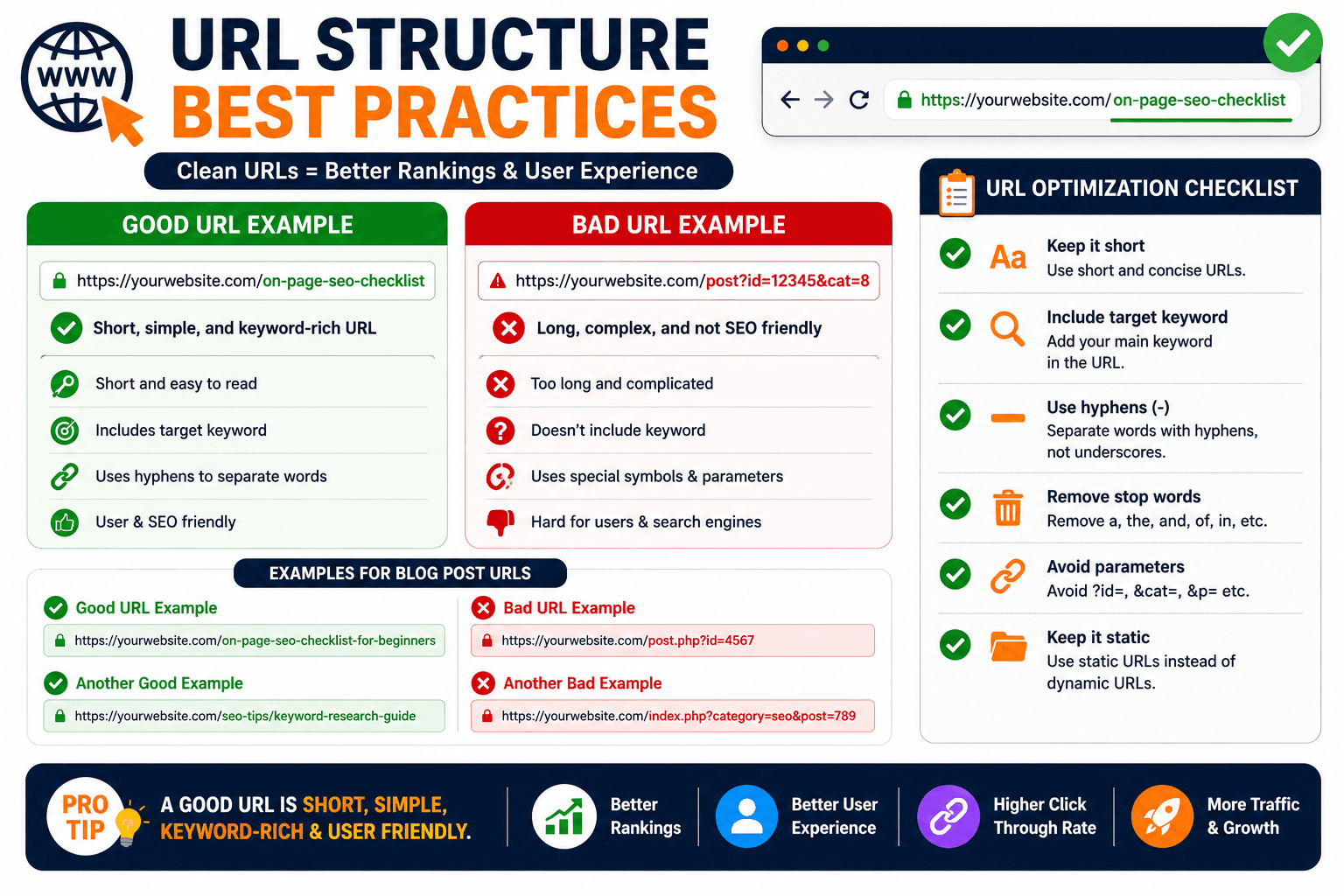
❌ Bad URL Example
yourwebsite.com/post?id=12345
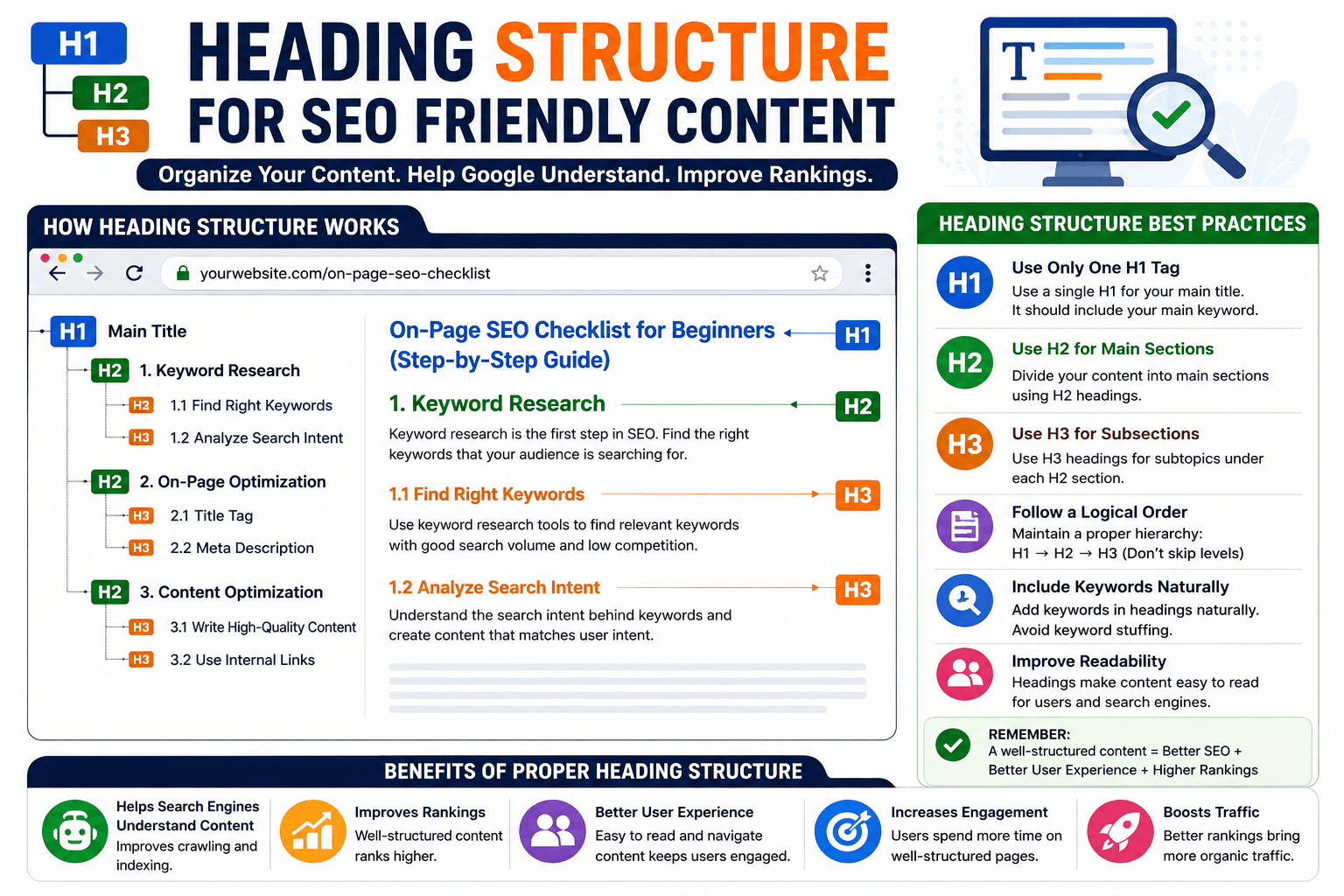
Step 5: Use Proper Heading Structure
Headings help Google understand your content hierarchy.
📌 Correct Structure
- H1 → Main title
- H2 → Main sections
- H3 → Subtopics
💡 Proper structure improves readability and SEO.
Step 6: Optimize Your Content
Content quality is the foundation of on-page SEO.
✅ Content Optimization Tips
- Write naturally
- Avoid keyword stuffing
- Use short paragraphs
- Add bullet points
👉 Learn why some blogs fail to get traffic: Why Your Blog Is Not Getting Traffic
Step 7: Use Internal Linking Properly
Internal linking helps search engines understand your website structure and improves SEO authority.
✅ Benefits of Internal Linking
- Improves crawlability
- Increases page authority
- Reduces bounce rate
- Helps users discover more content
💡 Link only relevant pages naturally within your content.
👉 Example internal links:
Step 8: Add External Links to Trusted Sources
External links improve trust and content credibility.
🔗 Best External Sources
💡 Use only high-authority and relevant sources.
Step 9: Optimize Images for SEO
Images improve user experience, but unoptimized images can slow down your website.
📸 Image SEO Checklist
- Use compressed images
- Add ALT text
- Use descriptive file names
- Use modern formats like WEBP
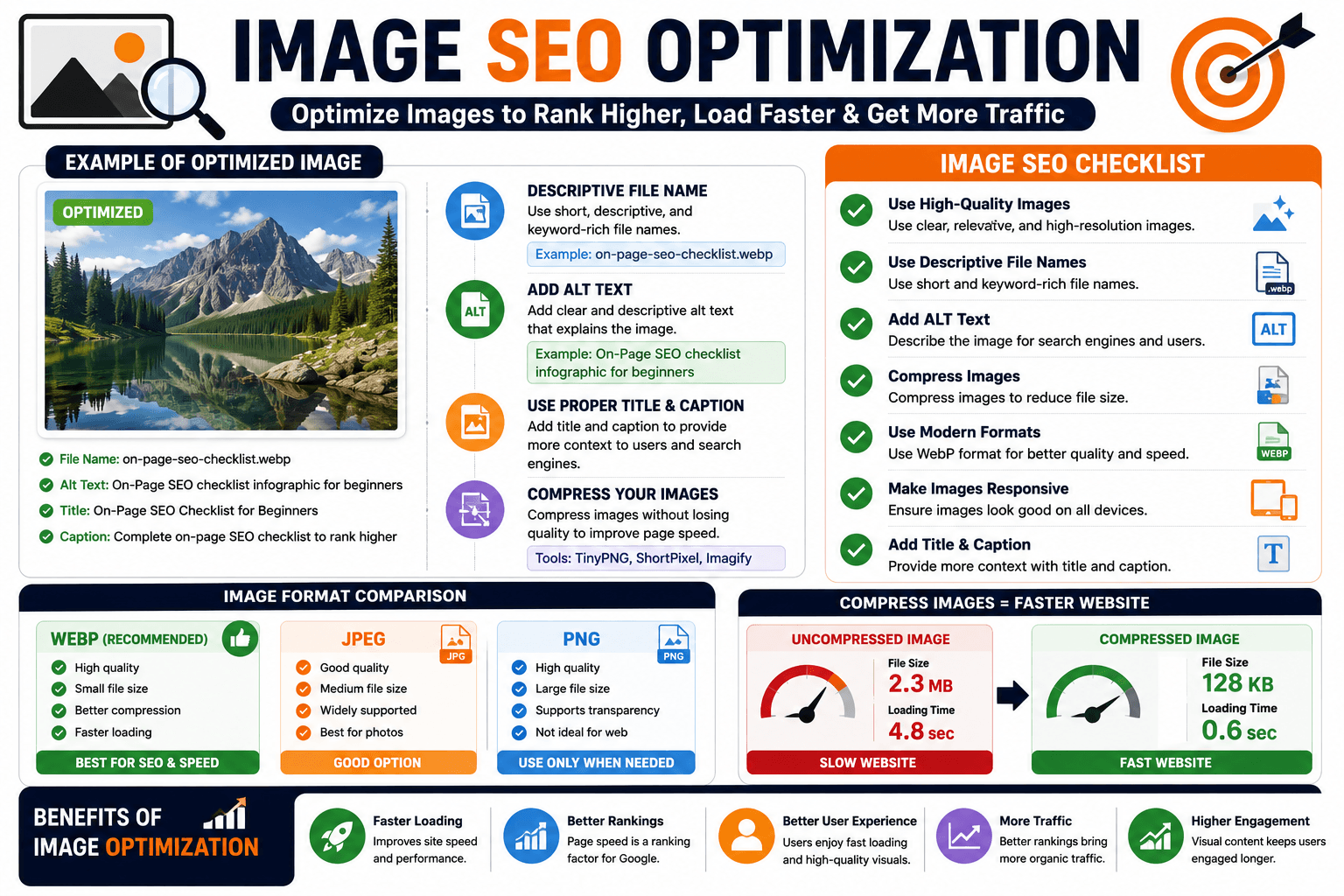
Example ALT Text:
on-page-seo-checklist-example
💡 Optimized images improve page speed and accessibility.
Step 10: Improve Website Speed
Page speed is an important ranking factor.
⚡ Speed Optimization Tips
- Use fast hosting
- Enable caching
- Compress images
- Use lightweight themes
👉 Learn more: How to Speed Up WordPress Website
Step 11: Make Your Website Mobile Friendly
Most website traffic now comes from mobile devices.
📱 Mobile SEO Checklist
- Use responsive design
- Avoid large popups
- Use readable font sizes
- Optimize buttons and menus
💡 Mobile-friendly websites rank better on Google.
Step 12: Optimize for Featured Snippets
Featured snippets can place your website above normal search results.
✅ How to Target Featured Snippets
- Answer questions directly
- Use bullet points
- Use short definitions
Example:
What is on-page SEO?
On-page SEO is the process of optimizing website pages to improve search engine rankings and user experience.
Step 13: Add Schema Markup
Schema markup helps search engines understand your content better.
📌 Beginner-Friendly Schema Types
- FAQ Schema
- Article Schema
- Breadcrumb Schema
💡 Schema can improve your visibility in search results.
Step 14: Improve User Experience (UX)
Google measures how users interact with your content.
✅ UX Improvement Tips
- Use clean design
- Improve readability
- Reduce clutter
- Use clear navigation
💡 Better user experience increases engagement and rankings.