How to Analyze a Website’s SEO Step by Step
A website can look perfectly fine to a visitor and still have serious SEO problems.Pages may not be indexed, important keywords may have low visibility, internal links may be weak, titles may not match search intent, pages may load slowly, or Google may select a different canonical URL than you expect.That is why a proper SEO analysis should not start with
“How many keywords do I rank for?”
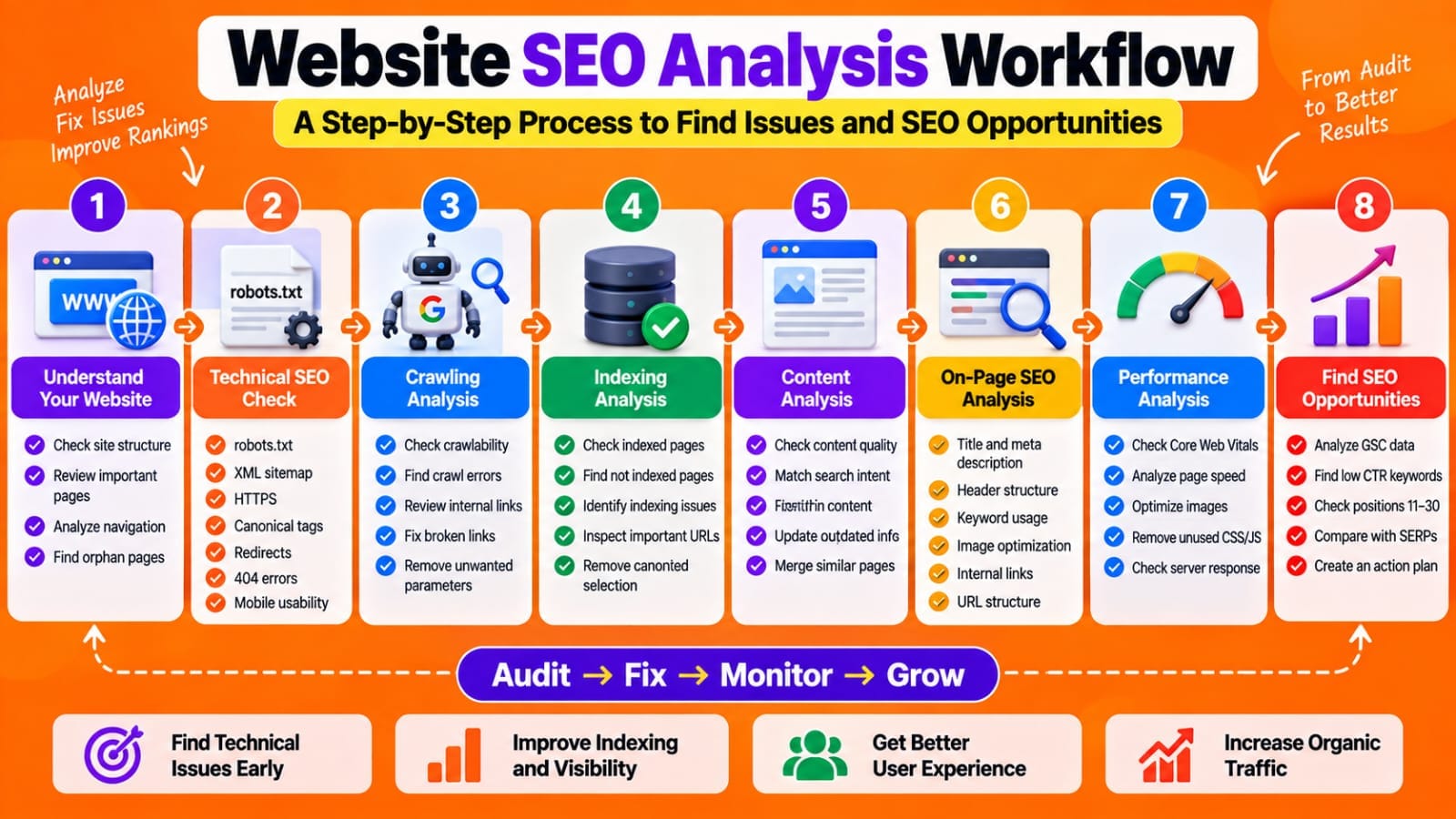
A better approach is to analyze the website in layers:
*technical SEO → crawling → indexing → content → on-page SEO → internal links → performance → search visibility → opportunities.*
This guide explains how to analyze a website’s SEO step by step and turn the findings into an actionable SEO plan.

Start With the Website’s Overall Structure
Before checking individual pages, understand how the website is organized.Look at:
- Homepage
- Main categories
- Blog
- Important service/product pages
- Tools or resources
- Contact and About pages
- XML sitemap
- Navigation menu
- Internal linking structure
Ask yourself:
*Can a visitor reach important pages easily from the homepage or main navigation?*
Google also recommends having comprehensive site navigation so that pages can be discovered starting from the homepage. A common problem is publishing many articles without building relationships between them.
For example, a website about SEO might have:
SEO → Keyword Research → Keyword Clustering → Search Intent → On-Page SEO
Those topics should not exist as isolated pages.They should be connected through relevant internal links.*The first goal of an SEO audit is therefore understanding the website architecture, not immediately changing keywords.*
Check Whether Google Can Crawl the Website
Crawling is the process Google uses to access URLs and discover their content.
Start by checking:
- robots.txt
- XML sitemap
- Internal links
- Broken links
- Redirects
- Server errors
- Important pages blocked from crawling
- URLs containing unnecessary parameters
- Orphan pages
Open your robots.txt file and make sure important sections of the website are not accidentally blocked.Then check your XML sitemap.Your sitemap should contain the important canonical URLs that you actually want Google to discover and index.Also check whether important pages are reachable through internal links.
*A sitemap can help Google discover URLs, but internal linking still matters for site structure and discoverability.*
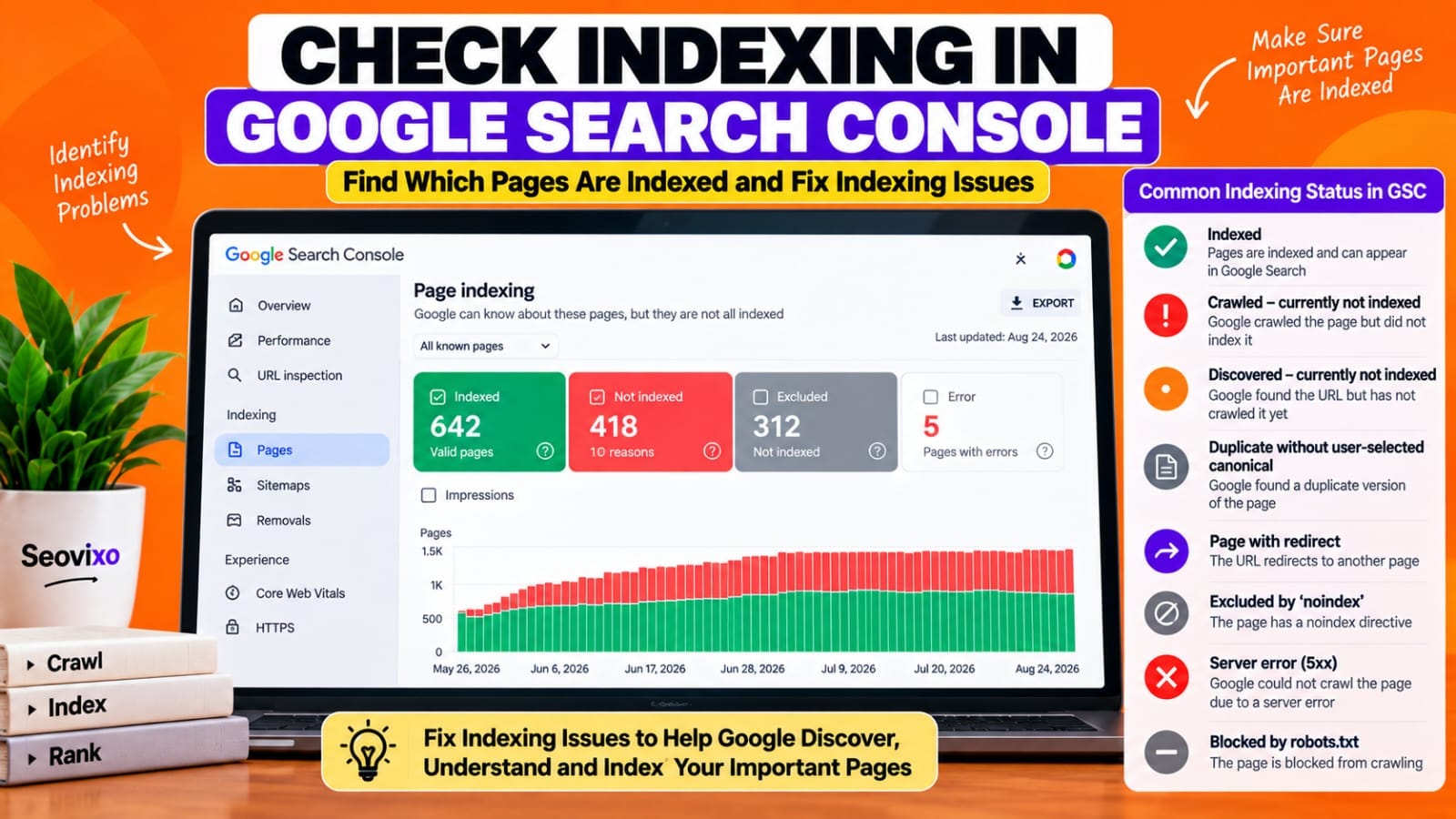
Analyze Indexing in Google Search Console
After crawling, the next question is:
*Which pages has Google actually indexed?*
Go to:
Google Search Console → Indexing → PagesThe Page Indexing report shows URLs Google has attempted to crawl and whether they are indexed. Google specifically notes that not every URL needs to be indexed; duplicate, redirected, intentionally blocked, or noindexed URLs may correctly remain outside the index.
Look for problems such as:
- Crawled
– currently not indexed
- Discovered
– currently not indexed
- Duplicate without user
-selected canonical
- Alternate page with proper canonical
- Page with redirect
- Server errors
- Soft 404
- Blocked by robots.txt
- Excluded by noindex
Do not try to make the indexing report show 100% indexed URLs.
*The objective is to make sure important canonical pages are indexable and indexed.*
Inspect Important URLs Individually
For important pages, use Google Search Console's URL Inspection tool.Check:
- Whether the URL is on Google
- Indexing status
- Crawl status
- User-declared canonical
- Google-selected canonical
- Mobile usability information where available
- Structured data
- Last crawl information
Google's URL Inspection tool provides information about Google's indexed version of a specific URL and allows you to test the live version.
Pay particular attention to canonicalization.
For example, if you believe:
example.com/seo-guide/
is the main version, but Google selects another URL as canonical, investigate why.
*Do not assume that the canonical tag alone determines Google's selected canonical.*
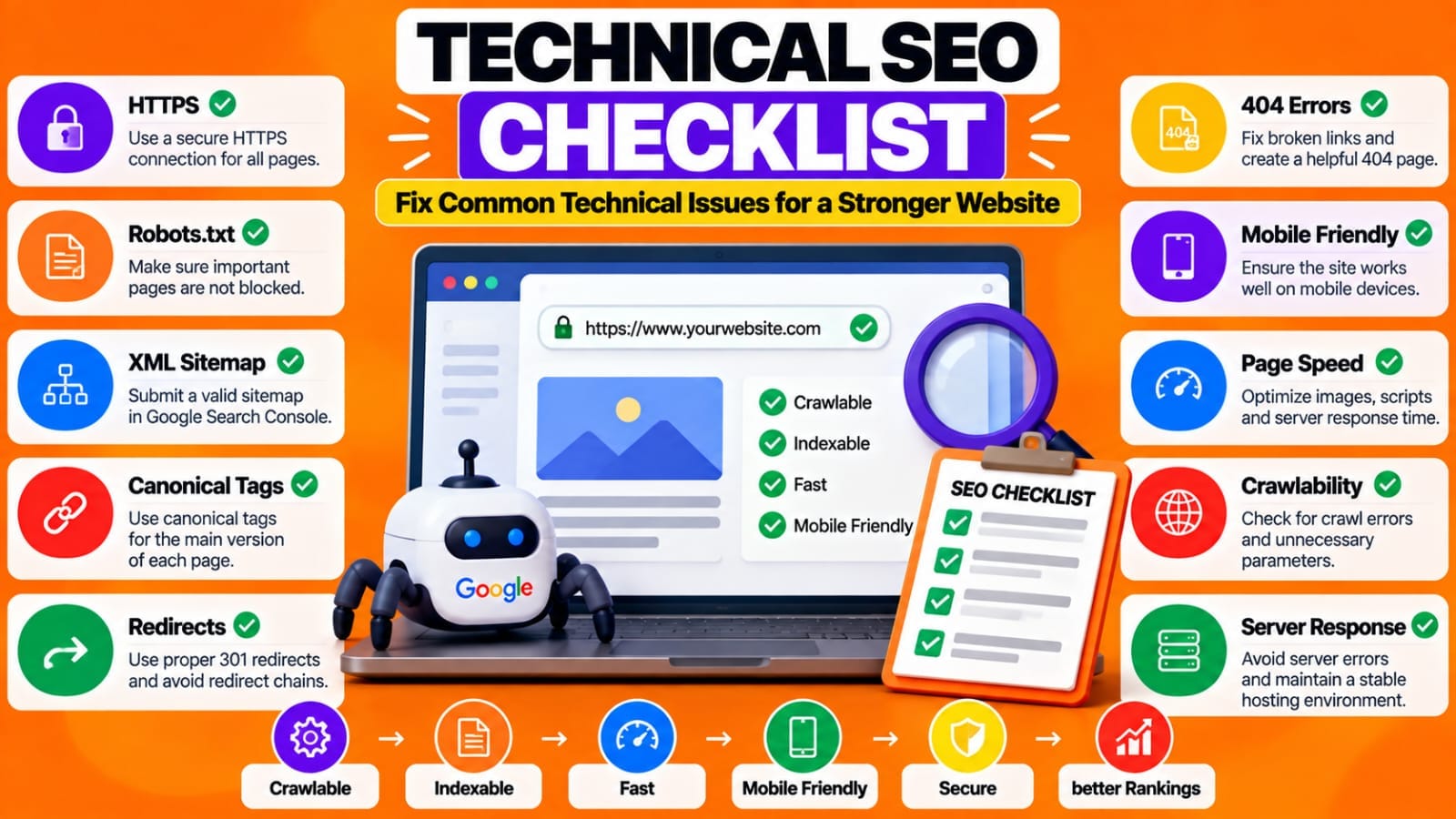
Analyze Technical SEO
Now move deeper into technical SEO.Check:
- HTTPS
- HTTP status codes
- 301/302 redirects
- 404 pages
- Redirect chains
- Canonical tags
- Robots directives
- XML sitemap
- Mobile rendering
- JavaScript
-dependent content
- Duplicate URLs
- Site architecture
A technically clean website makes it easier for search engines to crawl and understand the site.However, technical SEO is not simply about fixing every warning from an SEO tool.For every issue, ask:
*Does this actually affect crawling, indexing, usability, or search visibility?*
This prevents you from spending hours fixing harmless warnings while more important problems remain unresolved.
Analyze Page Titles, Meta Descriptions and URLs
Next, examine your most important pages individually.
Check whether each page has:
- A clear title
- A descriptive URL
- A useful meta description
- One clear primary topic
- A logical H1
- Relevant H2/H3 sections
- Search intent alignment
Your title should explain what the page offers rather than simply repeating keywords.
For example:
Weak:
“SEO Tools – SEO Tools for SEO”
Better:
“Best Free SEO Tools for Beginners: Complete Guide”
The second version communicates the topic and the intended audience more clearly.Also remember that the title and snippet shown in Google may not always exactly match the HTML title or meta description.
*Your job is to provide clear page information, not to force Google to display a specific snippet.*
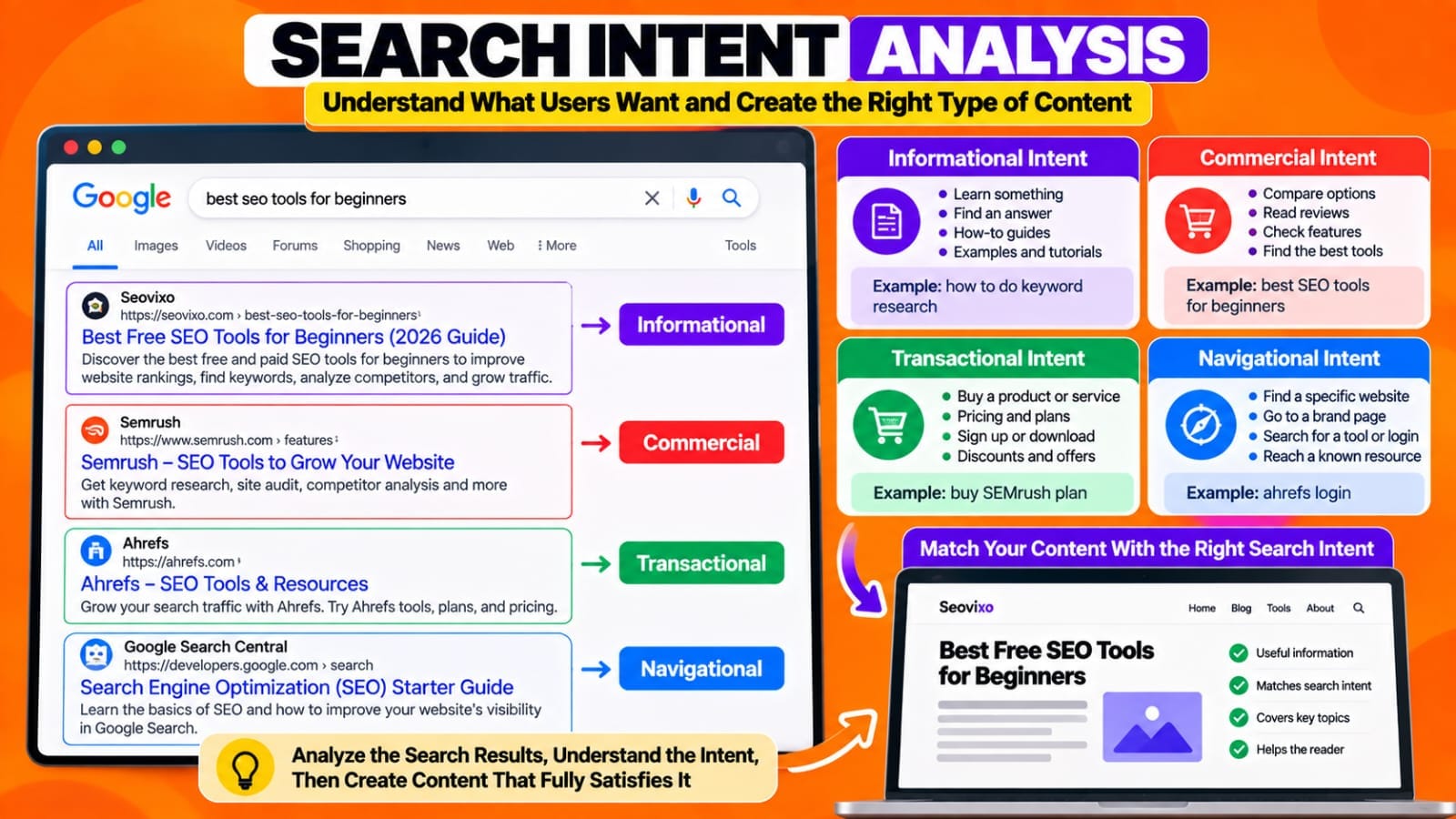
Analyze Search Intent
One of the most important parts of an SEO audit is determining whether the page actually satisfies the searcher's intent.Take the primary keyword and examine the current search results.
Ask:
- Are the results informational?
- Are they commercial?
- Are they transactional?
- Are they comparison pages?
- Are they tutorials?
- Are they tool pages?
- Are they product pages?
Then compare your page.Suppose your keyword is:
“how to reduce WordPress TTFB”
If most results provide practical troubleshooting steps, but your page mainly explains what TTFB means, there is an intent mismatch.You may have optimized the keyword correctly but still created the wrong type of page.
*Search intent should influence the structure, depth and format of the content.*
SEO Website Analysis Tools Compared
Audit Content Quality and Usefulness
Now examine the actual content.
Look for:
- Thin explanations
- Outdated information
- Generic introductions
- Repeated information
- Unsupported claims
- Missing examples
- Missing practical steps
- Weak conclusions
- Content copied or heavily paraphrased from competitors
- Pages targeting nearly identical keywords
Ask a more important question than
“Is this article 2,000 words?”
Ask:
*Does this page provide something genuinely useful to someone searching for this topic?*
Longer content is not automatically better.A 900-word article that completely solves a problem can be more useful than a 2,500-word article filled with repetition.
During your audit, identify pages that need:
- Updating
- Expanding
- Consolidation
- Better examples
- Better search
-intent alignment
- Stronger internal links
- Or removal/redirecting when appropriate
Analyze Internal Links
Internal linking is one of the easiest areas to overlook.
For each important page, ask:
*Which other pages link to this page?*
Then ask:
*Which relevant pages should this page link to?*
For example, an article about keyword research could naturally link to:
- Keyword clustering
- Search intent
- Keyword density
- SEO content briefs
- SEO tools
Avoid adding links simply to increase the number of links.*Every internal link should help the reader move to the next useful piece of information.
*Also look for orphan pages—pages that have little or no internal links pointing toward them.Important pages should not be isolated from the rest of the website.
Analyze Website Speed and Page Experience
SEO analysis should also include performance.Check important templates and pages using tools such as PageSpeed Insights.
Pay attention to Core Web Vitals:
- LCP — Largest Contentful Paint
- INP— Interaction to Next Paint
- CLS — Cumulative Layout Shift
Also examine:
- Large images
- Unused JavaScript
- Unused CSS
- Heavy plugins
- Third-party scripts
- Poor caching
- Slow server response
- Excessive page elements
Do not optimize speed by chasing a perfect tool score alone.*Focus on real user experience and the causes of performance problems.
*For WordPress sites, test important page types separately. A homepage, article, tool page and contact page can have very different performance profiles.
Analyze Google Search Performance
After technical and content analysis, examine actual search data.Open:
Google Search Console → Performance → Search results
Review:
- Clicks
- Impressions
- CTR
- Average position
- Queries
- Pages
- Countries
- Devices
Google's Performance report allows you to analyze which queries and pages generate visibility and traffic, and you can sort data by clicks, impressions or CTR.
Look for opportunities such as:
*High impressions + low CTR*
These pages may deserve title, snippet or search-intent analysis.
Also look for:
*Positions 11–30 + meaningful impressions*
These pages may already have search visibility and can be investigated for content, intent, internal-linking or on-page improvements.Do not treat average position as an exact fixed ranking. Search Console aggregates ranking information, so use it as a performance signal rather than assuming it represents one permanent position.
Compare Your Pages With the Search Results
Search the target query and compare your page with the pages currently appearing.
Look at:
- Content format
- Topic coverage
- Examples- Page structure
- Title
- Freshness
- Original information
- Internal resources
- User experience
The goal is not to copy competitors.
Instead ask:
*What useful information is missing from my page?*
This can reveal opportunities that automated SEO tools cannot identify.
Create an SEO Issue Priority List
After collecting everything, don't fix problems randomly.
Create three levels:
*High Priority*
Examples:
- Important page not indexed
- Incorrect noindex
- Broken canonical
- Important page blocked
- Major server errors
- Incorrect redirects
- Severe search
-intent mismatch
*Medium Priority*
Examples:
- Weak internal linking
- Outdated content
- Poor titles
- Low CTR
- Thin sections
- Duplicate or overlapping articles
*Low Priority*
Examples:
- Minor metadata improvements
- Small formatting issues
- Non-critical SEO tool warnings
This makes your SEO work much more manageable.
Recheck After Making Changes
An SEO audit is not finished when you create the report.After fixing important issues:
- Test the live URL
- Confirm redirects
- Check canonical
- Confirm indexing directives
- Monitor Search Console
- Compare clicks
- Compare impressions
- Watch CTR
- Review ranking trends
- Check whether organic traffic changes
Google recommends using Search Console to monitor performance and indexing, while URL Inspection can be used to investigate and retest individual pages.
Do not expect every change to produce an immediate ranking improvement.SEO analysis works best as a continuous process:
*Audit → Prioritize → Fix → Monitor → Re-analyze*
My Practical Experience
While analyzing and optimizing my own website, I found that looking at every SEO warning at once can become confusing.A more useful approach was to separate the analysis into layers:
*indexing first, then search performance, content, internal links and technical issues.*
I also found that pages already receiving impressions can provide useful clues. Instead of immediately creating another article, I look at which queries are already showing the page, whether the search intent matches, how strong the internal links are, and whether the page needs clearer or more useful information.This approach makes an SEO audit more focused because the goal is not to collect the largest number of errors.
*The goal is to identify the problems most likely to affect the website's ability to be discovered, understood and used by searchers.*