Best Free SEO Audit Tools for Beginners: Complete Guide
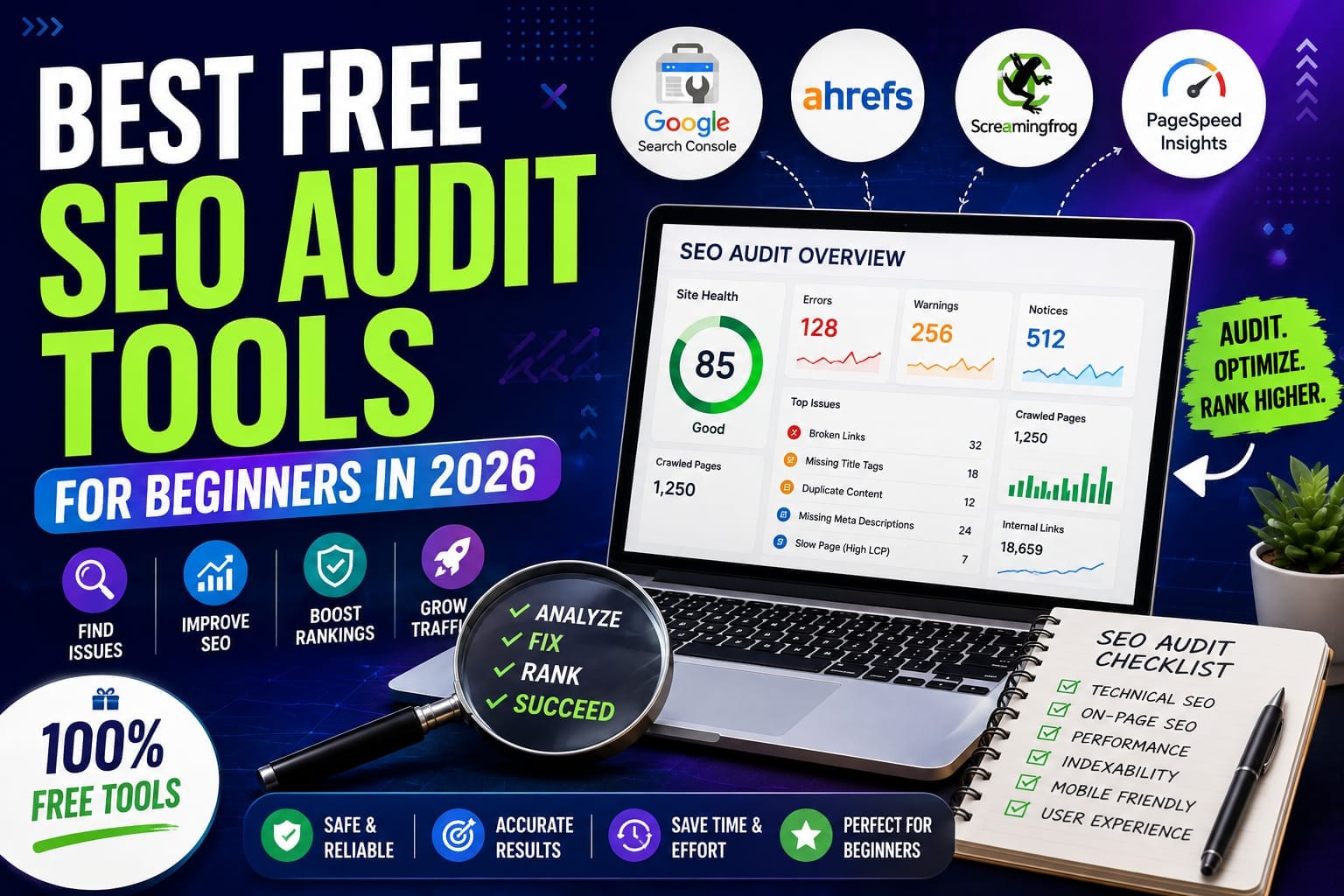
You do not need an expensive SEO subscription to find many of the problems affecting your website.For beginners, several free SEO tools can reveal indexing problems, broken links, slow pages, missing metadata, technical issues, search-performance changes, and other problems that can prevent a website from reaching its potential.
The important thing is understanding what each tool actually checks.A tool that gives you a score of 85 out of 100 is not necessarily more useful than a tool that gives you no score at all but shows you exactly why an important page is not being indexed.
The best SEO audit tool is the one that helps you discover a real problem and understand what to do next.
For most beginners, I recommend starting with Google Search Console, then using Ahrefs Free and Screaming Frog to investigate technical issues more deeply.
What Is an SEO Audit?
An SEO audit is a systematic examination of a website to identify problems and opportunities that could affect search visibility, crawling, indexing, performance, content, and user experience.A proper audit can examine areas such as:
- Indexing
- Crawling
- Broken links
- Redirects
- Page titles
- Meta descriptions
- Headings
- Internal links
- Duplicate pages
- Images
- Structured data
- Page performance
- Core Web Vitals
- Search visibility
No single free tool provides a complete picture.That is why beginners should think of SEO auditing as a process rather than simply running a website through one checker.
How We Rank These Free SEO Audit Tools
I am ranking these tools according to several practical factors:Ease of use, depth of analysis, technical coverage, usefulness of the recommendations, data quality, free limitations, and how valuable the tool is for a beginner.
This is important because a tool can have hundreds of features while still being difficult for a beginner to use.The ranking therefore focuses on usefulness rather than feature count.
Best Free SEO Audit Tools Compared
Rank #1: Google Search Console
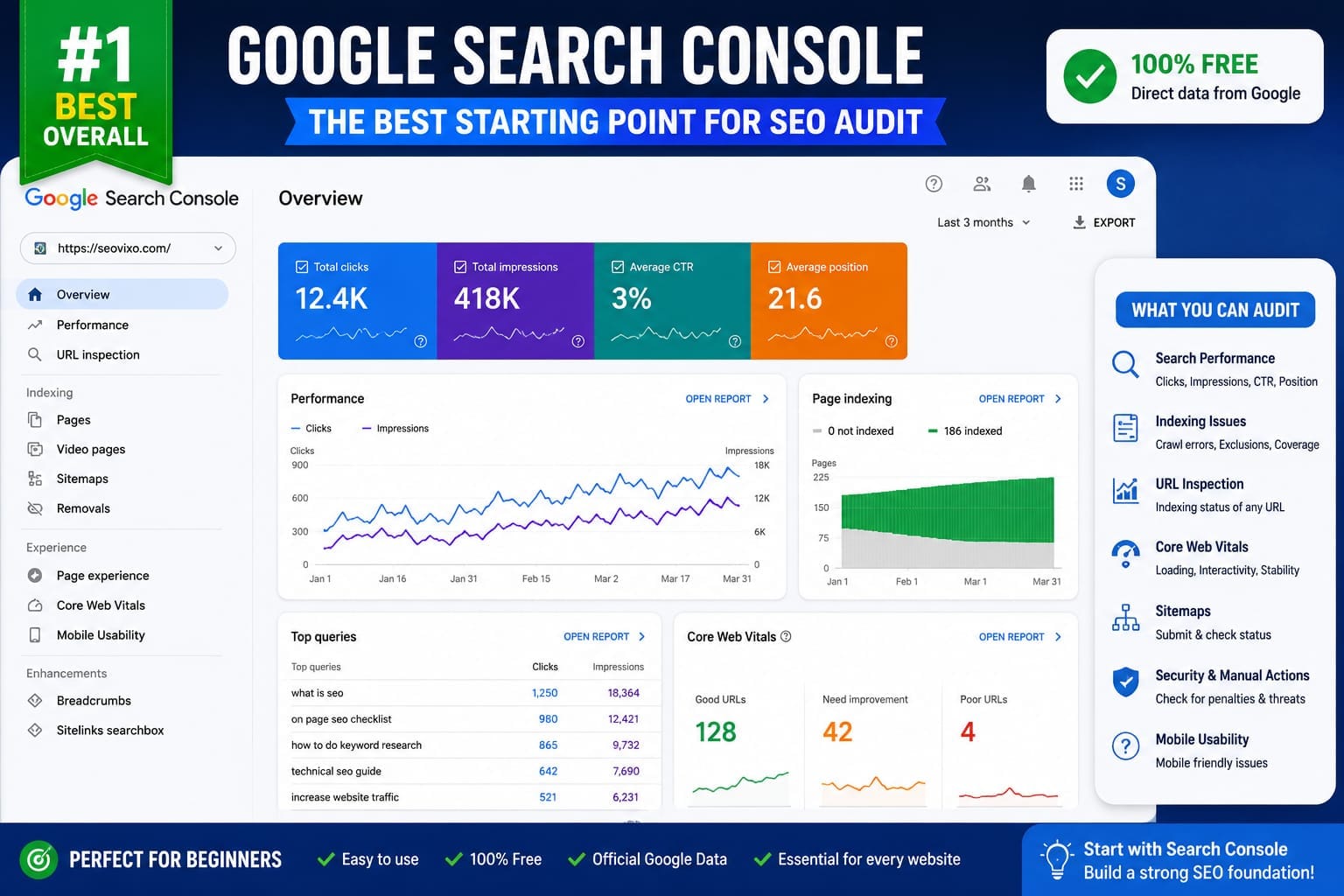
For a beginner, Google Search Console should be the first SEO tool you set up.It is free, comes directly from Google, and provides information about how Google crawls, indexes, and serves your website in Search. Google specifically recommends using Search Console to monitor search performance, indexing, URL-level issues, and Core Web Vitals.
What Can You Audit With Search Console?
You can investigate:
- Search clicks
- Impressions
- Queries
- Individual page performance
- Indexing problems
- Sitemap status
- URL inspection
- Core Web Vitals
- Manual actions
- Security issues
The Page Indexing report is particularly important.If an important article is not indexed, improving its title or adding more keywords will not solve the fundamental problem.
You first need to understand why Google has not indexed it.Google recommends using the Page Indexing report for site-wide indexing problems and URL Inspection for investigating individual URLs.
Why It Ranks First
Search Console gives you information directly related to your website's presence in Google Search.Third-party tools can estimate rankings, traffic, or technical problems.Search Console gives you Google's own search-performance and indexing data.
For every beginner, Search Console should be the foundation of the audit process.
Rank #2: Ahrefs Free
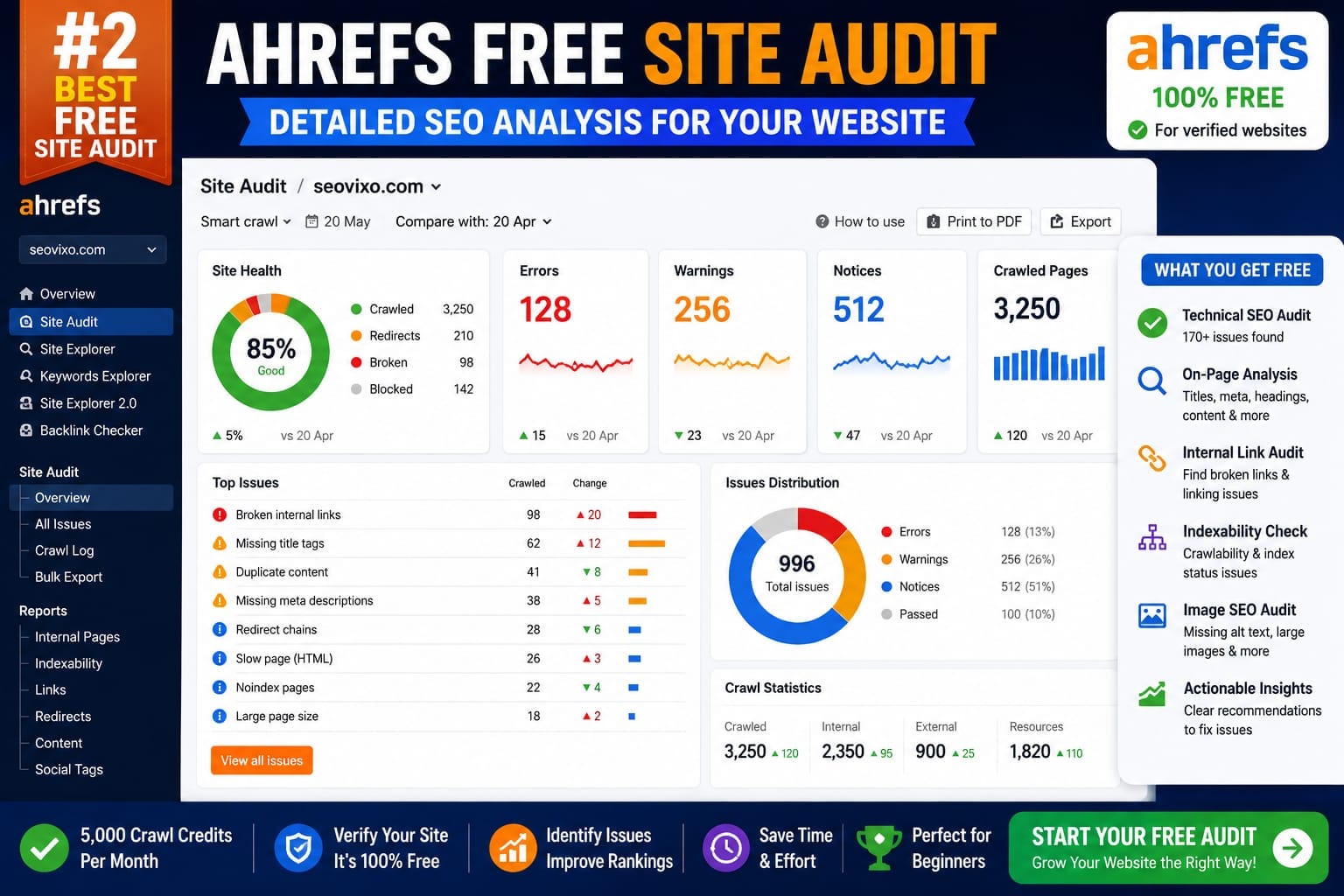
Ahrefs has significantly expanded what users can access without paying for a subscription.Its current free account provides Site Audit for verified websites, along with Site Explorer and other tools.
Ahrefs says its Site Audit can identify more than 170 technical and on-page SEO issues, while the free Site Audit allowance is 5,000 crawl credits per project each month.
That makes Ahrefs particularly useful after checking Search Console.
What Does Ahrefs Find?
Depending on the audit, you can investigate issues involving:
- Broken links
- Redirects
- Titles
- Meta descriptions
- Duplicate content
- Indexability
- Images
- Internal links
- Structured data
- Performance
- Robots directives
- Sitemaps
Ahrefs also provides explanations and recommendations for many issues, which can be helpful when you are learning SEO.
The free version does require website verification for the deeper site-level tools.For a beginner who owns a small website, however, that is usually a reasonable trade-off.
Rank #3: Screaming Frog SEO Spider
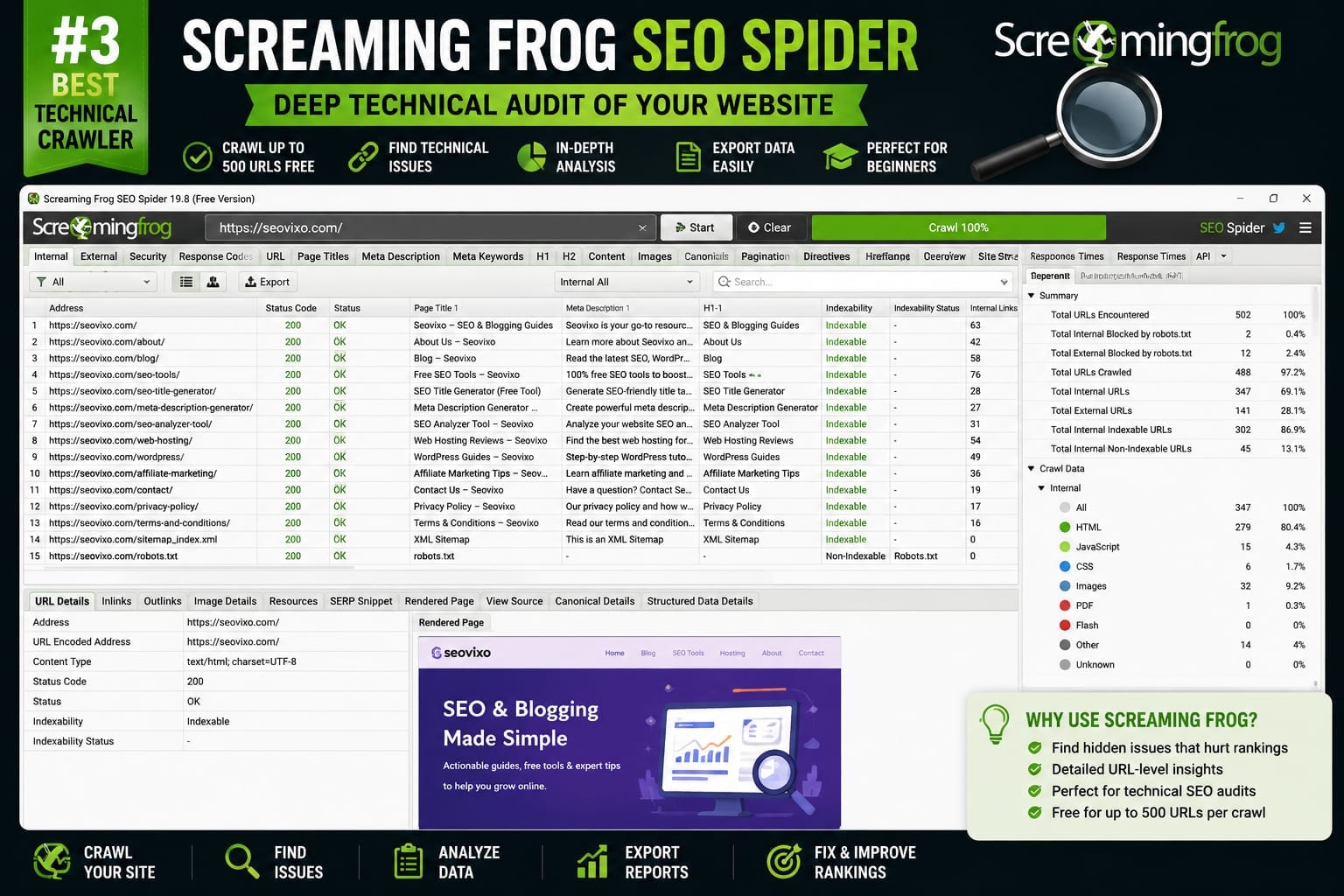
Screaming Frog is different from Search Console and Ahrefs.Instead of primarily showing search performance, it behaves like a powerful website crawler.
The free version can crawl up to 500 URLs per crawl and can identify issues involving broken links, redirects, page titles, meta data, directives, duplicate pages, and other technical elements.
This makes it extremely useful for technical audits.
Why Beginners May Find It Difficult
Screaming Frog provides a huge amount of information.That is its strength and its weakness.A beginner can easily find hundreds of URLs and dozens of warnings without knowing which ones deserve attention first.Do not try to fix everything.
Start with serious issues such as broken important pages, incorrect redirects, indexability problems, missing important titles, and major internal-linking problems.Once you understand the basics, Screaming Frog becomes much more powerful.
Rank #4: PageSpeed Insights
PageSpeed Insights should be part of almost every website audit.It focuses on page performance and provides both lab-style analysis and real-world performance information when field data is available.Google's Core Web Vitals focus on loading performance, responsiveness, and visual stability.The current Core Web Vitals metrics are LCP, INP, and CLS. Google recommends aiming for LCP within 2.5 seconds, INP below 200 milliseconds, and CLS below 0.1 for a good user experience.
But do not make the mistake of thinking that a perfect PageSpeed score automatically means higher rankings.Google explicitly says that good Core Web Vitals results do not guarantee top rankings. 6Use the tool to improve user experience and identify real performance problems.
Rank #5: Bing Webmaster Tools
Bing Webmaster Tools is useful even if Google is your primary search engine.It gives you another perspective on how your website is discovered and performs within Bing.It can also be useful for identifying technical problems that deserve investigation.
For a beginner, I would not place it ahead of Search Console because Google Search visibility is usually the primary concern for a Google-focused SEO strategy.But it is still a valuable secondary tool.
Rank #6: Semrush Tools
Semrush is one of the largest SEO platforms, but many of its deeper capabilities are part of its paid ecosystem.Its free tools can still be useful for beginners who want additional keyword, domain, competitive, or SEO insights.The important distinction is that a free tool should not be judged against a full paid SEO suite.
If you are starting with no budget, use the free functionality where it provides genuine value.You can always upgrade later when your SEO work requires larger datasets or more advanced research.
Which Free SEO Audit Tool Should a Beginner Use?
If you want only one tool, start with Google Search Console.If you want a stronger combination, use:
Google Search Console + Ahrefs Free + Screaming Frog + PageSpeed Insights.
Each tool answers a different question.Search Console tells you how Google sees your search performance and indexing.
Ahrefs helps identify technical and on-page issues across your site.Screaming Frog gives you deeper crawler-level information.PageSpeed Insights helps investigate performance and Core Web Vitals.Together, they provide a much more useful audit than relying on one overall SEO score.
How to Perform a Free SEO Audit
Start with Search Console.Check whether important pages are indexed.Review recent clicks and impressions.Look for sudden performance declines.Then run your site through Ahrefs Free.Prioritize errors rather than trying to eliminate every warning.Next, crawl the website with
Screaming Frog if your site fits within the free URL limit.Check broken links, redirects, titles, meta descriptions, headings, and indexability.Finally, test your most important pages with PageSpeed Insights.Pay particular attention to pages that generate traffic or conversions.
Audit your important pages first instead of treating every URL as equally important.
Common Beginner SEO Audit Mistakes
One of the biggest mistakes is chasing the score.A website can receive a high audit score while still having serious strategic problems.Another mistake is fixing minor warnings before major indexing issues.For example, changing a meta description is not the first priority if Google cannot index the page.
Do not blindly implement every recommendation either.Understand the problem first.Then decide whether the suggested fix makes sense for your website.
Final Verdict
So, which is the best free SEO audit tool for beginners?
*Google Search Console ranks first overall*
because it provides direct information about your website's visibility, indexing, and performance in Google Search.
*Ahrefs Free ranks second*
because it provides a much broader technical and SEO audit for verified websites, including more than 170 issue types and a monthly crawl allowance.
*Screaming Frog ranks third*
for technical crawling, especially when you want detailed URL-level information and your website fits within its free crawl limit.
PageSpeed Insights is the specialist choice for performance.
Bing Webmaster Tools provides useful additional search-engine data.Semrush's free tools are useful when you need additional SEO research.But you do not need to use all of them every day.
For most beginners, the best free SEO audit system is not one tool.It is a small stack of complementary tools used for different jobs.Search Console for Google.Ahrefs for broader SEO auditing.
Screaming Frog for technical crawling.PageSpeed Insights for performance.
That combination can give a beginner a surprisingly deep understanding of what is happening on a website without immediately paying for an expensive SEO subscription.