Best Google Search Console Reports Every Blogger Should Check
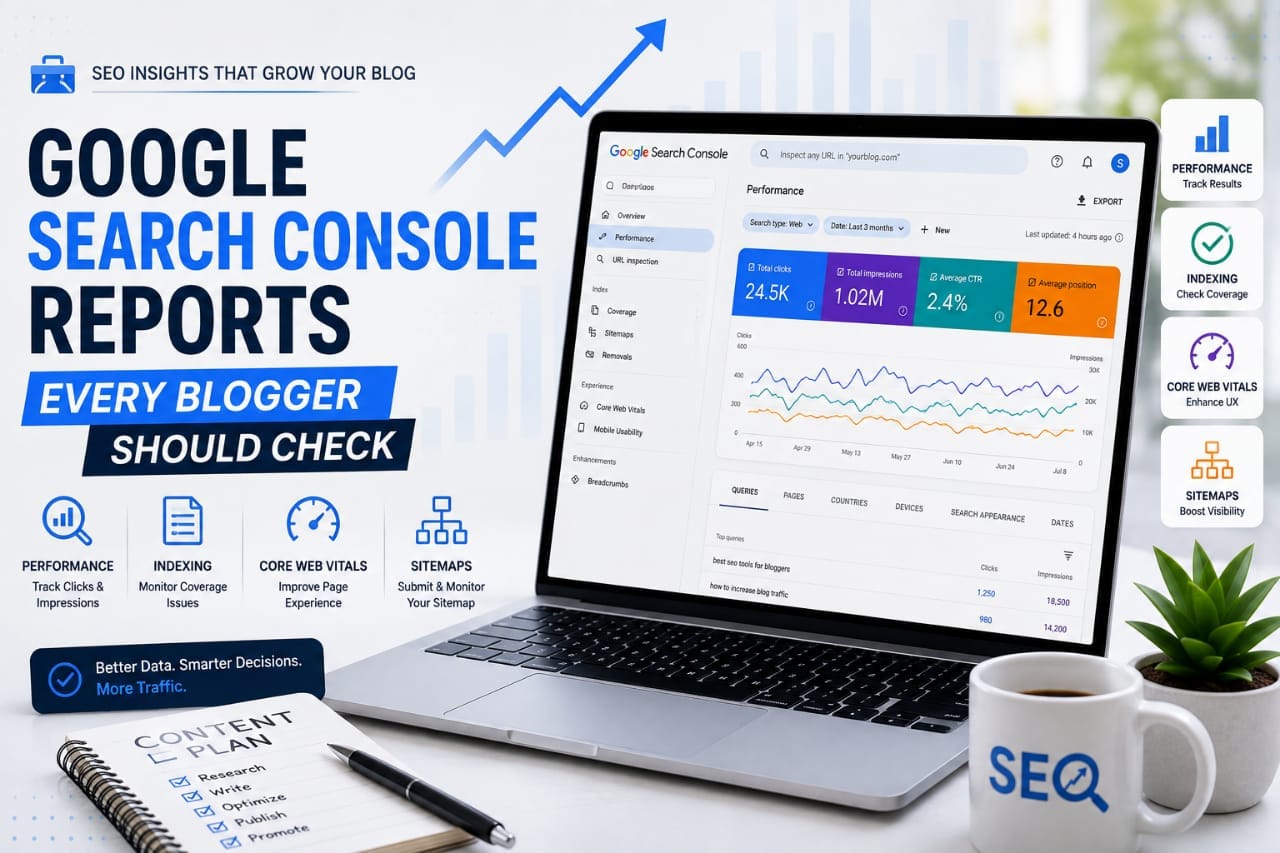
Google Search Console is one of the most valuable free SEO platforms available to bloggers.But many website owners only open it to check clicks and impressions.That leaves a lot of useful information unused.Search Console can show you which queries bring visibility, which pages attract clicks, which URLs are not indexed, how your site performs on real-world Core Web Vitals data, and where Google is encountering technical problems.
The important part is knowing which reports deserve your attention and what decisions you should make from them.Search Console is not just a reporting dashboard. It is a feedback system for your website.You do not need to check every report every day.Instead, focus on the reports that can reveal opportunities, problems, and changes that require action.
Performance Report: The Most Important Report for Bloggers
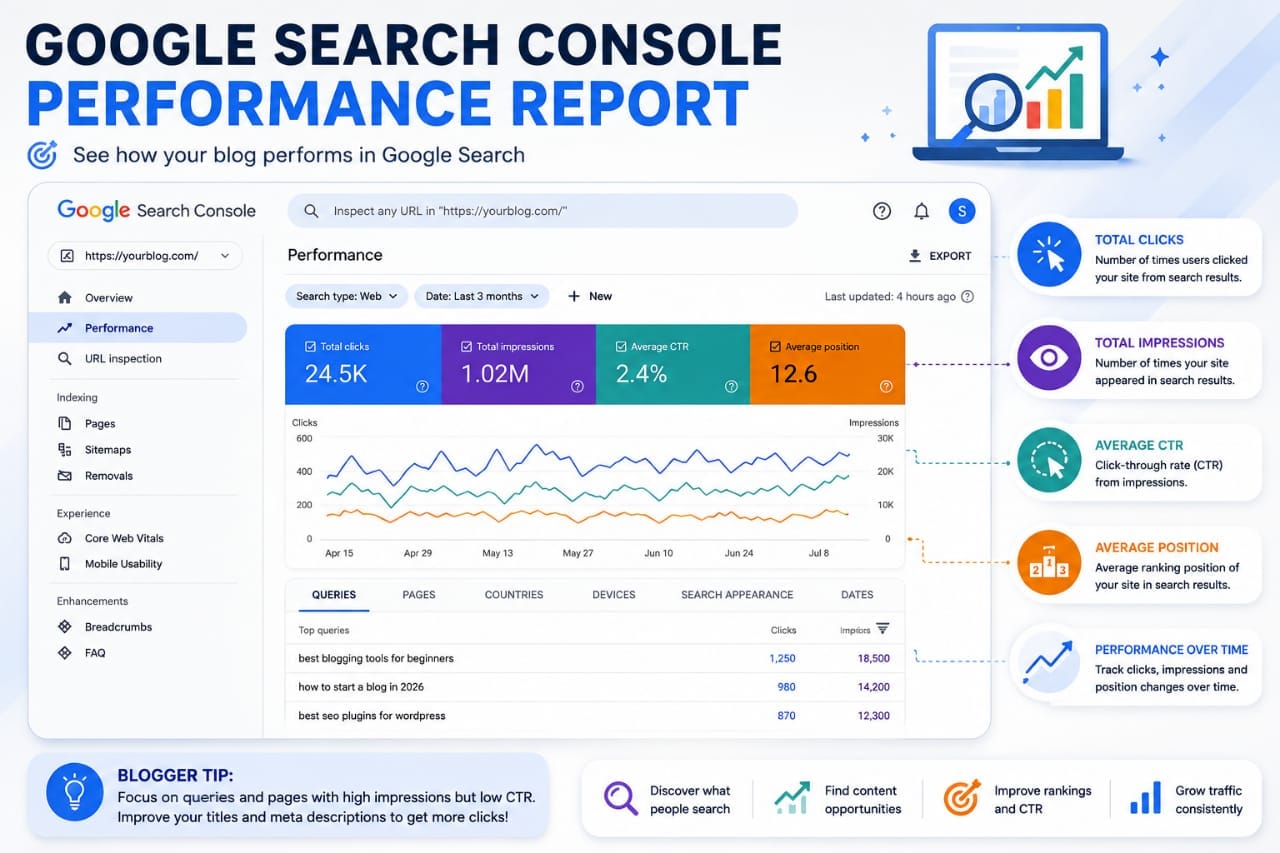
The Performance report should be the starting point for most bloggers.Google's Performance report shows how your website performs in Google Search and lets you examine clicks, impressions, click-through rate, and average position. You can also break the information down by queries and pages.
This report answers some of the most important SEO questions:
Which pages are getting visibility?
Which searches are showing my content?Which pages are receiving clicks?
Where are impressions increasing without clicks?
Which articles are losing visibility?
These questions are much more useful than simply asking whether your total traffic increased.
Watch Impressions and Clicks Together
Impressions tell you how often your result appeared in Google Search, while clicks tell you how often people clicked through to your website. CTR represents clicks divided by impressions.
Suppose a page starts receiving more impressions but clicks remain almost unchanged.
That does not automatically mean the article is failing.
It may mean Google is testing the page for more searches, but the page is not yet ranking prominently enough or the search result is not attracting enough clicks.This can create an opportunity.Check the queries and average positions before changing the article.
Queries Report: Discover What Google Thinks Your Content Is About
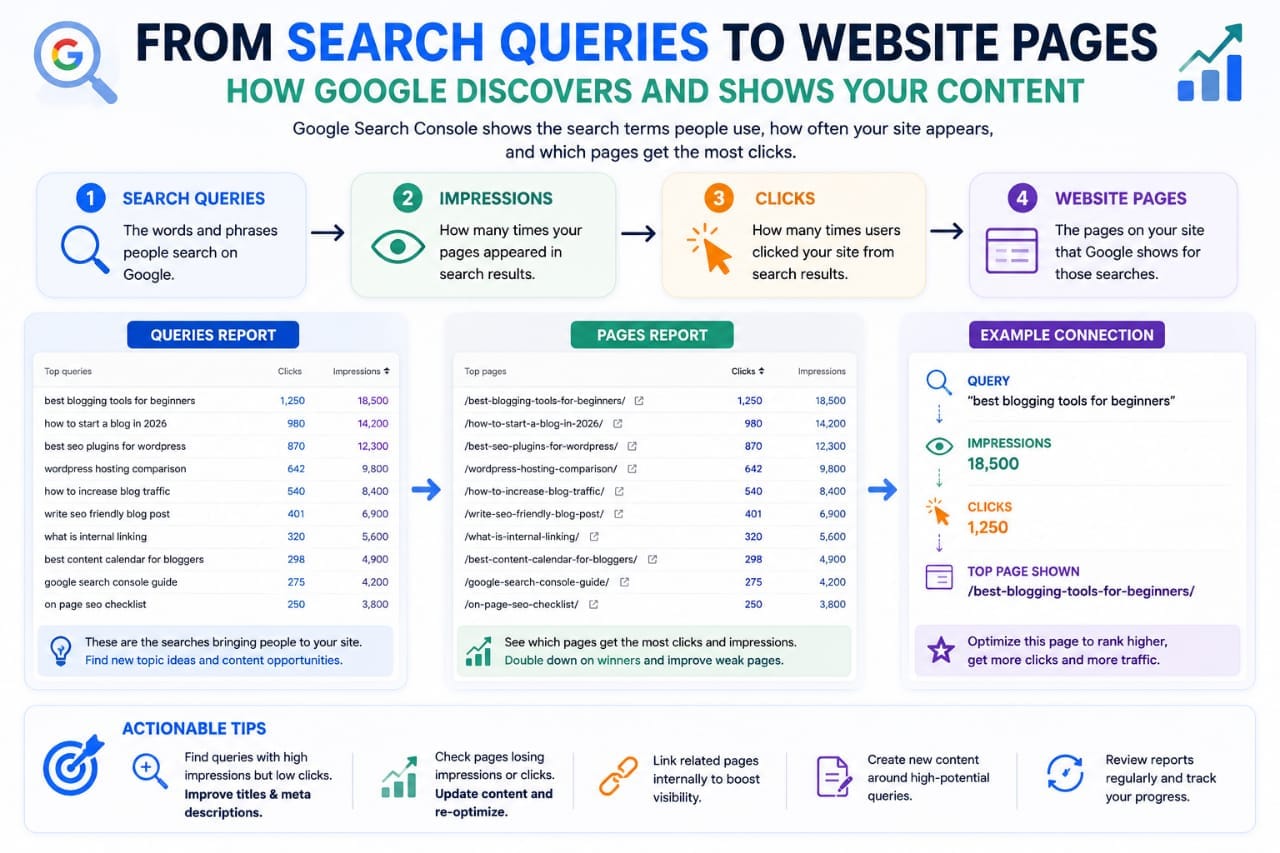
The Queries section is one of the most useful areas for content optimization.It shows the searches associated with your site's search performance.You may discover that an article is receiving impressions for queries you never specifically targeted.That information can be extremely valuable.For example, you might publish an article about WordPress hosting but discover that Google is showing it for searches related to hosting speed, NVMe hosting, or hosting for beginners.
Those unexpected queries can reveal related topics that your article could explain better.Google also notes that Search Console does not display every query because some queries are anonymized and the displayed data can be truncated. 3So do not assume that the visible query list represents every search Google has associated with your website.
Look for Query Opportunities
Pay particular attention to queries where:- Your page receives impressions- Your ranking is not yet strong- The query closely matches your topic- The page receives few or no clicksThese can become content-improvement opportunities.Do not simply add every query to the article.Ask whether the search deserves a useful explanation.
Use queries to discover opportunities, not to create keyword-stuffed paragraphs.
Pages Report: Find Your Real SEO Winners
The Pages tab shows how individual URLs are performing.This is especially useful for bloggers because overall website statistics can hide what is actually happening at the article level.One article might generate most of your clicks while several others receive impressions but very little traffic.Sort your pages by clicks to identify your strongest content.Then examine those pages.
What topics are performing?
What search intent do they satisfy?
Which internal links point toward them?
Could similar topics be developed?
You can then look at pages with high impressions but weak CTR and investigate why they are not generating as many visits.Google specifically recommends using the Pages view to identify low-CTR pages and then considering whether titles, descriptions, or content alignment need improvement.
Average Position: Useful, But Don't Obsess Over It
Average position is one of the most misunderstood Search Console metrics.It represents an average of the topmost position of your site's result across impressions, rather than a guaranteed position for every search. Google also points out that the position shown in Search Console may differ from what you see when performing a search yourself because search results vary based on many factors.
Therefore, do not panic because one manual Google search shows your article in a different position.Look at the trend.If your article's visibility and clicks are gradually improving, that is more useful than obsessing over a single position number.Google itself recommends focusing more on trends in impressions and clicks than position alone when assessing performance.
Page Indexing Report: Find Pages Google Has Not Indexed
The Page Indexing report becomes especially important when you publish regularly.It shows which URLs Google knows about and which have been indexed or not indexed, along with reasons associated with non-indexed URLs. But there is an important warning:
Not every non-indexed URL is a problem.Google explains that some URLs should not be indexed, including duplicates, alternate versions, URLs blocked by deliberate directives, and other pages that do not need to appear in search.
Your goal is not to force every URL into Google's index.Your goal is to make sure the important pages you actually want in search are indexable and can be discovered properly.
What Should You Investigate?
Look for important articles showing unexpected indexing problems.Check whether the URL is blocked by robots.txt, contains a noindex directive, redirects elsewhere, has canonicalization problems, or has another issue preventing indexing.
Do not blindly request indexing for every URL.
First understand why Google has not indexed it.
URL Inspection: Investigate Individual Pages
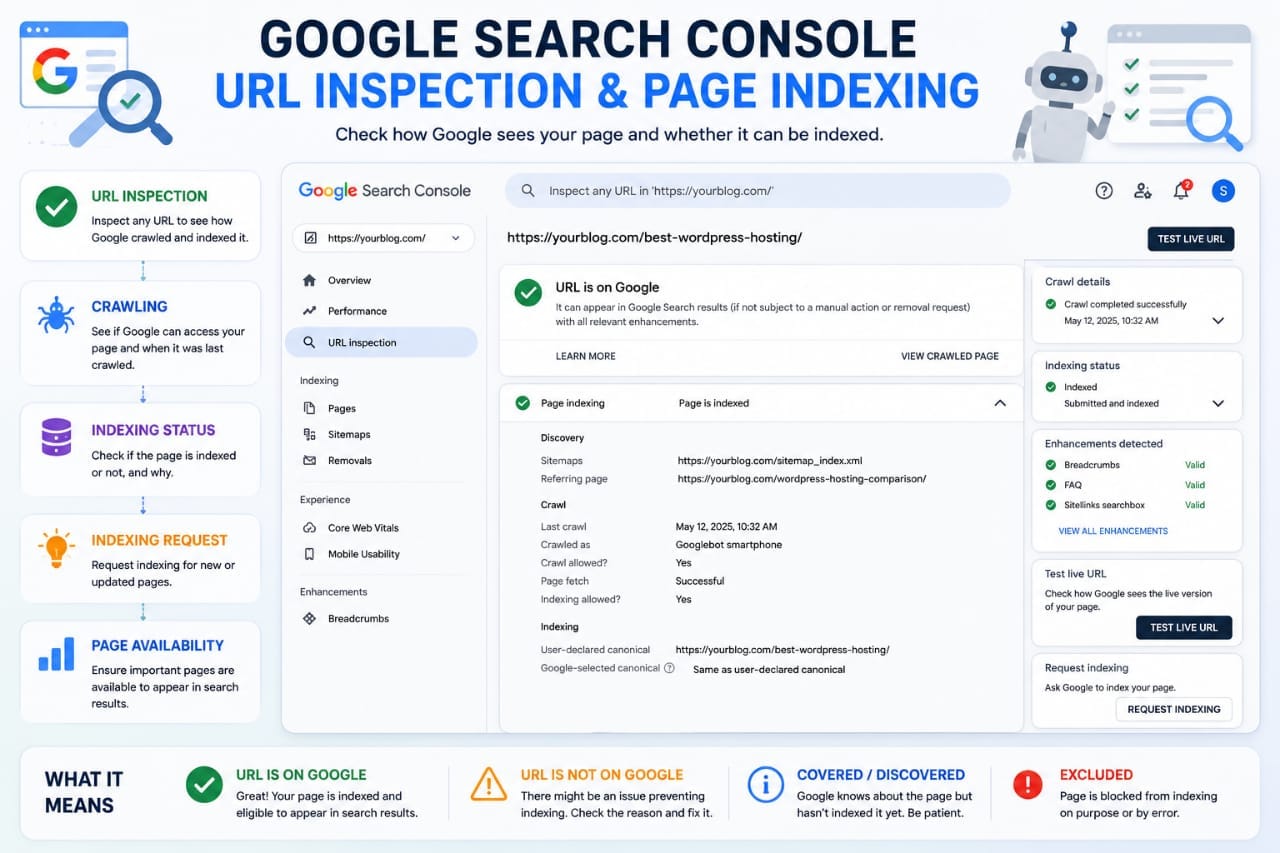
The URL Inspection tool is different from the Page Indexing report.If you want to investigate one specific page, URL Inspection is the appropriate place to start.Google specifically states that the Page Indexing report is not designed to investigate the index status of individual URLs;
URL Inspection should be used for that purpose.
This is useful when you publish a new article and want to understand whether Google can access it.You can also use it when an important page suddenly disappears from search visibility.The tool can help you investigate Google's understanding of the URL and whether there are indexing-related issues.
Core Web Vitals Report: Check Real-World Page Experience
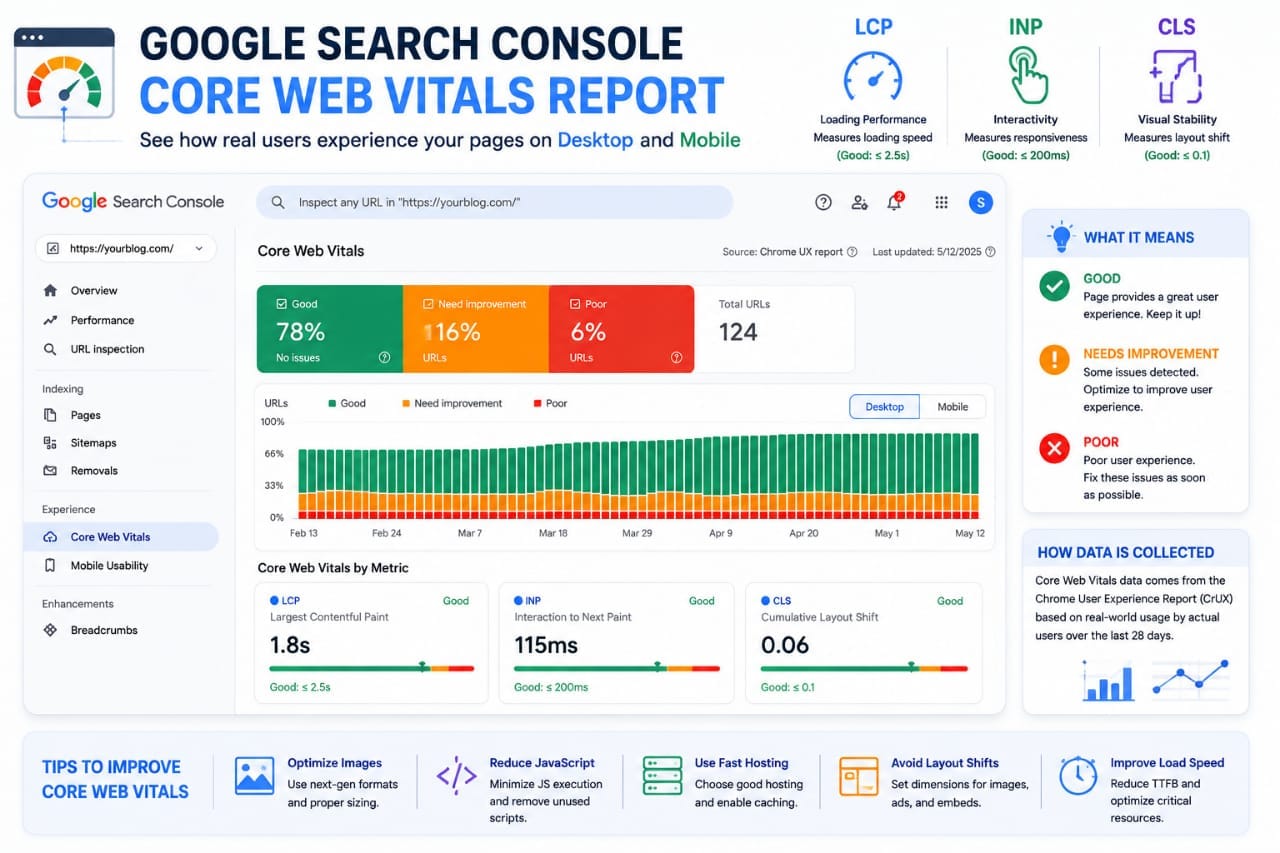
The Core Web Vitals report is useful when you want to understand how your pages perform for actual users.Google's report uses real-world field data and evaluates URL groups using LCP, INP, and CLS.
These metrics represent different aspects of page experience.
LCP relates to loading performance.INP measures responsiveness to user interactions.
CLS measures unexpected layout movement.
The important point is that Search Console's Core Web Vitals report is based on real-user data, not simply a laboratory test of one visit.
Don't Chase Perfect Scores
A poor Core Web Vitals result is worth investigating, but you should not randomly change your website just to make a testing number look better.Look for patterns.If a group of similar article pages has a poor status, investigate what they have in common.It could be a large featured image, excessive scripts, advertising elements, a page-builder component, or another resource affecting the page.
Sitemaps Report: Make Sure Google Can Read Your Sitemap
The Sitemaps report helps you monitor submitted XML sitemaps.For bloggers, this becomes particularly useful when publishing many new articles or changing the site's structure.A sitemap can help Google discover URLs, but submitting a sitemap does not guarantee that every URL will be indexed.Google's documentation emphasizes that important pages should also be discoverable through proper site navigation.
If your sitemap suddenly shows an error, investigate it rather than repeatedly resubmitting the same file.Check whether the sitemap URL works publicly, whether it contains valid URLs, and whether the submitted URLs are appropriate for indexing.
Manual Actions and Security Reports
These reports may not require frequent checking, but they are important.Manual Actions can alert you when Google's spam policies have resulted in a manual action against your site.The Security Issues area can help identify security-related problems.You may not need to open these reports every day.However, if Google Search Console displays an alert, investigate it promptly.
A Simple Search Console Routine for Bloggers
You do not need to spend hours inside Search Console.A practical routine can be:Check Performance to identify traffic and impression changes.Review Pages to find winners and weak performers.Study Queries to discover new content opportunities.
Check Page Indexing when important URLs are missing or indexing changes unexpectedly.
Use URL Inspection when investigating individual pages.
Review Core Web Vitals when performance problems appear.Check Sitemaps when you make major site changes or notice discovery problems.This turns Search Console into an actionable SEO workflow.
Final Takeaway
Google Search Console contains far more information than a simple traffic counter.For bloggers, the Performance report helps explain search visibility.The Queries report reveals what people are searching for when your pages appear.The Pages report identifies your strongest and weakest URLs.
Page Indexing helps you understand whether important pages are entering Google's index.URL Inspection is useful when investigating individual URLs.Core Web Vitals provides real-world page-experience data.Sitemaps help you monitor how Google receives your submitted URL lists.The goal is not to check every number every day.
The goal is to identify meaningful changes, understand why they happened, and improve your website based on evidence.
Search Console becomes powerful when you stop reading it as a report and start using it as an SEO decision-making system.