How to Find SEO Issues Before Publishing a Blog Post
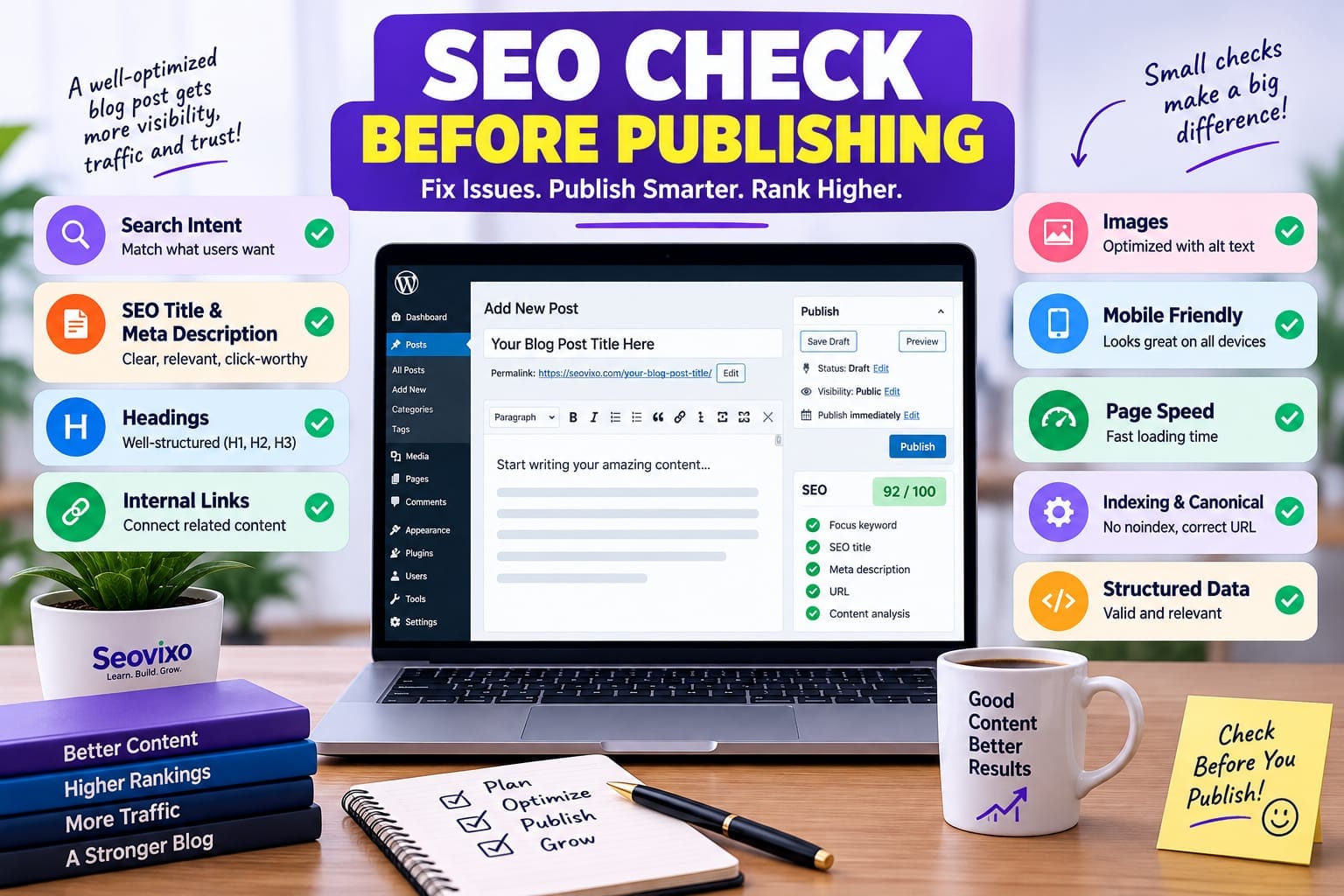
Publishing a blog post is not the end of SEO work. In many cases, the biggest problems are introduced before the article ever goes live: wrong search intent, weak internal links, a missing canonical tag, an accidental noindex, oversized images, poor mobile layout, or a title that does not accurately describe the page.Google’s own documentation makes an important distinction: following SEO best practices can make content easier to crawl, index, and understand, but there is no guarantee that a page will be indexed or rank.
That is why I recommend treating every article as a page that needs a pre-publishing SEO audit, rather than simply checking whether your SEO plugin gives you a green score.
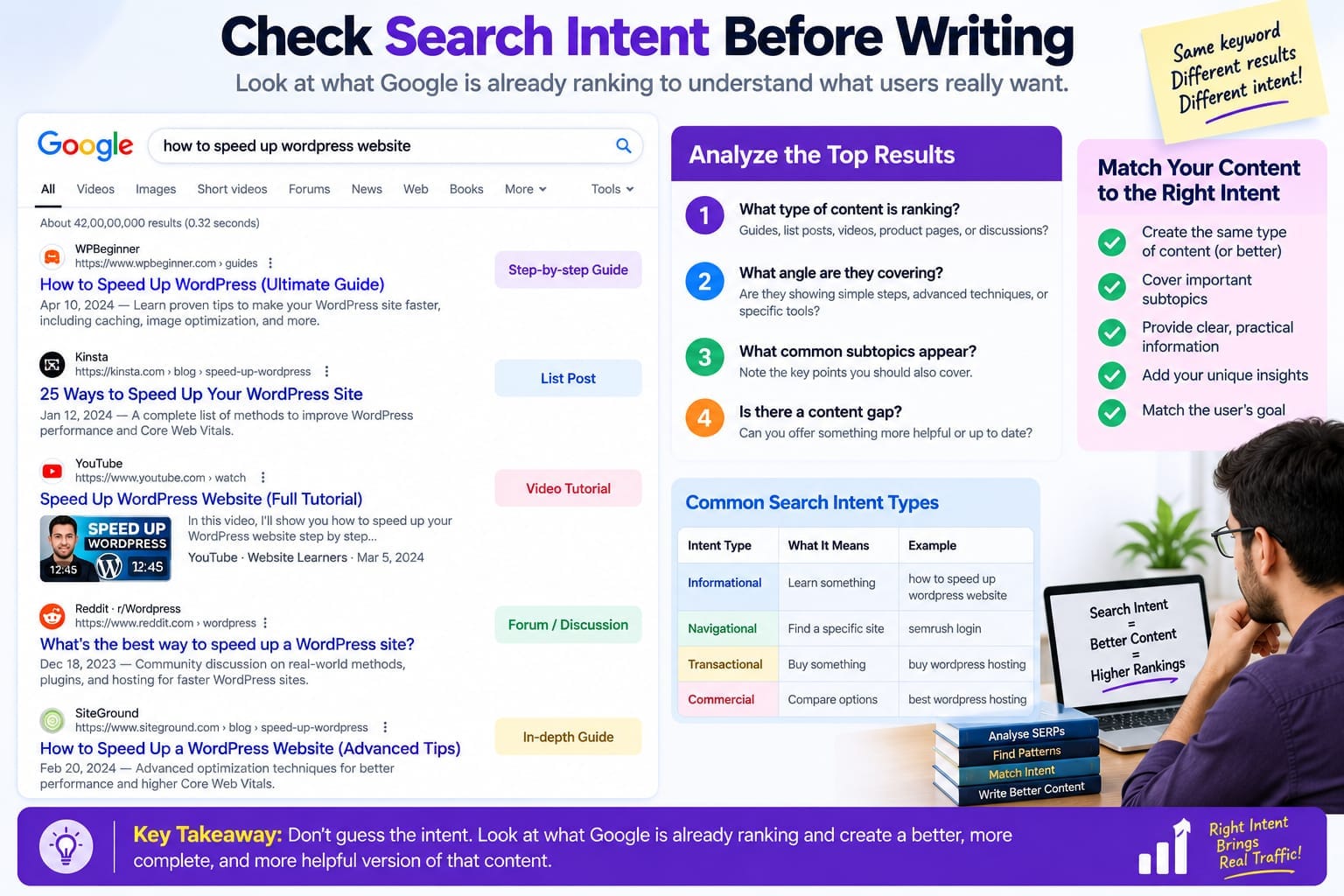
Check Search Intent Before Writing
The first SEO issue can happen before you write a single paragraph.Search your primary keyword and study what Google currently shows. Look at the type of pages ranking: tutorials, comparisons, product pages, definitions, lists, case studies, or something else.For example, if most results for a keyword are detailed tutorials but your article is a short promotional page, you may have an intent mismatch.
Also ask:
What problem is the searcher trying to solve?
Does my article answer that problem directly?
Am I covering the important subtopics?
Is my content offering something genuinely useful?
Google recommends creating helpful, reliable, people-first content rather than writing primarily to manipulate search rankings.
Reality check: a perfect keyword placement strategy cannot compensate for an article that does not satisfy the underlying search intent.
Check the Title and Meta Description
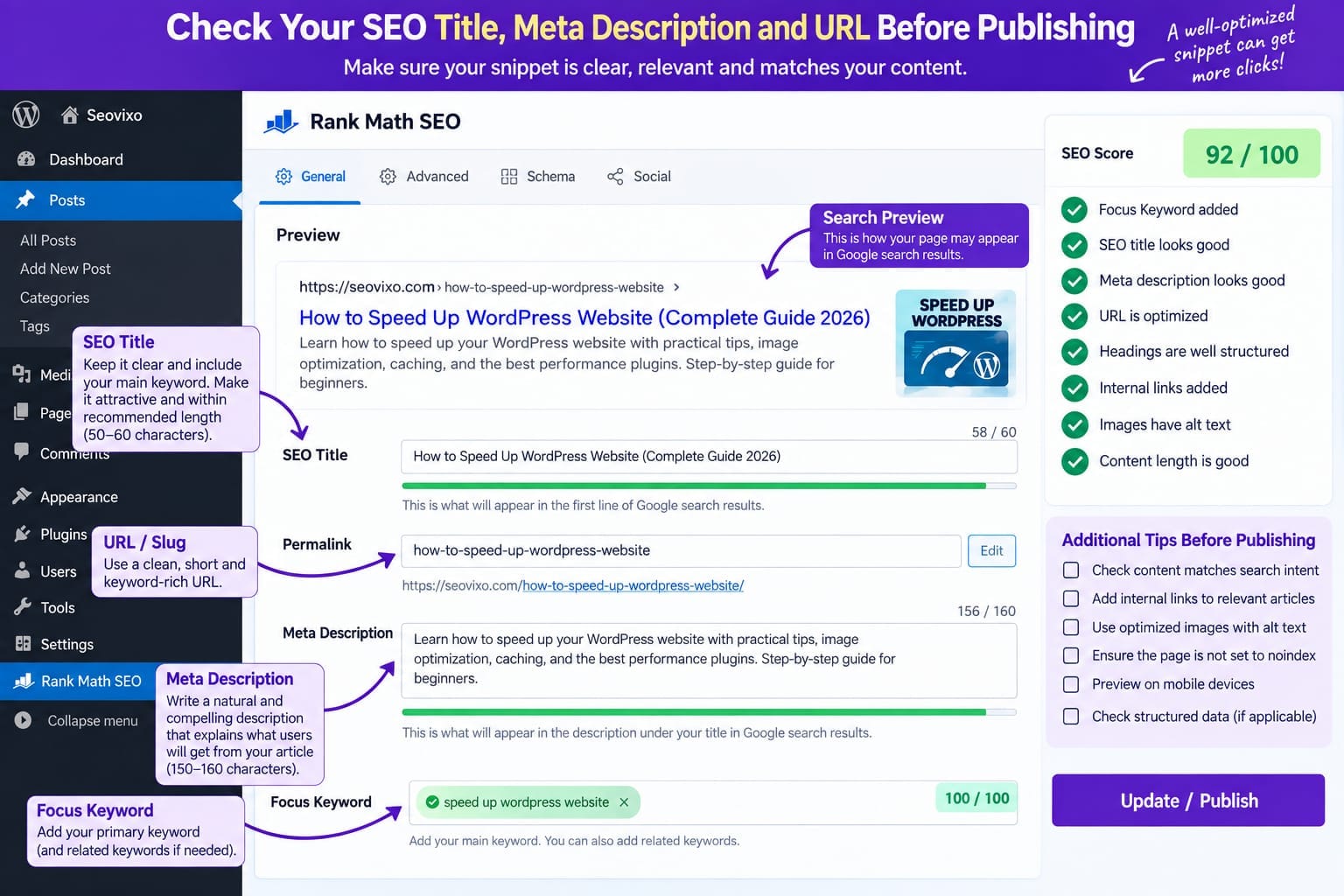
Before publishing, look at your SEO title as a searcher would see it.Your title should accurately describe the page, be reasonably concise, and clearly communicate what the user will get. Google says title links are generated automatically from several sources, although the <title> element is an important signal you can control.
Then check the meta description.Do not assume Google will always display the description you write. Google primarily generates snippets from the page content and may use the meta description when it provides a better description of the page.
A good pre-publish test is simple:
Title = accurate promiseIntroduction = delivers that promiseMeta description = summarizes the actual page
Avoid stuffing the description with a list of keywords. Google specifically notes that keyword-heavy descriptions are less useful and may be less likely to be used as snippets.
Check Your Heading Structure
Read the article without looking at the SEO score.
Can you understand the structure by scanning only the headings?
Your main topic should have one clear page heading, followed by logical sections and subsections. Headings should describe the information underneath them rather than being written purely for keyword repetition.
Then check whether important questions are actually answered under the appropriate sections.A common problem is an article that looks optimized in an SEO plugin but feels difficult to read because every heading is built around a slightly different keyword variation.Your goal should be clarity, not maximum keyword insertion.
Check Keyword Usage Naturally
Use your primary topic in places where it genuinely helps users understand the page, such as the title, main heading, introduction, relevant headings, and descriptive links.Google’s Search Essentials recommends using words people would use to search for your content and placing relevant terms in prominent locations such as the title and main heading.
But do not turn the article into a keyword repetition exercise.Before publication, search through the article and ask:
Does this sentence sound natural without the keyword?
If removing the keyword makes the sentence better, the keyword probably does not need to be there.
Audit Internal Links
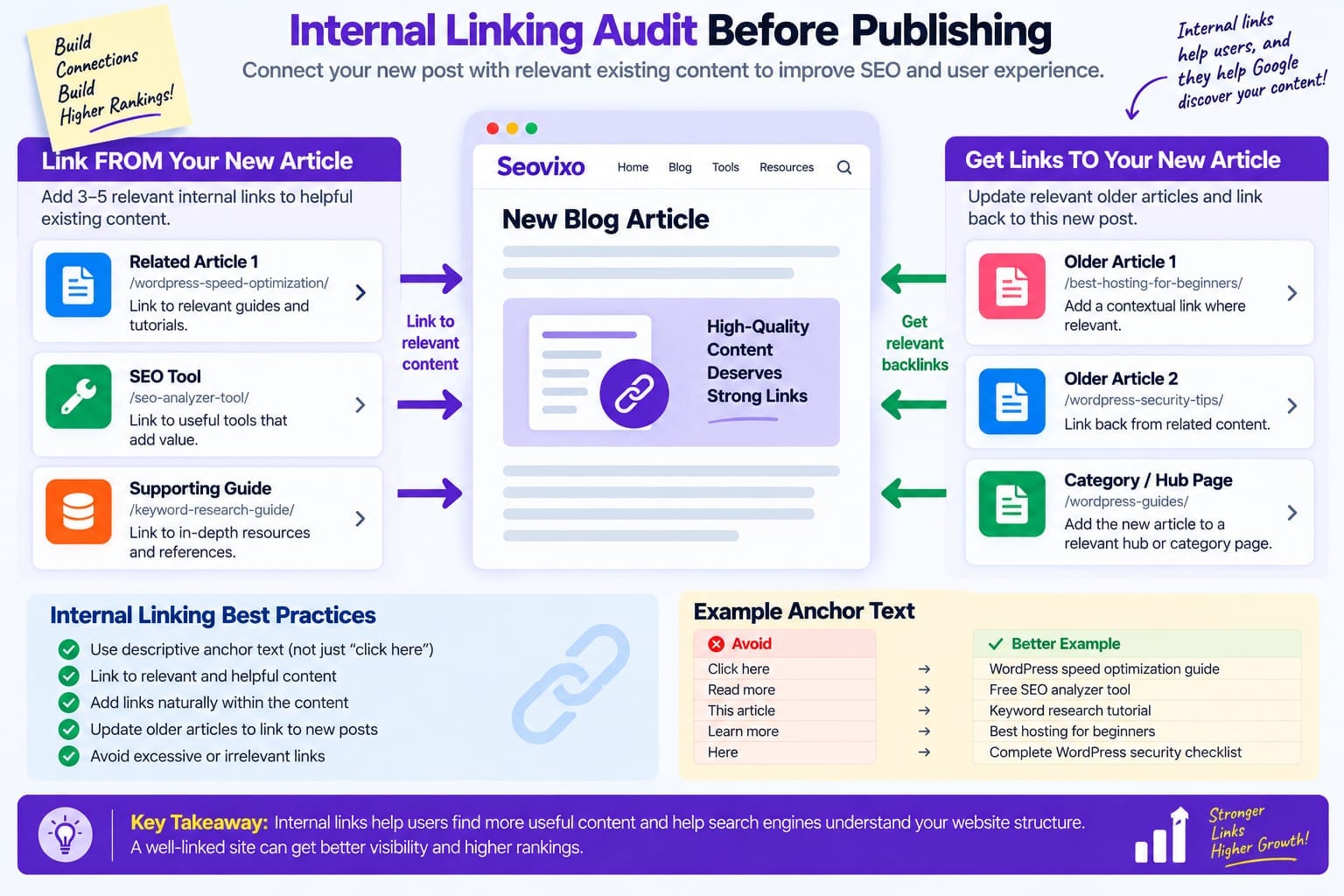
Internal linking is one of the easiest things to forget when publishing a new article.Before you publish, identify 3–5 existing pages that are genuinely related to the new article. Link to them using descriptive anchor text.Then think in the opposite direction:
Which older articles should link to this new article?
This is important because Google says crawlable links help it discover other pages on your site.
Do not add links merely to increase the number of links.
Each link should help the reader continue researching the subject.For a site like an SEO/WordPress blog, a new article should usually connect to related guides, tools, tutorials, and supporting articles.
Check Images Before Publishing
Images can create both SEO and performance problems.
Check:
file dimensions
file size
meaningful filenames
descriptive alt text
whether the image actually supports the section
mobile appearance
whether the image pushes important content too far down the page
Google recommends using high-quality images near relevant text and making images understandable to both users and search engines.
Do not write alt text such as:
SEO keyword SEO ranking SEO tools keyword researchwhen the image is simply a Search Console screenshot.A better description would explain what the image actually shows.
Test Page Speed and Mobile Experience
Do not judge page speed only from your desktop computer.
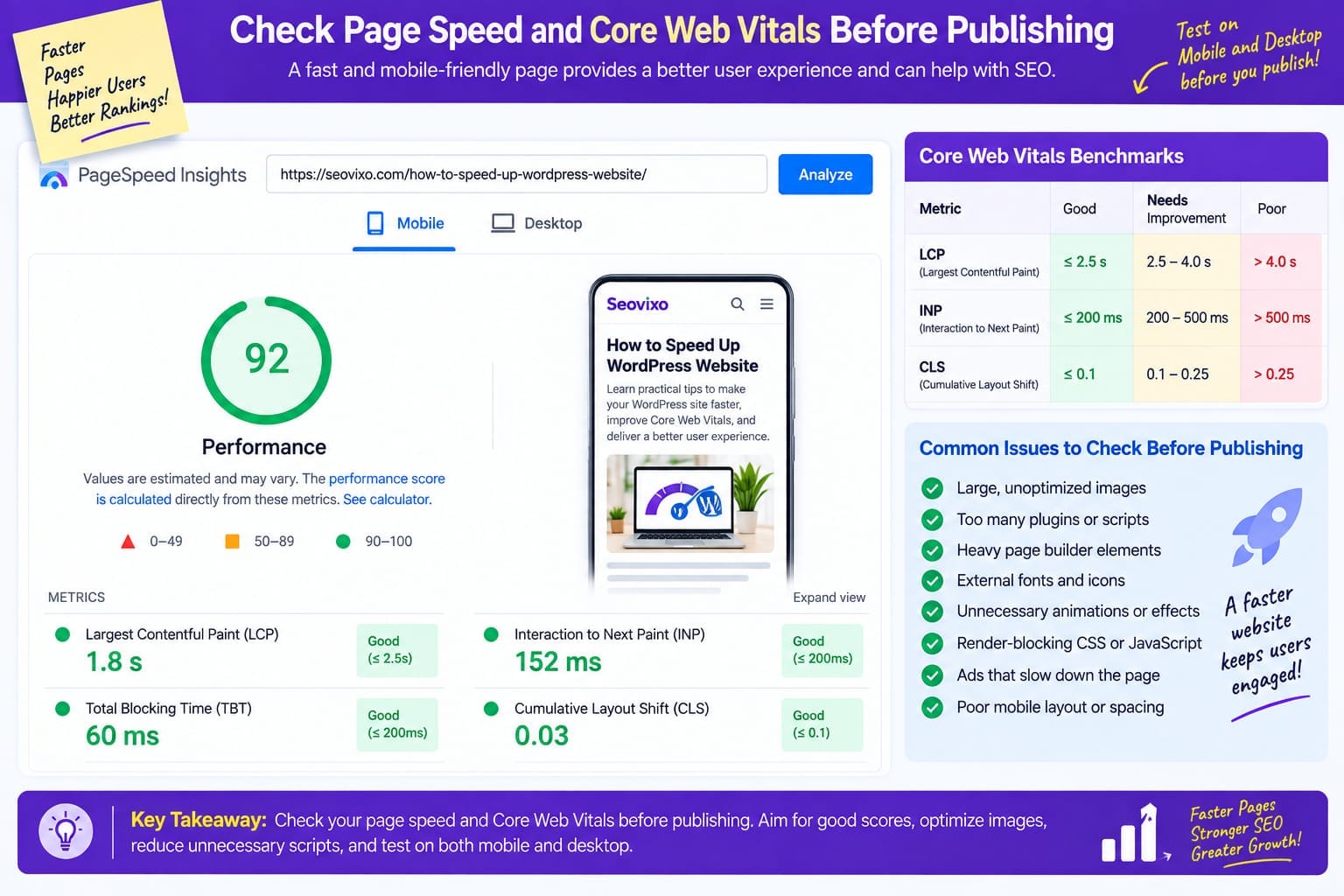
Test the live page on mobile and use performance tools as an additional diagnostic.Core Web Vitals currently focus on LCP, INP, and CLS. Google’s recommended “good” thresholds are LCP of 2.5 seconds or less, INP of 200 milliseconds or less, and CLS of 0.1 or less, measured at the 75th percentile.
For a WordPress article, common things to inspect include:large hero images, excessive plugins, third-party scripts, advertising scripts, page-builder elements, fonts, and unnecessary animations.There is another important reality: a lab test is not identical to real-user experience. For example, INP requires user interaction, while some lab tools use Total Blocking Time as a proxy.
SEO Audit Tools Comparison
Check Indexing, Noindex and Canonical
This is one of the most important technical checks.Make sure the article is not accidentally marked noindex.Google explains that a noindex directive prevents a page from appearing in Google Search, provided Google can crawl the page and see the directive. Also check the canonical URL.If you have duplicate or very similar URLs, Google uses canonicalization to select the representative URL.
A rel="canonical" declaration is a strong signal, but Google can choose a different canonical when its systems determine another URL is more appropriate.
For WordPress, inspect this through your SEO plugin and, for important pages, verify the rendered page source as well.
Use Google Search Console After the Page Goes Live
One misconception is that Search Console can fully audit an unpublished article.It cannot.Before publication, you can perform most checks manually. Once the page is live, URL Inspection becomes extremely useful because it shows what Google knows about the specific URL and lets you test the live version for indexing-related issues.
Search Console can also show indexing problems, including noindex, crawl accessibility issues, duplicate URLs, and other status information. For performance, the Search Console Performance report later lets you examine queries, pages, clicks, impressions, CTR, and average position.
Check Structured Data
If your article qualifies for structured data, validate it before or immediately after publication.Google's Rich Results Test lets you test a publicly accessible URL or code and determine which supported rich-result types may be generated from the structured data.
Remember that valid structured data does not guarantee a rich result. Google decides whether and how eligible search features appear.
For an ordinary blog post, make sure the structured data actually describes the visible content. Do not add schema simply because your SEO plugin offers many schema types.
Pre-Publishing SEO Checklist
Before clicking Publish, I would check the page in this order:
Search intent → Title → Introduction → Headings → Keyword use → Internal links → Images → Mobile layout → Speed → Canonical → Noindex → Structured data → Final proofread
This order matters because technical perfection cannot fix the wrong topic, and a strong article cannot perform properly if you accidentally block indexing.