Best Content Calendar for Bloggers: Build a Smarter Publishing System
Publishing consistently sounds simple until you actually have to decide what to write every week.At first, ideas seem unlimited. Then the easy topics disappear, similar keywords start overlapping, old articles need updates, and you begin wondering what should be published next.This is where a content calendar becomes more than a simple schedule.A good content calendar connects your topics, keywords, search intent, publishing priorities, internal links, content updates, and promotional activities into one system.The goal is not to publish more.
The goal is to publish with a purpose.]For bloggers, especially those building a website from scratch, this can make the difference between publishing random articles and building a useful content library that grows logically over time.
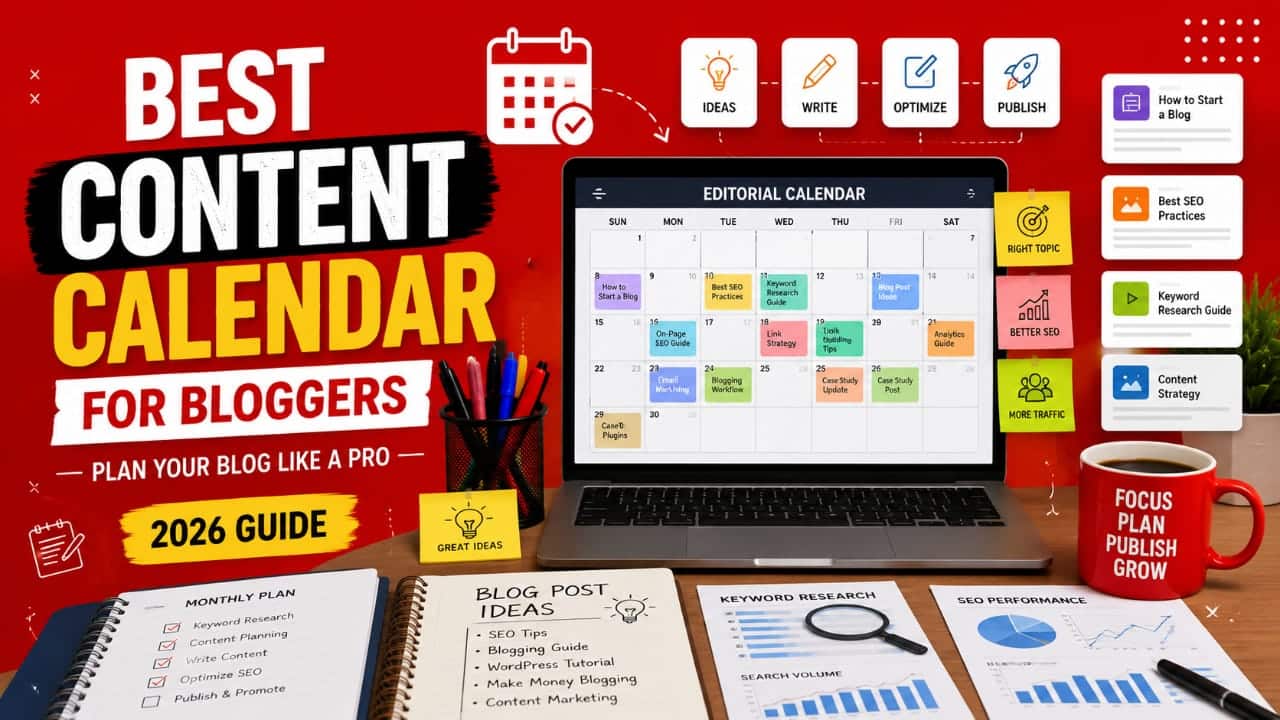
What Is a Content Calendar?
A content calendar is a planning system that shows what you intend to publish, when you plan to publish it, and what needs to happen before and after publication.A basic calendar might contain only article titles and dates.
A better SEO-focused calendar can include the primary keyword, search intent, content type, target category, internal-link opportunities, priority, status, and update date.This gives every article a defined purpose.Instead of asking yourself, “What should I write today?” you already know which topic comes next and why it matters.
What Should You Put in a Content Calendar?
Useful fields include:
- Article title- Primary keyword
- Search intent
- Content category
- Content type
- Priority
- Target publishing date
- Internal-link targets
- Current status
- Update date
You do not need every field from the beginning.Start with the information that actually helps you make better decisions.
Why Bloggers Need a Content Calendar
The biggest advantage is consistency.Without planning, bloggers often publish several articles when motivation is high and then stop because they cannot decide what to write next.A calendar removes that repeated decision-making.It also gives you a broader view of your website.
You can see whether you are publishing too many articles about one subject while completely ignoring another important area of your niche.More importantly, you can identify relationships between articles before you publish them.That makes internal linking much easier later.
How a Content Calendar Supports SEO
SEO should not be treated as a collection of unrelated articles.Your website should gradually build topical coverage.A content calendar helps you organize articles around related subjects, identify supporting content, avoid unnecessary topic duplication, and plan internal links.For example, a WordPress website might have a broad pillar topic about WordPress SEO.
Supporting articles could then cover technical SEO, internal linking, site speed, schema, SEO plugins, and Search Console.The calendar allows you to plan those articles as a connected group rather than publishing them randomly.
Think in topics and relationships, not just individual keywords.
Start With Search Intent
One of the biggest weaknesses in content calendars is that they focus too heavily on keywords.A keyword tells you what people search for.Search intent helps you understand what they actually want.A person searching for “best WordPress hosting” probably expects comparisons and recommendations.Someone searching for “how to install WordPress” expects instructions.
Someone searching for “WordPress hosting meaning” may simply want an explanation.These are different content requirements.Before adding a keyword to your calendar, ask:
What problem is the searcher trying to solve?What type of page would satisfy that problem?What information would make the page genuinely useful?That approach produces much stronger article ideas than simply collecting keywords with high search volume.
Build Pillar and Cluster Content
A strong calendar should help you build groups of related content.Start with a broad pillar topic.Then create supporting articles that answer narrower questions around that topic.For example:
Pillar: WordPress SEO Guide
Cluster: WordPress SEO plugins
Cluster: How to improve WordPress speed
Cluster: WordPress internal linking
Cluster: Schema markup for WordPress
Cluster: Google Search Console for WordPress
This structure gives your website a logical content architecture.It can also create natural opportunities for internal links between related pages.
Balance Evergreen and Trending Content
Do not make your entire calendar dependent on trends.Trending topics can produce short-term opportunities, but evergreen content can remain useful for much longer.Evergreen examples include tutorials, beginner guides, troubleshooting articles, and foundational explanations.
Trending content might include software updates, new product releases, industry changes, and emerging technologies.A healthy content strategy can contain both.Evergreen content provides a stable foundation while timely content allows you to respond to changes in your niche.
Schedule Old Content Updates
A content calendar should not contain only new articles.Older content deserves a place on your schedule too.Information changes.Screenshots become outdated. Links break. Products change. WordPress features evolve. Statistics become old.
When reviewing an older article, check whether the information is still accurate, whether the examples still work, whether internal links are relevant, and whether the article still satisfies the search intent.Do not update an article simply to change its publication date.Update content when you can make it genuinely more accurate or useful.
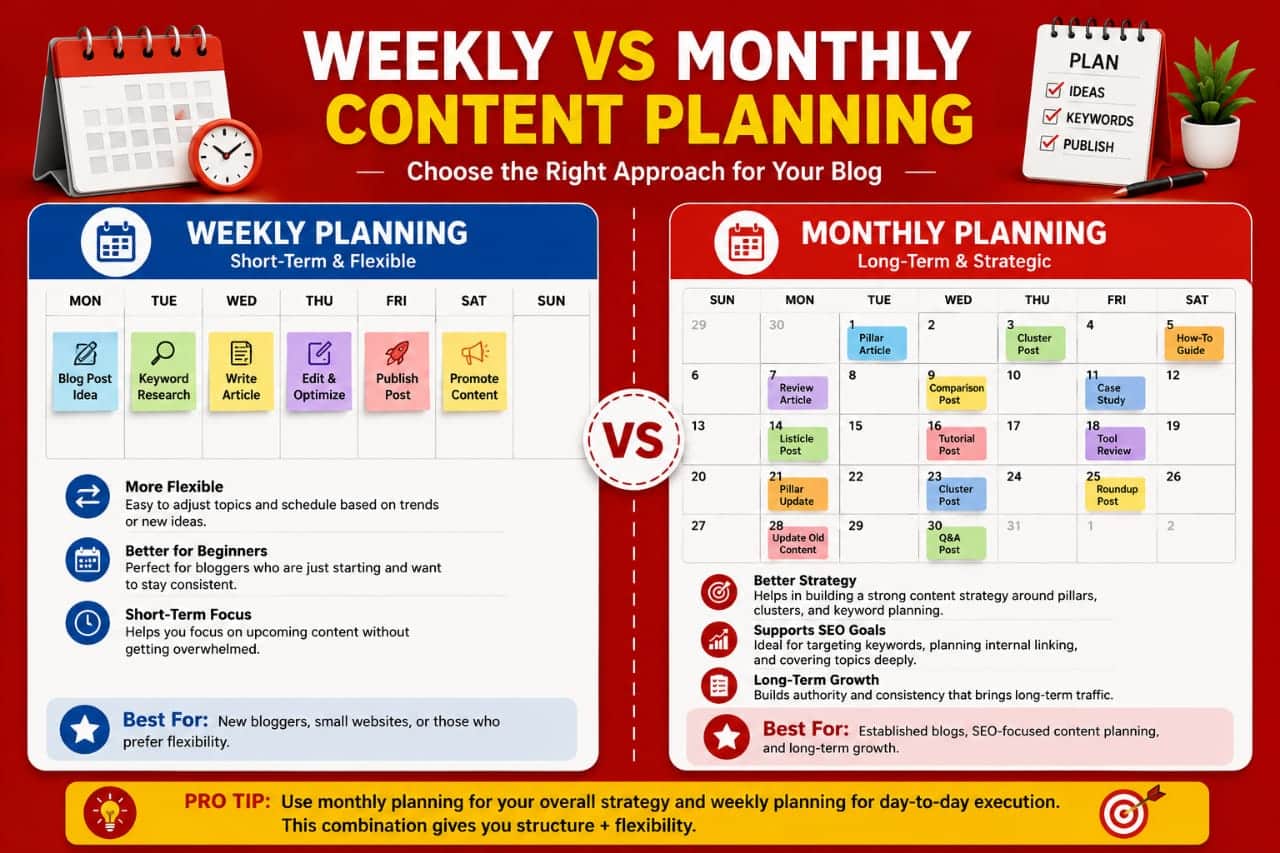
Choose a Publishing Frequency You Can Maintain
There is no universal publishing frequency that guarantees SEO growth.Publishing every day is not automatically better than publishing once a week.Quality, relevance, consistency, and your ability to maintain the website matter more than chasing an arbitrary publishing target.
A solo blogger might choose one strong article each week.Another blogger might prefer several shorter articles each month.Choose a system you can realistically maintain for the long term.
Choose a Publishing Frequency You Can Maintain
There is no universal publishing frequency that guarantees SEO growth.Publishing every day is not automatically better than publishing once a week.Quality, relevance, consistency, and your ability to maintain the website matter more than chasing an arbitrary publishing target.
A solo blogger might choose one strong article each week.Another blogger might prefer several shorter articles each month.Choose a system you can realistically maintain for the long term.
Choose the Right Content Calendar Tool
You do not need expensive software.A simple spreadsheet can be enough for a solo blogger.Notion can be useful when you want notes, databases, and content planning together.Trello works well for visual workflows where articles move between stages.
Project-management platforms such as ClickUp or Asana can become more useful when multiple people are involved.The software is not the strategy.The best content calendar is the one you will actually maintain.
Content Calendar Tools Compared
Use AI Without Letting It Control Your Strategy
AI can make content planning faster.You can use it to brainstorm topics, group related keywords, create outlines, identify questions, and organize a rough publishing schedule.
But AI should assist your planning rather than replace your judgment.It may suggest topics that sound useful but have little relevance to your audience.Review every suggestion against your niche, existing content, search intent, and actual business goals.Your experience and research should remain the final filter.
Create a Simple Editorial Workflow
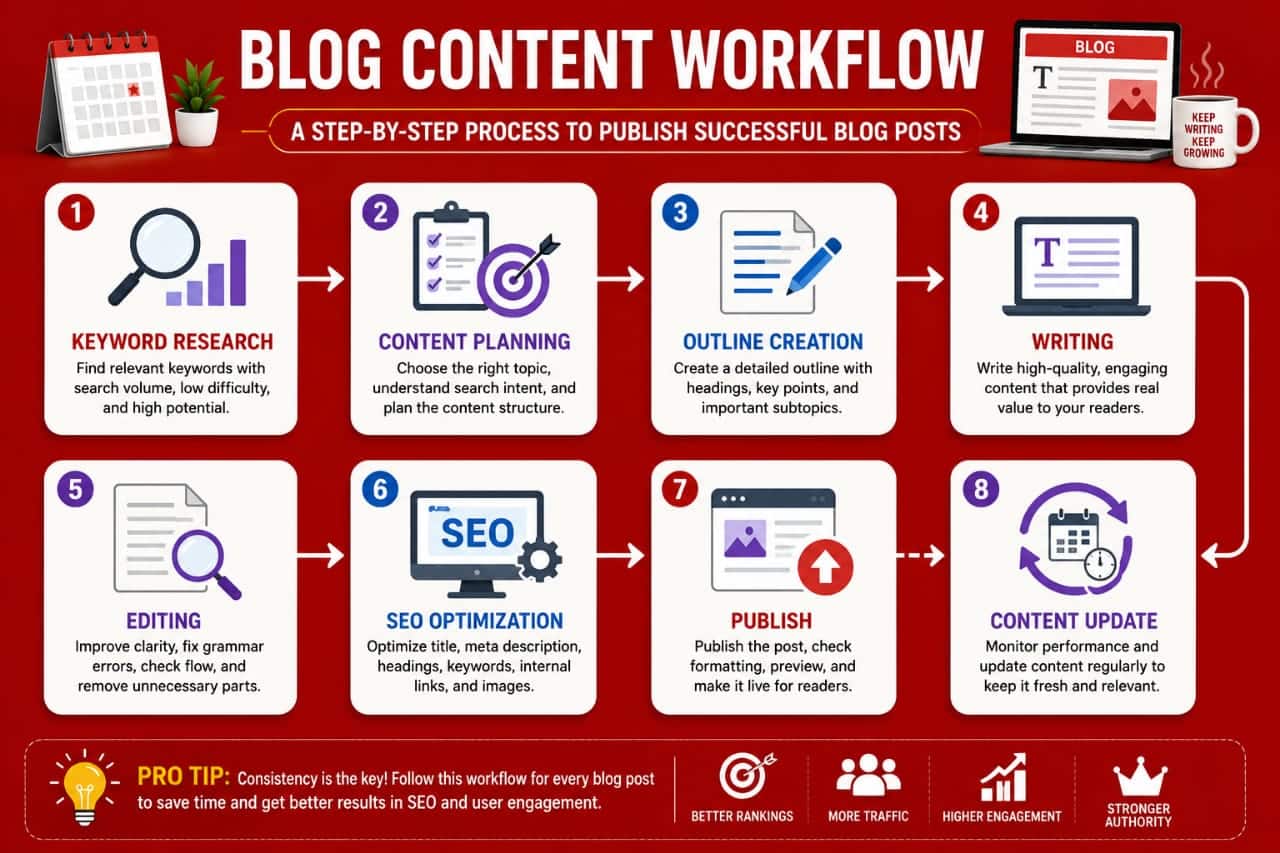
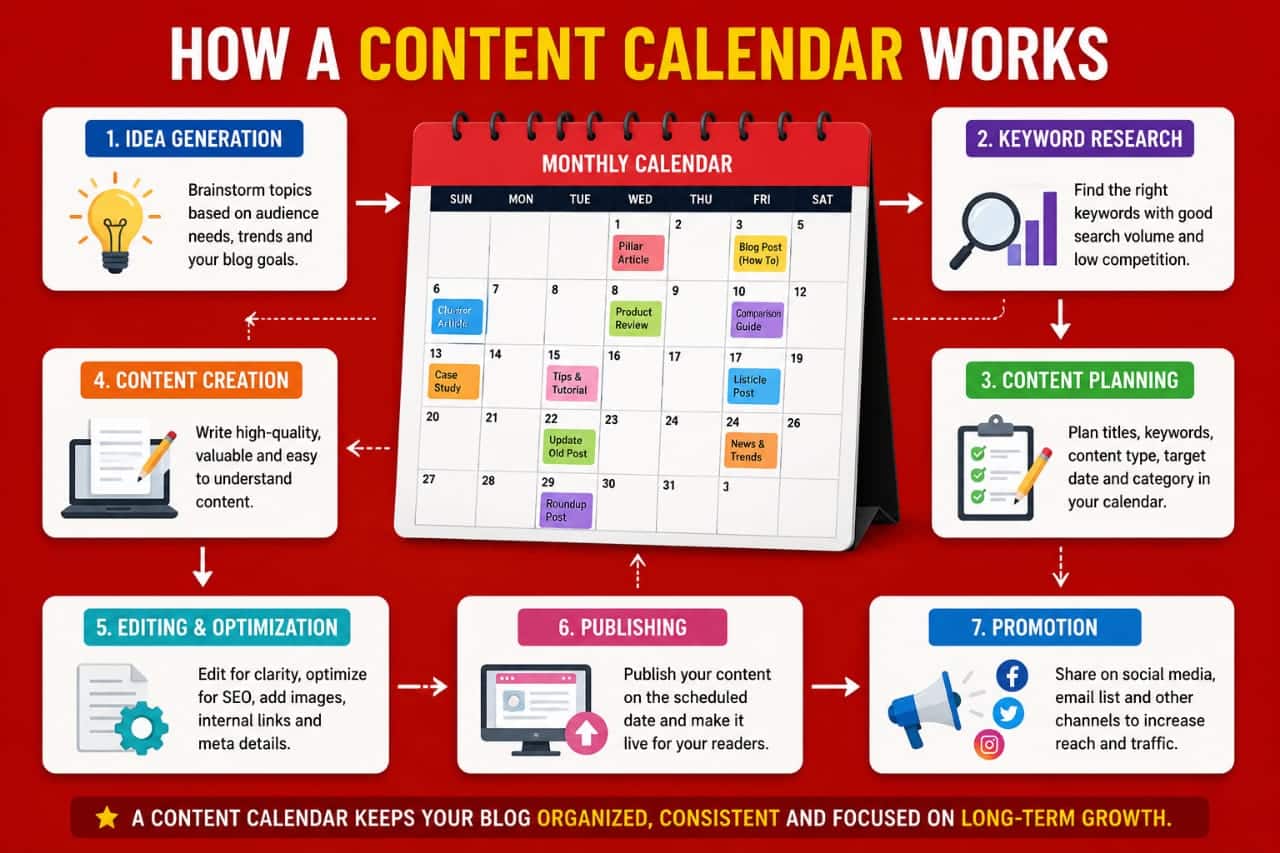
Once your calendar is ready, connect it to a repeatable workflow.A practical process looks like this:
Research → Choose topic
→ Identify intent
→ Create outline → Write
→ Edit → Add internal links
→ Optimize → Publish
→ Promote → Review later.
The advantage of using the same workflow repeatedly is that you spend less time deciding what to do next.You can focus your energy on improving the actual content.
Common Content Calendar Mistakes
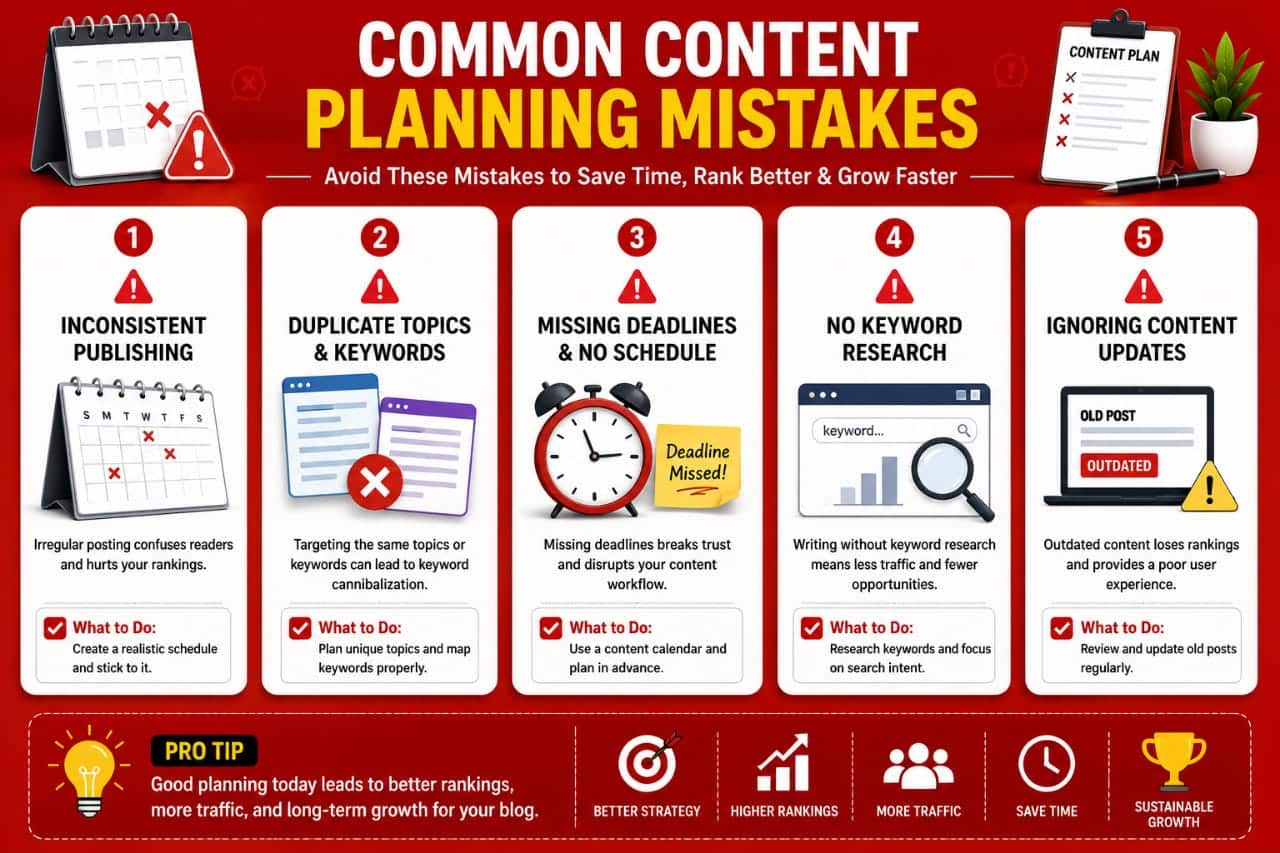
Avoid filling your calendar simply to make it look busy.Do not schedule dozens of articles without checking whether your website already covers similar topics.Do not plan months of content so rigidly that you cannot respond to important changes in your niche.
Do not ignore older posts while continuously publishing new ones.And do not assume that publishing more automatically means more traffic.A smaller calendar filled with carefully selected topics can be much more valuable than a huge list of weak ideas.
Final Takeaway
A content calendar is not just a list of future blog posts.It is a strategic map for your website.Use it to organize topics, understand search intent, build pillar and cluster relationships, plan internal links, balance evergreen and trending content, and schedule updates for older articles.Start simple.
A spreadsheet with your topic, keyword, intent, status, and publishing date may be enough.As your website grows, add more information only when it helps you make better decisions.]Plan your content so every article has a reason to exist.That is what turns a content calendar from a scheduling document into a genuine blogging growth system.