How to Turn Impressions Into Clicks in Google Search Console
Getting impressions in Google Search Console but very few clicks can be frustrating. You may see your website appearing thousands of times in Google Search, yet only a small percentage of searchers actually visit your website. The good news is that impressions are already showing that Google has started giving your pages visibility.
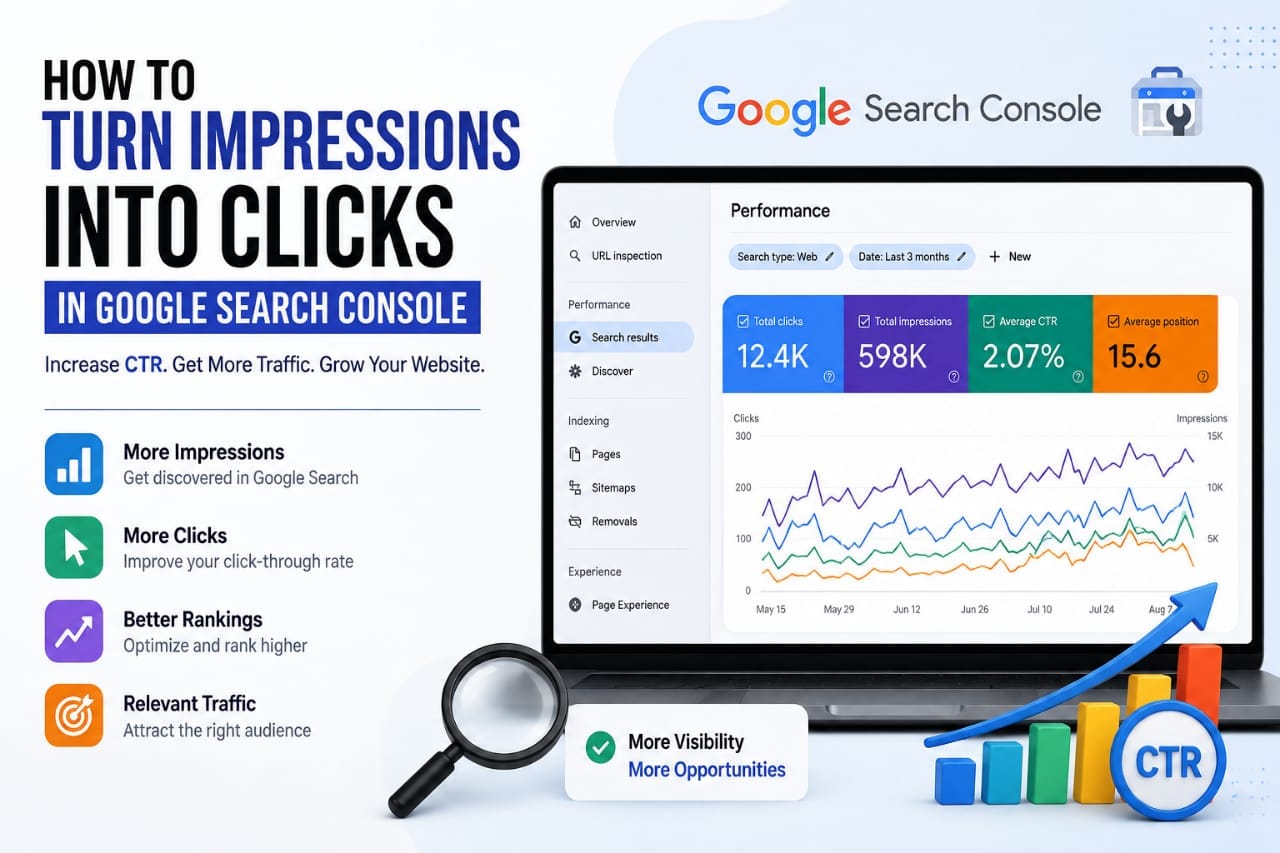
The next step is to understand why those impressions are not becoming clicks. In many cases, you do not need to publish dozens of new articles. You need to improve the pages that are already receiving search visibility.
1. Understand What Impressions Really Mean
An impression occurs when your search result is shown to a user in Google Search. A click happens when that user selects your result and visits your website. CTR, or click-through rate, measures how frequently impressions result in clicks.
For example, if a page receives 5,000 impressions and 100 clicks, its CTR is 2%. If you increase that CTR to 3% while keeping the same 5,000 impressions, you would receive 150 clicks. That means 50 additional visits without generating any additional impressions.
This is why CTR optimization can be valuable for an established page. Instead of always trying to increase impressions, you can sometimes generate more traffic from the visibility you already have.
Do not judge impressions alone
A page receiving thousands of impressions is not automatically a strong traffic opportunity. You need to consider impressions together with clicks, CTR, queries, and average position.
A page with 5,000 impressions and an average position near the top of Google has a different problem from a page with 5,000 impressions but an average position far down the results. The first page may need better search-result messaging, while the second may need stronger ranking and content optimization.
2. Find Pages With High Impressions and Low CTR
The easiest place to begin is Google Search Console. Open the Performance or Search results report and enable the four major metrics: Clicks, Impressions, CTR, and Average position.
Next, open the Pages section. Sort your pages by impressions and look for URLs that receive significant visibility but generate relatively few clicks.
These pages can represent some of your best optimization opportunities because Google is already displaying them. Instead of creating a completely new article, you can investigate why searchers are ignoring the existing result.
Look for the impression-to-click gap
Suppose one of your articles has 3,500 impressions, 35 clicks, and a 1% CTR. That does not automatically mean the article is bad. First check where those impressions are coming from and what position the page is appearing in.
If most impressions come from positions 40–60, your primary problem is probably visibility. If many impressions come from positions 4–10, the page may have a much stronger opportunity for CTR improvement.
3. Analyze the Queries Bringing Impressions
Once you identify a page with an interesting impression-to-click gap, do not immediately rewrite the title. First investigate the queries generating those impressions.
Click the page inside Search Console and examine its query data. You may discover that Google is displaying your article for searches that are slightly different from the keyword you originally targeted.
For example, imagine you published an article called “WordPress SEO Guide.” Search Console might show impressions for searches such as:
- how to improve WordPress SEO
- WordPress SEO checklist
- WordPress SEO settings
- how to rank a new WordPress website
These searches are related, but each one represents a slightly different need. The query data can reveal which topics Google believes your page is relevant to and which opportunities deserve more attention.
Find the queries with real potential
Do not automatically choose the query with the highest impressions. A better opportunity is usually a relevant query that has meaningful impressions, reasonable ranking visibility, and a CTR that could realistically improve.
Also consider the intent behind the query. A keyword may have many impressions but still produce little traffic if searchers are looking for something different from what your page provides.
4. Create a More Compelling SEO Title
Your title is one of the first elements a searcher notices. A generic title may explain the subject but fail to communicate why the result deserves attention.
For example, compare these two titles:
Weak: WordPress SEO Guide
More specific: WordPress SEO Checklist: 21 Steps to Improve Your Google Rankings
The second title communicates the subject, format, audience benefit, and expected value much more clearly.
Match the title with search intent
If someone searches for “how to reduce CLS in Elementor,” a title such as “Complete Website Performance Guide” is too broad. A more focused title such as “How to Reduce CLS in Elementor: Practical Fixes” immediately confirms that the page addresses the searcher's problem.
The goal is not to make the title sensational. The goal is to make the value obvious.
5. Improve Your Search Snippet
The text shown below your title can also influence whether a searcher chooses your result. Your meta description should clearly explain what the page offers instead of simply repeating the primary keyword.
For example, instead of writing a generic description such as “Learn everything about WordPress SEO in this complete guide,” provide a specific benefit:
Remember that Google may generate snippets from the actual page content rather than always displaying your exact meta description. That makes the opening section of your article important as well.
6. Fix the Search Intent Before Chasing CTR
Sometimes the problem is not the title at all. Your page may simply be targeting the wrong intent.
For example, someone searching for “best hosting for small blogs” probably wants comparisons, features, pricing, advantages, disadvantages, and recommendations. If your page only explains what web hosting means, the topic is related but the intent is different.
Before changing your title, ask whether the page actually gives the searcher what they expect.
- Does the introduction answer the main problem?
- Does the title accurately describe the page?
- Are the important questions covered?
- Does the content match the searcher's intent?
- Does the result communicate a clear benefit?
7. Separate a CTR Problem From a Ranking Problem
This is one of the most important parts of Search Console analysis. A page ranking around position 5 and receiving a low CTR has a different problem from a page ranking around position 50.
If your page is already visible near the top of the results, improving the title, snippet, and intent alignment may create additional clicks. If your page is buried much deeper in the results, improving the content, relevance, internal links, and overall SEO may be more important.
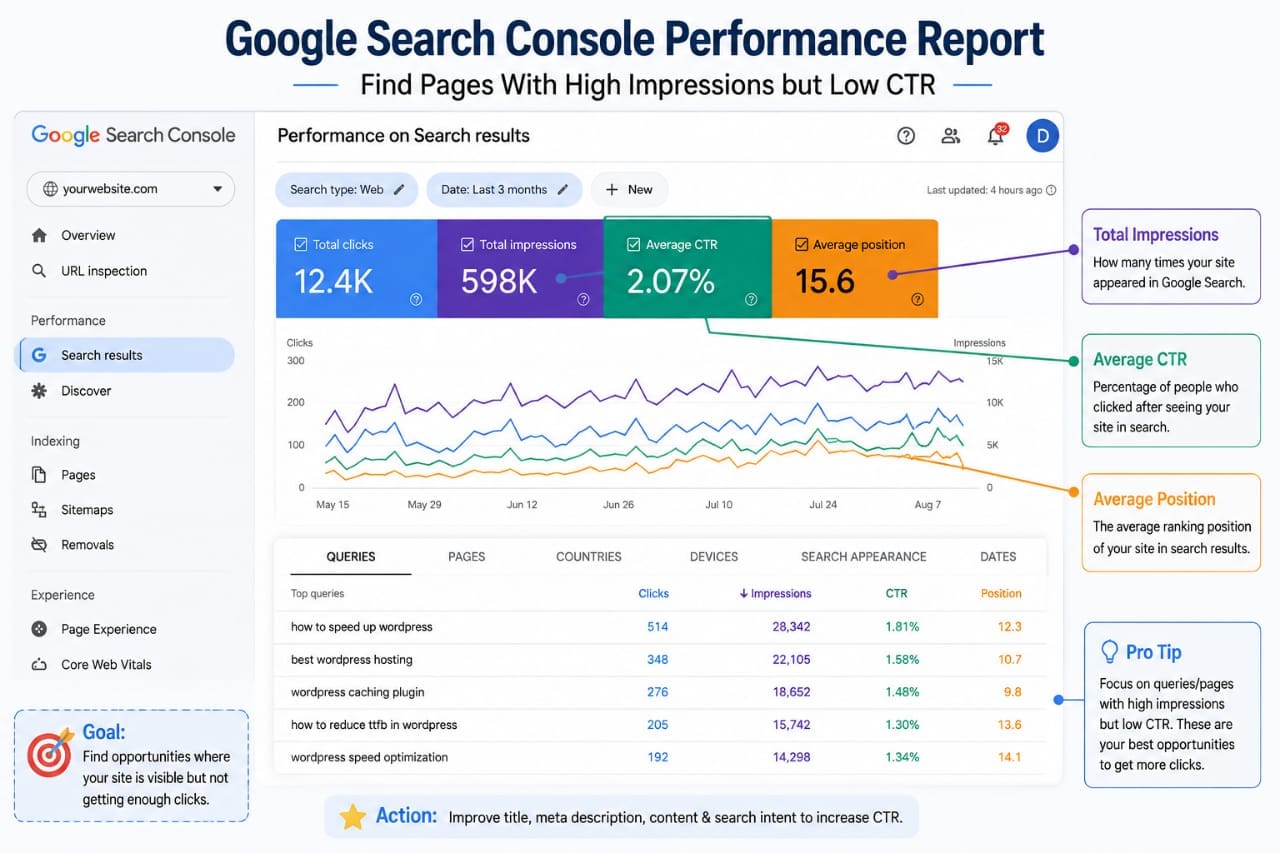
Do not try to solve every Search Console problem with a title change. First identify what the data is actually telling you.
8. Focus on Pages Ranking in Positions 8–20
Pages ranking between positions 8 and 20 can be especially interesting because they already have some visibility but may not receive as many clicks as pages near the top.
Instead of immediately creating another article targeting the same topic, examine whether the existing page can be improved. Look at its main query, competing results, content structure, and the questions users are likely expecting it to answer.
Improve the page before creating a replacement
Check whether the introduction answers the main question quickly. Make important sections easier to find, add useful examples, update outdated information, and remove unnecessary sections that do not help the reader.
A page does not need to be longer simply because competitors have longer articles. It needs to be more useful and better aligned with the searcher's purpose.
9. Analyze the Search Results Before Changing Your Title
Before rewriting a title, search the important query yourself. Look at the results that Google is currently showing and consider what makes them useful.
You may notice that competing titles emphasize a specific benefit, include a year, answer a question, provide a checklist, or target a particular audience.
Do not simply copy those titles. Instead, identify what the searcher appears to value and make your own result clearer and more accurate.
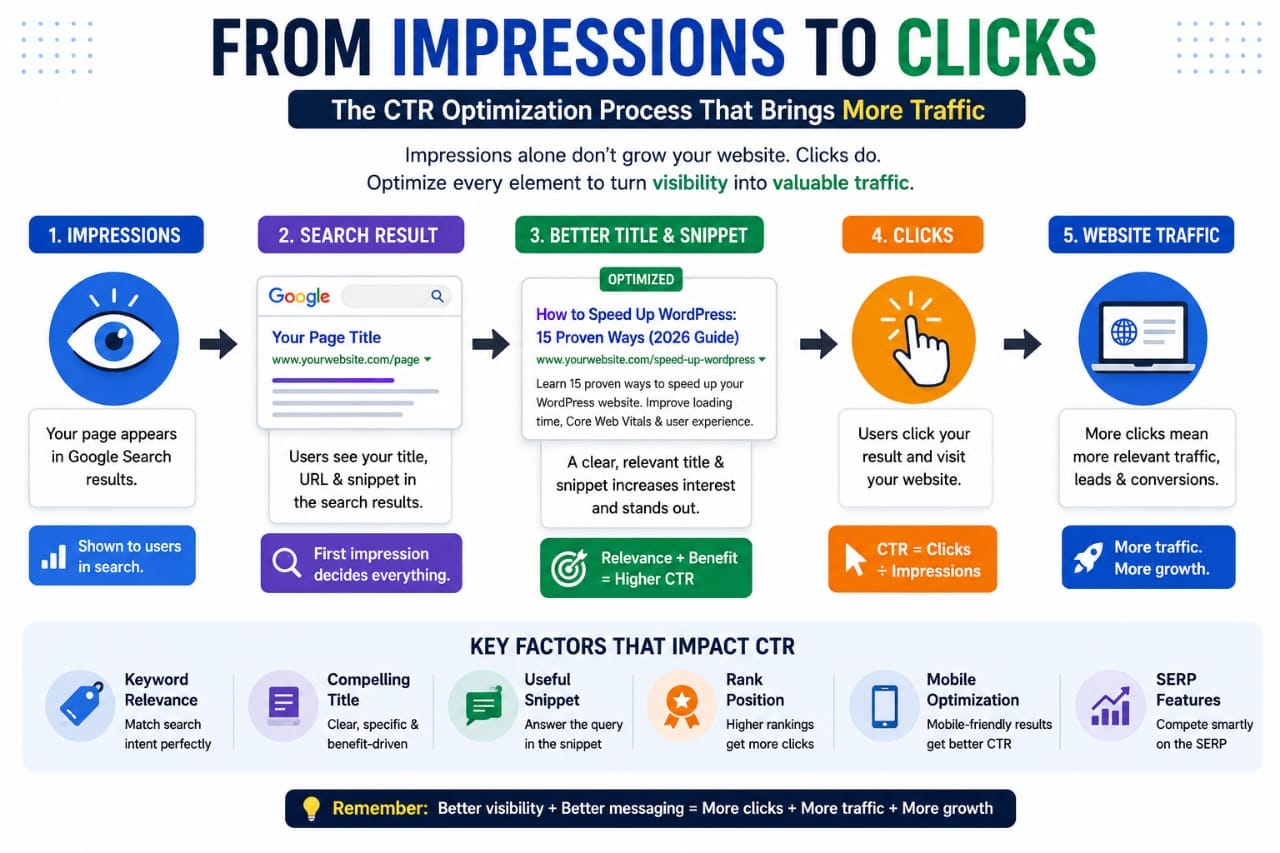
Use specificity instead of clickbait
Compare “SEO Tips” with “15 SEO Tips for New Websites.” The second title immediately provides more context.
Specificity can help searchers understand whether your page is relevant before they click. However, avoid exaggerated claims that your article cannot support.
10. Strengthen Internal Links to Important Pages
CTR improvement works best when it is combined with a broader SEO strategy. If an important page is already receiving impressions, look at how other relevant pages on your website connect to it.
Add contextual internal links from related articles using descriptive anchor text. The link should make sense to the reader and provide a useful next step.
For example, an article about WordPress SEO could naturally link to related resources about technical SEO, XML sitemaps, Core Web Vitals, image optimization, or internal linking.
This creates a stronger relationship between related content and makes it easier for visitors and search engines to understand your site's topic structure.
11. Understand Which Problem You Actually Have
Not every low-CTR page needs the same solution. Some pages need a better title, while others need better rankings or stronger content.
| Search Console Pattern | Likely Problem | What to Improve |
|---|---|---|
| High impressions + low CTR + strong position | Weak search-result appeal | Title, snippet and intent alignment |
| High impressions + position 8–20 | Limited ranking visibility | Content depth, relevance and internal links |
| High impressions + position 30+ | Weak search visibility | Content quality, topical relevance and authority |
| Low impressions + good CTR | Limited visibility | Keyword targeting and ranking opportunities |
| Clicks increasing + impressions increasing | Positive growth signal | Continue improving what already works |
This comparison is useful because it prevents you from treating every page as a CTR problem. First identify the problem, then choose the optimization.
12. Improve Search Intent Alignment
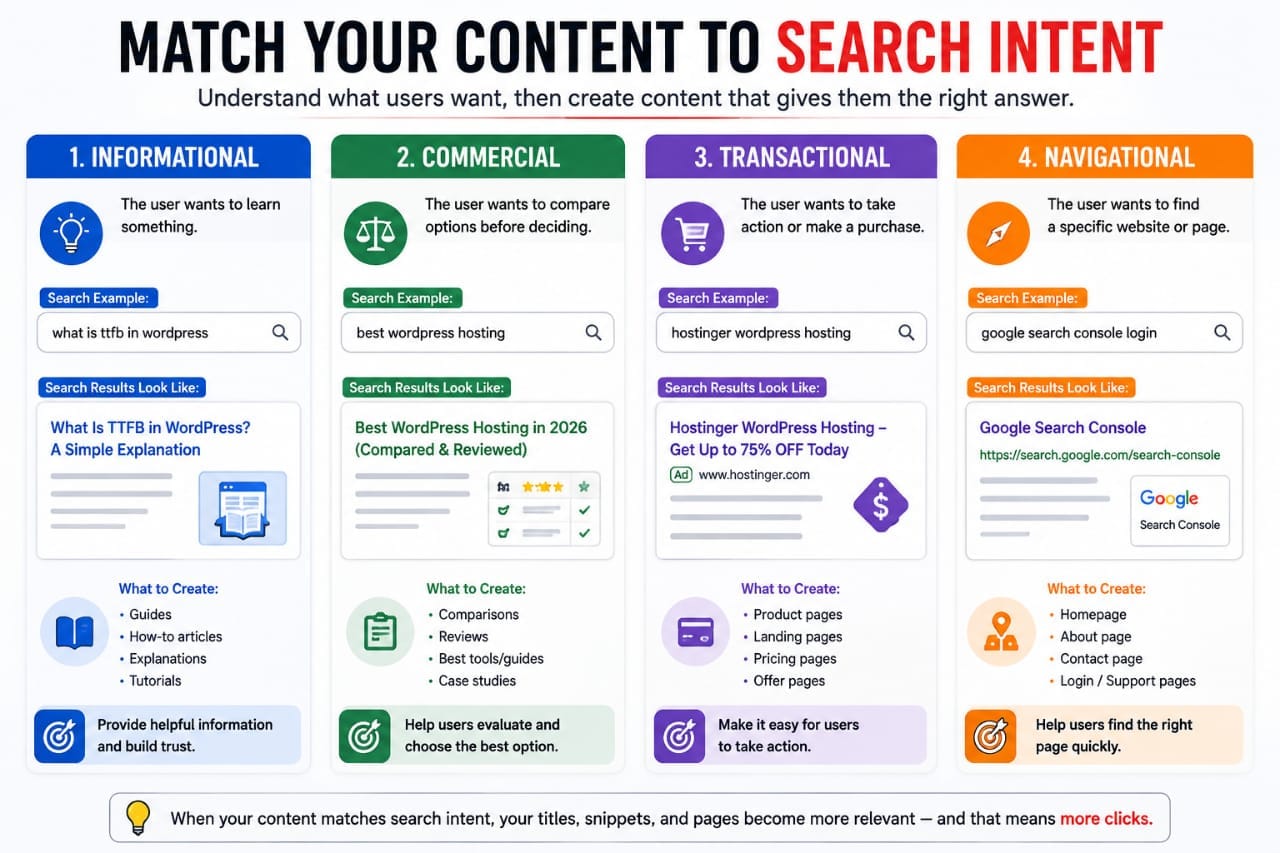
Search intent is often the hidden reason behind a poor CTR. A keyword can look perfect during keyword research but still produce disappointing traffic if the page does not match what users want.
For example, someone searching “best SEO tools for bloggers” is likely looking for recommendations or comparisons. A general explanation of what SEO tools are may not satisfy that intent.
Before optimizing the title, ask what the searcher expects to see after clicking. Then make sure your article delivers that information clearly.
Match the content to the query
- Informational queries need clear explanations.
- Comparison queries need differences and evaluation.
- Commercial queries need useful product or service information.
- How-to queries need practical steps.
The closer the page matches the searcher's purpose, the easier it becomes to create a title and snippet that accurately communicate its value.
13. Create a Monthly CTR Optimization Process
You do not need to monitor CTR every day. Constantly reacting to small changes can lead to unnecessary edits. A better approach is to review your data periodically and focus on meaningful patterns.
Step 1: Find your biggest opportunities
Start with pages receiving significant impressions. Then identify which ones have relatively low CTR compared with their visibility.
Step 2: Inspect the queries
Find the searches producing impressions and group them by topic and intent. Look for queries that are both relevant and commercially or informationally valuable.
Step 3: Improve one important element
Update the title, introduction, content structure, internal links, or another relevant element based on what your data shows.
Step 4: Record the change
Keep a simple record of the URL, original title, new title, target query, impressions, CTR, and date of the update. This helps you understand which changes are actually useful.
Step 5: Compare the trend
After enough time has passed, compare the page with its previous performance. Look at clicks and impressions as well as CTR. A higher CTR is useful, but increasing qualified clicks is the bigger objective.
14. Avoid Common CTR Optimization Mistakes
One common mistake is changing a title after only a few impressions. Small datasets can produce unstable CTR numbers, so avoid making decisions based on extremely limited data.
Another mistake is using clickbait. A title may attract additional clicks, but if the content does not deliver what the title promises, those visitors are unlikely to become valuable readers.
Keyword stuffing is another problem. Repeating the same phrase several times in a title can make it look unnatural. Write for people first and make the subject immediately clear.
Finally, do not optimize CTR while ignoring rankings. If your page is far down the results, improving the title alone may not produce a major increase in traffic.
Final Takeaway
Turning Google Search Console impressions into clicks is not about finding one magic CTR trick. It is a process of understanding where your visibility already exists and then improving the pages with the strongest opportunities.
Start with high-impression pages. Examine their queries. Check their ranking positions. Understand the searcher's intent. Improve titles and snippets when appropriate, strengthen the content when necessary, and build useful internal links between related pages.
Most importantly, do not chase clicks that have no value. A successful SEO result attracts the right searcher and then gives that visitor exactly what the search result promised.
When you consistently follow this process, Google Search Console becomes more than a traffic report. It becomes a practical source of SEO insights that can help you turn existing search visibility into more qualified website traffic.