How to Refresh Old Blog Content and Improve SEO Performance (2026 Guide)
Many bloggers believe the only way to increase traffic is by publishing more content.
While creating new articles is important, one of the fastest ways to improve SEO performance is often hiding inside your existing content library.
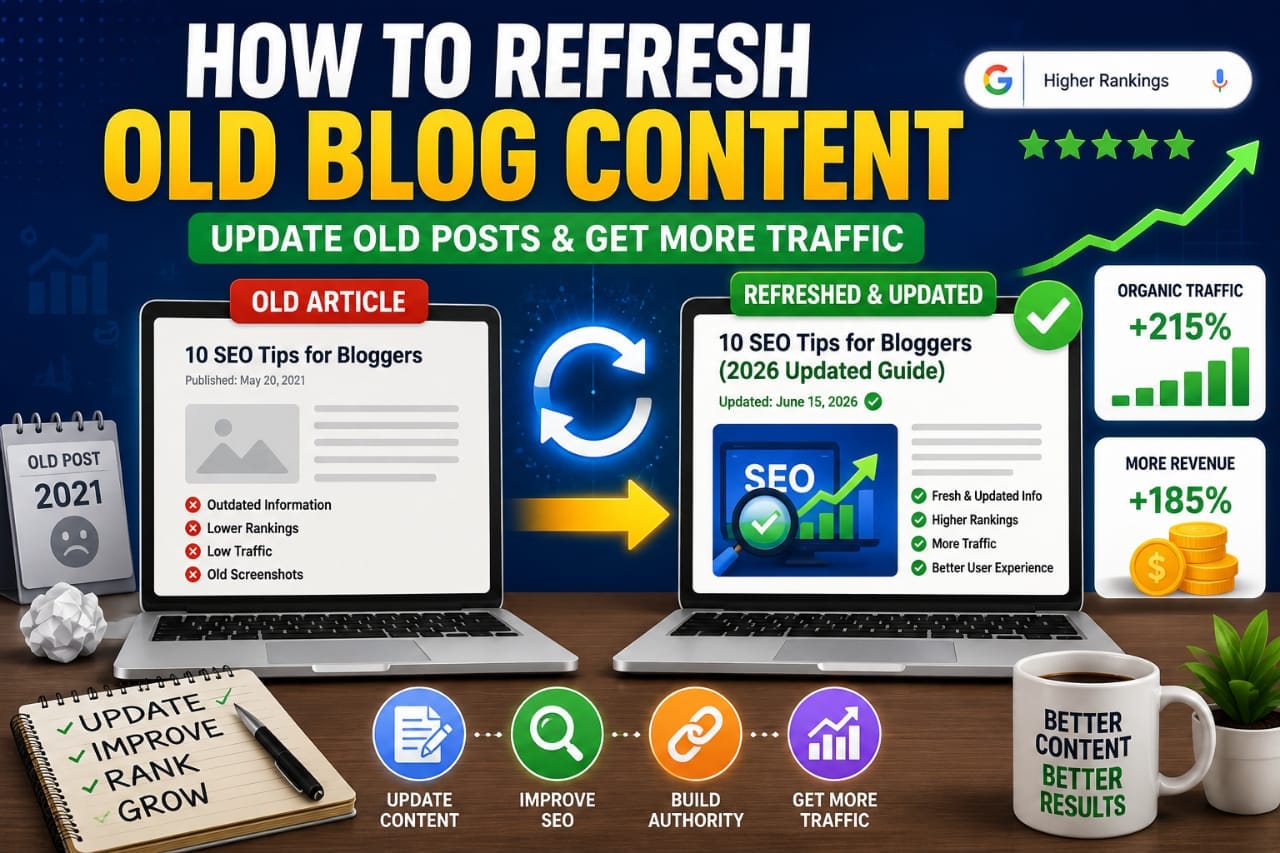
Refreshing old blog posts can help you regain lost rankings, improve user experience, increase organic traffic, and generate more revenue without writing a completely new article.
In fact, many successful publishers spend as much time updating old content as they do creating new content.
If your website already contains dozens of articles, content updates may deliver better results than publishing another post.
📑 Table of Contents
- Why Updating Old Content Matters
- How Old Content Loses Rankings
- Signs an Article Needs Updating
- Step 1: Find Content Worth Updating
- Step 2: Analyze Current Search Intent
- Step 3: Update Statistics and Data
- Step 4: Expand Thin Sections
- Step 5: Improve Internal Linking
- Step 6: Refresh Your Primary Keyword Strategy
- Step 7: Improve Your Title Tag
- Step 8: Rewrite Your Meta Description
- Step 9: Update Images and Visual Elements
- Step 10: Optimize for Featured Snippets
- Step 11: Improve Content Structure
- Step 12: Add New FAQs
- Step 13: Fix Broken Links
- Step 14: Strengthen E-E-A-T Signals
- Real Example: Content Refresh Success
- Content Refresh vs Creating New Content
- Advanced Content Refresh Strategies
- How Often Should You Refresh Content?
- Content Refresh Mistakes to Avoid
- The Best Content Refresh Workflow
- How Content Refresh Helps SEO
- The Content Refresh Formula
- Content Refresh Checklist
- Internal Resources
- Final Thoughts
- Frequently Asked Questions
- Key Takeaway
Refreshing old blog content involves updating outdated information, improving SEO optimization, adding new insights, enhancing user experience, fixing broken links, and ensuring the article satisfies current search intent.
Why Updating Old Content Matters
Google wants to rank content that remains accurate, useful, and relevant.
An article published two years ago may still be valuable, but outdated information can reduce its effectiveness.
Refreshing content helps:
- Improve rankings
- Increase traffic
- Boost user engagement
- Reduce bounce rates
- Improve content quality
- Increase conversions
Google discusses creating helpful and people-first content in its official documentation:
Google Helpful Content Guidelines
Content that remains useful over time tends to perform better in search results.
How Old Content Loses Rankings
Many articles slowly lose visibility even if competitors don't publish better content.
Common reasons include:
- Outdated statistics
- Broken external links
- Changed search intent
- Weak user experience
- Missing information
- Poor internal linking
Search engines constantly evaluate content quality.
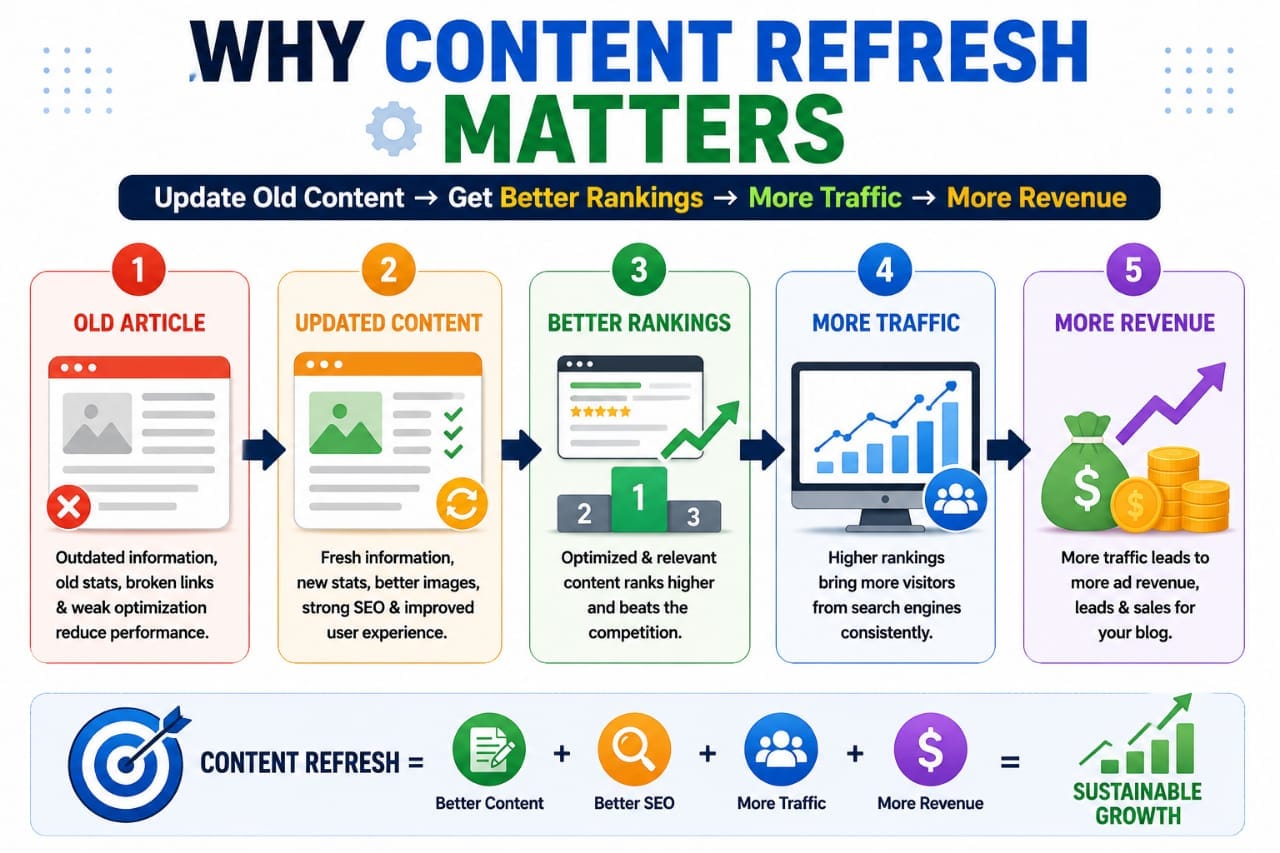
If competitors publish newer and more complete resources, older articles may gradually lose rankings.
Signs an Article Needs Updating
Not every post requires refreshing.
Focus on pages showing clear improvement opportunities.
Signs include:
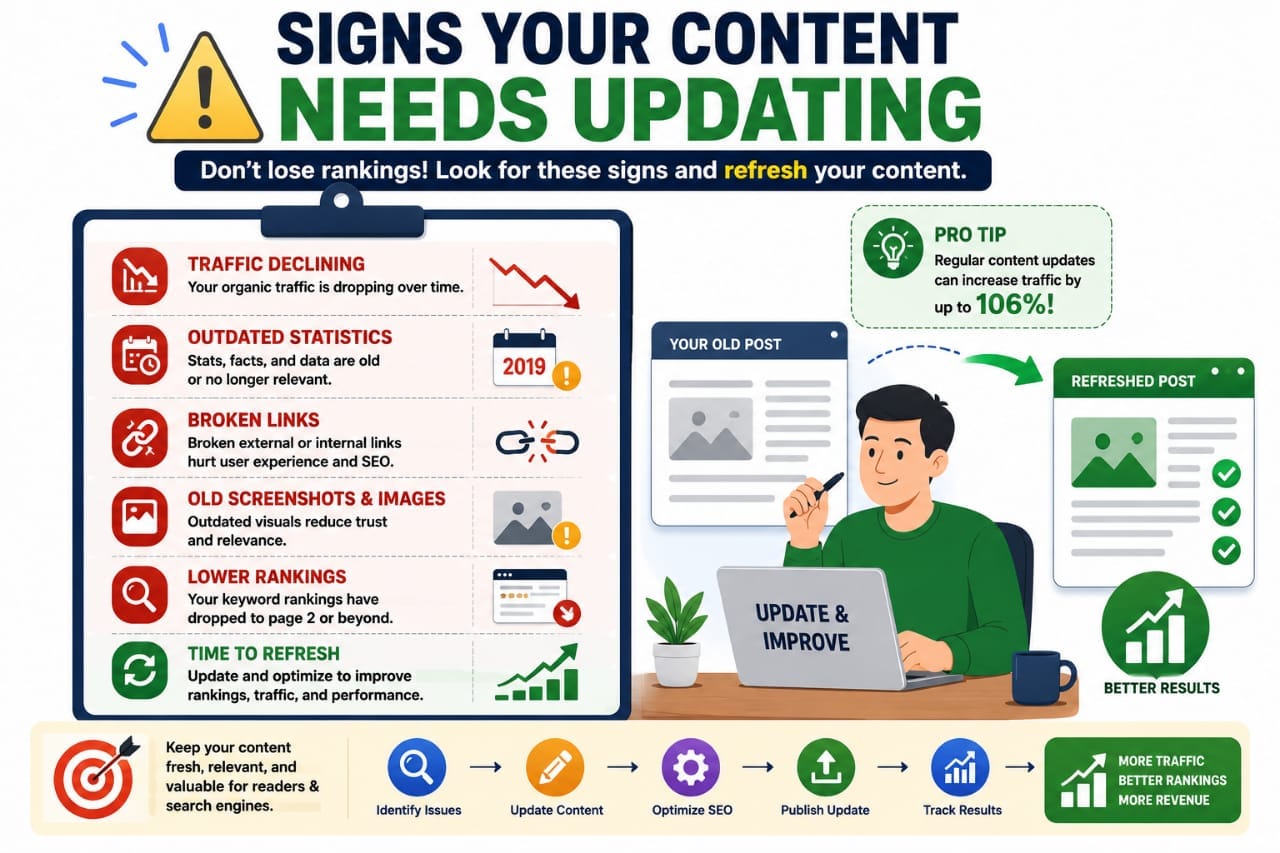
- Traffic decline
- Ranking drops
- Outdated screenshots
- Old statistics
- Broken links
- Low engagement
Start with articles already ranking on page one or page two. Small improvements often produce faster results than updating low-performing content.
Step 1: Find Content Worth Updating
The first step is identifying opportunities.
Tools that help include:
- Google Search Console
- Google Analytics
- Ahrefs
- Semrush
Official Search Console:
Look for articles:
- Ranking positions 5–20
- Declining traffic trends
- High impressions but low CTR
- Content older than one year
These often produce the highest ROI when refreshed.
Step 2: Analyze Current Search Intent
Search intent changes over time.
An article that ranked well in 2023 may no longer satisfy what users want in 2026.
Search your target keyword and analyze:
- Top-ranking competitors
- Content format
- Content depth
- Frequently covered topics
- SERP features
Ask yourself:
Would I click my article over the current top results?
If the answer is no, updates are necessary.
Step 3: Update Statistics and Data
Outdated statistics reduce trust.
Users expect recent information.
Replace:
- Old studies
- Outdated percentages
- Expired industry data
- Old screenshots
Reliable data sources include:
Fresh data signals relevance and credibility.
Step 4: Expand Thin Sections
Many older articles were published when competition was lower.
Today, users expect more comprehensive content.
Review your article and identify areas where readers may need additional information.
Add:
- Examples
- Case studies
- FAQs
- Comparison tables
- Expert insights
A blogger updates a 1,200-word article to 2,200 words by adding examples, FAQs, and updated data. Within several weeks, the article begins ranking for additional keywords and gains more traffic.
Step 5: Improve Internal Linking
Internal links help users discover related content and help search engines understand your website structure.
When refreshing content:
- Add links to newer articles
- Link to relevant tools
- Connect topical clusters
- Update outdated internal references
For example, on Seovixo you could link to:
- Blogging Mistakes That Kill SEO
- Why Most Blogs Never Get Traffic
- How Long Does SEO Take for a New Blog
- Free SEO Analyzer Tool
Step 6: Refresh Your Primary Keyword Strategy
SEO evolves constantly.
A keyword that worked years ago may no longer drive meaningful traffic.
When updating content, review your target keywords.
Ask yourself:
- Is the keyword still relevant?
- Has search volume changed?
- Are there new keyword opportunities?
- Can I target additional long-tail keywords?
Helpful keyword research resources include:
Often, a simple keyword refresh can uncover dozens of additional ranking opportunities.
Step 7: Improve Your Title Tag
Your title tag heavily influences click-through rates.
Many older articles have titles that no longer stand out in search results.
Compare:
The second title is more specific, current, and compelling.
Small title improvements often increase organic CTR without requiring ranking changes.
Step 8: Rewrite Your Meta Description
Meta descriptions don't directly influence rankings, but they influence clicks.
When refreshing content:
- Include the primary keyword
- Highlight the main benefit
- Create curiosity
- Keep it concise
Example:
Step 9: Update Images and Visual Elements
Many bloggers overlook image optimization when updating content.
However, visuals significantly impact user engagement.
Consider replacing:
- Outdated screenshots
- Low-quality graphics
- Old interface examples
- Generic stock photos
Add:
- Custom infographics
- Comparison charts
- Step-by-step screenshots
- Data visualizations
Updating images often increases time-on-page because readers engage more with visual content.
Step 10: Optimize for Featured Snippets
Featured snippets can dramatically increase visibility.
When refreshing content, identify questions users commonly ask.
Then provide:
- Direct answers
- Numbered lists
- Comparison tables
- Definitions
Example:
Content refresh is the process of updating existing blog posts with new information, improved SEO, updated keywords, enhanced user experience, and current data to improve rankings and traffic.
Step 11: Improve Content Structure
Older articles often have poor formatting.
Modern readers prefer content that is easy to scan.
Improve:
- Headings
- Subheadings
- Bullet points
- Tables
- Callout boxes
- White space
A well-structured article increases readability and engagement.
Step 12: Add New FAQs
FAQ sections help answer additional search queries.
They also increase topical relevance.
Sources for FAQ ideas include:
- Google People Also Ask
- Google Autocomplete
- Search Console queries
- Reader comments
Adding FAQs can help capture long-tail traffic opportunities.
Step 13: Fix Broken Links
Broken links create a poor user experience.
They can also reduce trust.
Check:
- External links
- Internal links
- Affiliate links
- Resource pages
A useful link-checking tool is:
Regular link maintenance keeps content healthy.
Step 14: Strengthen E-E-A-T Signals
Google increasingly values Experience, Expertise, Authoritativeness, and Trustworthiness.
When refreshing content:
- Add personal insights
- Include real examples
- Cite reliable sources
- Update author information
- Provide practical recommendations
Strong E-E-A-T signals help improve credibility and trust.
Real Example: Content Refresh Success
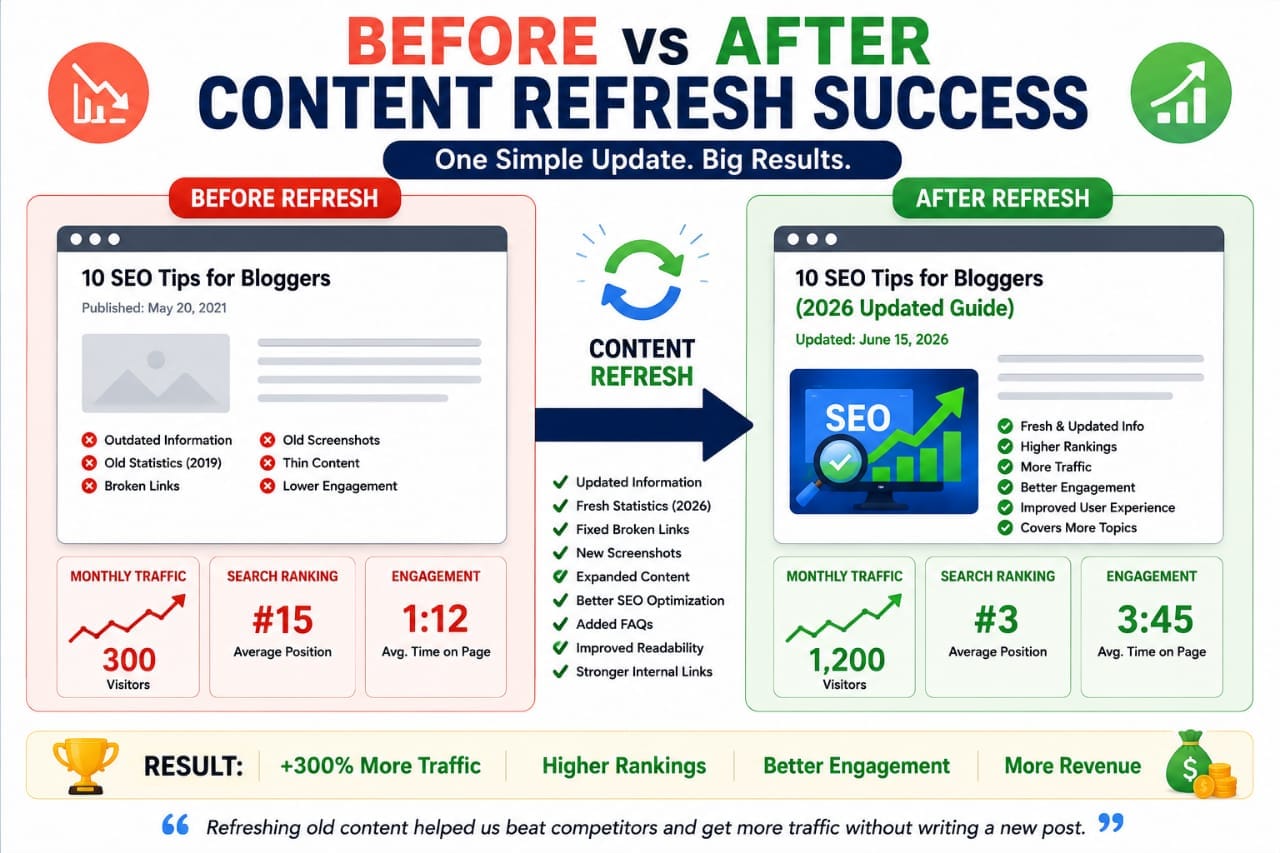
A blogger had an article receiving 300 monthly visits. After updating:
- Title tag
- Meta description
- Internal links
- Statistics
- FAQ section
- Images
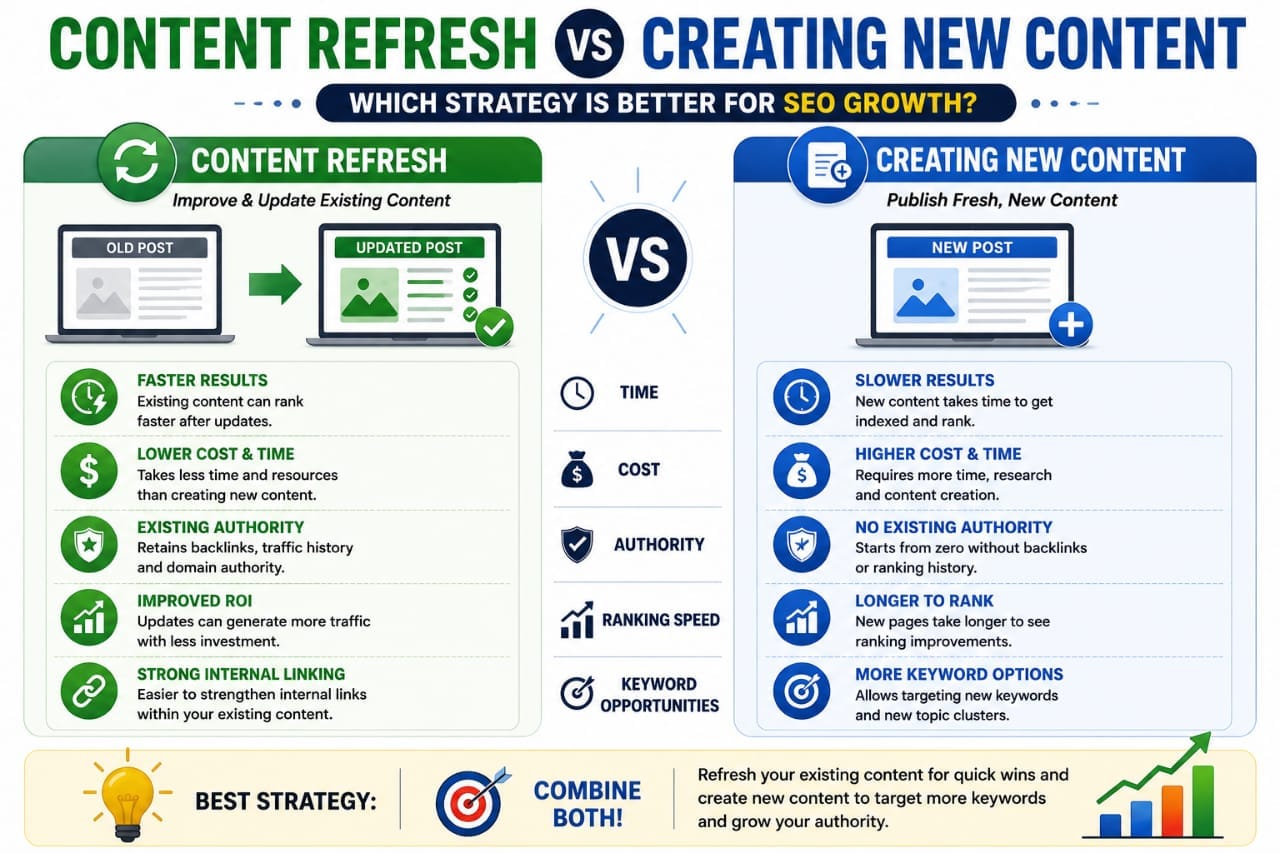
Content Refresh vs Creating New Content
| Factor | Refresh Content | New Content |
|---|---|---|
| Time Required | Low | High |
| Potential ROI | High | High |
| Ranking Speed | Faster | Slower |
| Keyword Expansion | Medium | High |
Successful websites usually combine both strategies.
Advanced Content Refresh Strategies
Once you've completed the basic updates, it's time to focus on advanced optimization techniques.
These strategies can help old articles compete with newer content and capture additional search traffic.
Advanced refresh tactics include:
- Adding expert insights
- Updating examples
- Expanding topical coverage
- Improving user experience
- Targeting additional keywords
- Strengthening internal links
The goal isn't simply to make content longer.
The goal is to make it more useful than competing pages.
How Often Should You Refresh Content?
The ideal refresh schedule depends on the topic.
| Content Type | Refresh Frequency |
|---|---|
| SEO Articles | Every 6 Months |
| WordPress Guides | Every 6–12 Months |
| Hosting Reviews | Every 3–6 Months |
| Affiliate Content | Every 3 Months |
| Evergreen Content | Every 12 Months |
Topics that change quickly require more frequent updates.
Content Refresh Mistakes to Avoid
Many bloggers update content incorrectly.
Common mistakes include:
- Changing URLs unnecessarily
- Removing valuable content
- Stuffing keywords
- Ignoring search intent
- Updating publish dates without improvements
- Not tracking results
Simply changing the publication date without making meaningful improvements is unlikely to improve rankings and may reduce trust.
The Best Content Refresh Workflow
Successful publishers often follow a repeatable process.
Here's a simple workflow:
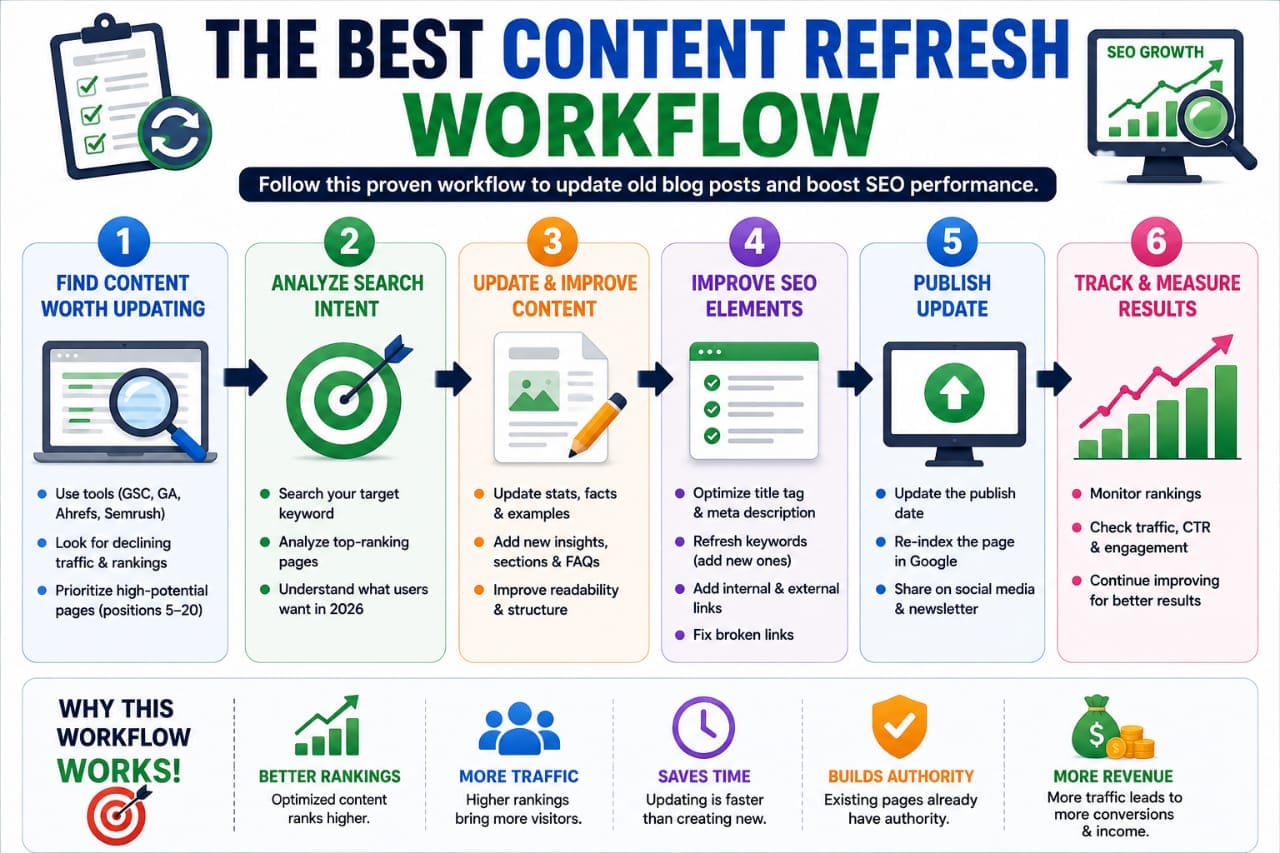
- Identify declining content.
- Review search intent.
- Analyze competitors.
- Update statistics.
- Add missing sections.
- Improve internal linking.
- Optimize title and meta description.
- Update images.
- Add FAQs.
- Track results.
Following a system makes updates more effective and scalable.
How Content Refresh Helps SEO
Refreshing content supports SEO in multiple ways.
- Improves topical relevance
- Enhances user experience
- Increases engagement
- Reduces outdated information
- Improves internal link structure
- Supports E-E-A-T signals
Google rewards content that remains useful and relevant to users.
Content refresh is one of the easiest ways to maintain that relevance.
The Content Refresh Formula
Winning Formula
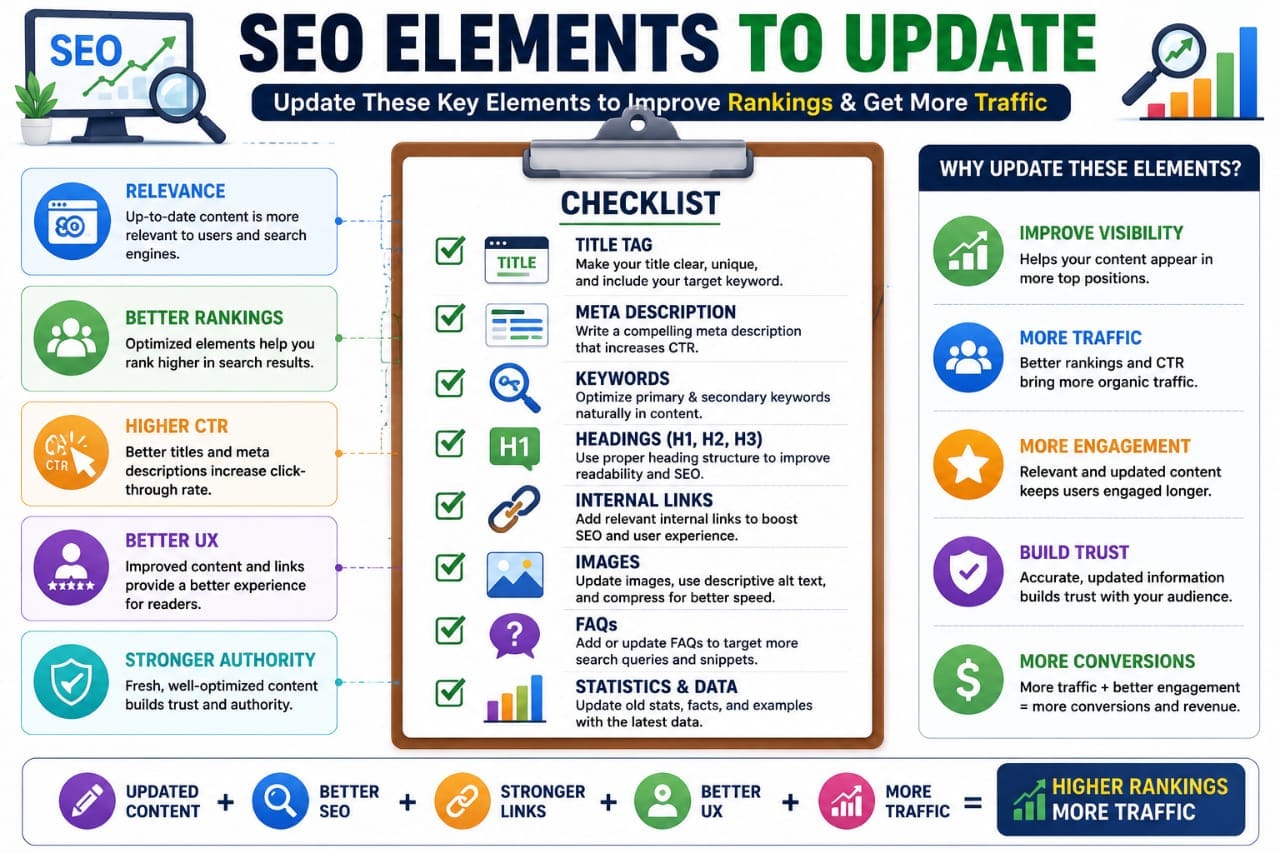
Outdated Content + Fresh Information + Better SEO + Improved User Experience + Internal Links = Higher Rankings & More Traffic
Content Refresh Checklist
SEO Checklist
- ✓ Update primary keyword
- ✓ Improve title tag
- ✓ Rewrite meta description
- ✓ Add internal links
- ✓ Fix broken links
Content Checklist
- ✓ Update statistics
- ✓ Add examples
- ✓ Expand thin sections
- ✓ Add FAQs
- ✓ Improve readability
User Experience Checklist
- ✓ Add visuals
- ✓ Improve formatting
- ✓ Optimize mobile experience
- ✓ Improve page speed
- ✓ Update screenshots
Internal Resources
Related Guides on Seovixo:
Final Thoughts
Many bloggers focus entirely on publishing new content while ignoring existing articles.
This is often a missed opportunity.
Refreshing old blog content can deliver faster SEO results because the page already has authority, backlinks, and ranking history.
Instead of publishing another article immediately, review your existing content and look for opportunities to improve it.
Small updates can sometimes generate larger gains than creating an entirely new post.
Frequently Asked Questions
Does updating old blog posts help SEO?
Yes. Updating outdated content can improve relevance, user experience, and rankings when meaningful improvements are made.
How often should I refresh content?
Most SEO and blogging content should be reviewed every 6–12 months, while affiliate content may require more frequent updates.
Should I change the URL when updating content?
No. In most cases, keeping the same URL preserves existing authority and backlinks.
What is the easiest content update?
Updating statistics, screenshots, internal links, and FAQs often provides the quickest improvements.
Can content refresh improve traffic?
Yes. Many websites recover rankings and gain additional traffic after refreshing outdated content.
Should I refresh every article?
No. Prioritize articles with declining traffic, ranking opportunities, or outdated information.
Key Takeaway
Content refresh is one of the highest-ROI SEO activities available to bloggers.
By updating information, improving user experience, optimizing keywords, and strengthening internal links, you can improve rankings without creating entirely new content.
If your website already has published articles, your next traffic increase may come from updating old content rather than writing a new post.