How to Find Low CTR Keywords in Google Search Console
Getting impressions in Google Search but very few clicks is one of the clearest signs that a page deserves closer investigation.Your page may already be appearing for relevant searches, but users are choosing another result. That does not automatically mean your content is bad. Click-through rate can be affected by your average position, search intent, SERP features, device, country, brand familiarity, and the way Google displays the result.
Google Search Console gives you the data needed to identify these opportunities.The important part is knowing how to interpret the numbers instead of simply sorting the table by the lowest CTR.
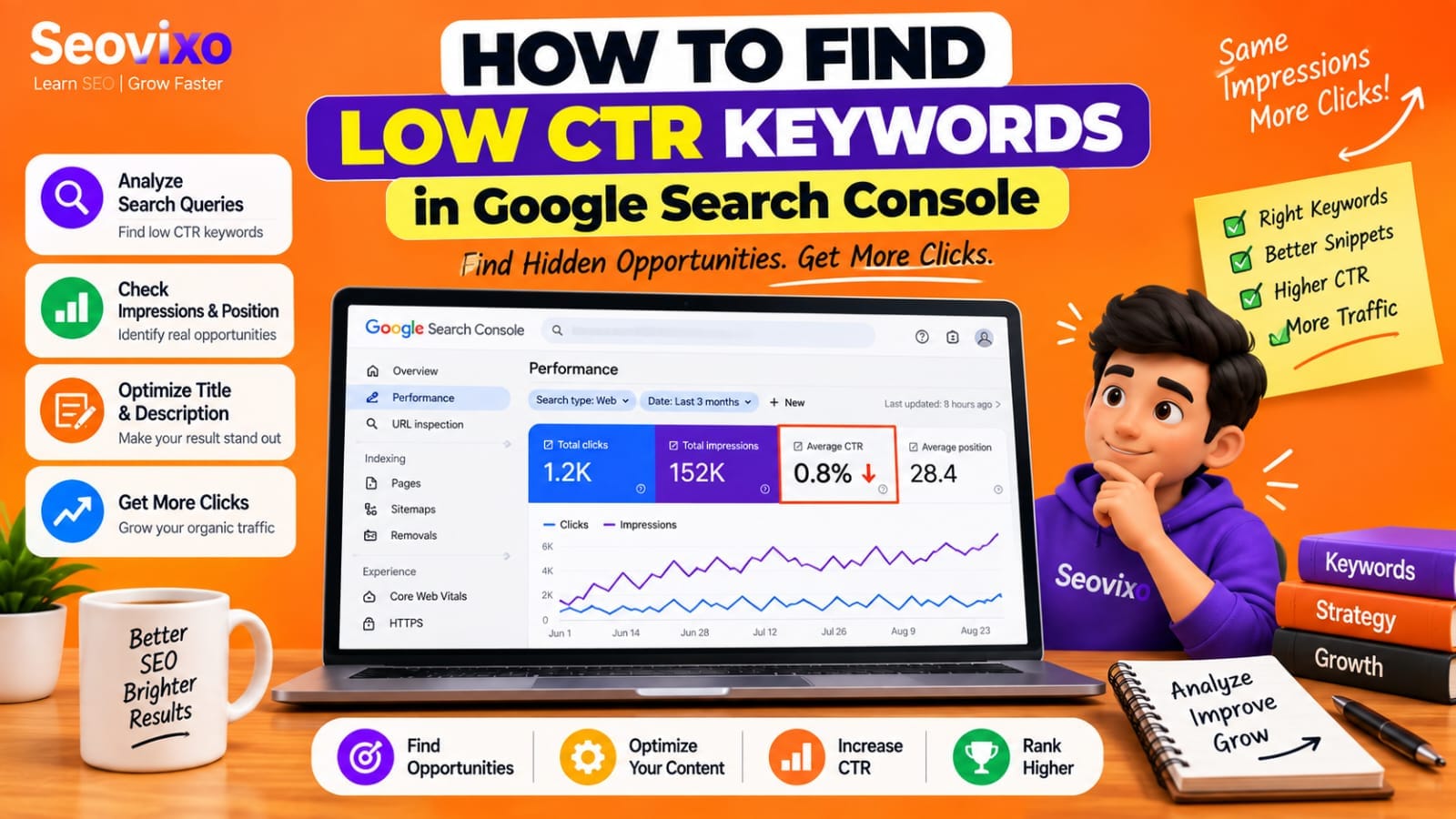
What Is CTR in Google Search Console?
What Is CTR in Google Search Console?CTR means click-through rate.Google calculates it as:
CTR = Clicks ÷ Impressions × 100For example, if your page receives 40 clicks from 4,000 impressions:CTR = 40 ÷ 4,000 × 100 = 1%Search Console reports clicks, impressions, CTR, and average position in its Performance report.
Google also explains that average position represents the average position of your topmost result across impressions, so it should not be treated as an exact fixed ranking for every search. That distinction matters when analyzing low CTR keywords.
Step 1: Open the Performance Report
Performance → Search results
Make sure these metrics are enabled:
- Total clicks
- Total impressions
- Average CTR
- Average position
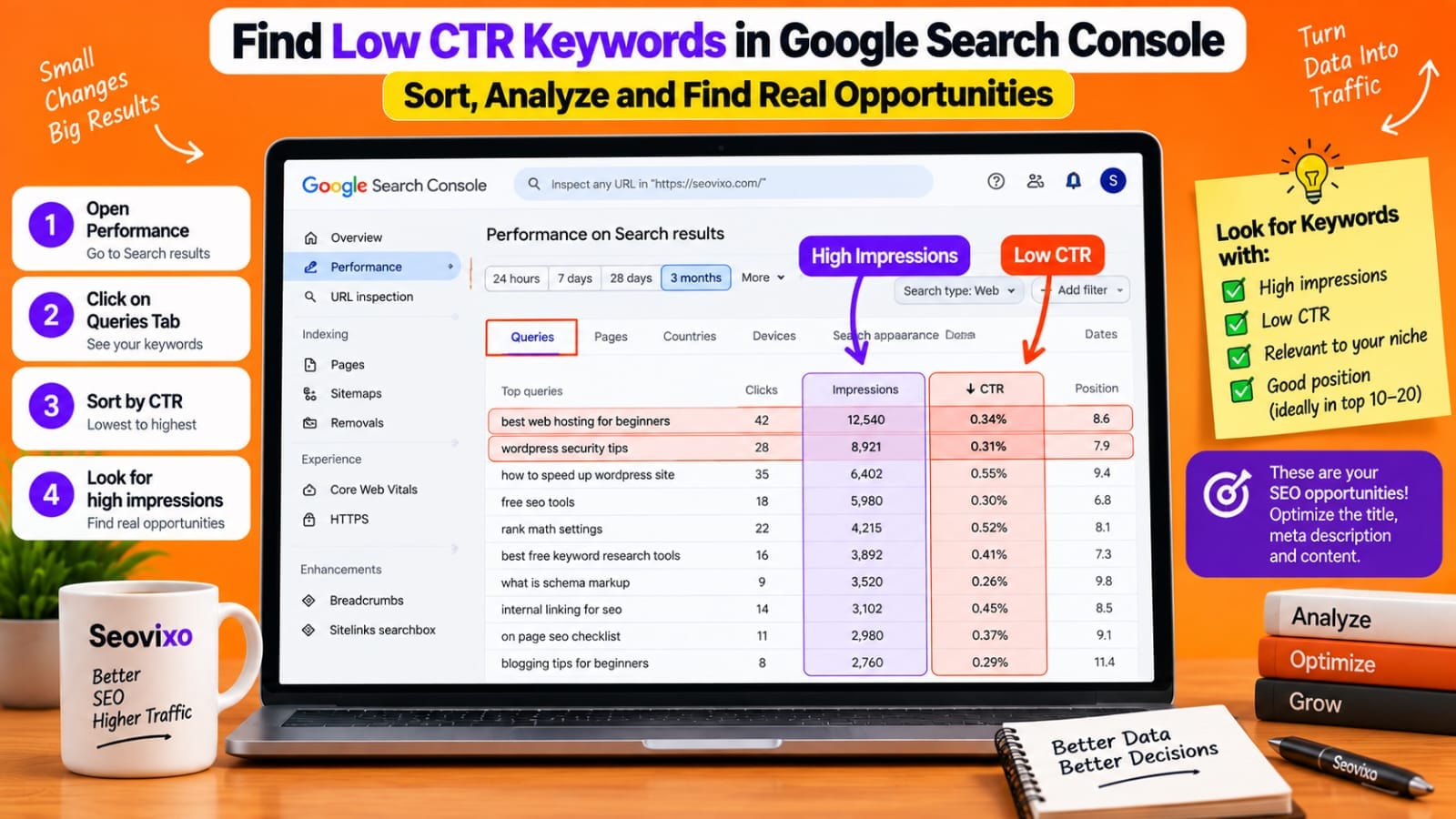
Then open the Queries tab.The Queries report shows the search terms for which your site appeared in Google Search.
Google allows you to change the date range, search type, dimensions, and filters, which means you can analyze your data much more deeply than simply looking at the default report.For a useful first analysis, start with the last 28 or 90 days rather than judging a keyword from a very small period.
Step 2: Sort Queries by CTR
Click the CTR column and sort it from lowest to highest.You will probably see some keywords with extremely low CTR.But do not immediately optimize every keyword at the top of the list.
A keyword with:
10 impressions 0 clicks 0% CTRdoes not provide enough evidence by itself.
Compare that with:
8,000 impressions 56 clicks 0.7% CTRThe second keyword has a much larger opportunity because users are seeing the result frequently.This is why I prefer looking for *low CTR + meaningful impressions*, rather than low CTR alone.
Step 3: Look for High-Impression, Low-CTR Keywords
Imagine these four keywords:
Keyword A — 12,000 impressions — 0.8% CTR Keyword B — 6,500 impressions — 1.2% CTR Keyword C — 180 impressions — 0% CTR Keyword D — 45 impressions — 0% CTR
Keyword A deserves much more investigation than Keyword C or D.
Why?
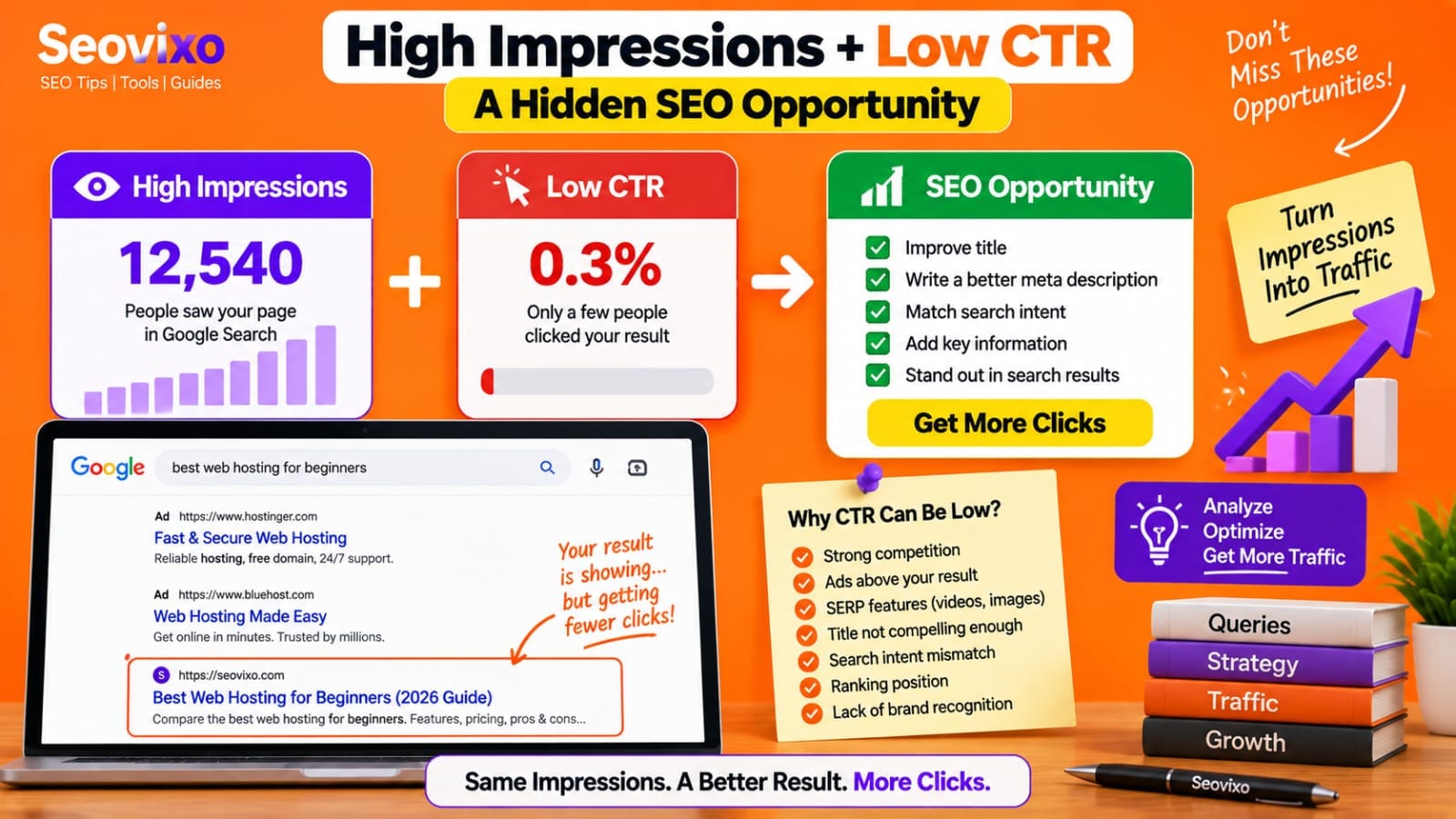
Because Google is already showing your page for a substantial number of searches.Google's own Search Console documentation specifically recommends looking for high-impression, low-CTR pages and considering whether the title, snippet, and page content better match what users are searching for.
Step 4: Check the Average Position
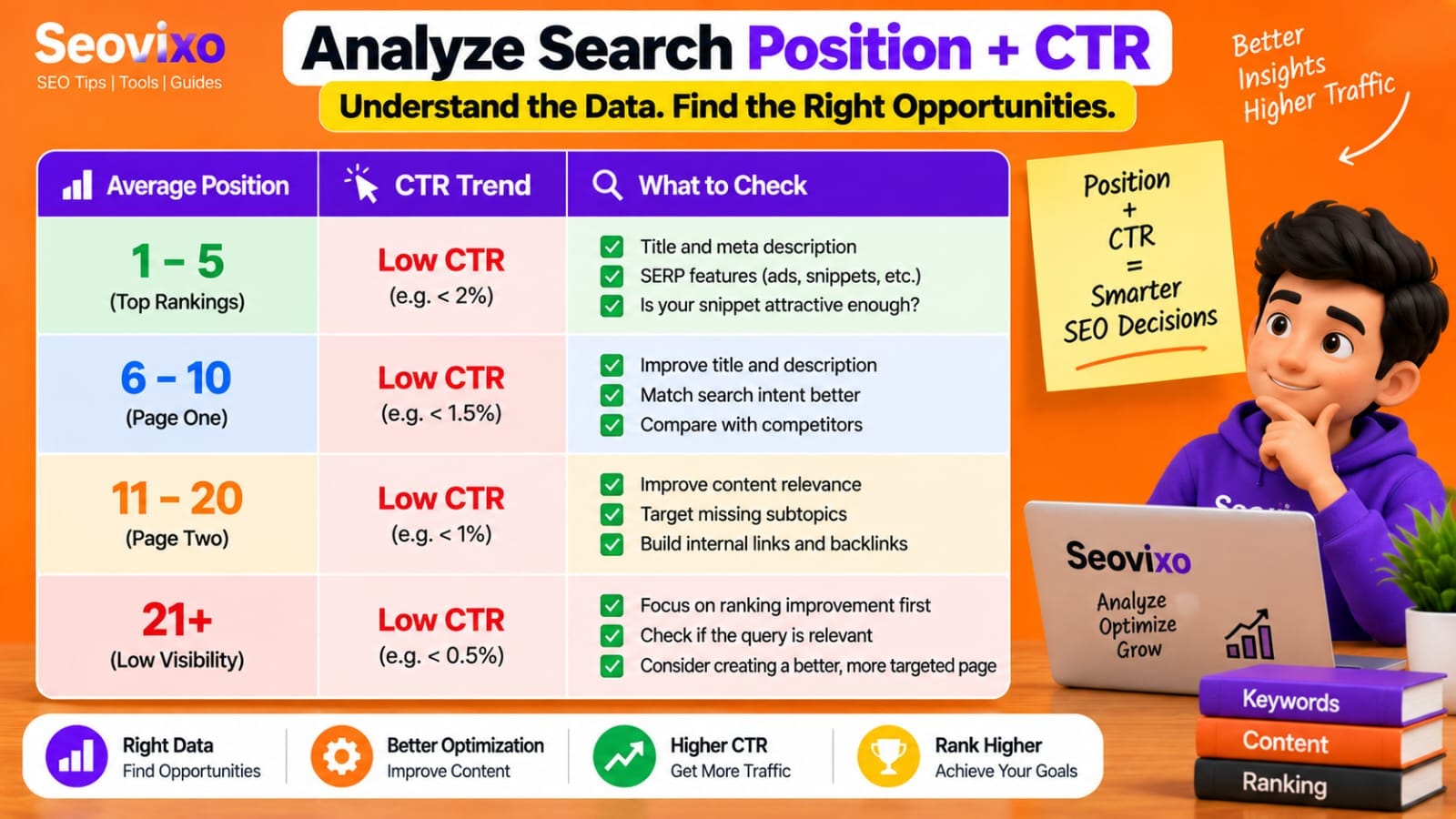
CTR should never be evaluated without position.A keyword ranking around position 40 and receiving a low CTR is very different from a keyword ranking around position 4 with the same CTR.Position strongly affects the number of users who see and click a result.
For example:
Position 3 + 0.8% CTR may deserve investigation.Position 28 + 0.8% CTR may simply reflect limited visibility.Do not use a universal rule such as "anything below 2% CTR is bad."
There is no single CTR number that is automatically good or bad for every query.Instead, compare CTR in the context of position, impressions, search intent, and the actual SERP.
Google also recommends focusing more on trends in clicks and impressions than on position alone.
Step 5: Check the Actual Search Results
This is where the numbers need human interpretation.Take an important low-CTR query from Search Console and search for it manually.
Look at:
- What appears above your result?
- Are there ads?
- Are there featured elements?
- Are there videos or image results?
- Are competitors answering the query more directly?
- Does your title accurately explain the page?
- Does your snippet match the user's intent?
- Is the query informational, commercial, or navigational?
Search results can vary by time, location, device, and search history, so your manual search will not always exactly match what another user saw.Still, the SERP provides useful context.
Step 6: Check Which Page Ranks
A single query can potentially be associated with more than one page from your website.In Search Console, click the query and then open the Pages tab.This tells you which URLs Google showed for that query.This is important because you may discover:
Page A → 1,000 impressions → 0.8% CTRPage B → 200 impressions → 2.5% CTR
You may then realize that Google is showing a page that is not your strongest resource for that topic.
Before changing the page title, determine which URL is actually receiving the impressions.
Step 7: Separate Branded and Non-Branded Keywords
Branded searches often behave differently from non-branded searches.Someone searching specifically for your brand may already intend to visit your website. A generic query such as:"best free SEO tools"has a completely different searcher intent.
Google Search Console now provides a branded/non-branded query filter for eligible properties, although it is not available in every situation.Separating the two can make your
CTR analysis much more meaningful.For an SEO website, I would generally pay closer attention to *non-branded queries* when searching for opportunities to attract new users.
Step 8: Check Device and Country
Your CTR can vary dramatically by device and location.A result that performs reasonably on desktop may have a different CTR on mobile.
Use the Devices tab to compare:
Mobile
Desktop
Tablet
You can also segment by country.This helps answer questions such as:
"Is my CTR low everywhere, or only on mobile?"
or:
Is this low CTR mainly coming from one country?
Google Search Console lets you combine filters, so you can investigate specific combinations of query, page, country, and device.
Step 9: Improve the Right Element
After finding a real low-CTR opportunity, determine what actually needs improvement.
Improve the title when:
The title is vague, outdated, too generic, or doesn't clearly communicate the benefit.
Improve the description when:
The page's summary does not accurately explain what users will find.
Improve the content when:
The page technically ranks for a query but doesn't satisfy the searcher's intent well.
Competitors provide substantially more useful information, examples, tools, or clearer explanations.
Do not change everything at once.Make one meaningful improvement, then monitor the data.Also remember that Google may generate the title link or search snippet differently from the exact text you provide.
Low CTR Does Not Always Mean a Problem
This is one of the most important points.A low CTR does not automatically mean your SEO failed.
A query may have:
- Heavy advertising
- Multiple SERP features
- Strong brand competition
- Search intent that is only partially relevant
- A low ranking position
- Different behavior on mobile
- Very broad wording
Google itself notes that you should not assume you need to capture 100% of clicks for a query because many factors influence which result users choose.The goal is therefore not to maximize CTR blindly.
The goal is to identify *relevant searches where your page has meaningful visibility but appears to be underperforming relative to the opportunity*.
Which Low CTR Keywords Should You Prioritize?
A practical priority system looks like this:
High impressions + strong relevance + relatively good position = investigate first.High impressions + low CTR + clear title/snippet mismatch = strong optimization candidate.
Moderate impressions + relevant query + position close to page one = worth monitoring and improving.Very low impressions + low CTR = usually insufficient evidence.
Low CTR + irrelevant query = do not optimize simply to increase clicks.
The combination matters more than any individual metric.
Comparison Table: Finding Useful Low CTR Opportunities
My Practical Experience
While analyzing Google Search Console for my own website, I noticed that some pages were receiving impressions for useful queries but generating relatively few clicks.Instead of changing every title immediately, I started checking the keyword's impressions, average position, search intent, and the actual Google results.
This showed me that *low CTR by itself is not enough to make an SEO decision*. A keyword with high impressions and clear relevance gives me much more useful information than a keyword with only a few impressions.
My workflow now is:
Find low CTR query → check impressions → check position → inspect the SERP → identify the page → improve the most relevant element → monitor the trend.
Final Takeaway
Finding low CTR keywords is not about finding the smallest percentage in Search Console.It is about finding the *right combination of visibility, relevance, position, and user behavior*.
Start with queries that have meaningful impressions. Then examine their position, search intent, actual SERP, ranking page, device, and country.Only after understanding those factors should you decide whether the problem is the title, snippet, content, search intent, or simply limited ranking visibility.
Google Search Console already gives you most of the information needed to perform this analysis.You just need to read the data in context.
Transparency: How This Article Was Created
Who wrote it:
This article was written by Dhiraj Jaiswal for Seovixo.What was tested: The practical workflow is based on Google Search Console analysis and website SEO experience. I have not personally tested every possible CTR scenario or Search Console configuration.
What was researched:
The technical explanations were checked against Google's official Search Console documentation, including CTR, impressions, position, filtering, comparison, and query/page analysis.What comes from official documentation: Definitions of CTR, impressions, clicks, average position, filtering, query-to-page analysis, device/country segmentation, and low-CTR analysis come from Google Search Console documentation.
What is my opinion:
The prioritization method in this article is an editorial workflow for deciding which low-CTR queries deserve investigation first. It is not a Google ranking rule.What is an example: Keyword numbers and scenarios used in the article are demonstrations, not claimed Search Console results unless specifically identified as personal data.