How to Find Queries Your Page Is Almost Ranking For
Many website owners focus on keywords they want to rank for, but they overlook an easier opportunity: search queries for which their existing pages already appear in Google results.These queries can reveal where your content is starting to gain visibility but may need better search intent alignment, clearer headings, stronger internal links, or more useful information.
You do not need an expensive SEO tool to start finding these opportunities. Google Search Console provides impressions, clicks, click-through rate (CTR), and average position data that can help you identify promising queries.
In this guide, you will learn how to find queries your page is almost ranking for, evaluate which opportunities deserve attention, and improve your existing content without making unnecessary changes.
What Does “Almost Ranking” Mean in SEO?
An almost-ranking query is a search term for which your page already receives impressions but has not yet gained the visibility or clicks you want.
For example,
a blog post might appear around positions 12–25 for a relevant keyword. Google already considers the page potentially relevant, but it may need stronger content, clearer topic coverage, or better internal linking to compete more effectively.There is no universal position range that defines an almost-ranking query.
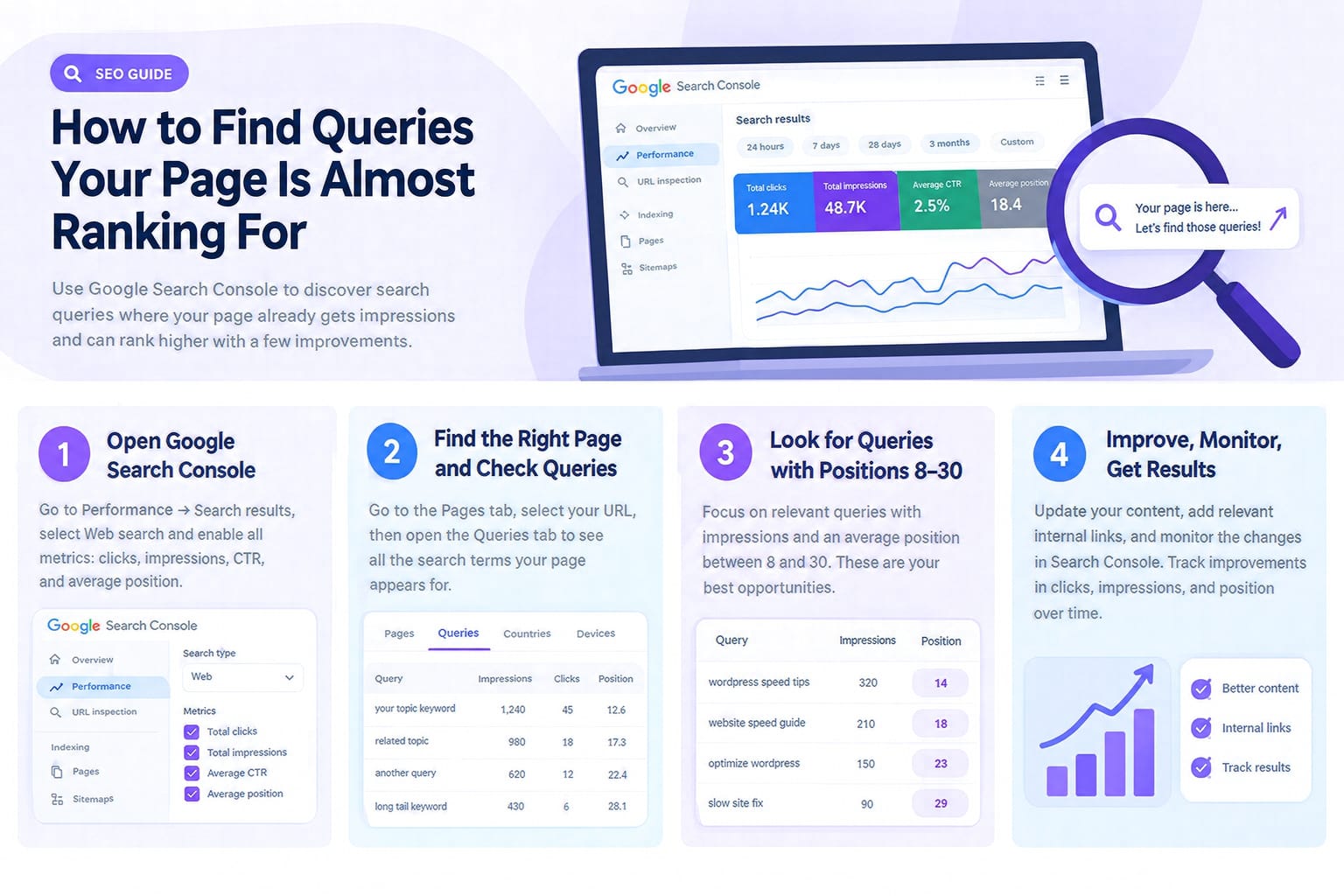
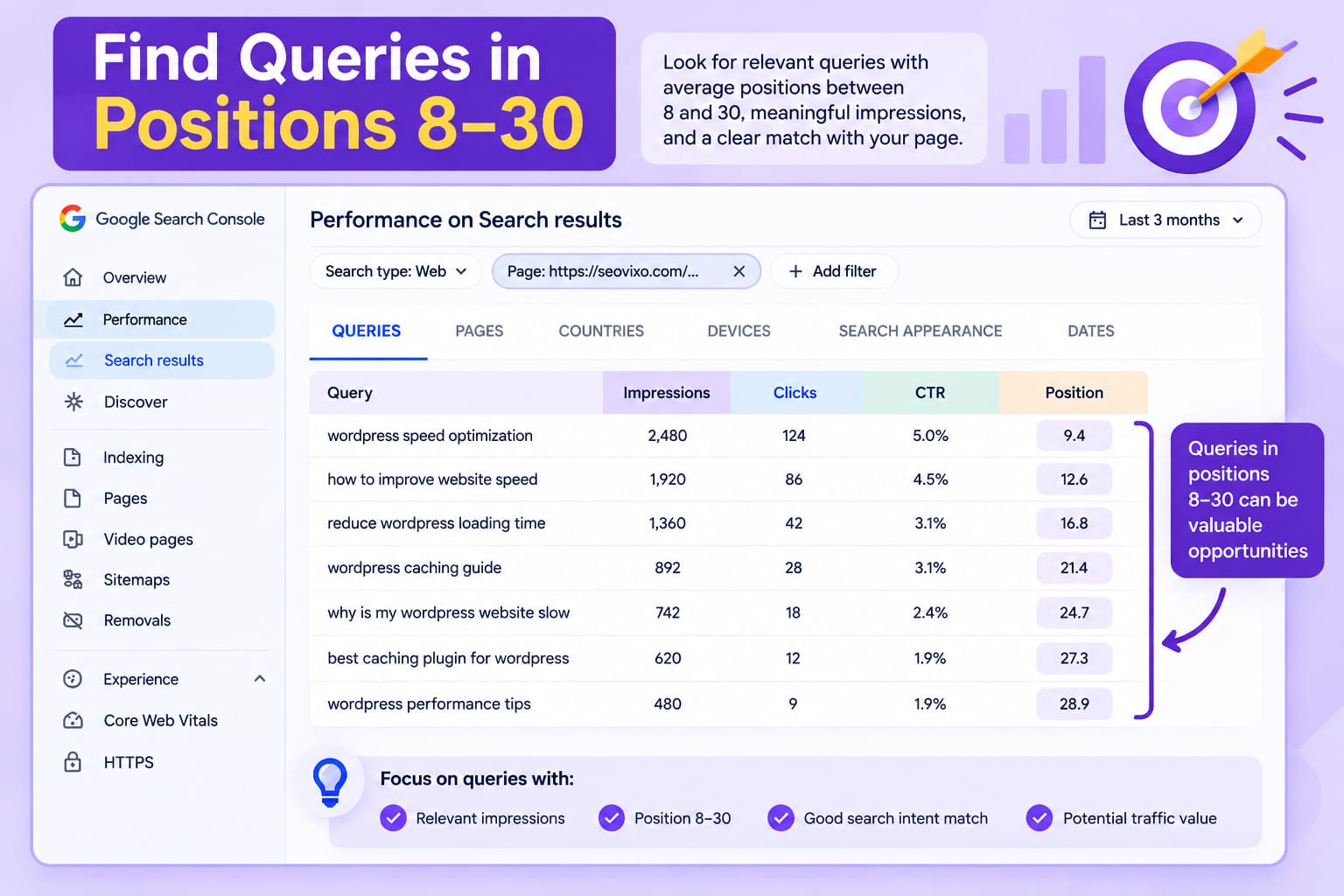
As a practical starting point, examine queries with an average position between 8 and 30, particularly when they have meaningful impressions and match your page's topic.The goal is not to improve every query. It is to find relevant opportunities where a focused improvement could make the page more useful.
Step 1: Open Google Search Console
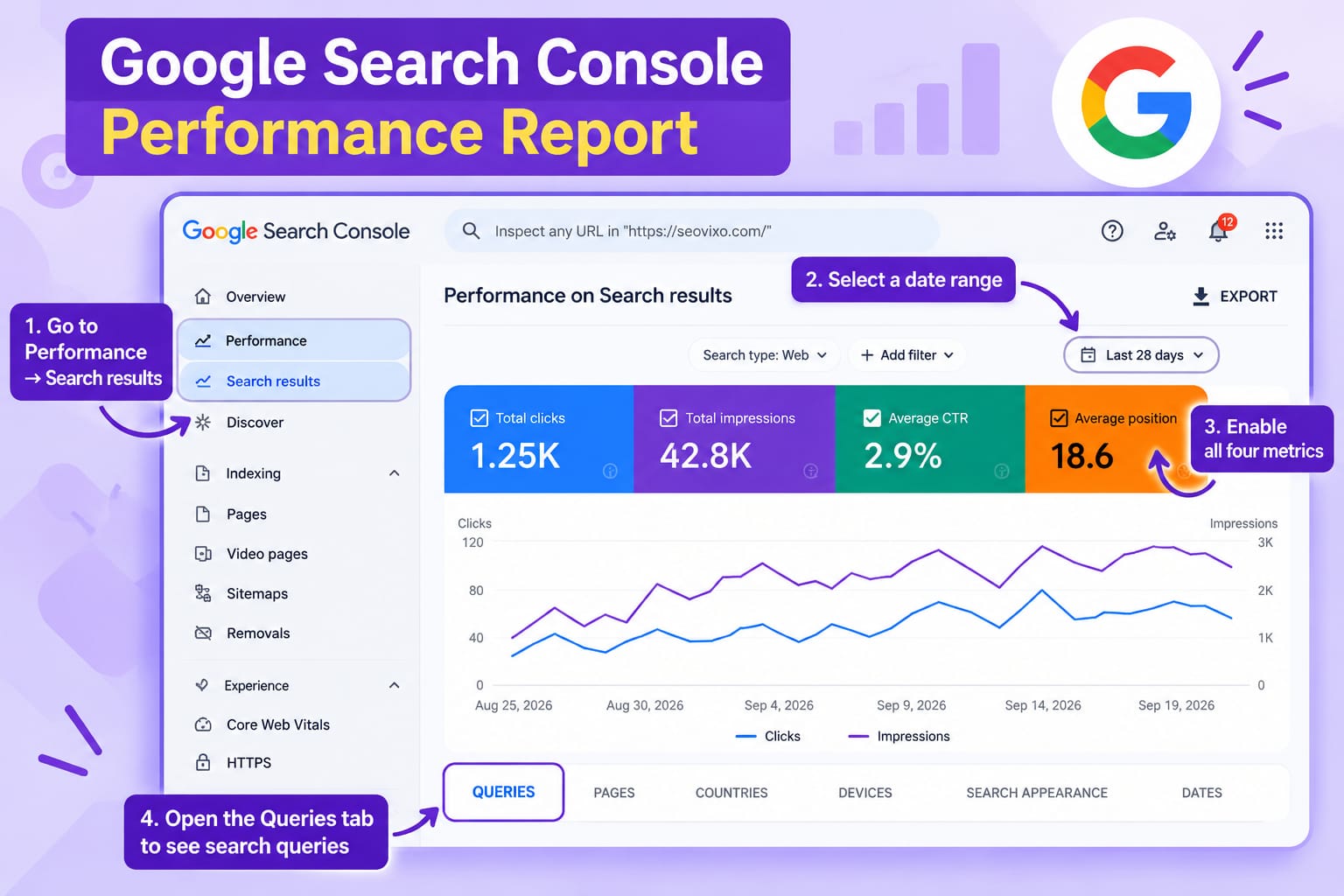
Sign in to Google Search Console and select your website property.Navigate to Performance → Search results. Select the Web search type if your focus is traditional Google Search traffic.
Enable all four metrics:
- Total clicks
- Total impressions
- Average CTR
- Average position
Choose a date range that gives you enough data to evaluate performance. For a newer website with low traffic, consider a longer period rather than relying on just a few days of activity.Google explains these metrics in its
"Search Console Performance report documentation" (https://support.google.com/webmasters/answer/7576553).
Step 2: Select the Page You Want to Improve
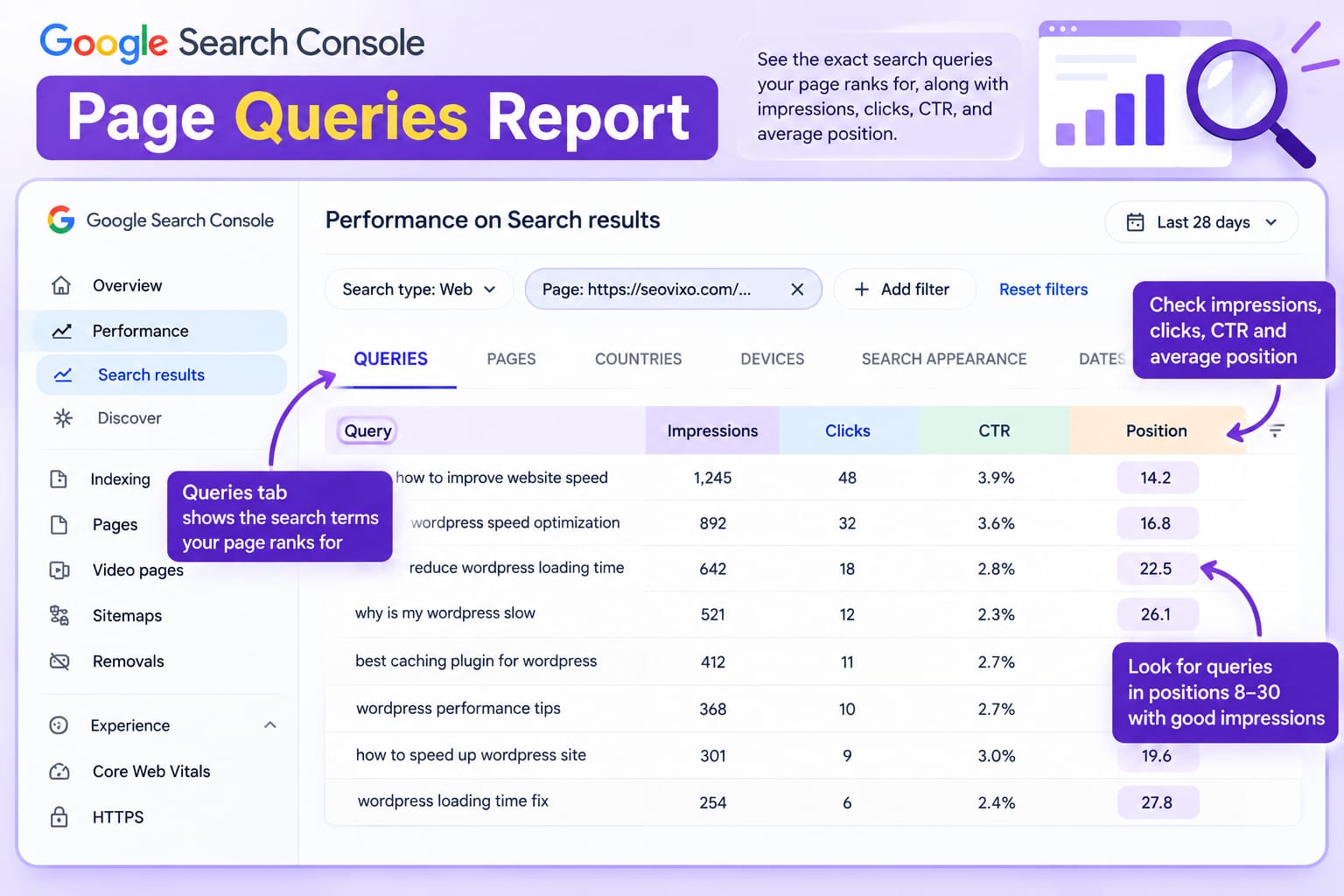
Click the Pages tab below the performance chart and find the URL you want to analyze.Click that URL to filter the report to the selected page. Next, open the Queries tab.You will now see the search queries associated with that page's reported performance during your selected period.
For example, if your article covers WordPress website speed, you might discover queries such as:
- how to improve WordPress website speed
- reduce WordPress loading time
- WordPress speed optimization for beginners
- why is my WordPress website slow
Some queries may already generate clicks. Others may receive impressions but few or no clicks. The second group can reveal potential opportunities, provided the search intent matches your article.
Remember that Search Console may omit some queries for privacy reasons, so the table is not necessarily a complete list of every search made by users.
Step 3: Find Queries With Positions Between 8 and 30
Review the average position column and look for relevant queries where your page appears outside the most prominent search results.You can begin with positions 8–30 as a working filter, then narrow your review to the most promising queries.
Look for three signals together:Relevant impressions: Google is already showing your page for the query.
An improvement opportunity: The average position suggests that your page is not consistently among the strongest visible results.
A clear content match: Your article genuinely answers the query or can answer it with a focused improvement.Do not automatically target every query in this range.
A query with 200 impressions and strong relevance may be more valuable than an unrelated query with 500 impressions.Also, average position is an aggregate metric, not a fixed live ranking. Your actual result can vary by location, device, and search context.
Step 4: Compare Impressions, Clicks, and CTR
Position alone does not tell you whether a query deserves attention. Examine impressions, clicks, and CTR together.A query with growing impressions may indicate expanding visibility. A query with impressions but no clicks might deserve investigation, although low-volume data can fluctuate considerably.
Look for patterns rather than treating a single metric as proof of a problem.
For example, a page might receive 150 impressions for a highly relevant query and an average position of 16.
This may be worth reviewing because the existing page has demonstrated some visibility, but the query still has limited traffic.Compare similar periods where possible to determine whether visibility is improving, declining, or remaining stable.
Step 5: Use This Comparison Table to Prioritize Opportunities
Step 6: Improve the Page Without Over-Optimizing It
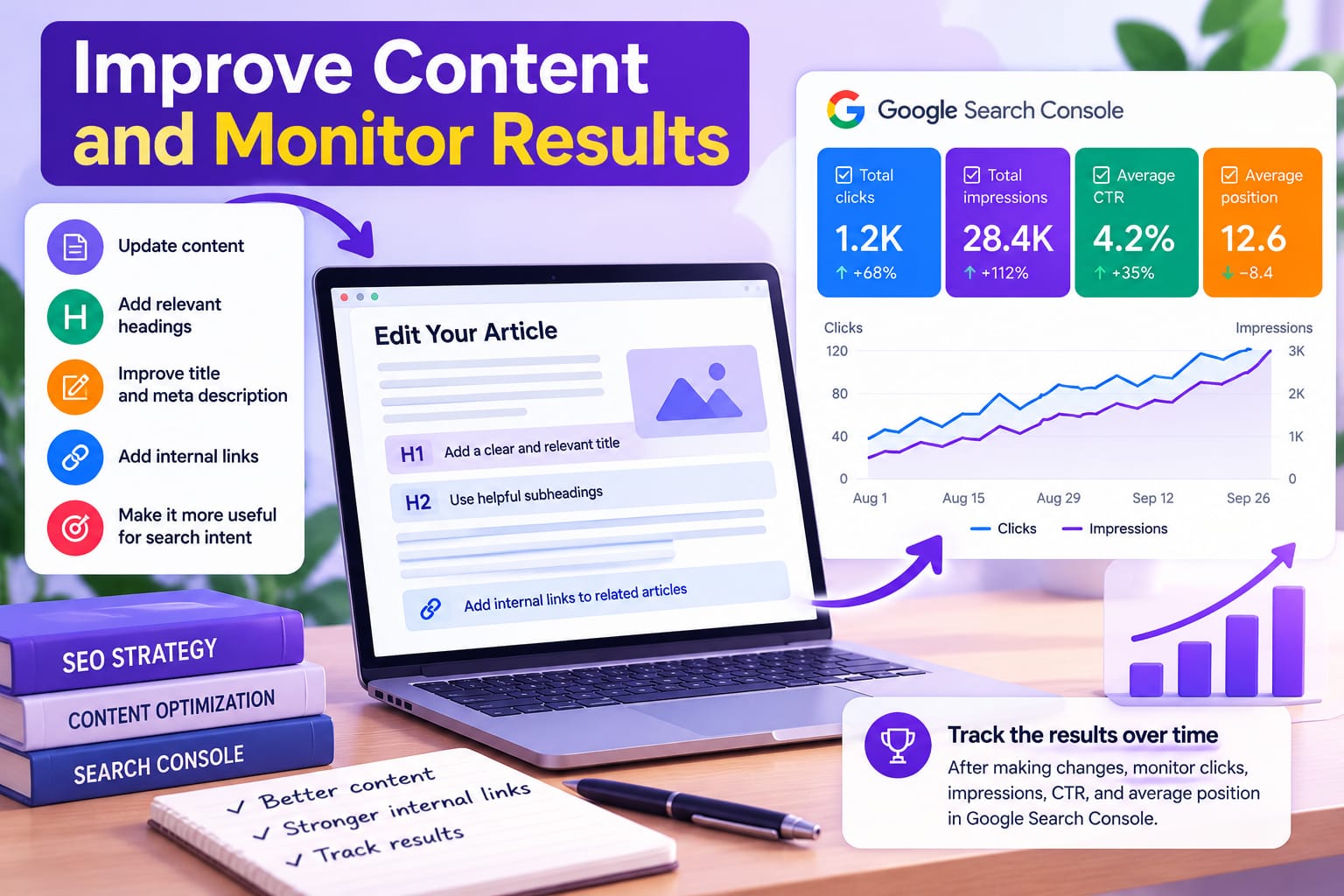
Once you identify a promising query, examine the page itself.Ask whether the article answers the searcher's question directly. Check whether a useful subheading is missing, an important step needs explanation, or an example would make the content clearer.
You can also add contextual internal links from relevant articles that support the same topic. Use descriptive anchor text that helps readers understand what the linked page covers.If the search query reveals a genuinely different topic, consider writing a separate article rather than adding unrelated sections to an existing one.Avoid repeating a keyword unnaturally or changing a title simply because the query contains slightly different wording.
For title and description improvements,
you can use the "Seovixo SEO Title Generator" (https://seovixo.com/seo-title-generator/)
and
"Meta Description Generator" (https://seovixo.com/meta-description-generator/).
For a broader review of page elements, try the "Seovixo SEO Analyzer" (https://seovixo.com/seo-analyzer-tool/).
Step 7: Monitor the Results
After making meaningful changes, record the date and the updates you made.Allow time for Google to recrawl the page and for enough new search data to accumulate. Then return to Search Console and compare clicks, impressions, CTR, and average position over comparable periods.
Do not assume an improvement came from your changes simply because the average position moved for a few days. Search demand, competition, and other factors can affect performance.Repeat the process for other important pages, prioritizing opportunities where query relevance, existing visibility, and business value are strongest.