Grammarly Review: What I Learned Using It for SEO Writing (2026 Honest Review)
Good SEO content isn't just about keywords and backlinks. If readers struggle to understand your writing because of grammar mistakes, awkward sentences, or poor readability, they're more likely to leave your page. That can reduce engagement and make your content less effective.
Over the past few years, Grammarly has become one of the most popular writing assistants for bloggers, students, marketers, and professionals. It promises to improve grammar, spelling, clarity, tone, and writing quality in real time.
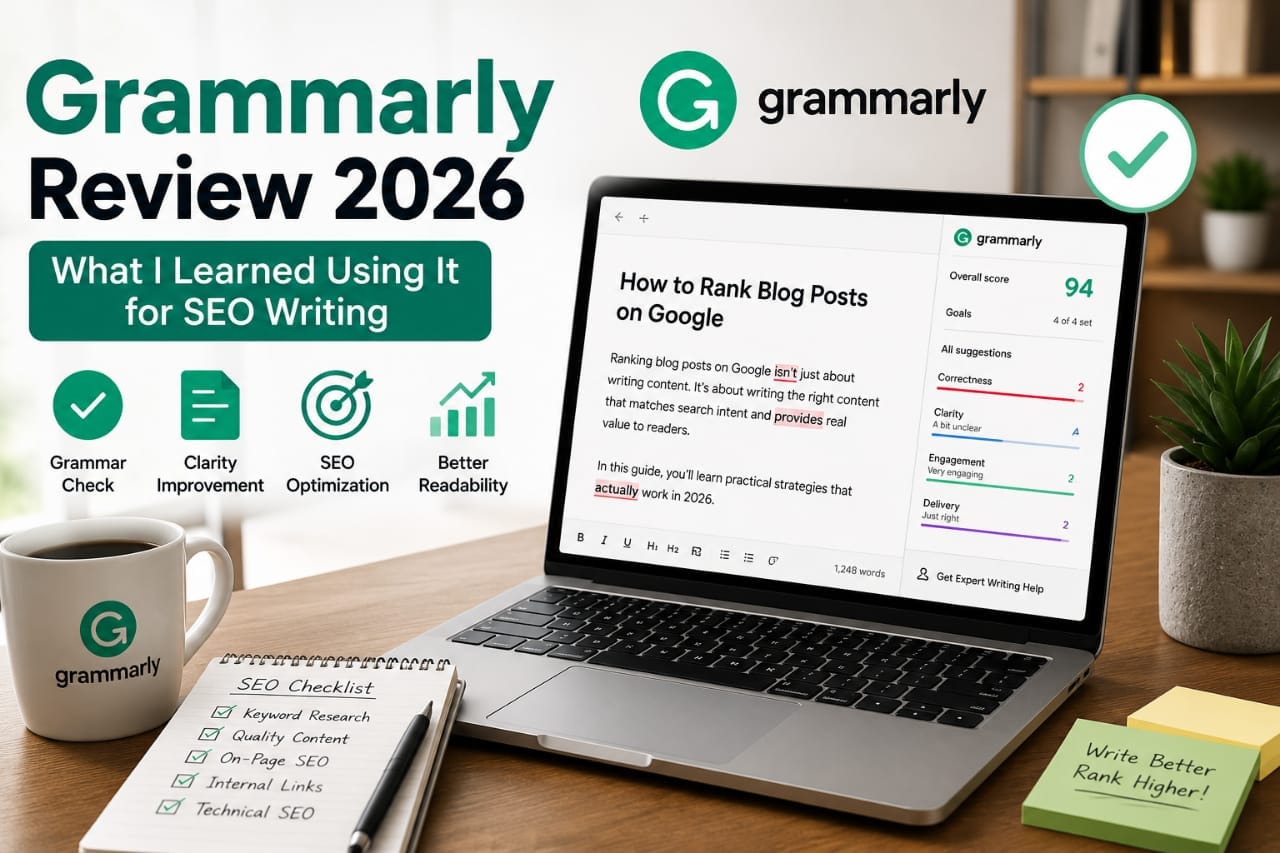
As someone who regularly creates SEO-focused content, I wanted to understand whether Grammarly genuinely improves the writing process or if it's simply another productivity tool.
This review explains what I learned while using Grammarly for SEO writing, where it performs well, where it falls short, and whether it's worth using in 2026.
This review is based on practical use for SEO content creation. While Grammarly helped improve grammar, clarity, and consistency, every article still required manual editing, fact-checking, and optimization before publishing.
What Is Grammarly?
Grammarly is an AI-powered writing assistant that checks grammar, spelling, punctuation, clarity, tone, and writing style while you type.
It works across multiple platforms including:
- Web browser
- Google Docs
- Microsoft Word
- Email clients
- Desktop application
- Mobile keyboard
Instead of replacing your writing, Grammarly suggests improvements to help make your content easier to read and understand.
Official website:
Why I Started Using Grammarly
Writing long SEO articles every week makes it easy to overlook small mistakes.
Even after proofreading, I occasionally found:
- Missing commas
- Repeated words
- Long sentences
- Inconsistent tone
- Grammar errors
I wanted a tool that could speed up editing without replacing my writing style.
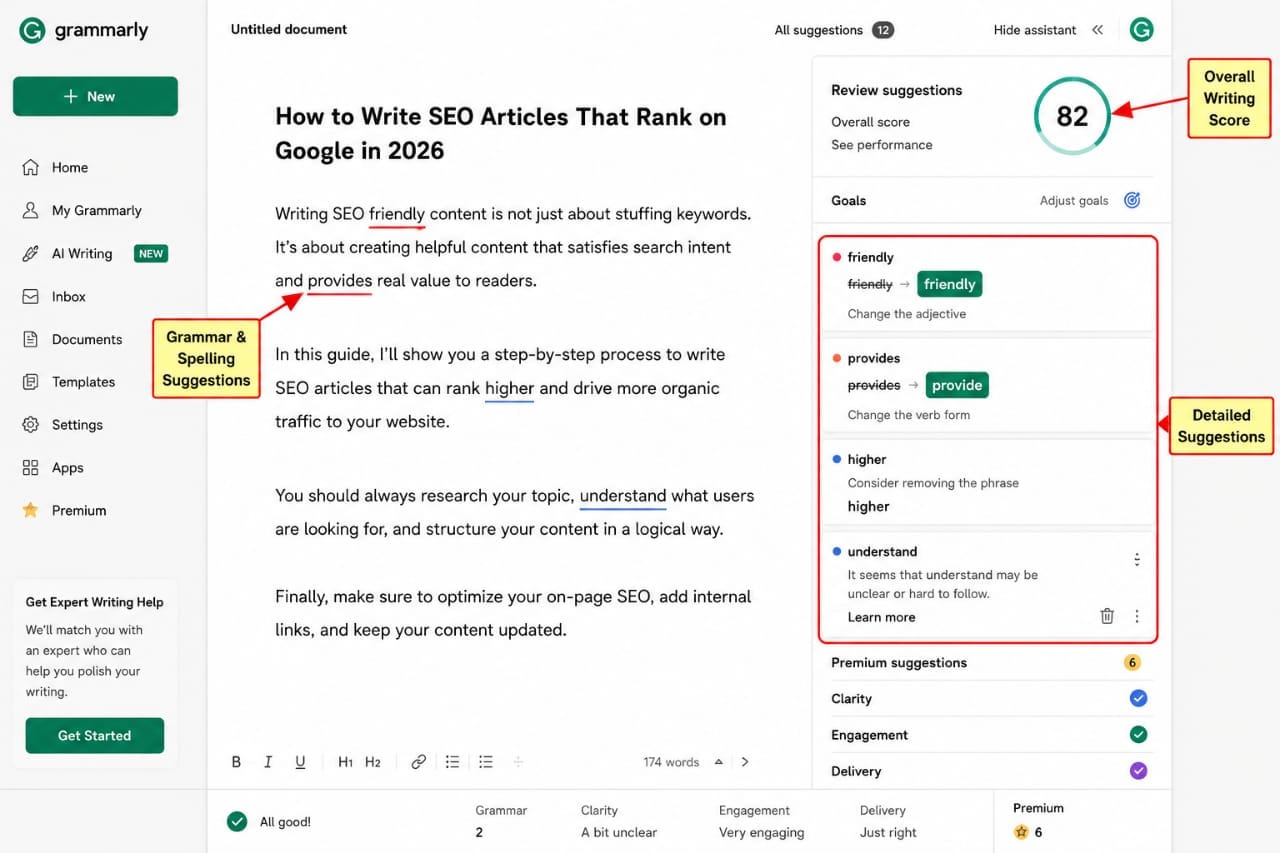
Grammarly became part of my editing workflow rather than my writing process.
My SEO Writing Workflow
I don't begin by writing directly inside Grammarly.
Instead, my workflow typically looks like this:
- Keyword research
- Create an outline
- Write the first draft
- Fact-check important information
- Run the article through Grammarly
- Optimize headings and internal links
- Publish after final review
Using Grammarly near the end of the process helps catch writing issues after the content is complete.
What Grammarly Did Well
1. Grammar Corrections
The grammar suggestions were generally accurate and easy to understand.
It quickly identified:
- Sentence fragments
- Incorrect punctuation
- Verb agreement mistakes
- Capitalization issues
These corrections saved time during proofreading.
2. Better Readability
One feature I appreciated was the clarity suggestions.
Instead of only correcting grammar, Grammarly highlighted sentences that were difficult to read.
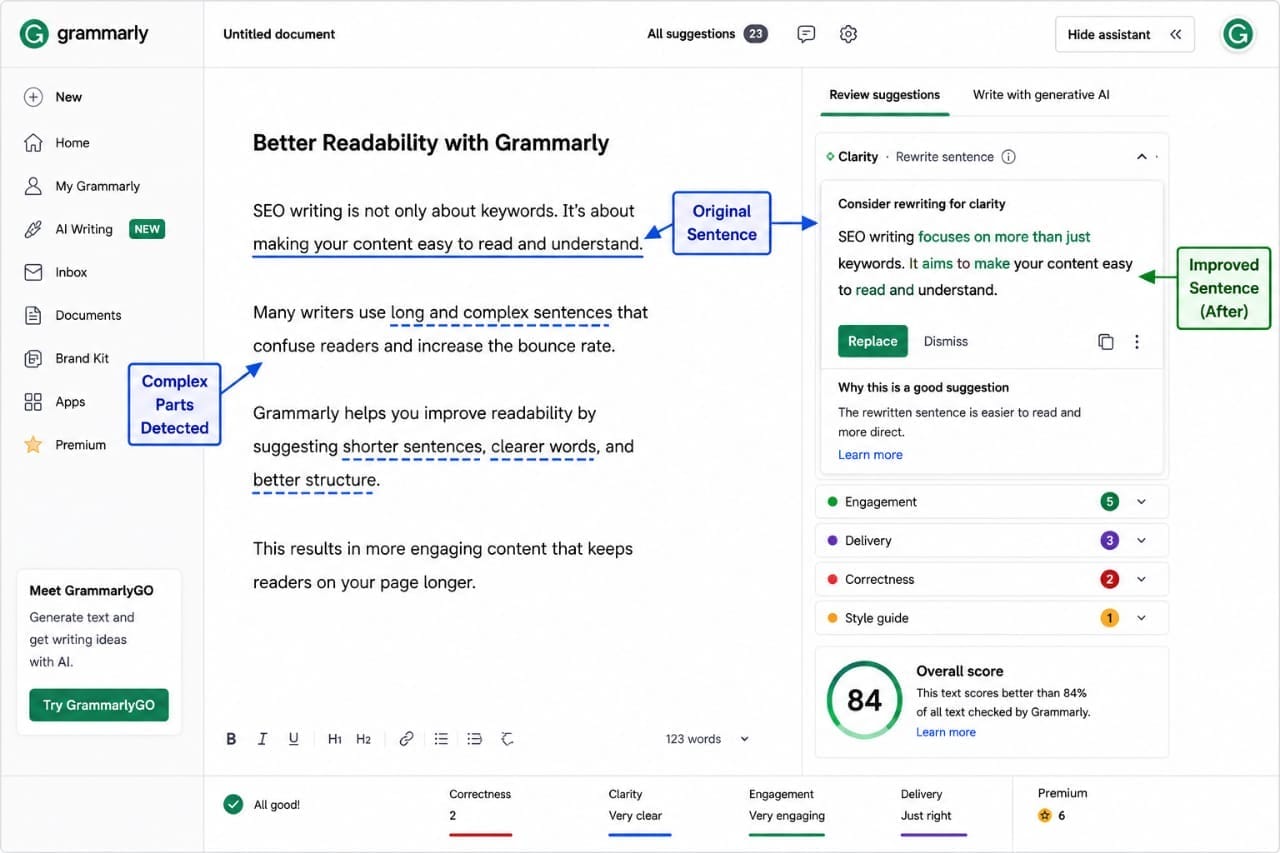
For long-form SEO articles, shorter and clearer sentences often improve the reading experience.
3. Tone Detection
Grammarly attempts to identify the tone of your writing.
For example, it may suggest that your content sounds:
- Confident
- Friendly
- Formal
- Professional
While I didn't accept every suggestion, this feature helped maintain consistency throughout longer articles.
Where Grammarly Didn't Help Much
Although Grammarly is useful, it isn't an SEO optimization tool.
It does not:
- Perform keyword research.
- Analyze search intent.
- Suggest internal links.
- Optimize schema markup.
- Improve Google rankings automatically.
Some users expect Grammarly to improve SEO directly.
In my experience, its primary value lies in improving readability—not search optimization.
Does Grammarly Improve SEO?
Not directly.
Google doesn't rank pages higher simply because they were checked with Grammarly.
However, clear and readable writing can improve the user experience.
Readers are more likely to stay on a page that is easy to understand.
That can indirectly support engagement metrics such as time on page.
Grammarly didn't make my articles rank higher by itself. What it did was help me publish cleaner, more polished content with fewer writing mistakes. SEO success still depended on keyword research, helpful information, strong structure, and ongoing updates.
Free vs Premium
| Feature | Free | Premium |
|---|---|---|
| Grammar | ✓ | ✓ |
| Spelling | ✓ | ✓ |
| Clarity Suggestions | Limited | Advanced |
| Tone Detection | Basic | Advanced |
| AI Writing Features | Limited | More Available |
Is Grammarly Worth It for Bloggers?
If you regularly publish articles, newsletters, emails, or website content, Grammarly can reduce proofreading time and help catch common writing mistakes.
However, it should be viewed as an editing assistant rather than a complete SEO solution.
Pros of Using Grammarly for SEO Writing
After using Grammarly across multiple long-form articles, several strengths became clear.
1. Faster Editing
Proofreading a 2,000-word article manually can take a significant amount of time.
Grammarly quickly highlights grammar mistakes, punctuation issues, and awkward wording, allowing you to focus on improving the content rather than searching for small errors.
2. More Consistent Writing Style
Long articles sometimes switch between formal and conversational language.
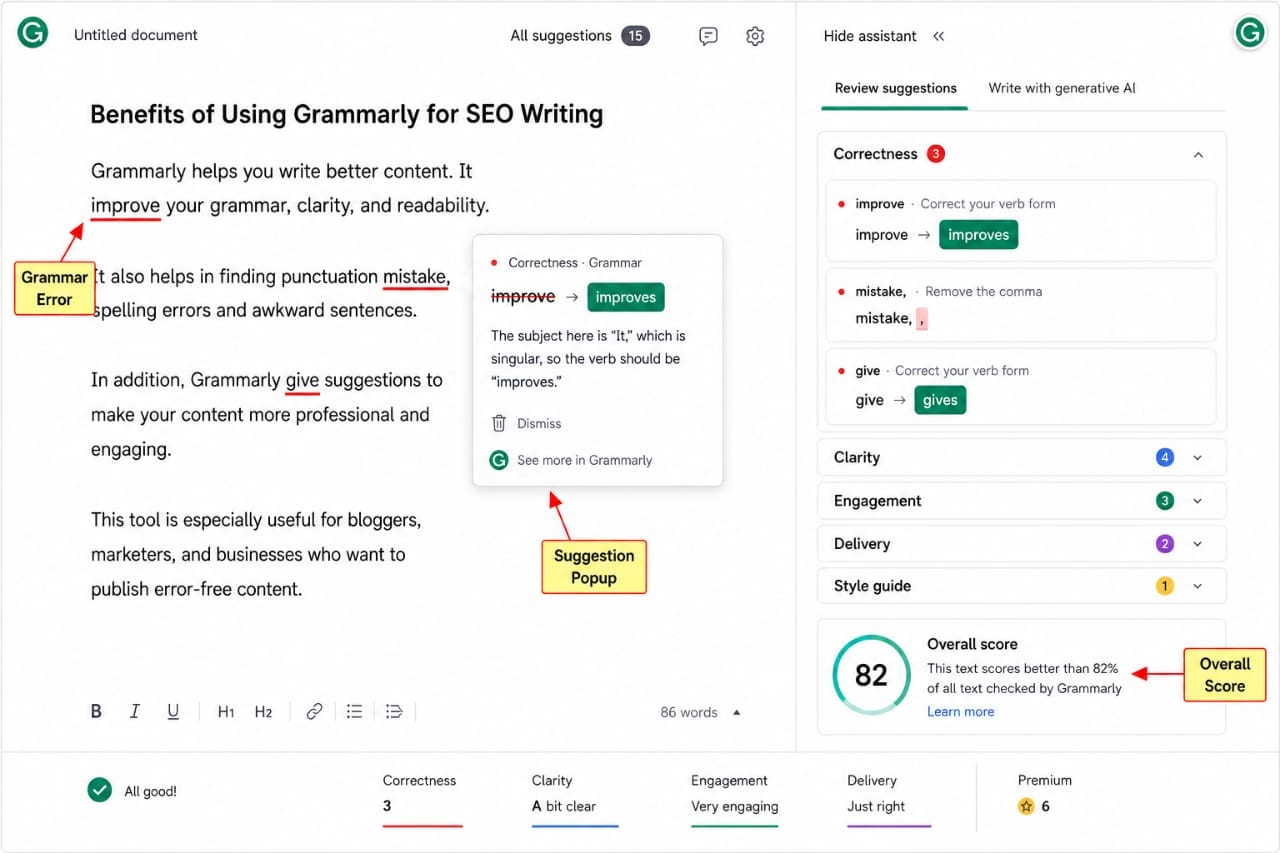
Grammarly helps identify these inconsistencies, making the overall reading experience smoother.
3. Better Readability
SEO articles perform best when readers can understand them easily.
Grammarly frequently recommends:
- Shorter sentences
- Clearer wording
- Removing unnecessary repetition
- Improving sentence flow
Many of these suggestions made my articles easier to read without changing their meaning.
4. Works Almost Everywhere
One advantage is that Grammarly integrates with many platforms.
I found it useful while writing in:
- Google Docs
- WordPress editor
- Microsoft Word
- Email clients
- Web browsers
This meant I didn't need to copy content between different applications constantly.
Cons of Using Grammarly
No writing tool is perfect.
Here are the limitations I noticed.
1. Some Suggestions Feel Too Aggressive
Occasionally Grammarly recommends rewriting sentences that are already clear.
Accepting every suggestion can make your writing sound less natural.
I found it better to review each recommendation individually instead of clicking "Accept All."
2. It Doesn't Understand Search Intent
Grammarly improves language—not SEO strategy.
It won't tell you:
- Which keywords to target.
- What users are searching for.
- How to structure content for featured snippets.
- Which headings competitors use.
You still need SEO research and editorial planning.
3. Fact-Checking Is Still Your Responsibility
Grammarly checks writing quality, not factual accuracy.
If your article contains outdated statistics or incorrect technical advice, Grammarly will not detect those issues.
Always verify important claims using official documentation and trusted sources.
Using Grammarly Together with ChatGPT
One workflow that worked well for me was combining ChatGPT and Grammarly.
The process looked like this:
- Research the topic.
- Create an outline.
- Draft the article.
- Edit the content manually.
- Run Grammarly for grammar and clarity improvements.
- Publish after a final review.
Each tool serves a different purpose.
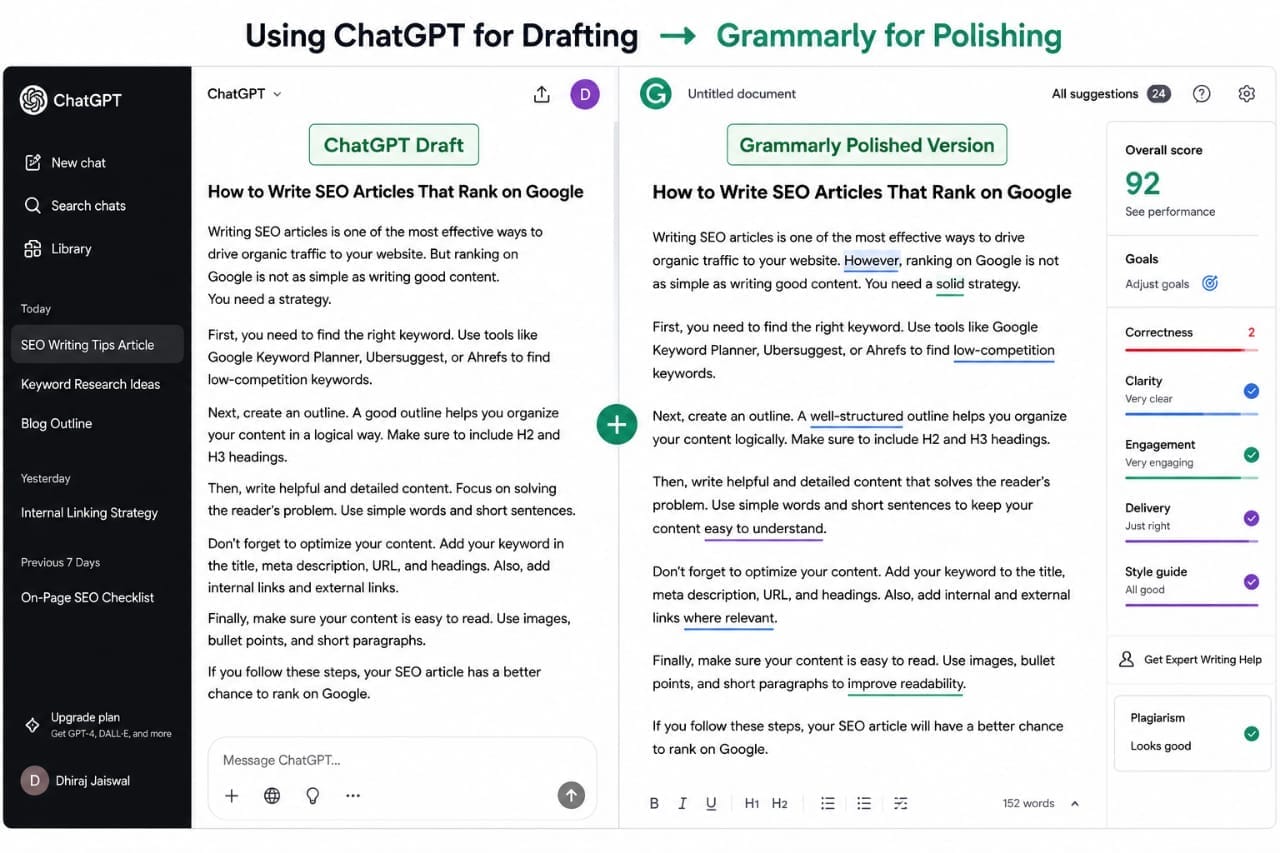
ChatGPT helps generate ideas and organize information, while Grammarly helps polish the final draft.
Neither ChatGPT nor Grammarly should replace your own review. They are productivity tools that work best when combined with human editing and subject knowledge.
Does Grammarly Support Google's EEAT Principles?
Not directly.
Grammarly can improve grammar and readability, but it cannot create experience or expertise for you.
To build content aligned with Google's EEAT principles, you should add:
- Real examples.
- Personal observations.
- Screenshots.
- Case studies.
- Original research.
- Accurate references.
Grammarly helps present your ideas more clearly, but the value still comes from the quality of your knowledge and evidence.
Can Grammarly Improve User Experience?
Yes, in many cases.
Well-written content is easier to understand, which can encourage readers to stay longer and continue reading.
While Grammarly does not directly influence rankings, improving clarity may contribute to a better overall reading experience.
Grammarly for WordPress Bloggers
If you publish WordPress content regularly, Grammarly can be useful for reviewing:
- Blog posts.
- Landing pages.
- Product reviews.
- Email newsletters.
- About pages.
It helps catch common writing issues before your content goes live.
Who Should Use Grammarly?
Grammarly is particularly useful for:
- Bloggers.
- Freelance writers.
- Content marketers.
- Students.
- Business owners.
- Email marketers.
If writing is a regular part of your work, it can save editing time and improve consistency.
Who Might Not Need Grammarly Premium?
The Premium version may not be necessary if:
- You write only occasionally.
- You already have a strong editing process.
- Your content is reviewed by professional editors.
- The free version meets your needs.
Evaluate the additional features against your workflow before upgrading.
My Overall Experience
After using Grammarly on numerous SEO articles, I found it most valuable during the final editing stage.
It consistently helped identify grammar mistakes, improve readability, and maintain a more polished writing style.
However, it never replaced keyword research, SEO strategy, or manual editing.
If you regularly publish blog posts or website content, Grammarly is a useful editing assistant. Use it to improve writing quality, but continue relying on your own research, SEO planning, and editorial judgment for the final article.
Grammarly Pricing: Is It Worth Paying?
Grammarly offers both a free plan and paid subscription options.
The free version is sufficient for many users who need basic grammar and spelling corrections.
The paid version adds more advanced features such as enhanced clarity suggestions, tone adjustments, sentence rewrites, and additional AI-assisted writing tools.
Whether it's worth paying depends on how often you write.
- Occasional writers may find the free version sufficient.
- Bloggers publishing multiple articles each month may benefit from the premium features.
- Professional content writers can often justify the subscription because it reduces editing time.
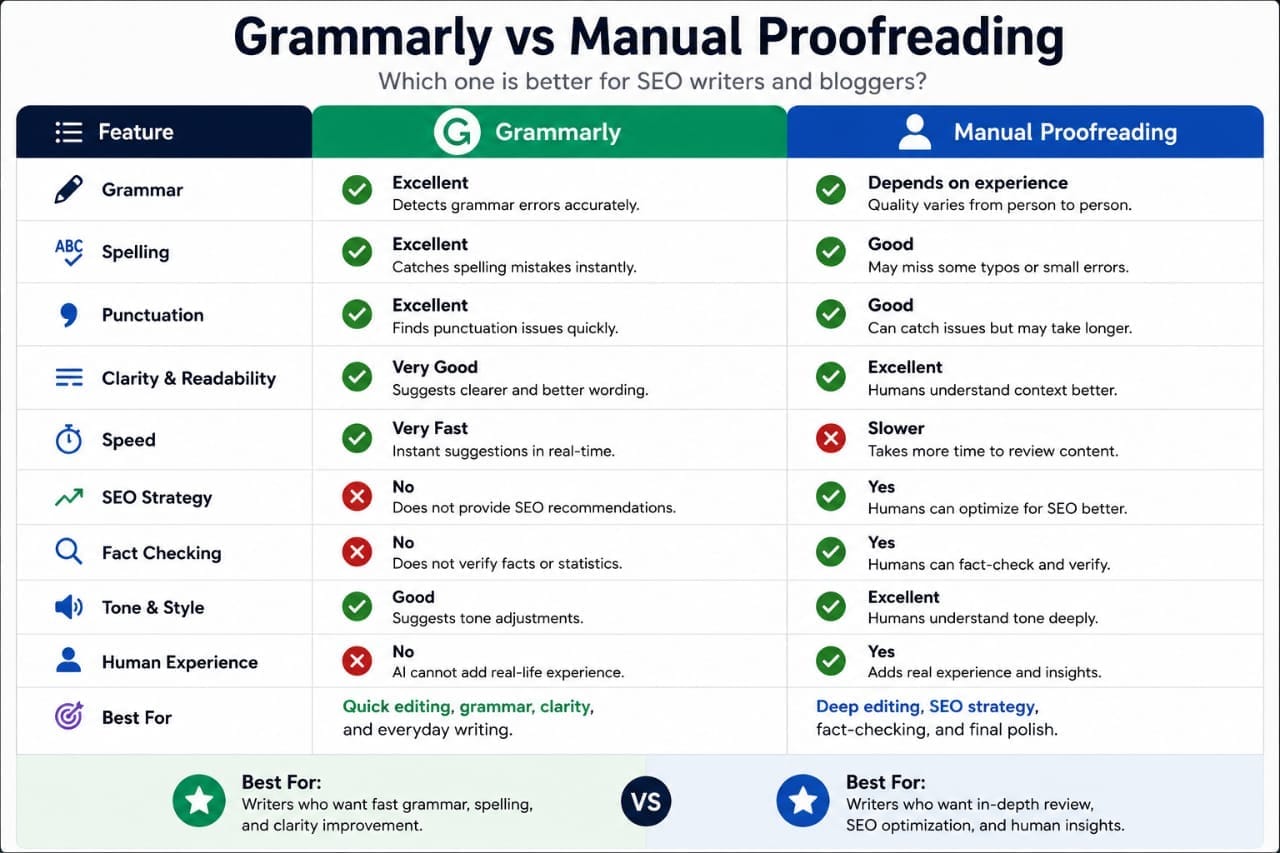
Grammarly vs Manual Proofreading
| Feature | Grammarly | Manual Review |
|---|---|---|
| Grammar | Excellent | Depends on experience |
| Speed | Very Fast | Slower |
| SEO Strategy | No | Yes |
| Fact Checking | No | Yes |
| Human Experience | No | Yes |
The best results usually come from combining both methods.
Grammarly Alternatives
Although Grammarly is one of the best-known writing assistants, there are other tools worth considering.
- ProWritingAid
- LanguageTool
- Microsoft Editor
- Hemingway Editor
- ChatGPT (for brainstorming and rewriting)
Each tool has different strengths. Some focus on readability, while others emphasize grammar or style.
Who I Recommend Grammarly To
Based on my experience, Grammarly is a good fit for:
- SEO bloggers
- Affiliate marketers
- Freelance writers
- Business website owners
- Students
- Email marketers
- Content creators
If you publish content regularly, Grammarly can reduce editing time and help you catch common writing mistakes before publication.
Who May Not Need Grammarly
You may not need a paid subscription if:
- You publish only a few articles each year.
- You already work with a professional editor.
- You mainly write short emails or personal notes.
- The free version meets your editing needs.
Always evaluate the cost based on how much value it adds to your workflow.
External Resources
Google Helpful Content Guidelines
Google Search Central Documentation
Internal Resources
Explore More on Seovixo:
Final Verdict
After using Grammarly as part of an SEO writing workflow, my conclusion is straightforward: it is an excellent editing assistant, but it is not an SEO tool.
Its biggest strengths are improving grammar, clarity, punctuation, and readability. These improvements help produce more polished articles and reduce the time spent on proofreading.
However, successful SEO still depends on choosing the right keywords, understanding search intent, creating original content, adding real experience, and updating articles over time.
If you publish blog posts consistently, Grammarly can be a worthwhile investment because it speeds up editing and improves writing quality. Just remember that no writing assistant can replace careful research and thoughtful editing.
Frequently Asked Questions
Is Grammarly good for SEO writing?
Yes. Grammarly helps improve grammar, readability, and clarity, which can make content easier for readers to understand. However, it does not perform keyword research or optimize SEO strategy.
Does Grammarly improve Google rankings?
Not directly. Better writing can improve user experience, but rankings also depend on factors such as search intent, content quality, backlinks, and technical SEO.
Is Grammarly Free enough for bloggers?
For many bloggers, the free version provides useful grammar and spelling corrections. Writers who publish frequently may benefit from the additional editing features available in the paid plans.
Can Grammarly replace a human editor?
No. Grammarly is excellent for catching language issues, but human editors are still better at evaluating context, accuracy, tone, and overall content quality.
Can Grammarly and ChatGPT be used together?
Yes. Many writers use ChatGPT to brainstorm or draft content and Grammarly to refine grammar, readability, and style before publishing.
Would I continue using Grammarly?
Yes. Based on my workflow, Grammarly remains a useful editing assistant that saves time and helps publish cleaner, more professional content.
Key Takeaway
Grammarly is best viewed as a writing assistant—not a complete SEO solution.
Use it to polish your content, eliminate grammar mistakes, and improve readability. Combine it with solid keyword research, helpful information, and your own experience to create SEO articles that readers trust and search engines value.