Does Web Hosting Affect SEO Rankings?
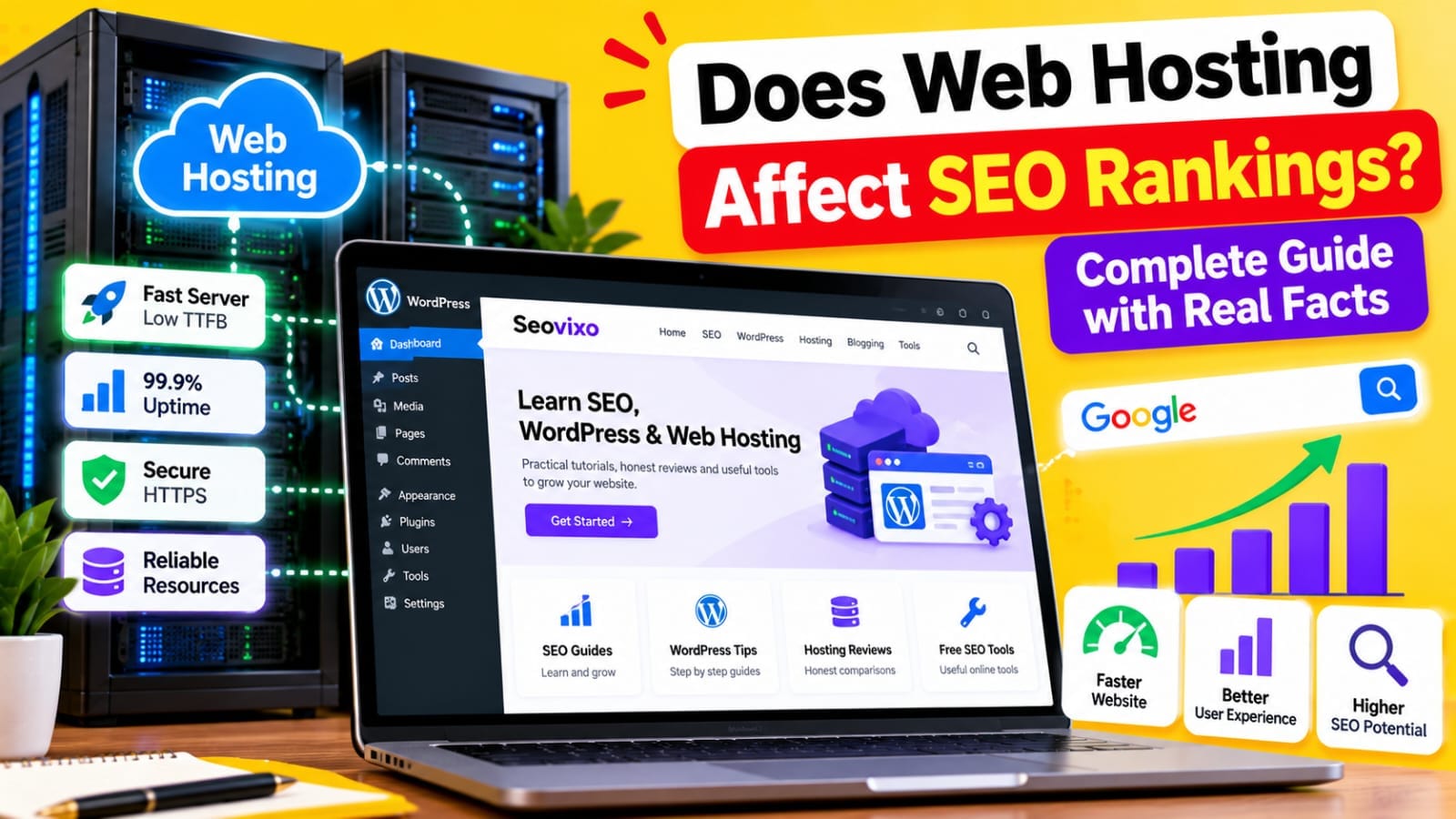
When people talk about SEO, they usually focus on keywords, backlinks, content, titles, and technical optimization. But one important part is often overlooked: *web hosting*.Your hosting provider does not give your website a direct “SEO boost” simply because you pay for a more expensive plan.
However, hosting can affect several technical and user-experience factors that matter for SEO, including server response time, uptime, security, crawling, and website speed.Google has stated that Core Web Vitals are used by its ranking systems, while also making clear that good Core Web Vitals do not guarantee top rankings. Google evaluates page experience alongside many other signals. So the better question is not:
“Which hosting company ranks websites higher?”
It is:*
“Can my hosting environment consistently deliver a fast, accessible, secure, and reliable website?”*
Hosting Can Affect Server Response Time
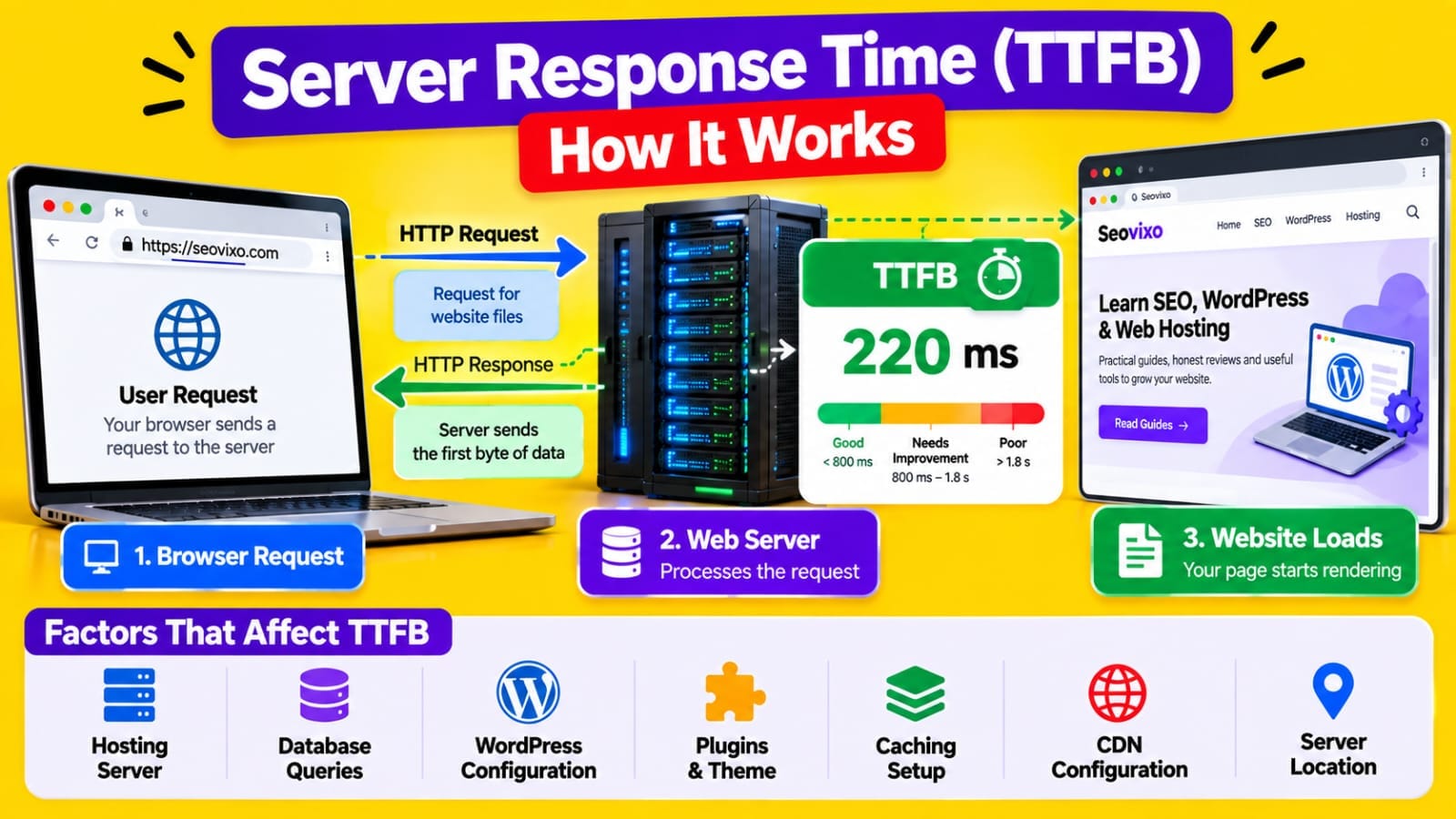
When someone opens your website, the browser first has to communicate with your server before it can receive the page.The time before the server begins responding is commonly associated with *Time to First Byte (TTFB)*.
A slow server can contribute to a slow page experience, particularly when the delay comes from the hosting environment.However, hosting is only one part of the equation.
TTFB can also be affected by:
- WordPress configuration
- Database queries
- Plugins
- Theme code
- Dynamic content
- Caching
- CDN configuration
- Geographic distance from the server
This means moving to a better host may not fix a slow website if the real problem is an overloaded WordPress installation or poorly optimized code.*Hosting should be investigated as one potential cause, not automatically blamed for every speed problem.*
Hosting Factors Compared
Hosting Can Affect Core Web Vitals
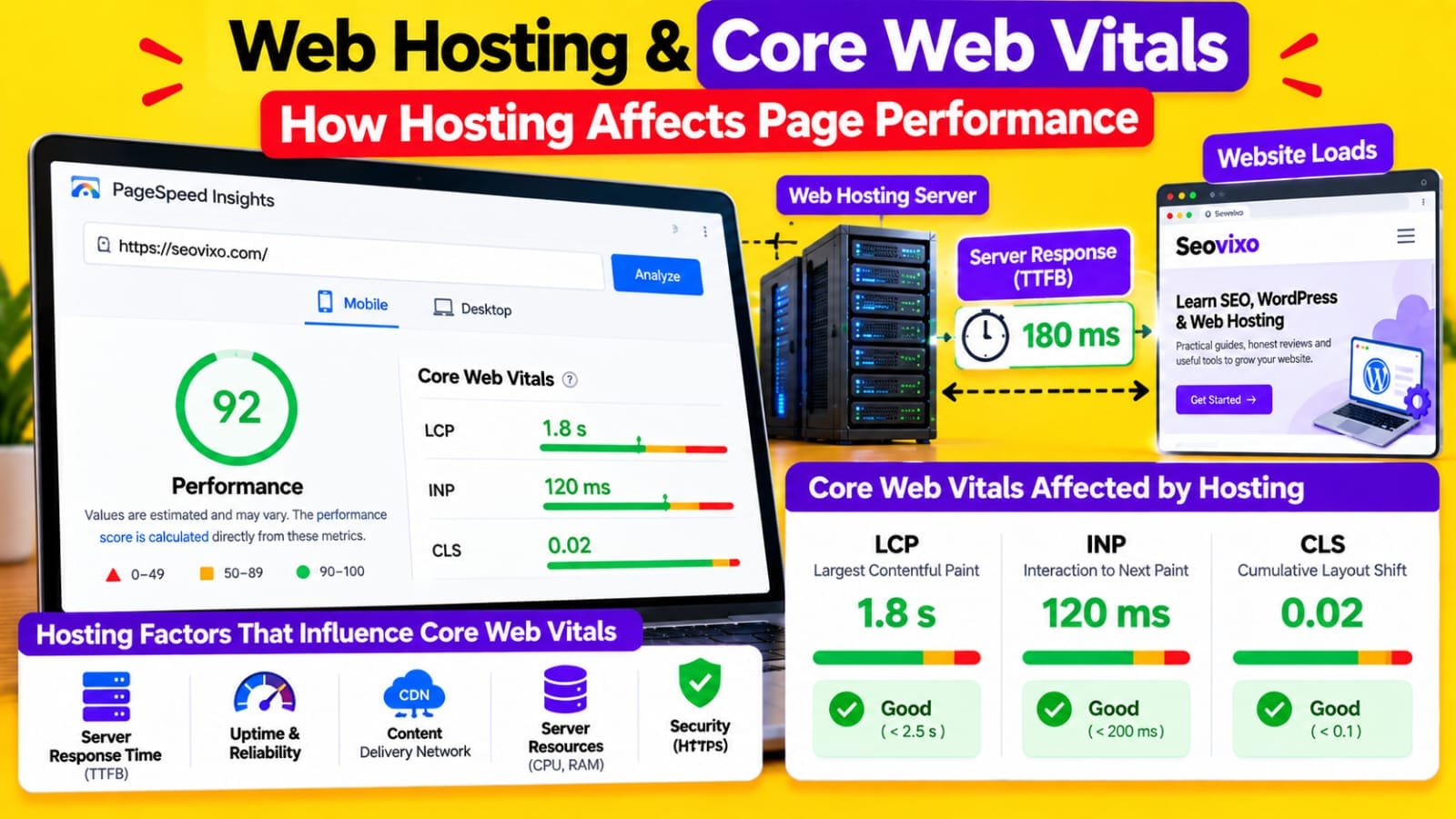
Google's current page-experience documentation states that Core Web Vitals are used by its ranking systems. The current Core Web Vitals are:
- LCP — Largest Contentful Paint
- INP — Interaction to Next Paint
- CLS — Cumulative Layout Shift
Hosting can influence the first part of the page-loading process, particularly server response and the delivery of resources.But Core Web Vitals are affected by many other factors.
For example, a website can have excellent hosting but still perform poorly because it loads:
- Huge images
- Too much JavaScript
- Unoptimized CSS
- Heavy WordPress plugins
- Third-party advertising scripts
- External tracking tools
Therefore, *better hosting does not automatically produce better Core Web Vitals*.
Server Uptime Matters
Imagine Google tries to crawl an important article while your server is temporarily unavailable.If your website regularly experiences downtime or server errors, search engines and users may have difficulty accessing your content.Hosting reliability therefore matters from a technical perspective.
Look at:
- Uptime
- Server errors
- 5xx responses
- Resource limits
- CPU usage
- Memory limits
- Database availability
- Hosting outages
One occasional outage does not mean your rankings will suddenly disappear.The bigger concern is *repeated reliability problems that prevent users or crawlers from consistently accessing important pages.*
Hosting Can Affect Googlebot Crawling
Googlebot needs to request pages from your server.Google's crawling infrastructure automatically adjusts crawling based on websites and their servers, and server conditions can influence how Google interacts with a site.
If a server frequently responds slowly or produces errors, that can create crawling problems.
Check Google Search Console for:
- Server errors
- Crawl issues
- URL inspection problems
- Page indexing problems
Also examine your hosting logs when you see repeated errors.*A sitemap can tell Google which URLs you want discovered, but your server still needs to respond correctly when Google requests those URLs.*
Shared Hosting Can Become a Problem
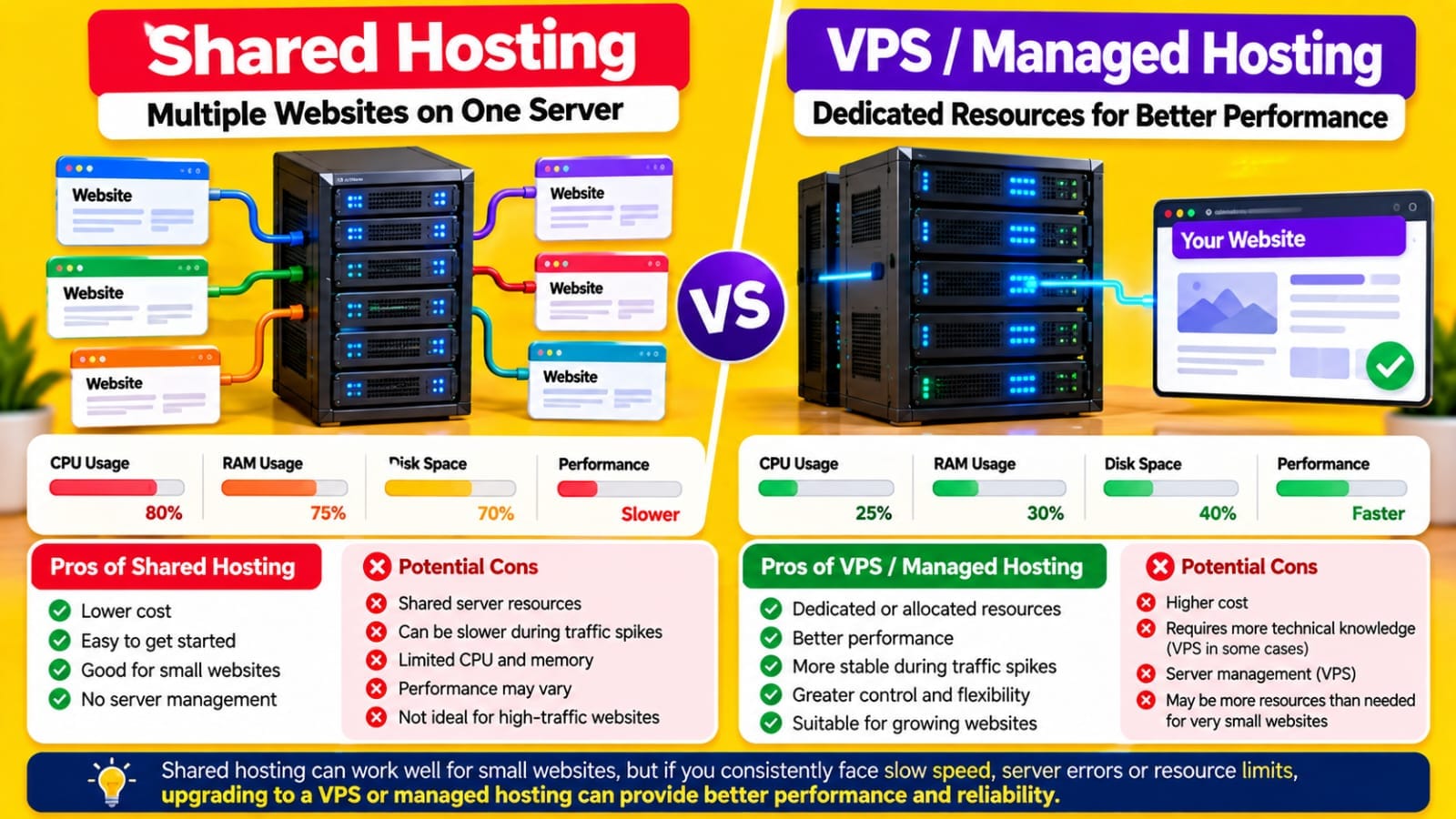
Shared hosting places multiple websites on the same server environment.That doesn't mean shared hosting is automatically bad for SEO.A well-managed shared hosting plan can run a small WordPress website perfectly well.The problem can appear when server resources become heavily constrained.
Possible symptoms include:
- Slow response times
- CPU throttling
- Memory limitations
- Temporary 5xx errors
- Slow database operations
- Performance changes during traffic spikes
If your website consistently performs well, there is no SEO requirement that says you must immediately move to a VPS or dedicated server.*Upgrade based on actual performance and resource requirements—not because a hosting plan sounds more powerful.*
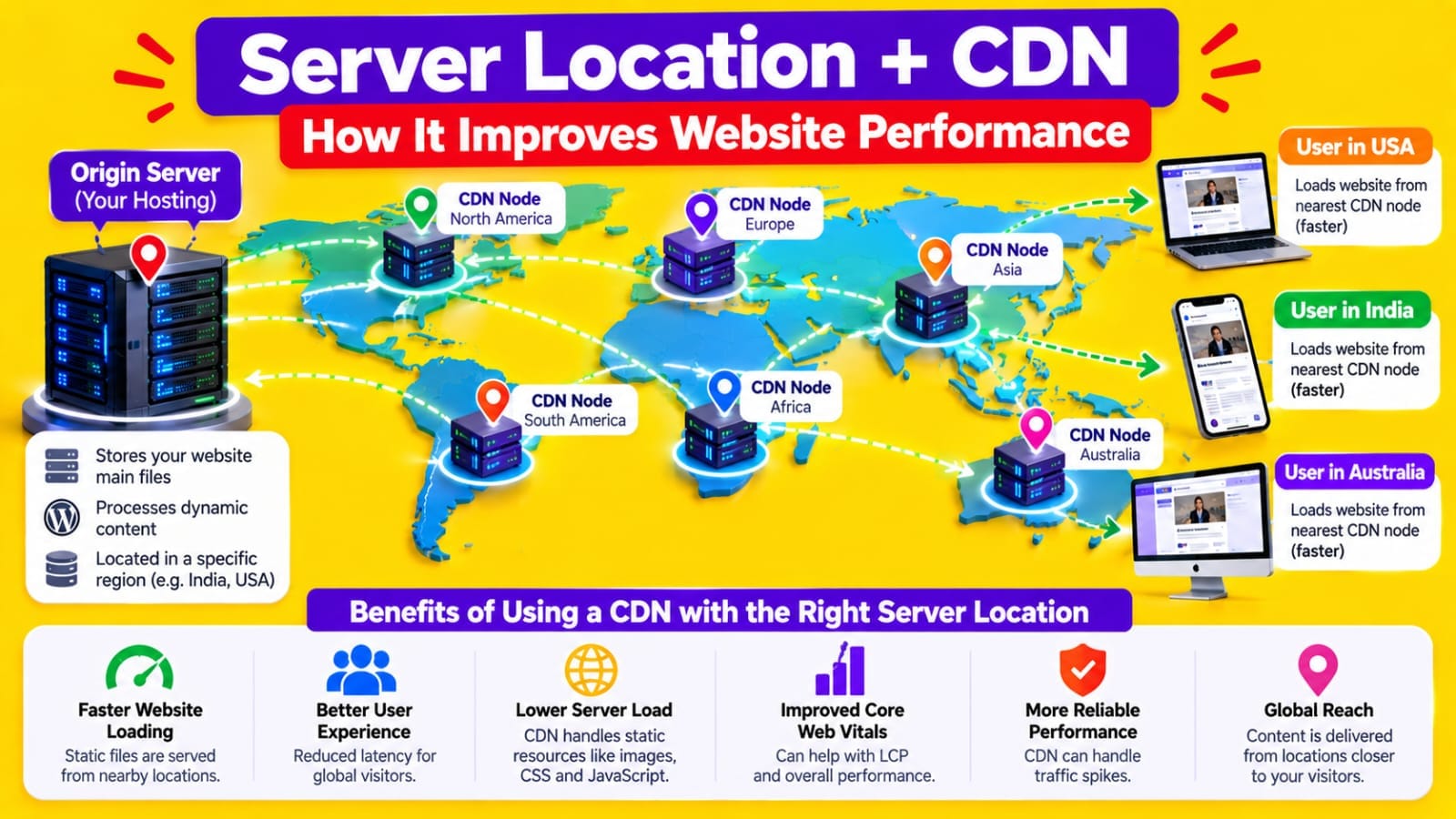
Hosting Location Can Affect Performance
Server location can influence latency.If most of your visitors are located in one geographic region, placing your origin server relatively close to that audience can reduce network distance.
For websites with visitors from multiple countries, a CDN can help distribute static resources closer to users.
For example:
*Origin Server → CDN → Visitor*
Instead of every asset traveling directly from the origin server, the CDN can serve cached resources from locations closer to visitors.
But again, hosting location is only one part of performance.A nearby server with poor configuration can perform worse than a well-configured server located farther away.
HTTPS and Hosting Security Matter
Modern websites should use HTTPS.Your hosting environment needs to support reliable SSL/TLS configuration and HTTPS delivery.Security problems can also create serious accessibility issues.
Check:
- HTTPS works correctly
- HTTP redirects to HTTPS where appropriate
- SSL certificate is valid- No redirect loops exist
- Important pages don't produce security warnings
- Server software is maintained
- Backups are available
Google's page-experience guidance specifically includes secure page delivery as part of its recommended page experience considerations.
Security itself is not a shortcut to higher rankings, but a broken or insecure website can create technical and user problems that you should not ignore.
Hosting Does Not Replace SEO Optimization
This is where many website owners misunderstand hosting.Suppose you move from inexpensive shared hosting to a premium server.Your website may become faster.
But your content still needs:
- Search-intent alignment
- Useful information
- Strong titles
- Internal links
- Good site architecture
- Crawlable URLs
- Proper indexing
- Relevant keywords
- Original value
Google's people-first guidance emphasizes creating useful content for people rather than focusing solely on manipulating search rankings.
Therefore, *hosting should support your SEO strategy, not become your SEO strategy.*
How to Know If Hosting Is Actually the Problem
Before changing hosts, collect evidence.Start with PageSpeed Insights.
Then check:
- TTFB
- LCP
- INP
- CLS
- Server response time
- Mobile performance
- Desktop performance
Next, compare the results across different pages.If every page is slow, investigate the hosting environment, caching, theme, plugins, database, and CDN.If only one page is slow, hosting may not be the main issue.
For example:
Homepage slow → investigate homepage resources.
One article slow → inspect that article's images, embeds and scripts.
Every page slow → investigate server, WordPress configuration and global resources.
This approach is much more useful than changing hosting immediately.
What Type of Hosting Does an SEO Website Need?
There is no single hosting type that every SEO website needs.A small blog may work well on properly configured shared hosting.A growing website may need more resources.A high-traffic website may require a VPS, managed WordPress environment, or other scalable infrastructure.
Consider:
- Monthly traffic
- Number of plugins
- Database workload
- CPU requirements
- Memory requirements
- Traffic spikes
- Server location
- CDN usage
- Backup system
- Security
- Support quality
- Upgrade options
The important question is whether the hosting environment can consistently support your website.
How to Check Whether Your Hosting Needs Improvement
Use this simple process:
*Step 1:* Test important pages with PageSpeed Insights.
*Step 2:* Check Core Web Vitals in Google Search Console.
*Step 3:* Look at server response and TTFB.
*Step 4:* Check your hosting resource usage.
*Step 5:* Review server and WordPress errors.
*Step 6:* Test caching and CDN configuration.
*Step 7:* Compare performance across several pages.
*Step 8:* Only then decide whether changing hosting is necessary.
This prevents you from spending money on a hosting upgrade when the real problem is an oversized image, inefficient plugin, poorly configured cache, or heavy JavaScript.
Final Answer: Does Hosting Affect SEO?
Yes, *hosting can indirectly affect SEO through factors such as performance, reliability, accessibility, security, and server response*.But hosting is not a magic ranking factor.A faster host cannot compensate for poor content, incorrect search intent, weak internal linking, indexing problems, or a technically broken website.
Google's current guidance makes this distinction important:
Core Web Vitals are part of its ranking systems, but good Core Web Vitals alone do not guarantee higher rankings. Google evaluates many signals and continues to prioritize relevant, useful content.
So instead of searching for the “best SEO hosting,” focus on finding a hosting environment that provides *reliable uptime, adequate resources, reasonable server response, HTTPS, good caching options, scalability, and consistent performance*.Then measure the actual results on your website before deciding whether an upgrade is necessary.
My Practical Experience
While working on my own website, I found that website performance cannot be blamed on hosting alone. I had to look at caching, plugins, server response, CDN configuration, WordPress settings, images, and the overall page structure before deciding where the real bottleneck was.This changed how I think about hosting.Instead of asking:
“Is this hosting good for SEO?”
*I ask:
*“Is this hosting giving my website enough resources, reliability, security, and performance for what I'm actually running?”*
That is a much more useful way to evaluate hosting.