Signs You Need to Upgrade Your Hosting (2026 Guide)
Your web hosting plays a much bigger role in your website's success than many people realize. Even if your website has great content, optimized images, and proper SEO, poor hosting can still lead to slow loading times, downtime, security issues, and lost visitors.
Many website owners continue using the same hosting plan for years because it seems cheaper. However, as traffic grows and websites become more complex, the hosting environment that once worked perfectly may no longer provide the resources your website needs.
Upgrading your hosting isn't about spending more money—it's about ensuring your website remains fast, reliable, secure, and capable of handling future growth. In many cases, a hosting upgrade can improve performance more than installing additional optimization plugins.
From my experience managing WordPress websites, I've noticed that many performance problems are mistakenly blamed on themes or plugins when the real bottleneck is the hosting server. Once the hosting environment improves, websites often become faster and more stable without major changes elsewhere.
In this guide, you'll learn the most common signs that indicate it's time to upgrade your hosting, why these problems occur, and how choosing the right hosting plan can improve your website's performance in 2026.
You should consider upgrading your hosting if your website loads slowly, experiences frequent downtime, has a high Time to First Byte (TTFB), struggles during traffic spikes, has a slow WordPress dashboard, or frequently reaches CPU and memory limits. Better hosting improves speed, stability, security, and scalability.
Why Your Hosting Matters More Than You Think
Every visitor who opens your website depends on your hosting server to deliver pages, images, databases, and other resources.
If the server responds slowly or doesn't have enough resources, your visitors will experience delays before your content even begins loading.
Unlike themes or plugins, hosting affects almost every aspect of website performance, including:
- Page loading speed.
- Server response time (TTFB).
- Website uptime.
- Security.
- Scalability.
- Overall user experience.
That's why choosing the right hosting plan is one of the most important decisions for any website owner.
What Does Upgrading Your Hosting Mean?
Upgrading your hosting doesn't always mean moving to the most expensive plan available.
Depending on your website's needs, it may involve:
- Moving from shared hosting to VPS hosting.
- Switching to managed WordPress hosting.
- Increasing CPU and RAM resources.
- Using faster NVMe storage.
- Choosing a provider with better server infrastructure.
The goal is to provide your website with enough resources to deliver a fast and reliable experience for visitors.
1. Your Website Loads Slowly
If visitors regularly wait several seconds for your pages to load, your hosting could be the limiting factor.
Although large images, heavy themes, and plugins can contribute to slow performance, an overloaded hosting server often makes these problems even worse.
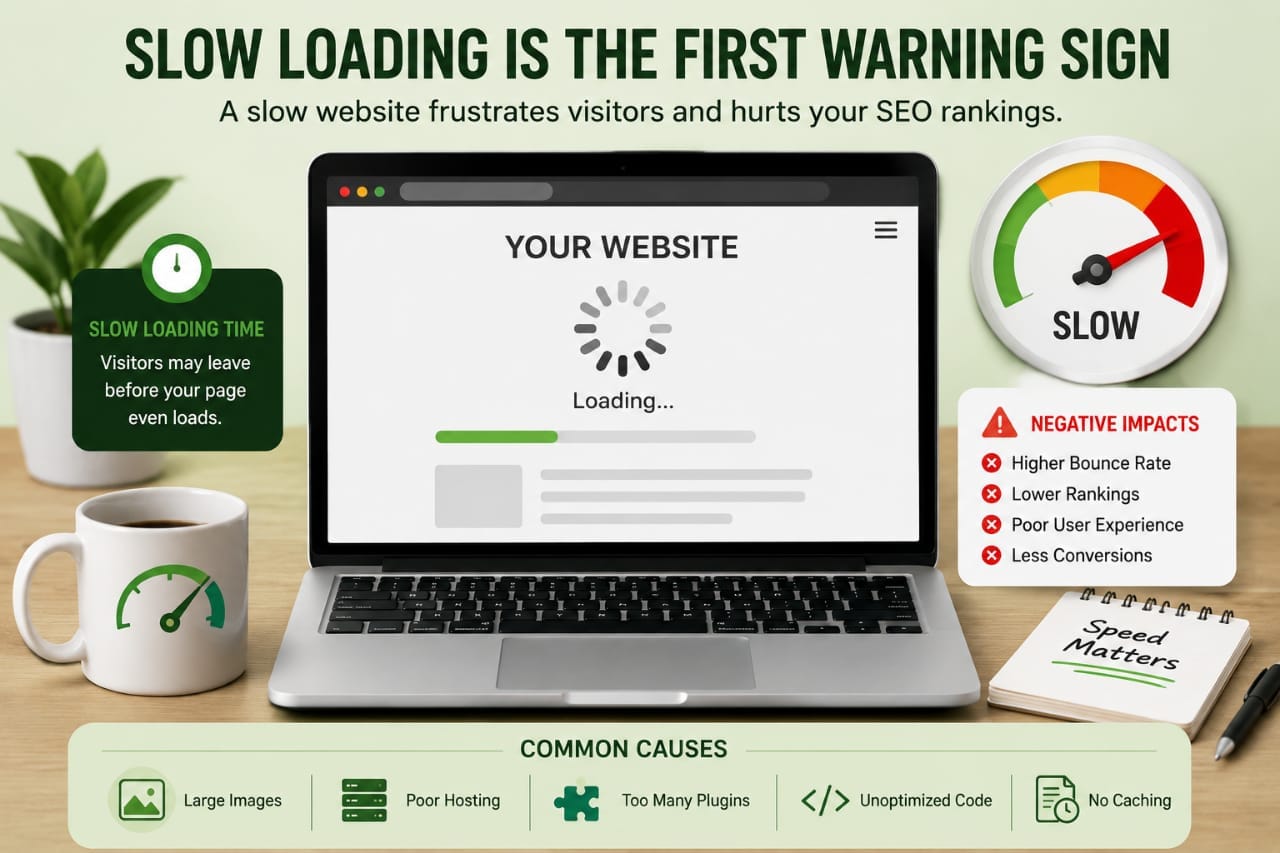
Slow websites can lead to:
- Higher bounce rates.
- Poor user experience.
- Lower search engine rankings.
- Reduced conversions.
- Lower visitor engagement.
If you've already optimized your website but loading times remain slow, upgrading your hosting may be the next logical step.
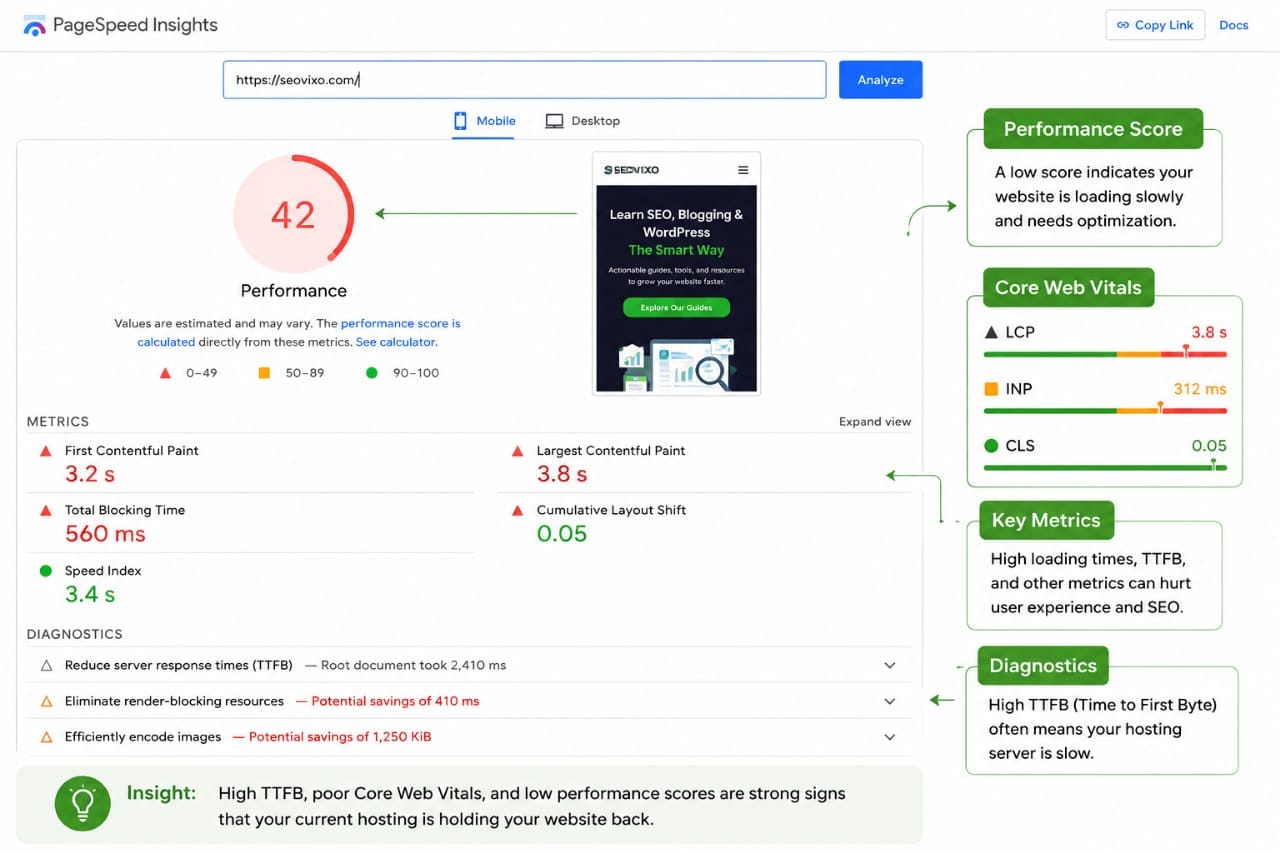
2. Your Time to First Byte (TTFB) Is High
Time to First Byte (TTFB) measures how quickly your server begins responding after receiving a request.
A consistently high TTFB often indicates server-side performance issues rather than problems with your website's design.
Common causes include:
- Overloaded shared servers.
- Limited processing power.
- Slow storage drives.
- Poor server configuration.
- Resource contention with other websites.
If performance testing tools repeatedly report a high TTFB, your hosting environment deserves closer attention.
3. Your Website Experiences Frequent Downtime
Occasional maintenance is normal, but repeated outages are a warning sign.
If visitors frequently encounter error pages or your website becomes unavailable without warning, unreliable hosting may be responsible.
Downtime can negatively affect:
- User trust.
- Online sales.
- Lead generation.
- SEO performance.
- Business reputation.
Reliable hosting providers invest in stable infrastructure to minimize unexpected downtime and keep websites accessible around the clock.
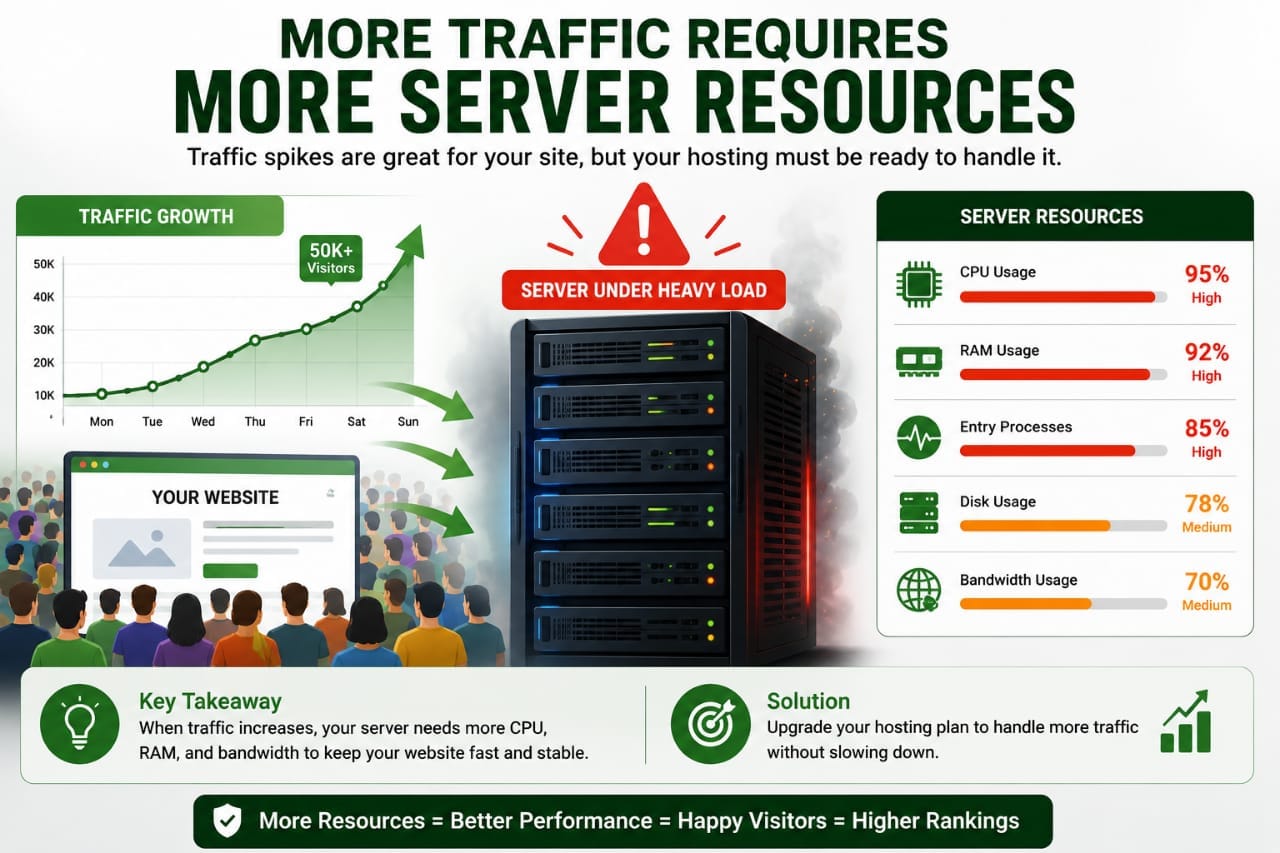
4. Traffic Spikes Slow Down Your Website
Receiving more visitors is a positive sign, but your hosting should be able to handle increased demand.
If your website slows dramatically whenever traffic increases, your current hosting plan may not have enough server resources.
This commonly happens during:
- Viral blog posts.
- Marketing campaigns.
- Holiday sales.
- Social media promotions.
- Search engine traffic spikes.
Upgrading to a hosting plan with more CPU, RAM, and bandwidth helps your website remain responsive during busy periods.
5. Your WordPress Dashboard Feels Slow
Website speed isn't only about what visitors see. A sluggish WordPress admin dashboard can also indicate server performance issues.
If simple tasks like opening posts, updating plugins, or saving pages take longer than expected, your hosting resources may be under pressure.
While plugins can contribute to admin slowdowns, limited server performance often plays a significant role, especially on overcrowded shared hosting plans.
One of the clearest signs I've seen that a hosting upgrade was needed wasn't a failed speed test—it was how slow the WordPress dashboard became during everyday tasks. Updating plugins, editing posts, and clearing cache all started taking noticeably longer. After moving to a hosting plan with better server resources, both the admin area and the front-end became much more responsive, even before making additional optimizations.
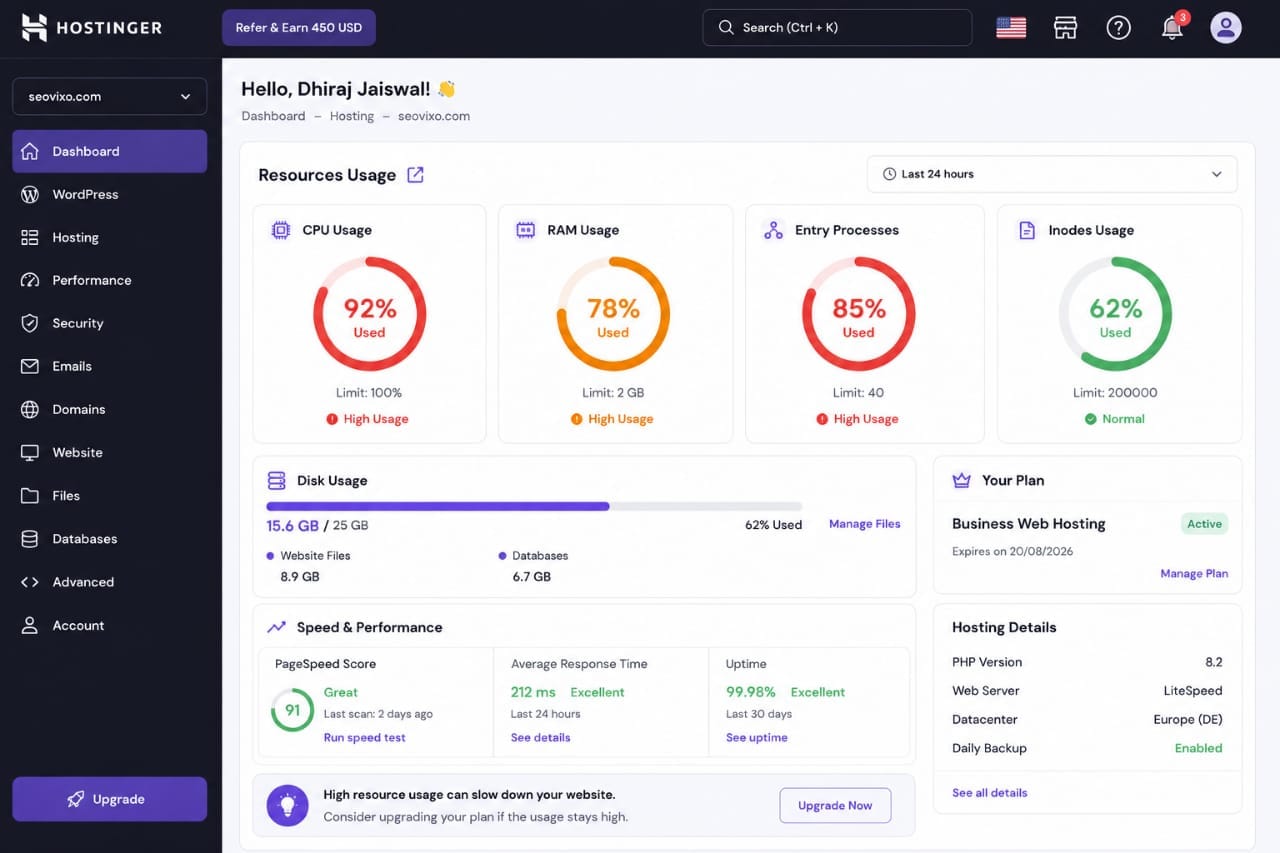
6. You’re Frequently Hitting CPU or Memory Limits
Every hosting plan comes with resource limits. Shared hosting plans typically provide limited CPU power, RAM, and simultaneous processes because these resources are shared among multiple websites.
As your website grows, these limits become easier to reach.
When your hosting account exceeds its available resources, your website may become slow, display errors, or temporarily stop responding.
Common signs include:
- Slow page loading during busy hours.
- Random 503 or 508 server errors.
- Background tasks failing.
- Slow WordPress admin area.
- Hosting resource warnings.
If your hosting dashboard regularly reports high CPU or memory usage, upgrading your hosting can provide additional resources and improve overall stability.
7. You’re Running Out of Storage
Storage space isn't only about uploading more files. A growing website accumulates media files, backups, themes, plugins, databases, email accounts, and cache files over time.
When storage becomes limited, website management becomes increasingly difficult.
You may notice problems such as:
- Failed media uploads.
- Incomplete backups.
- Plugin update failures.
- Database growth issues.
- Reduced overall performance.
If you're constantly deleting files just to free up space, your website has likely outgrown its current hosting plan.
8. Customer Support Isn’t Helping When You Need It
Reliable customer support becomes especially important when your website experiences technical problems.
If your hosting provider responds slowly, provides generic answers, or struggles to resolve server-related issues, it can lead to unnecessary downtime and frustration.
A high-quality hosting provider should offer:
- Fast response times.
- Knowledgeable technical support.
- 24/7 availability.
- Clear troubleshooting guidance.
- Reliable server monitoring.
Good support can save hours of troubleshooting and help keep your website running smoothly.
9. Your Hosting Can’t Scale with Your Growth
As your blog or business grows, your hosting should be able to grow with it.
If upgrading resources requires complicated migrations or your provider offers very limited upgrade options, it may be time to consider a more scalable solution.
Scalable hosting allows you to increase:
- CPU resources.
- Memory (RAM).
- Storage capacity.
- Bandwidth.
- Server performance.
This flexibility helps your website handle future growth without frequent migrations.
10. Your Hosting Uses Outdated Server Technology
Modern hosting providers continually update their infrastructure to improve speed, security, and efficiency.
If your provider still relies on outdated server technology, your website may miss out on significant performance improvements.
Look for hosting that supports features such as:
- NVMe SSD storage.
- Latest stable PHP versions.
- HTTP/3 support.
- LiteSpeed or modern web servers.
- Built-in server-level caching.
- Automatic backups.
- Advanced security protections.
Modern infrastructure doesn't just improve speed—it also enhances reliability and security.
Shared Hosting vs VPS Hosting
Many growing websites eventually reach the point where shared hosting is no longer sufficient. The table below highlights the key differences.
| Feature | Shared Hosting | VPS Hosting |
|---|---|---|
| Performance | Shared Resources | Dedicated Resources |
| Traffic Handling | Limited | Much Better |
| Scalability | Basic | Flexible |
| Customization | Limited | Greater Control |
| Best For | Small Websites | Growing Blogs & Businesses |
Common Hosting Upgrade Mistakes
- Waiting until the website crashes before upgrading.
- Choosing the cheapest plan without comparing performance.
- Ignoring uptime and server reliability.
- Overlooking customer support quality.
- Not checking scalability options.
- Ignoring server technology and PHP versions.
- Buying more resources than the website actually needs.
Choosing hosting based only on price often leads to performance problems later. It's better to select a plan that balances speed, reliability, support, and future growth.
Before upgrading your hosting, review your website's traffic, resource usage, and performance reports. If your pages remain slow after optimizing images, caching, and plugins, or if your hosting account frequently reaches CPU or memory limits, upgrading to a better hosting plan is usually a worthwhile investment. The goal isn't simply to buy a more expensive plan—it's to choose one that matches your website's current needs and leaves room for future growth.
Hosting Upgrade Checklist
Before spending money on a new hosting plan, make sure your current website has genuinely outgrown its existing resources. The checklist below will help you determine whether an upgrade is the right decision.
- Your website consistently loads slowly despite optimization.
- Time to First Byte (TTFB) remains high.
- Your hosting account frequently reaches CPU or RAM limits.
- Your website experiences unexpected downtime.
- Traffic spikes significantly slow your website.
- Your WordPress dashboard feels sluggish.
- You're running out of storage space.
- Your hosting provider uses outdated server technology.
- Customer support is slow or unhelpful.
- Your website is growing faster than your current plan can handle.
If several of these apply to your website, upgrading your hosting will likely provide noticeable improvements in speed, reliability, and user experience.
When You Don’t Need to Upgrade Your Hosting
Not every slow website requires a hosting upgrade. Sometimes the problem lies elsewhere, and upgrading your plan won't make a significant difference.
You should first optimize your website if you have:
- Large, uncompressed images.
- Too many unnecessary plugins.
- A heavy or poorly coded theme.
- Unused CSS and JavaScript files.
- A poorly optimized database.
- No caching or CDN configured.
Once these issues are resolved, test your website again. If performance is still poor, your hosting has likely become the bottleneck.
How to Choose the Right Hosting Provider
Choosing a better hosting provider involves more than comparing prices. The cheapest plan isn't always the best value if it results in slower performance or unreliable service.
When evaluating hosting providers, consider the following factors:
- High uptime guarantee (99.9% or better).
- Modern NVMe SSD storage.
- Latest PHP versions.
- HTTP/3 support.
- LiteSpeed or optimized web servers.
- Daily backups.
- Free SSL certificates.
- Easy scalability.
- Responsive 24/7 customer support.
- Strong security features.
A hosting provider that performs well today should also be able to support your website as traffic continues to grow over the coming years.
Benefits of Upgrading Your Hosting
A hosting upgrade isn't simply about faster loading speeds. It improves many areas of your website simultaneously.
| Benefit | How It Helps |
|---|---|
| Faster Loading | Improves visitor experience and SEO. |
| Better Stability | Reduces downtime and server errors. |
| Improved Security | Protects websites from modern threats. |
| Handles More Traffic | Supports future growth without slowing down. |
| Higher Reliability | Keeps your website available around the clock. |
Final Verdict
Your hosting provider forms the foundation of your website. Even the best-designed WordPress site with excellent content and strong SEO can struggle if the server lacks the resources to keep up.
If you've optimized images, enabled caching, reduced unnecessary plugins, and improved your website's code but still experience slow loading times, downtime, or resource limits, upgrading your hosting is often the smartest long-term investment.
Rather than choosing the cheapest plan available, focus on finding a hosting provider that offers reliable performance, modern infrastructure, responsive support, and room to grow. A quality hosting upgrade can improve user experience, strengthen SEO performance, and prepare your website for future traffic.
Frequently Asked Questions
How do I know if my hosting plan is too small?
If your website frequently slows down, reaches CPU or memory limits, experiences downtime, or struggles during traffic spikes, you've likely outgrown your current hosting plan.
Will upgrading hosting improve SEO?
Better hosting can improve page speed, uptime, and Core Web Vitals, all of which contribute to a better user experience and may support improved search performance.
Should I move from shared hosting to VPS?
If your website has consistent traffic, requires better performance, or frequently exceeds shared hosting resources, VPS hosting is often the next logical upgrade.
Can better hosting reduce website downtime?
Yes. Reliable hosting providers use stronger infrastructure, better monitoring, and redundant systems to minimize downtime.
Is expensive hosting always better?
No. The best hosting plan is one that matches your website's current requirements while providing room for future growth. Paying for unnecessary resources isn't always beneficial.
How often should I review my hosting plan?
It's a good idea to evaluate your hosting every six to twelve months or whenever your traffic, website size, or resource usage increases significantly.
📚 Related WordPress Guides
Want to optimize your WordPress website even further? These beginner-friendly guides will help you improve speed, SEO, and mobile performance.