How to Track Your Website's AI Search Visibility in Google Search Console (2026)
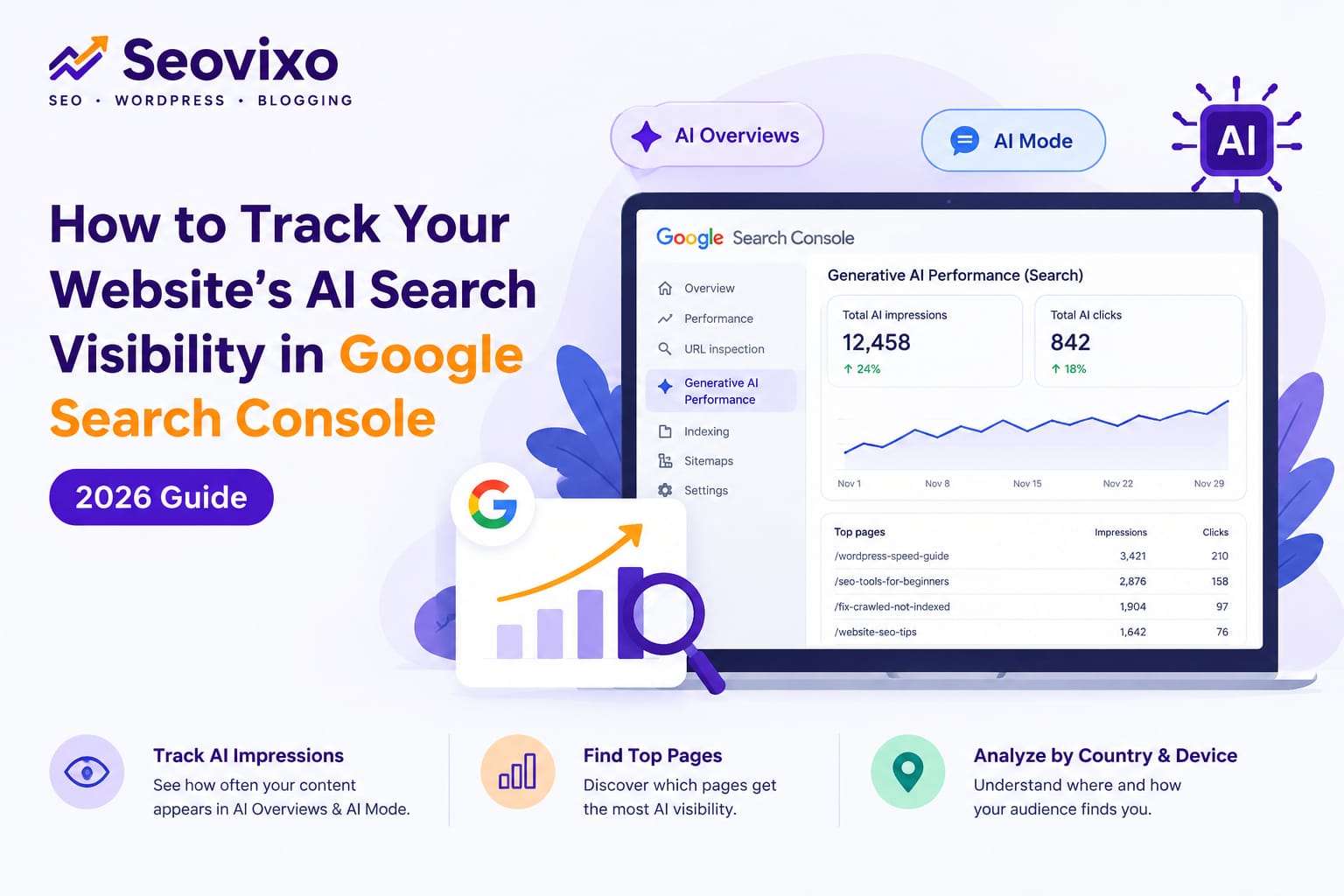
Google Search Console now has a dedicated Generative AI Performance report for monitoring how your website appears in Google AI Overviews and AI Mode.
This gives website owners a better way to understand how their content is being discovered through Google's AI-powered search experiences.
The important distinction is that AI visibility and traditional organic traffic are not the same thing. Your pages might appear as links in AI-generated search results without receiving the same number of clicks as conventional search listings.
In this guide, you will learn how to find the new report, understand its metrics, identify pages appearing in AI search and use the information to improve your website's search strategy.
What Is AI Search Visibility?
AI search visibility refers to how often your website's content and links appear in AI-powered search experiences.
Google currently has two important AI search experiences:
- AI Overviews: AI-generated summaries that appear in Google Search for selected queries, with links to relevant web pages.
- AI Mode: An interactive AI search experience where users can ask more complex questions, explore related topics and follow up with additional questions.
For example, someone might search for
"How can I improve WordPress website speed?"
Google may display an AI-generated response with links to websites that provide relevant information.When your website appears as one of those supporting links, it can receive an AI search impression. A visitor who clicks your link may then arrive at your website.Google has also introduced a separate Generative AI Performance report for Discover.
It is important not to confuse Discover AI visibility with the Search report covered in this article.
Why Should You Track AI Search Visibility?
Traditional SEO reports mainly help you understand how your website performs in regular search results. AI search adds another way for your content to become visible.
Tracking this visibility helps you:
- Identify pages appearing in AI Overviews and AI Mode.
- Discover which content receives the most AI search impressions.
- Compare AI visibility across countries and devices.
- Monitor whether your visibility is increasing or decreasing.
- Identify useful topics and pages that deserve further improvement.
However, an increase in AI impressions does not automatically mean an increase in website traffic.
Track impressions alongside clicks, website sessions and conversions to understand the complete picture.
1. Open Google Search Console
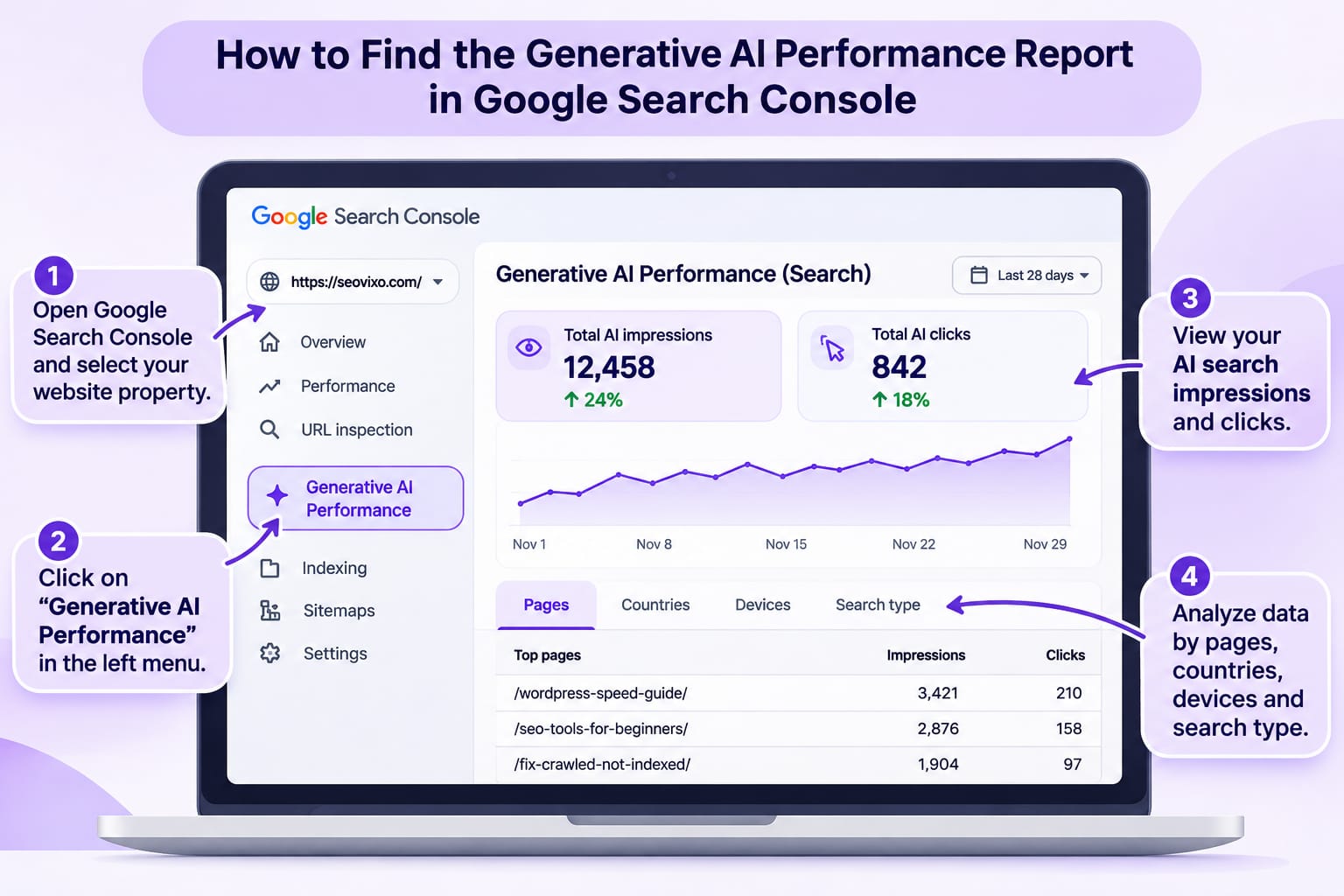
First, visit "Google Search Console" (https://search.google.com/search-console/) and sign in with the Google account connected to your website.Select the correct website property from the property selector.
Make sure you have access to the verified property you want to monitor. If you manage multiple websites, check the domain carefully before analyzing the data.You should also confirm that your website is included in Google's Search generative AI features.
You can find this setting under:Search Console → Settings → Search generative AI
Google's default setting allows website content to appear in supported generative AI search features, unless the setting has been changed.
2. Find the Generative AI Performance Report
Open the dedicated Generative AI Performance report (Search) in Google Search Console.This report provides a separate view of your website's organic impressions in supported Google Search AI experiences.
According to Google's documentation, the report includes:
- AI Overviews
- AI Mode
The report became available worldwide on August 31, 2026.Its main purpose is to show how frequently links to your website appear in supported generative AI features.
This makes it easier to monitor AI visibility without having to estimate it from your regular search performance.You can access the report through Google's "official Generative AI Performance report documentation"
3. Understand the Metrics Inside the Report
The most important metric in the dedicated AI Search report is impressions.An impression means that a link to your website was shown in a supported generative AI feature.
It does not mean that someone necessarily clicked the link or visited your website.
You can analyze your data using different dimensions.
Pages: Identify which URLs receive impressions in AI Overviews and AI Mode.
Countries: Understand where your AI search visibility originates.
Devices: Compare desktop, mobile and tablet visibility.
Dates: Monitor impressions over days, weeks or months.
The report also provides search-type filters for text-based and multimodal searches.
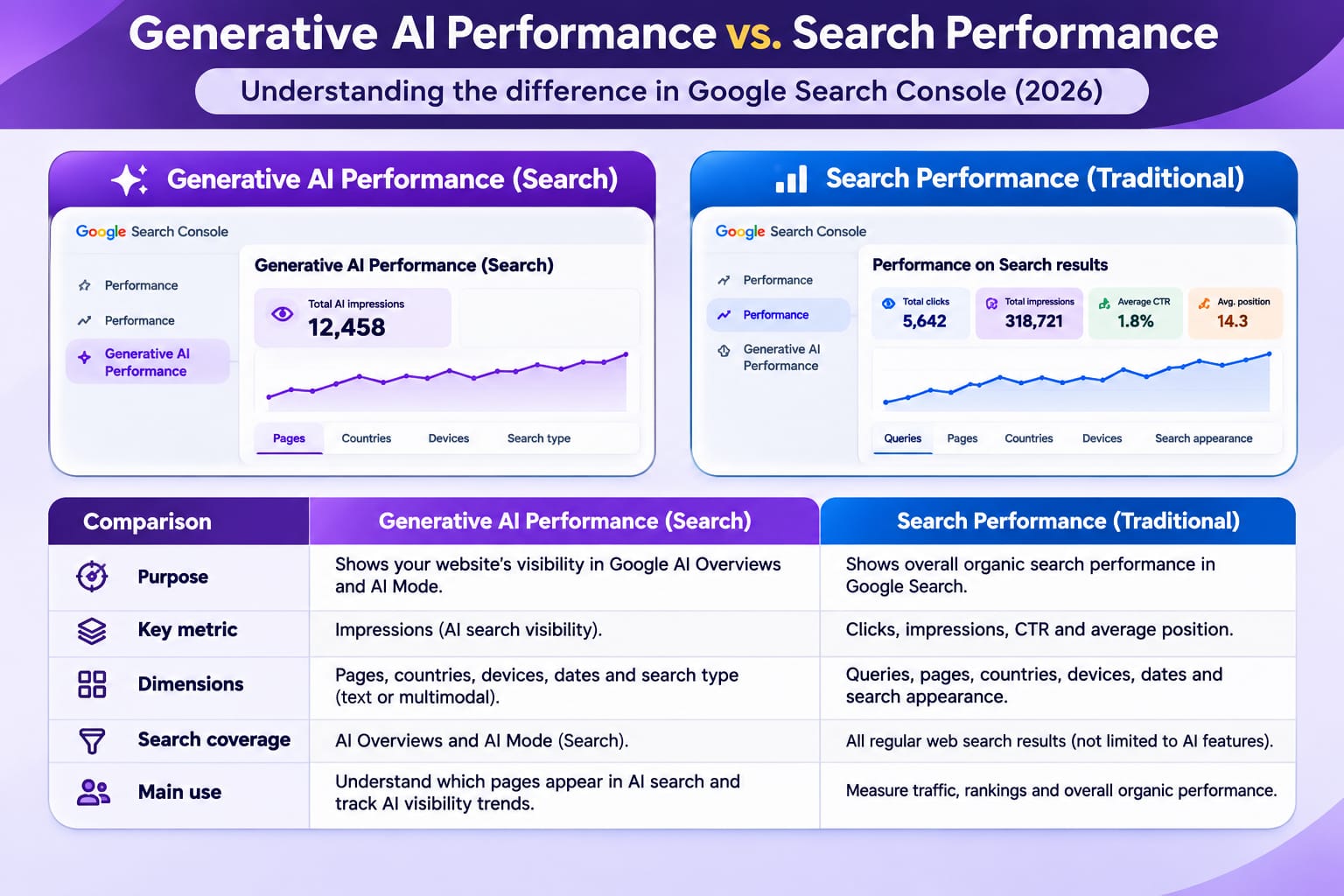
Remember that the dedicated report is focused on AI impressions. For your broader organic clicks, CTR and average position, continue using the standard Search performance report.
4. Identify Which Pages Appear in AI Search
The Pages section is particularly useful because it helps you identify the URLs that receive AI search impressions.
For example, a technology blog might find that these pages receive visibility:
- How to Speed Up a WordPress Website
- Best Free SEO Tools for Beginners
- How to Fix Crawled – Currently Not Indexed
- How to Improve Website SEO
These are illustrative examples, not actual performance results.Once you identify pages with impressions, review the content and ask whether it fully answers the questions visitors are likely to ask.
Check whether the article provides accurate explanations, useful examples, clear headings and relevant supporting information.
You should not rewrite every page simply because it has AI impressions. First identify which pages have a genuine content gap or an opportunity to provide more value.
5. Compare AI Impressions With Traditional Search Performance
One of the most useful ways to understand AI visibility is to compare it with your regular organic search performance.
Open the standard Search Console Performance report and select the Web search type.
Review clicks, impressions, CTR and average position. You can also examine page-level and query-level performance in this report.
For example, a page might receive increasing AI impressions while its traditional organic clicks remain relatively stable.
This tells you that its visibility in Google's AI search features is changing, but it does not establish that AI visibility caused the change in traffic.Google counts clicks on external links in AI Overviews and AI Mode as clicks, using the applicable reporting methodology.
However, the dedicated AI Performance report does not provide a complete separate AI-only CTR and click dashboard.
Therefore, use both reports together rather than relying on one metric.
6. Check Country and Device Performance
The country and device dimensions help you understand where your website receives AI visibility.Suppose a website receives more AI impressions from India than from the United States. This may indicate that its content is appearing more often for searches originating in India.
Similarly, device data can help you identify whether AI impressions are more common on mobile, desktop or tablet.Use these insights to understand your audience and review relevant pages.
For example, if mobile users represent an important audience, check whether your content is easy to read and navigate on smaller screens.
Do not assume that more impressions in a particular country automatically mean more visitors or customers from that country. Compare the AI report with your regular search and website analytics data.
7. What If the AI Performance Report Is Missing?
Some website owners may not see the report immediately.Google explains that the report might not appear when a website has not received enough impressions in supported AI search features.
Another possible reason is that the website has been excluded from these features through the Search generative AI control.
Check these points:
- Confirm that you selected the correct Search Console property.
- Check the Search generative AI setting.
- Make sure your important pages are accessible to Google.
- Review whether your content is indexed and eligible to appear in Google Search.
- Check again after your website receives more AI feature impressions.
Google also excludes data from experiments in Search Labs because those experiences are still being developed.
A missing report does not automatically mean your website has a technical SEO problem.
8. How to Improve Your Website's AI Search Visibility
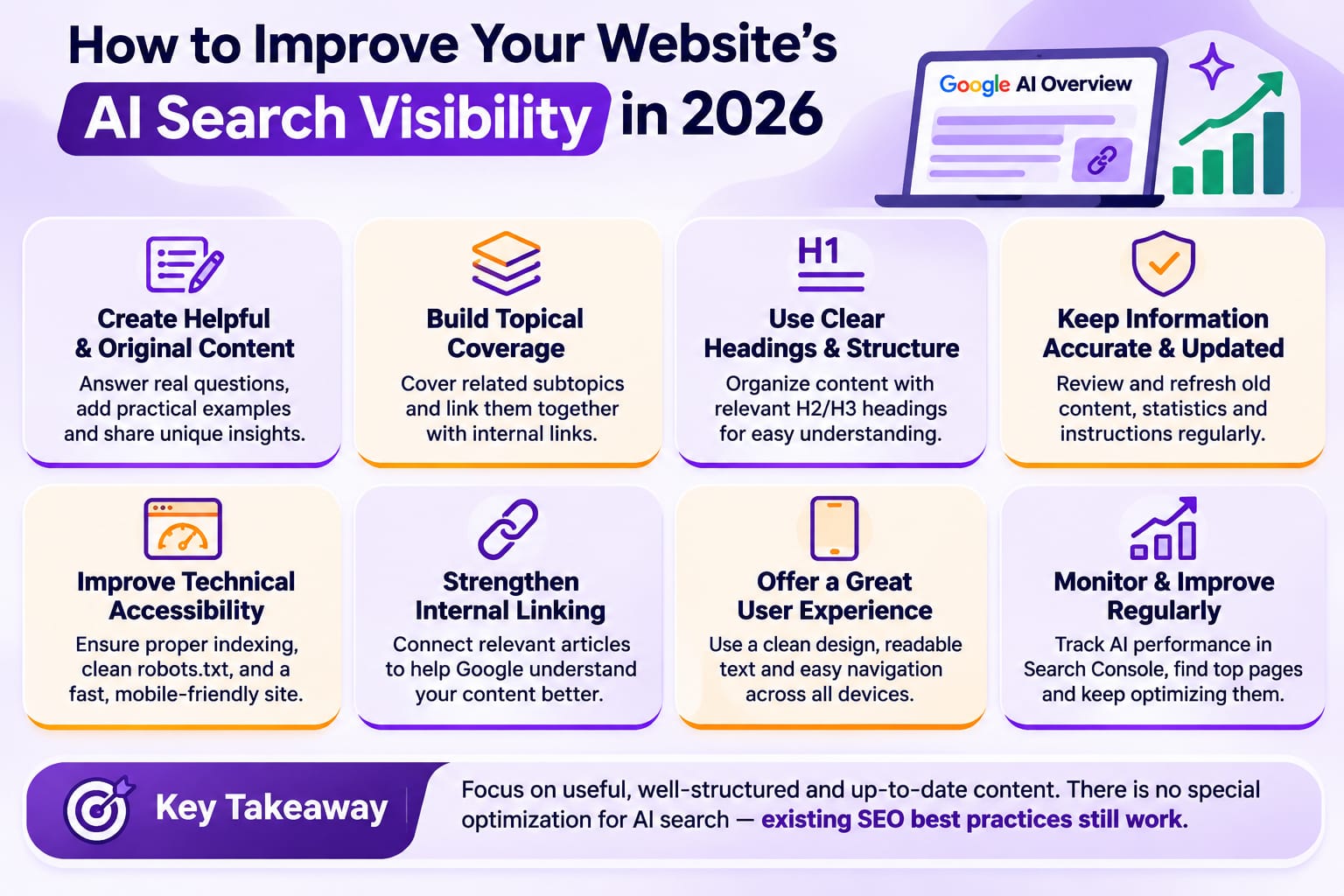
There is no guaranteed method for getting included in AI Overviews or AI Mode.Google's guidance says that existing SEO best practices remain relevant and that there are no additional requirements or special optimizations needed specifically for these AI features.
Focus on the fundamentals:
Publish useful content: Write articles that answer genuine questions and provide original information, practical examples and meaningful explanations.
Improve topical coverage: Organize related articles into useful topic clusters and link them naturally. This helps readers discover supporting information.
Use clear headings: Break complex subjects into logical sections so readers can find answers easily.
Keep information accurate: Review outdated statistics, pricing, product details and technical instructions.
Improve internal linking: Connect relevant articles so important pages are easy to discover.
Maintain technical accessibility: Check indexing, robots.txt settings, canonical URLs and page availability.
Provide a good user experience: Make pages mobile-friendly, readable and easy to navigate.
Avoid publishing repetitive AI-generated articles or adding unnecessary structured data simply because you think it will guarantee AI visibility.
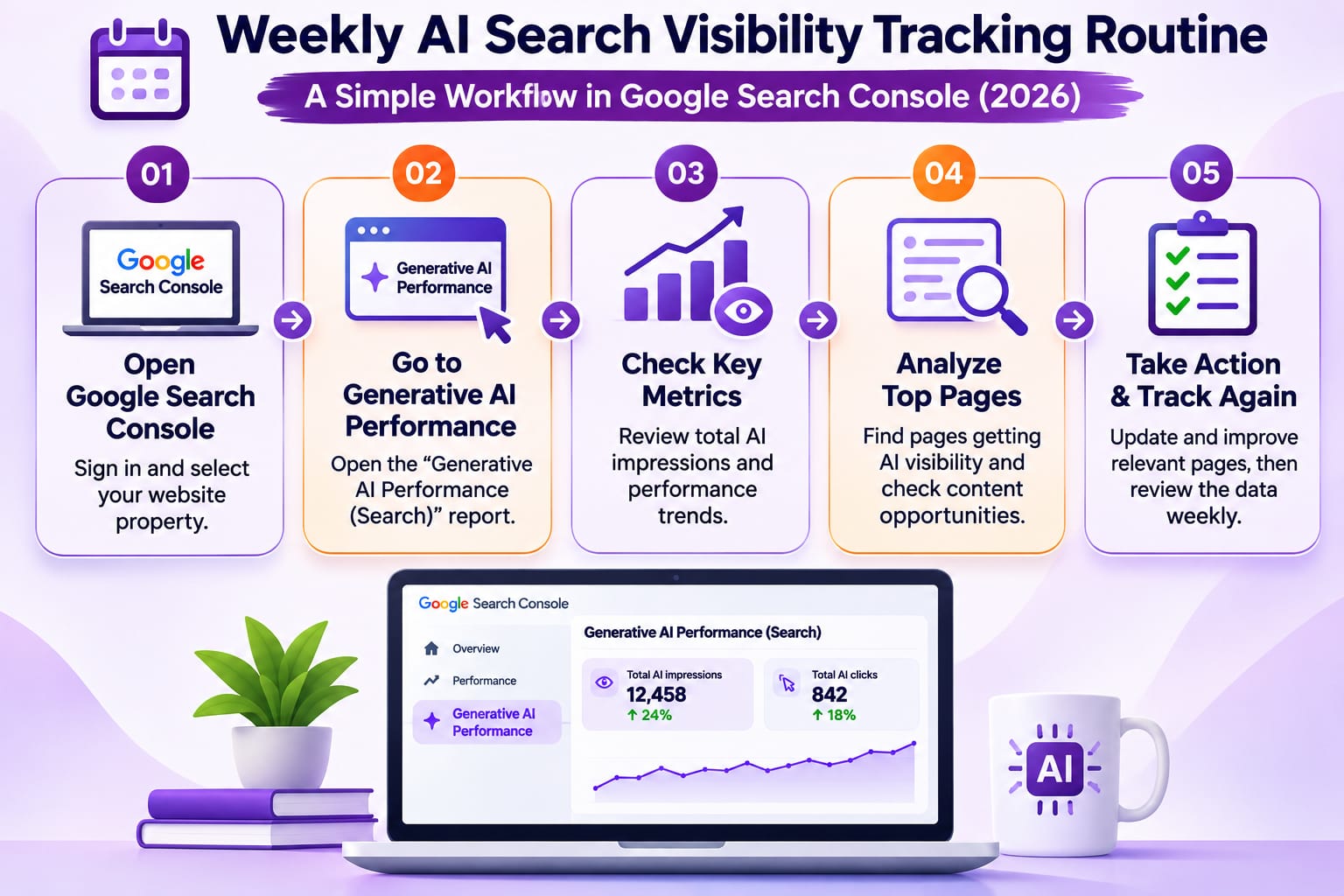
9. Create a Simple Weekly AI SEO Tracking Routine
You do not need to check AI search performance every day. A consistent weekly or monthly review is more useful than reacting to individual fluctuations.
Start with the following routine:
- Check total AI impressions.
- Identify the pages receiving the most impressions.
- Compare recent performance with an equivalent earlier period.
- Review country and device breakdowns.
- Open the standard Search performance report to check clicks and CTR.
- Record important changes and investigate pages that need improvement.
Export the report data when you need to maintain a spreadsheet or compare longer periods.Keep a record of major content updates so you can compare performance before and after meaningful changes.
Final Thoughts
AI search is becoming an important part of Google's search experience, and website owners now have a dedicated Search Console report to monitor it.
The Generative AI Performance report helps you understand which pages appear in AI Overviews and AI Mode, where those impressions originate and how visibility changes over time.However, impressions alone do not tell the whole story.
Combine AI visibility data with traditional Search performance, website traffic and conversions to understand whether your content is reaching the right audience.