Best Free WordPress Plugins for Bloggers (2026 Complete Guide)
One of the biggest advantages of WordPress is its huge plugin ecosystem. Whether you want to improve SEO, speed up your website, secure your blog, create contact forms, or back up your data, there's usually a plugin that can help.
However, installing too many plugins is one of the most common mistakes beginners make.
Every plugin adds code to your website, and unnecessary plugins can reduce performance, create compatibility issues, and increase security risks.
After building and managing WordPress websites, I've learned that you don't need dozens of plugins. A small collection of well-maintained, reliable plugins is usually enough to create a fast, secure, and SEO-friendly blog.
In this guide, I'll share the best free WordPress plugins for bloggers in 2026, explain what each plugin does, and discuss when you should—or shouldn't—install it.
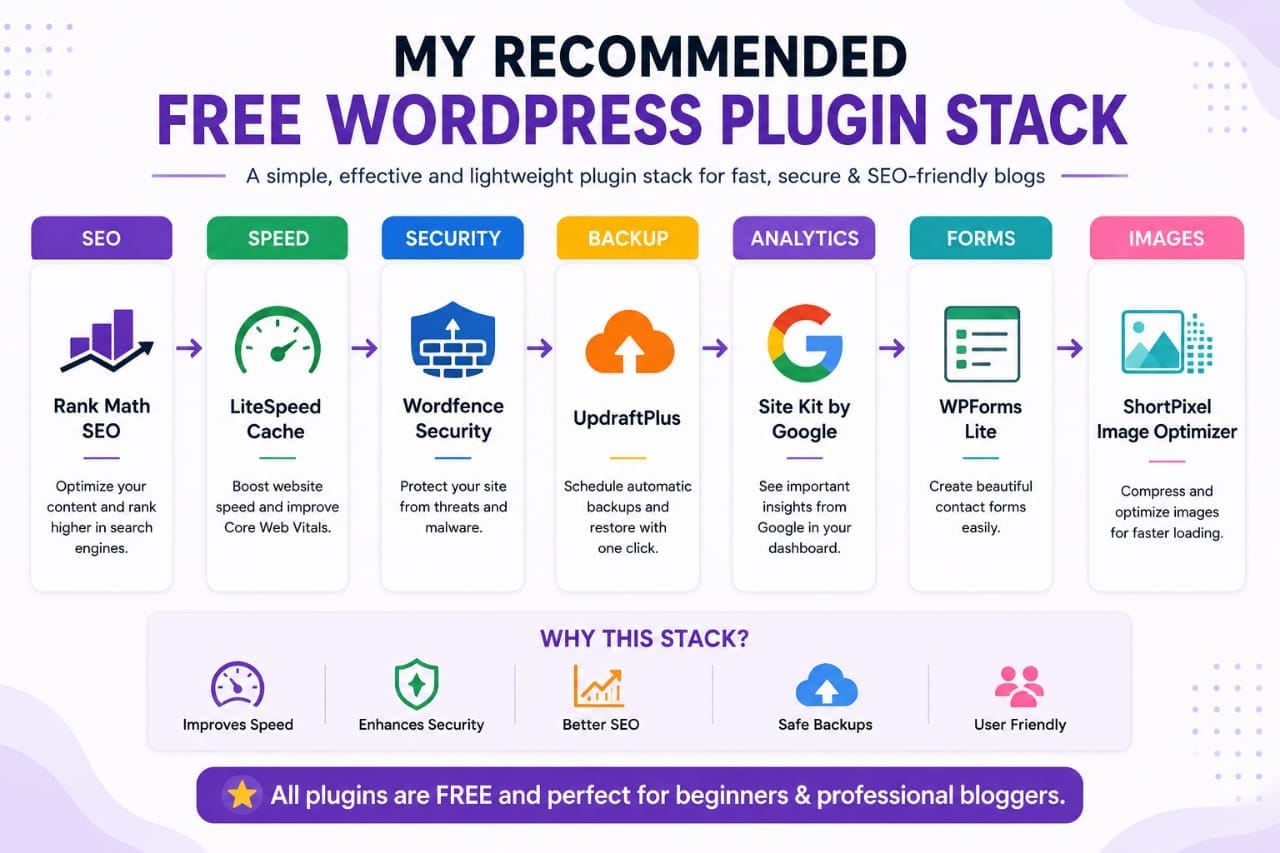
For most bloggers, a solid free plugin stack includes Rank Math SEO, LiteSpeed Cache, WPForms Lite, UpdraftPlus, ShortPixel Image Optimizer, Site Kit by Google, and Wordfence Security. Together, these plugins cover SEO, speed, backups, analytics, forms, and website security.
Do You Really Need Many Plugins?
No.
A common misconception is that adding more plugins automatically improves a website.
In reality, quality matters far more than quantity.
A well-optimized blog with 8–12 reliable plugins often performs better than one with 40 poorly maintained plugins.
Before installing a plugin, ask yourself:
- Does it solve a real problem?
- Is it actively maintained?
- Is it compatible with my WordPress version?
- Can another installed plugin already perform this task?
How I Choose WordPress Plugins
When evaluating plugins, I focus on practical factors instead of simply choosing the most downloaded option.
My checklist includes:
- Regular updates
- Good user ratings
- Active developer support
- Performance impact
- Ease of use
- Compatibility with other plugins
A plugin that is lightweight, well-supported, and frequently updated is usually a safer long-term choice.
1. Rank Math SEO
Category: SEO
Rank Math has become one of the most popular SEO plugins for WordPress.
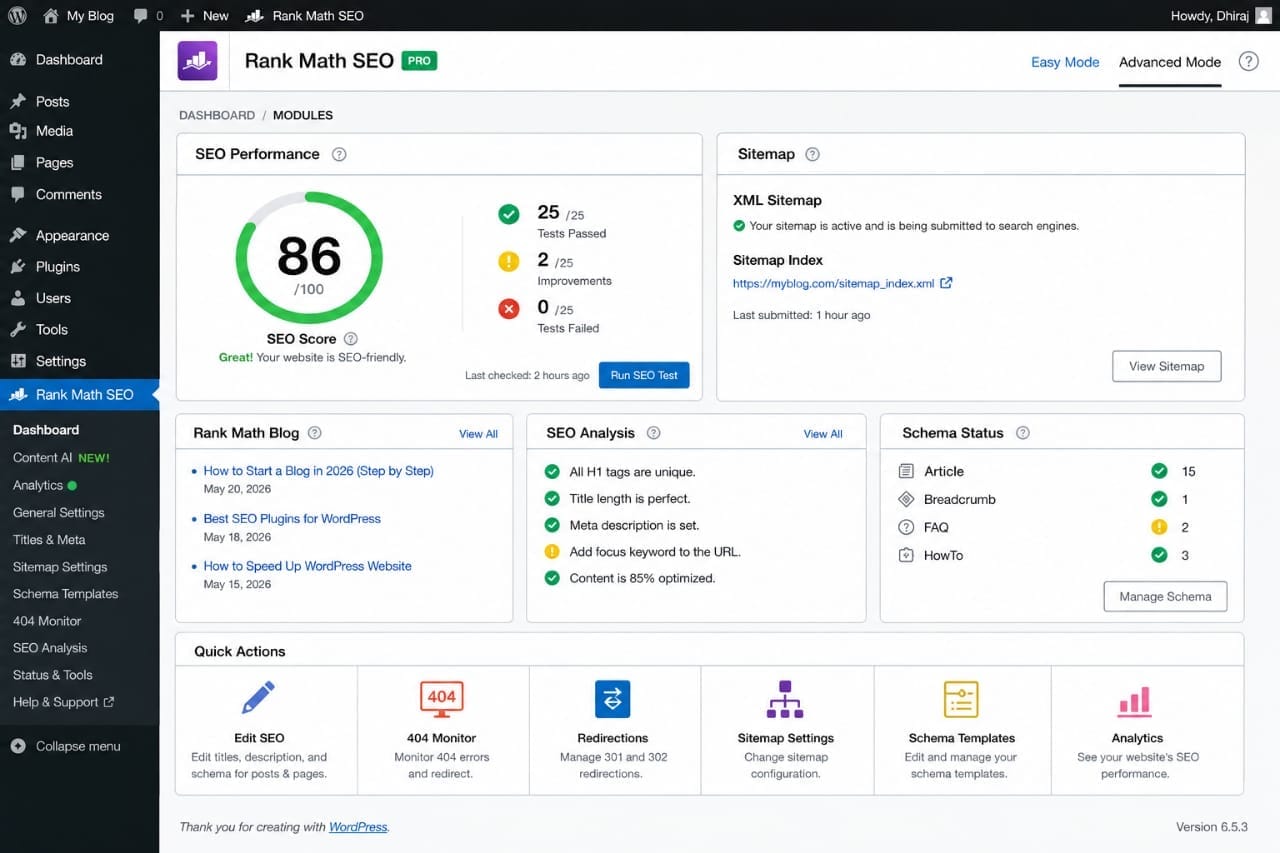
The free version includes many features that beginners need, including:
- XML sitemap generation
- Schema support
- Meta title optimization
- Redirect management
- SEO analysis
For bloggers who want to improve on-page SEO without paying for a premium plugin, Rank Math is an excellent starting point.
Official website:
2. LiteSpeed Cache
Category: Performance
Website speed affects user experience and can influence search performance.
LiteSpeed Cache offers features such as:
- Page caching
- Image optimization
- CSS and JavaScript optimization
- Lazy loading
- Database optimization
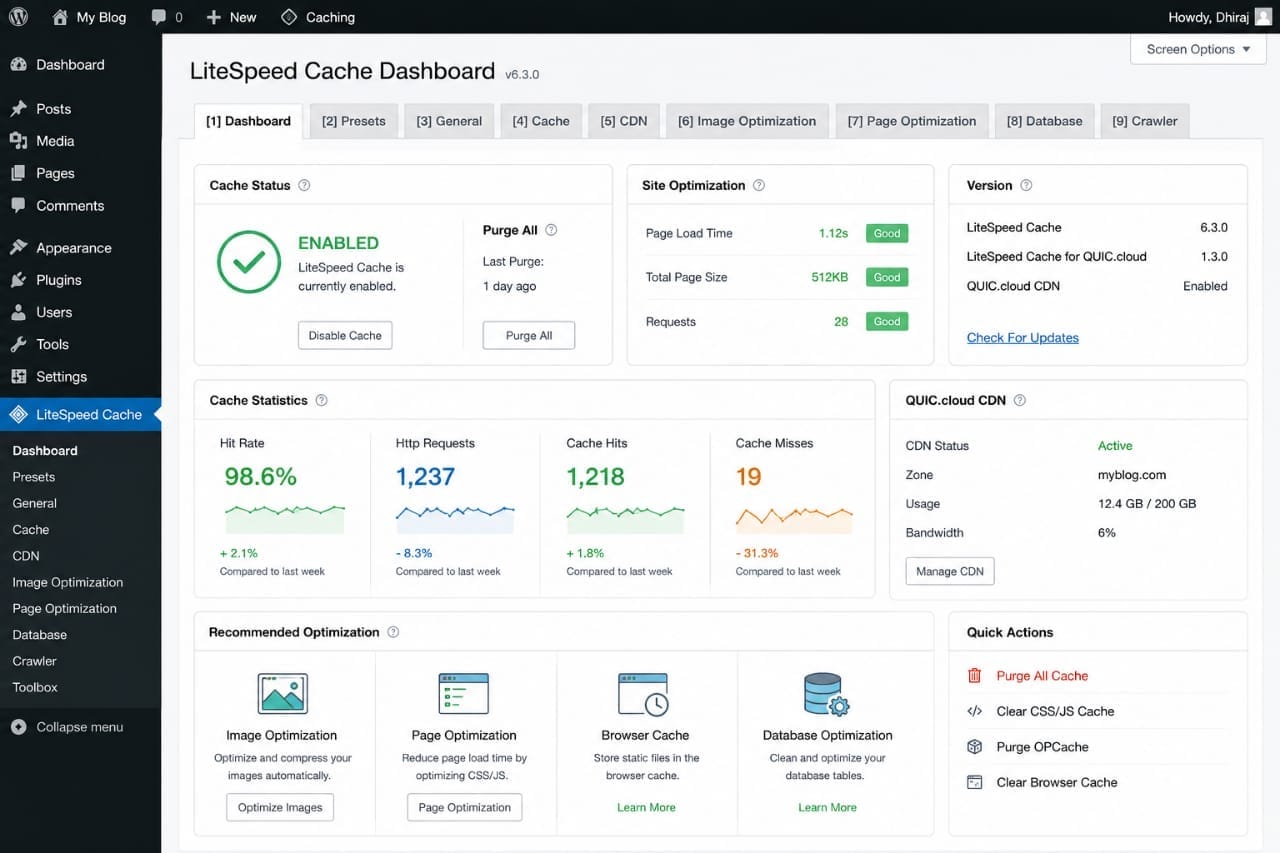
Some features depend on your hosting environment, but the plugin provides a wide range of performance optimization tools.
3. WPForms Lite
Category: Contact Forms
Every blog should provide visitors with an easy way to get in touch.
WPForms Lite makes it simple to create:
- Contact forms
- Feedback forms
- Newsletter signup forms
- Basic inquiry forms
Its drag-and-drop interface is beginner-friendly.
4. UpdraftPlus
Category: Backups
Backups are often ignored until something goes wrong.
UpdraftPlus helps create scheduled backups of:
- Database
- Themes
- Plugins
- Uploads
- Entire website
Having a recent backup can save hours of work if your website encounters a technical problem.
5. Site Kit by Google
Category: Analytics
Site Kit connects your WordPress dashboard with several Google services.
Depending on your setup, it can display information from:
- Google Search Console
- Google Analytics
- PageSpeed Insights
- AdSense
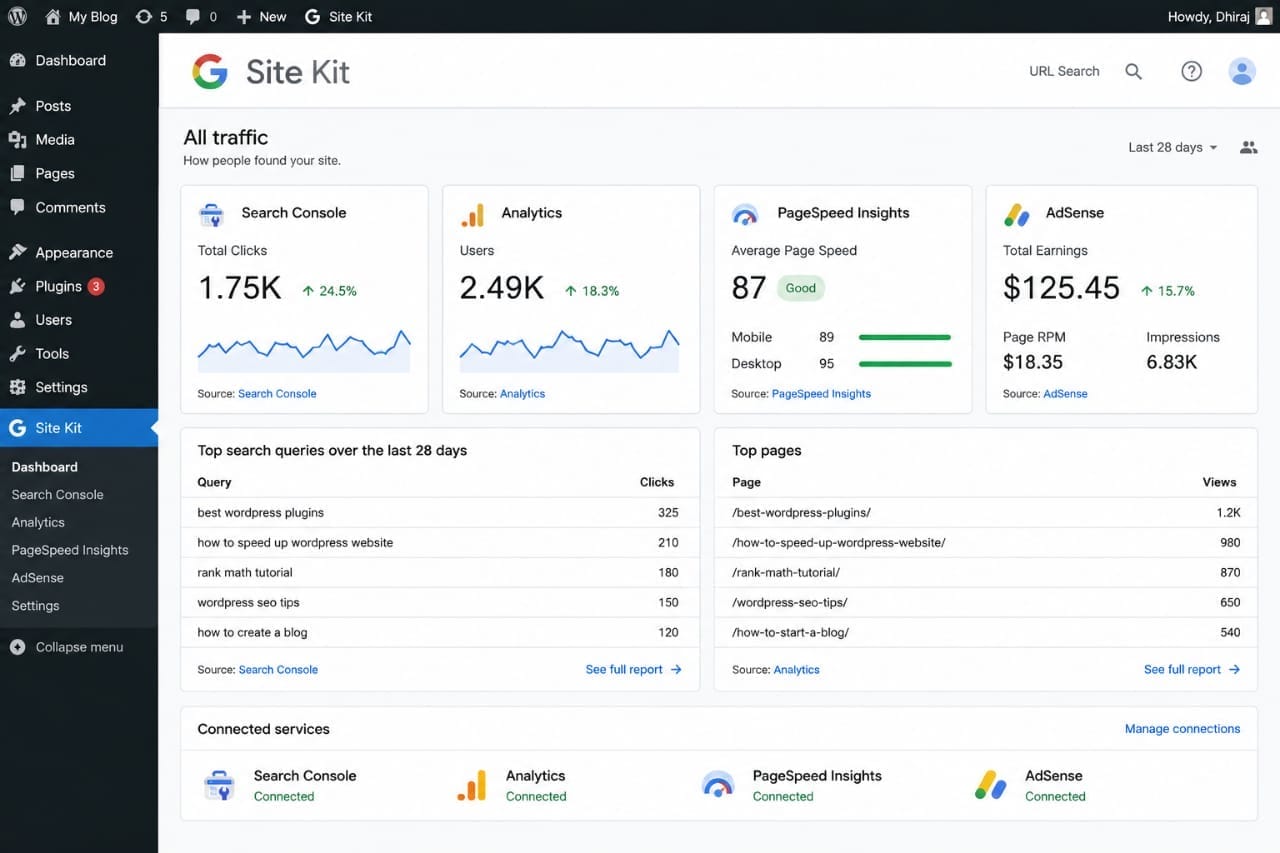
This makes it easier to monitor your website without switching between multiple dashboards.
6. Wordfence Security
Category: Security
Website security is important regardless of your blog's size.
Wordfence includes features such as:
- Firewall
- Malware scanning
- Login protection
- Security alerts
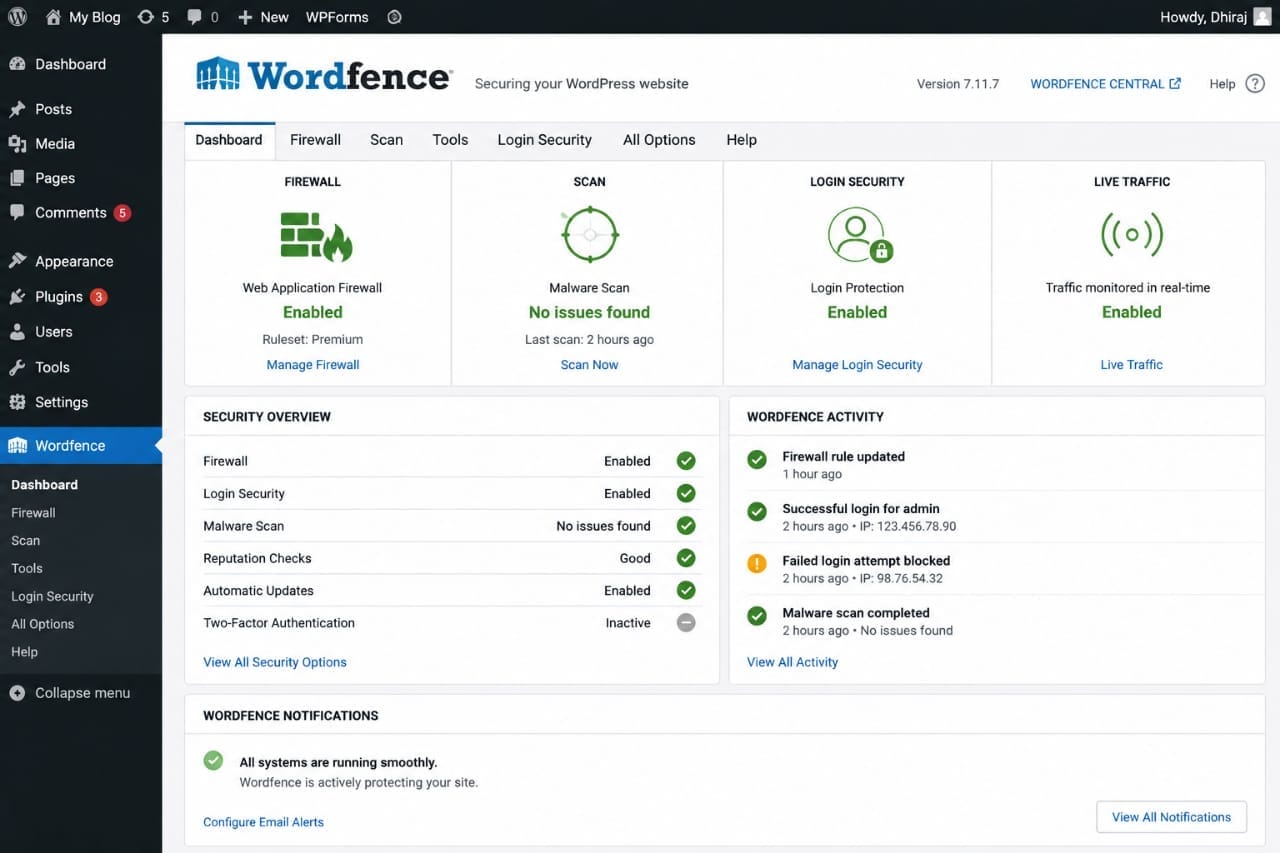
While no plugin guarantees complete protection, keeping WordPress secure should always be part of your maintenance routine.
Instead of installing multiple plugins for the same task, I prefer choosing one reliable plugin for each category—SEO, caching, security, backups, and forms. This approach keeps WordPress simpler and easier to maintain.
7. ShortPixel Image Optimizer
Category: Image Optimization
Large images are one of the biggest reasons WordPress websites load slowly.
ShortPixel helps reduce image file sizes while maintaining good visual quality.
Benefits include:
- Smaller image sizes
- Faster page loading
- Better Core Web Vitals
- Automatic image compression
Optimizing images before and after uploading them helps improve overall website performance.
8. Broken Link Checker
Category: Website Maintenance
Broken links create a poor user experience and may negatively affect your website over time.
A broken link checker helps identify:
- 404 links
- Broken internal links
- Broken external links
- Missing images
Instead of leaving the plugin active continuously, many bloggers run periodic scans and then disable it to reduce server load.
9. CookieYes
Category: Privacy & Cookie Consent
If your website serves visitors from regions with privacy regulations, a cookie consent banner may be appropriate.
CookieYes helps you:
- Create cookie banners
- Manage visitor consent
- Customize banner appearance
- Support privacy compliance workflows
10. MailPoet
Category: Email Marketing
Growing an email list allows you to stay connected with readers beyond search engines.
MailPoet makes it easy to:
- Create newsletters
- Collect email subscribers
- Send automated emails
- Manage subscriber lists
If email marketing is part of your blogging strategy, MailPoet is a beginner-friendly option.
Plugins I Avoid Installing
Not every popular plugin belongs on every website.
I generally avoid installing plugins that:
- Duplicate features already available.
- Haven't been updated for a long time.
- Have very poor reviews.
- Load unnecessary scripts on every page.
- Promise unrealistic SEO improvements.
Installing fewer, higher-quality plugins usually results in a faster and more stable website.
How Often Should You Update Plugins?
Keeping plugins updated is essential for both security and compatibility.
Before updating:
- Create a website backup.
- Read the update notes if available.
- Test major updates on a staging site when possible.
Regular updates help protect your website from security vulnerabilities and improve compatibility with the latest version of WordPress.
How Many Plugins Are Too Many?
There isn't a specific number that applies to every website.
Instead of counting plugins, focus on their quality and purpose.
A website with 10 well-coded plugins can perform much better than another website with 30 poorly optimized plugins.
Remove plugins that you no longer use.
My Recommended Free Plugin Stack
| Category | Recommended Plugin |
|---|---|
| SEO | Rank Math SEO |
| Caching | LiteSpeed Cache |
| Security | Wordfence Security |
| Backup | UpdraftPlus |
| Forms | WPForms Lite |
| Analytics | Site Kit by Google |
| Images | ShortPixel Image Optimizer |
| MailPoet |
Free Plugins vs Premium Plugins
Most beginners can build a successful blog using free plugins.
Upgrade to premium versions only when you genuinely need advanced features or professional support.
Paying for plugins simply because they are premium doesn't automatically improve your website.
Start with free plugins, learn how they work, and only upgrade when your website outgrows the free features. This keeps costs low while ensuring you only pay for tools that add real value.