Common WordPress Speed Mistakes (2026 Guide)
Website speed is one of the most important factors for SEO, user experience, and conversions.
A slow WordPress website can:
- Reduce Google rankings
- Increase bounce rate
- Lower affiliate conversions
- Hurt user experience
- Decrease AdSense earnings
Many beginners unknowingly make WordPress speed mistakes that significantly slow down their websites.
In this guide, we’ll deeply analyze:
- Common speed mistakes
- Why websites become slow
- Real-world optimization tips
- How to improve Core Web Vitals
- Practical speed solutions
📑 Table of Contents
- Why WordPress Speed Matters
- Choosing Cheap Slow Hosting
- Using Heavy Themes
- Installing Too Many Plugins
- Not Optimizing Images
- Ignoring Caching
- Using Too Many Ads
- Not Using CDN
- Ignoring Core Web Vitals
- Database Optimization Problems
- Too Many External Scripts
- Poor Mobile Optimization
- Unused CSS & JavaScript
- Heavy Videos & Sliders
- Badly Coded Plugins
- Ignoring WordPress Updates
- Speed & AdSense Earnings
- Website Speed Testing Tools
- Can Elementor Slow Down WordPress?
- Speed Optimization Myths
- Why Simple Websites Perform Better
- Speed & User Psychology
- Perfect Speed Scores Myth
- Feature Overload Problem
- Biggest Real Speed Improvements
- Final Speed Optimization Checklist
- Conclusion
Why WordPress Speed Matters
Google uses page speed and user experience signals as ranking factors.
Fast websites usually:
- Rank better
- Keep visitors longer
- Convert better
- Provide smoother browsing
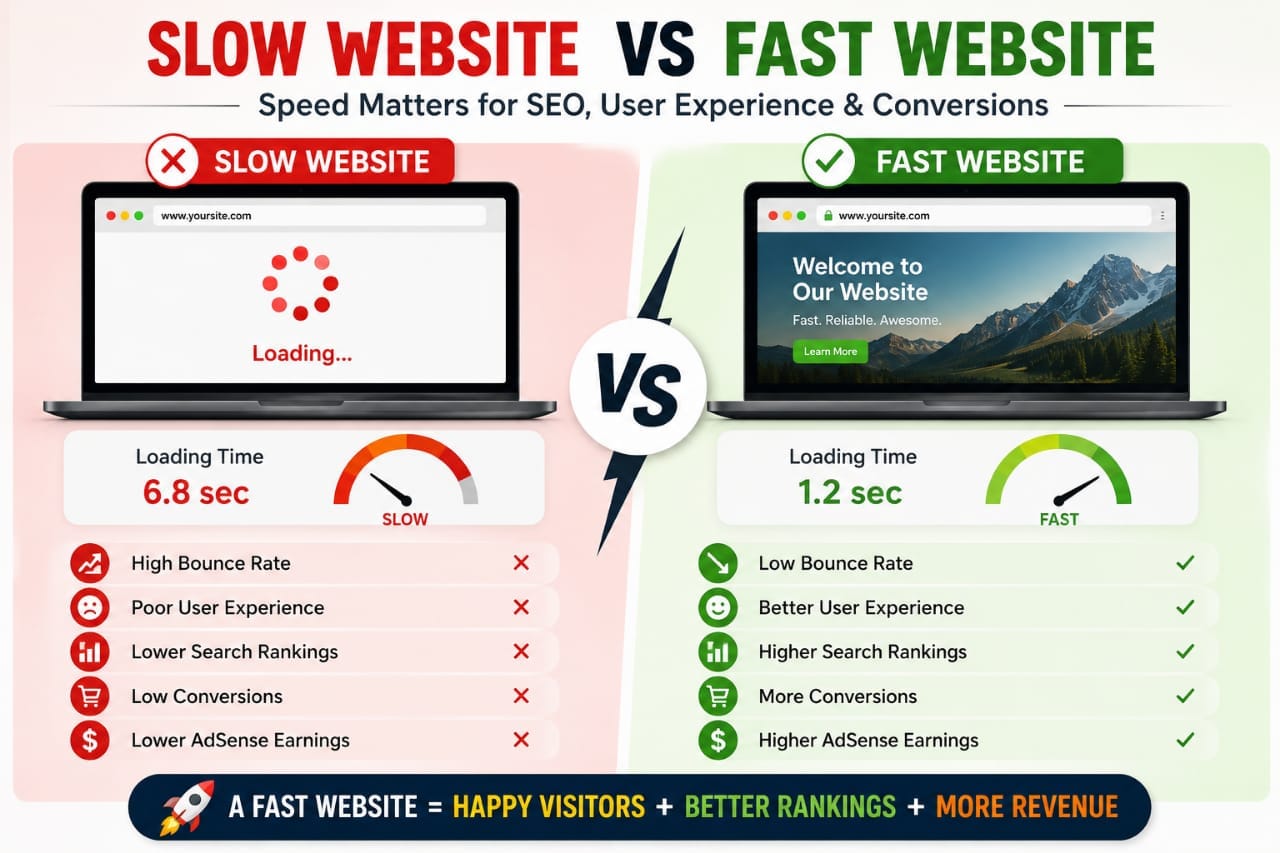
Modern SEO is heavily connected with website performance.
👉 Learn SEO basics: On-Page SEO Checklist
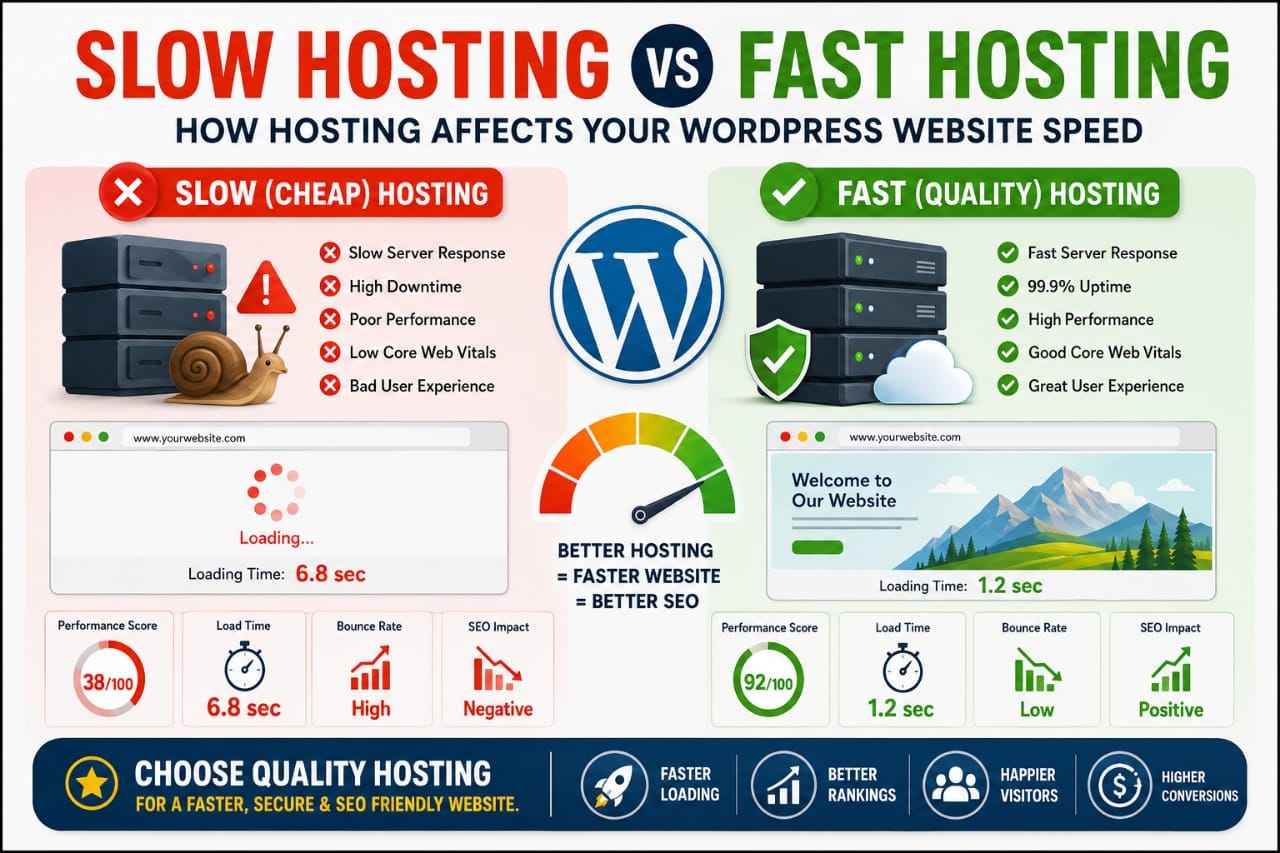
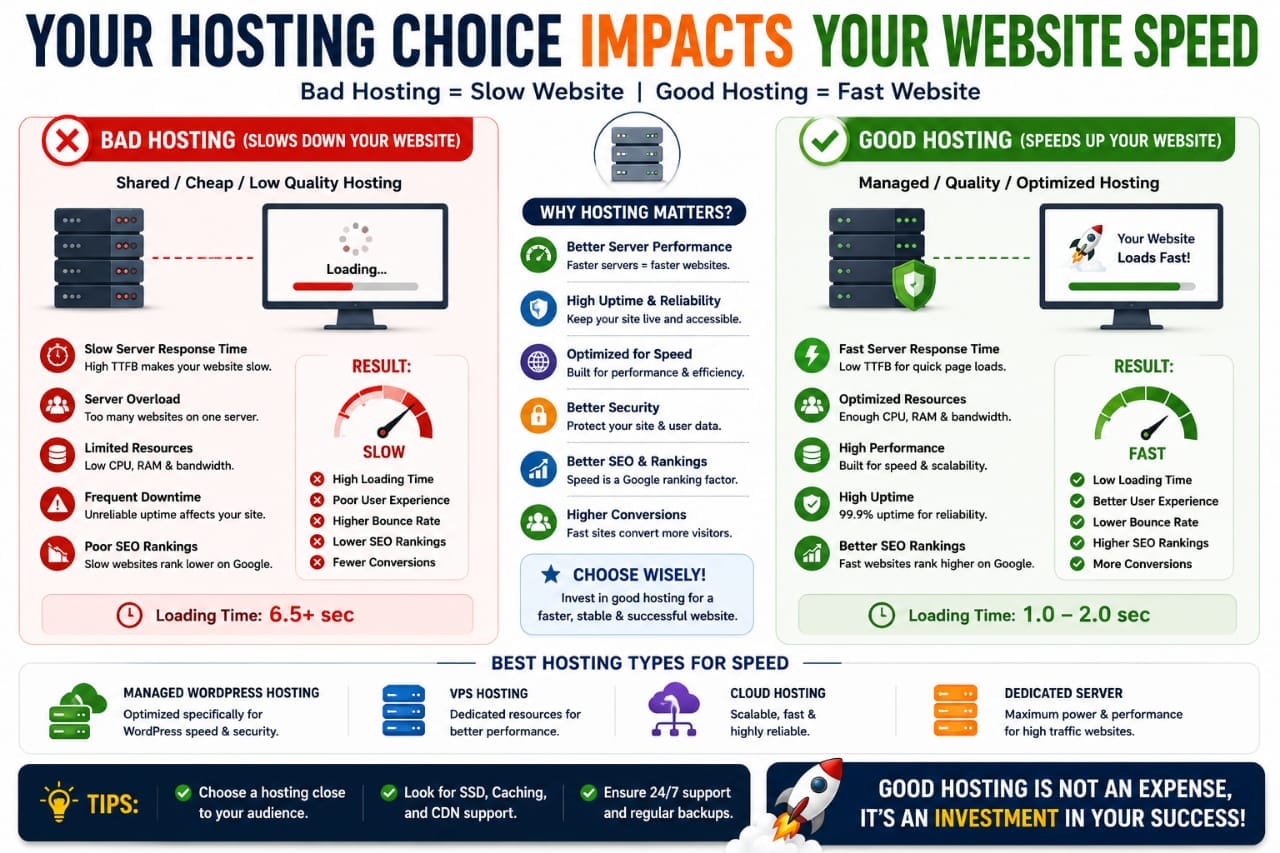
Mistake #1: Choosing Cheap Slow Hosting
Hosting is the foundation of website speed.
Many beginners choose extremely cheap hosting without understanding how much it affects performance.
📌 Problems with Poor Hosting
- Slow server response time
- Frequent downtime
- Poor Core Web Vitals
- Slow admin dashboard
Even perfect optimization cannot fully fix very poor hosting infrastructure.
👉 Hosting comparison: Kinsta vs Hostinger
Mistake #2: Using Heavy WordPress Themes
Many themes look visually impressive but are poorly optimized.
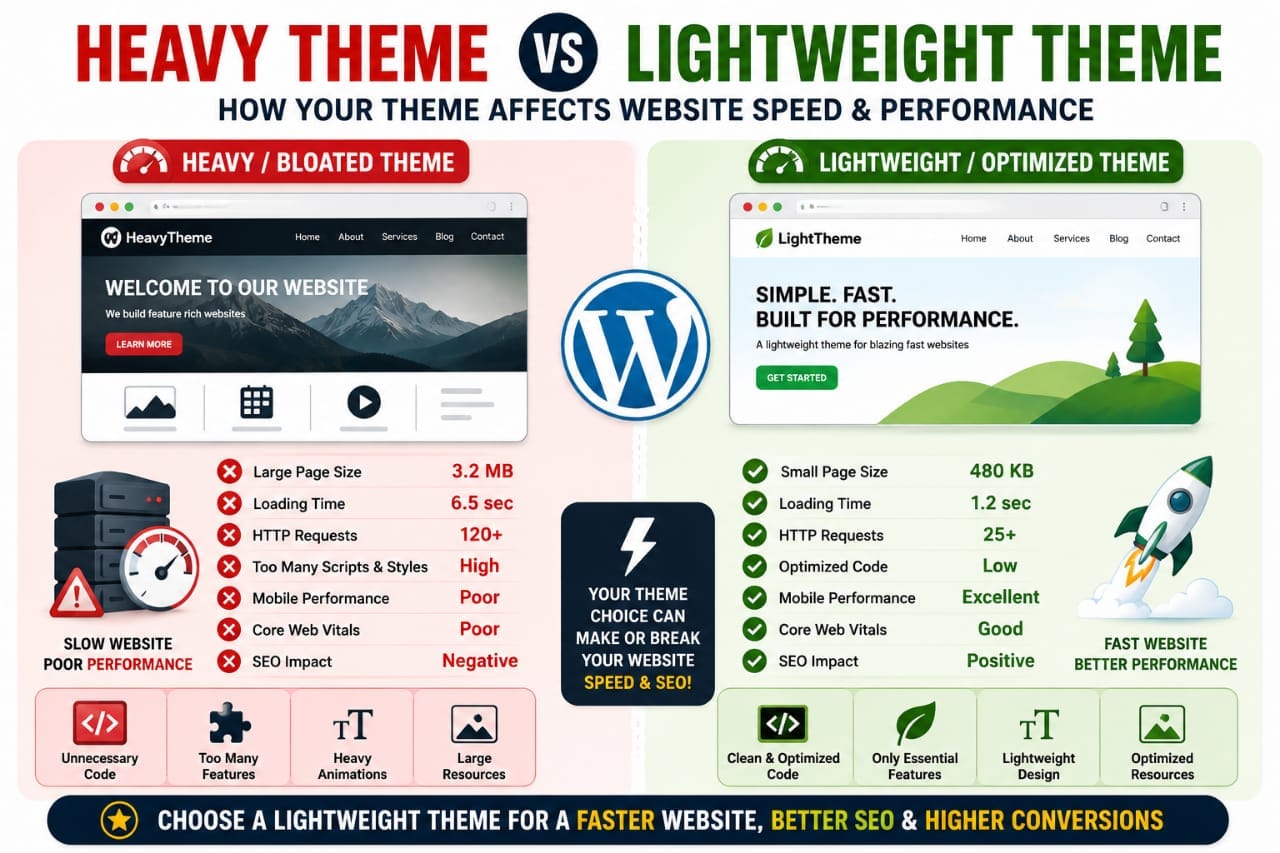
Heavy themes often include:
- Excessive scripts
- Large CSS files
- Too many animations
- Bloated builders
This creates slower loading times.
✅ Better Theme Choices
- Astra
- GeneratePress
- Kadence
- Hello Elementor
Lightweight themes usually provide better SEO performance.
Mistake #3: Installing Too Many Plugins
One of the most common beginner mistakes is installing excessive plugins.
More plugins do not automatically mean better functionality.
❌ Problems Caused by Too Many Plugins
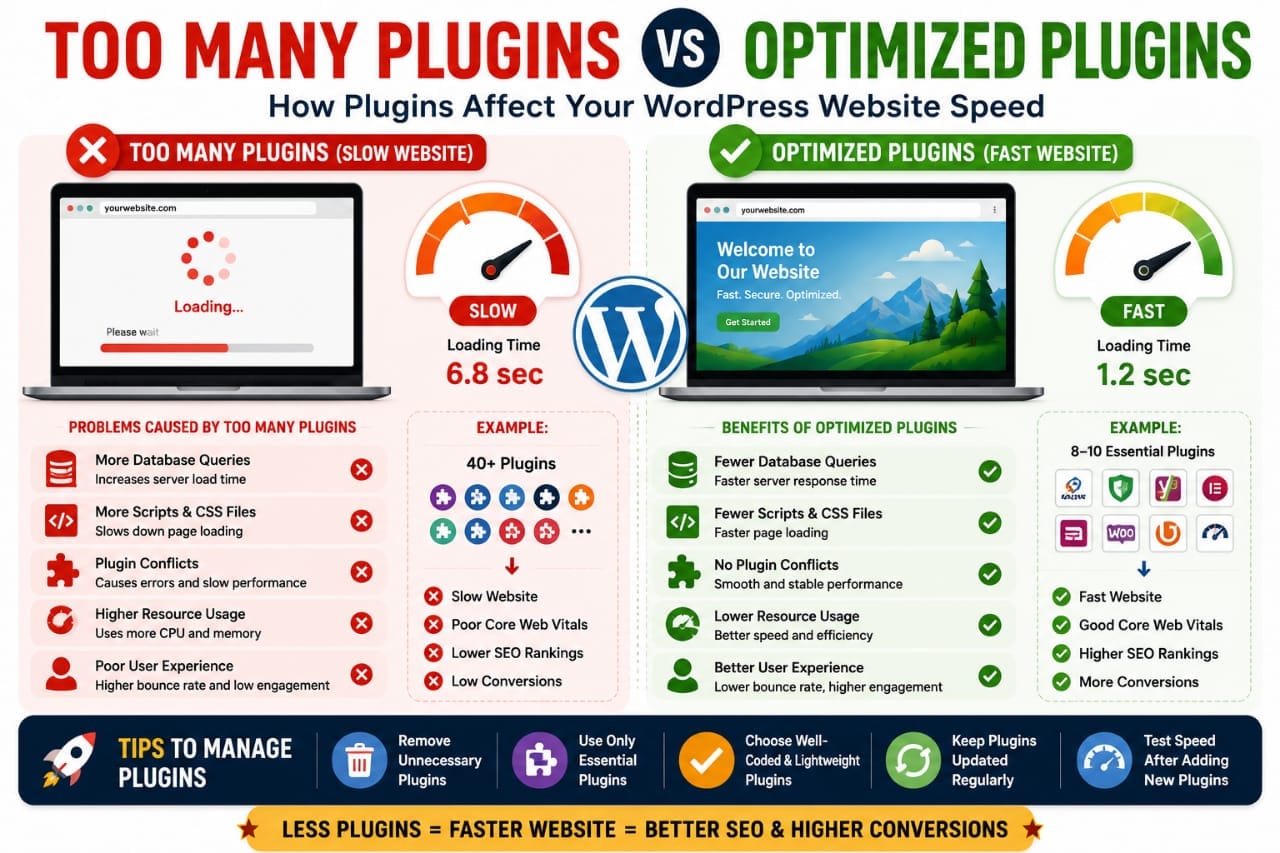
- Slower database queries
- Conflicting scripts
- Increased server load
- More CSS & JavaScript files
Some websites use 40–60 plugins unnecessarily.
A cleaner plugin setup usually improves speed significantly.
Mistake #4: Not Optimizing Images
Images are one of the biggest causes of slow WordPress websites.
Uploading large uncompressed images can dramatically increase loading times.
📌 Common Image Mistakes
- Uploading huge PNG files
- Not compressing images
- Using wrong formats
- Ignoring lazy loading
✅ Better Image Optimization
- Use WEBP format
- Compress images
- Resize properly
- Enable lazy loading
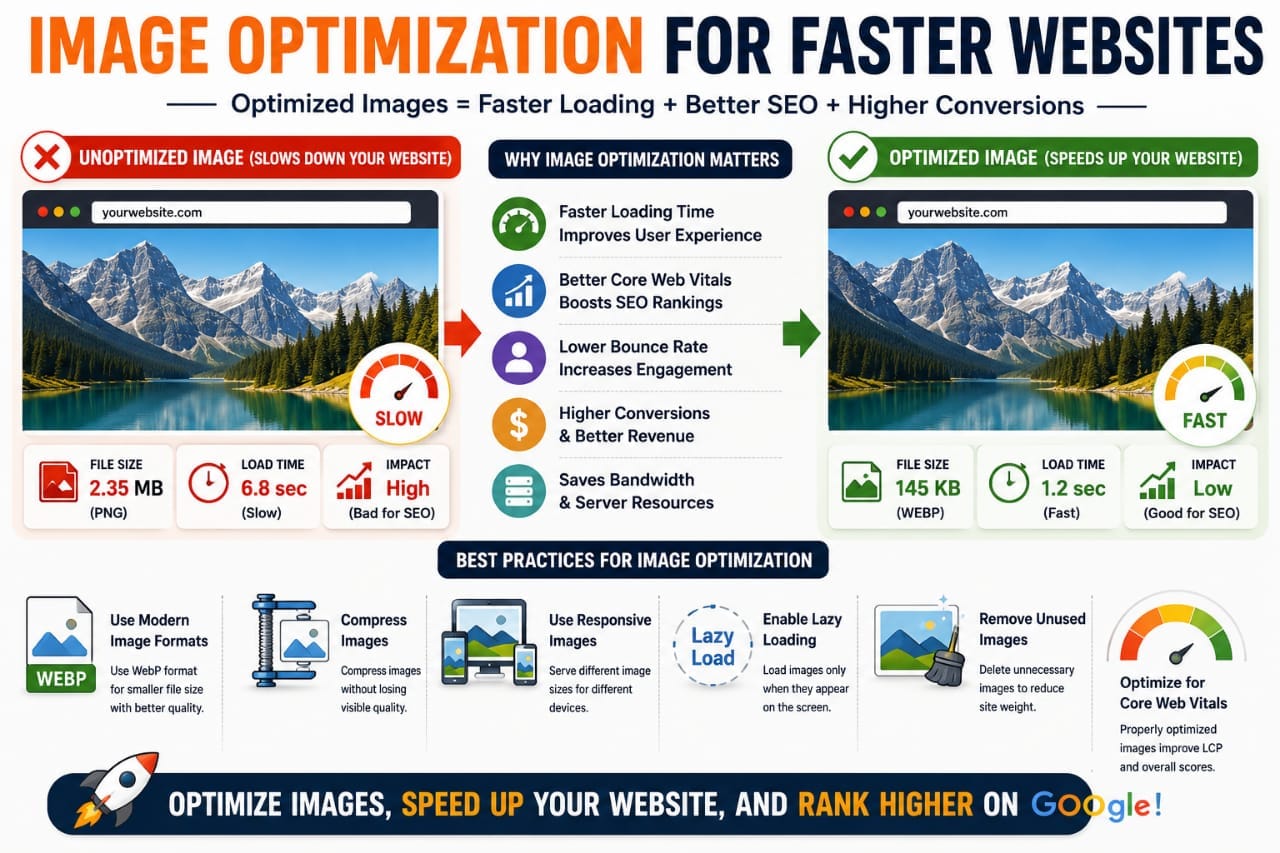
Modern image optimization can massively improve Core Web Vitals.
Mistake #5: Ignoring Caching
Caching is one of the easiest ways to improve WordPress speed.
Without caching:
- Pages load dynamically every visit
- Server requests increase
- Performance becomes slower
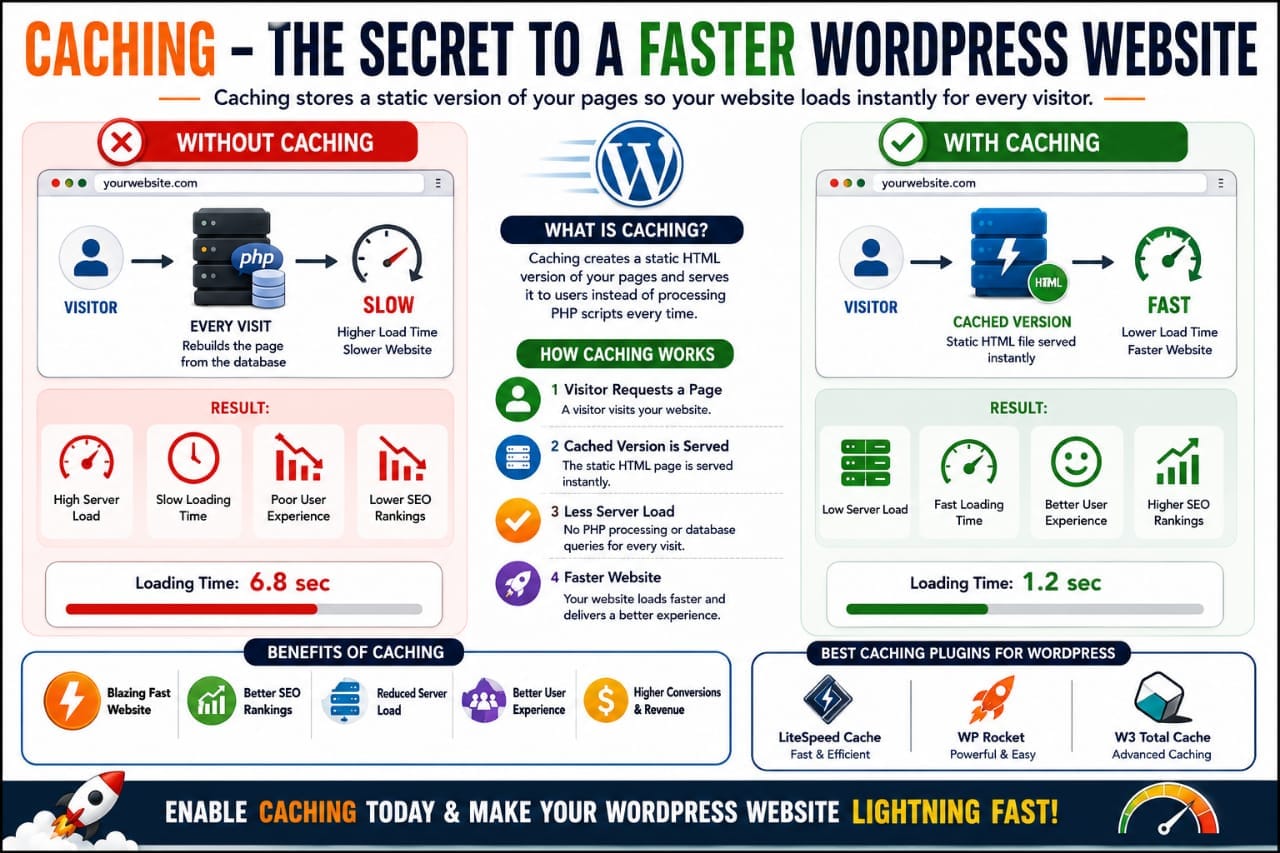
✅ Popular Caching Plugins
- LiteSpeed Cache
- WP Rocket
- W3 Total Cache
Proper caching can dramatically reduce load times.
Mistake #6: Using Too Many Ads
Aggressive ad placement can slow websites significantly.
Many blogs overload pages with:
- Display ads
- Popups
- Auto ads
- Tracking scripts
This hurts:
- User experience
- Page speed
- Core Web Vitals
Balancing monetization and performance is important.
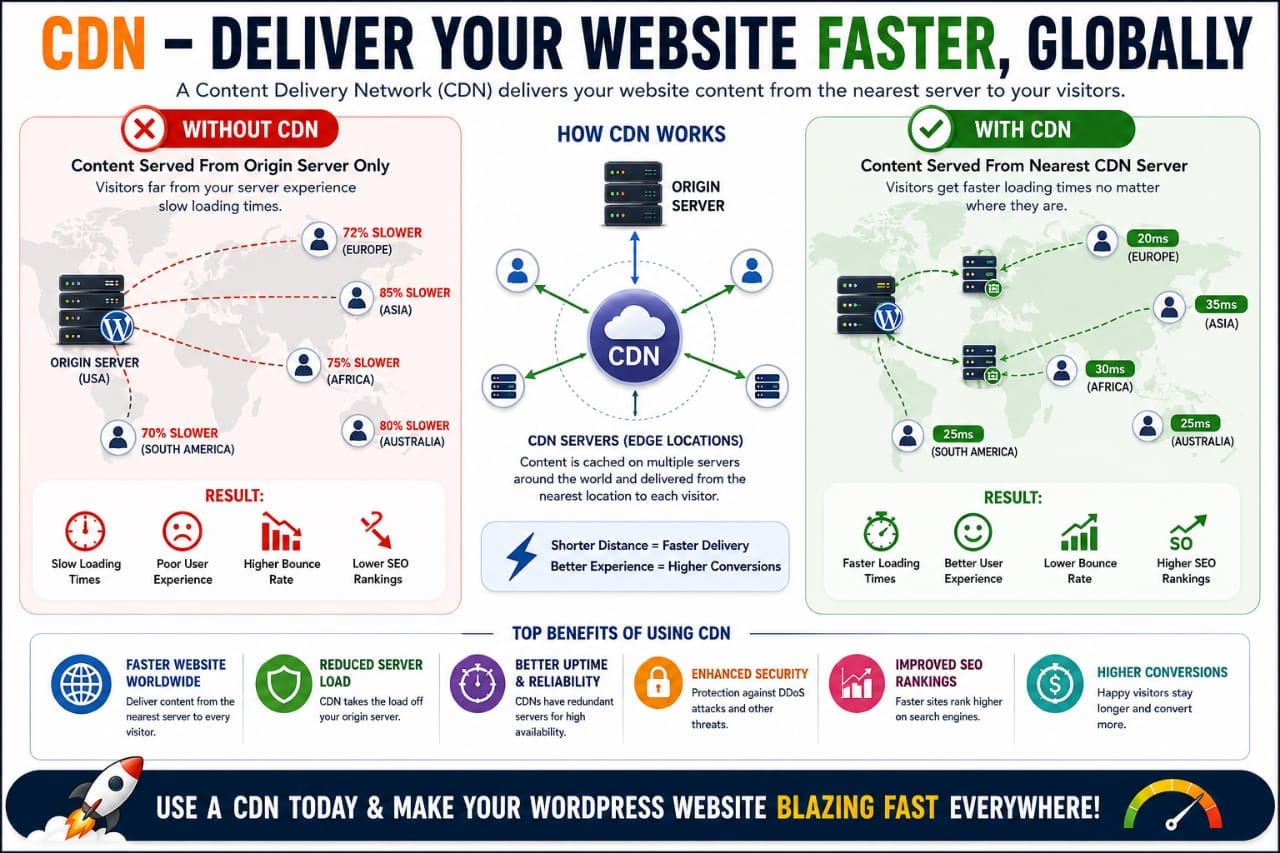
Mistake #7: Not Using a CDN
A CDN (Content Delivery Network) helps deliver website content faster globally.
Without a CDN:
- Users far from your server experience slower loading
- Latency increases
- Global speed becomes inconsistent
✅ Popular CDN Services
- Cloudflare
- BunnyCDN
- QUIC.cloud
CDNs improve both performance and security.
Mistake #8: Ignoring Core Web Vitals
Google’s Core Web Vitals measure real user experience.
📌 Important Metrics
- LCP (Largest Contentful Paint)
- CLS (Cumulative Layout Shift)
- INP (Interaction to Next Paint)
Many website owners ignore these metrics completely.
However, poor Core Web Vitals can hurt rankings.
Real Experience: Why Most Websites Become Slow
In real-world experience, websites usually become slow gradually.
At first:
- The site feels fast
- Few plugins exist
- Content is lightweight
Then over time:
- More plugins are added
- Images increase
- Scripts accumulate
- Ads multiply
Eventually performance starts degrading heavily.
Mistake #9: Not Optimizing the Database
Over time, WordPress databases collect unnecessary data.
This includes:
- Post revisions
- Spam comments
- Transient data
- Plugin leftovers
A bloated database can slow down:
- Admin dashboard
- Page loading
- Dynamic queries
✅ Database Optimization Tips
- Remove old revisions
- Delete unused tables
- Clean spam comments
- Use database optimization plugins
Keeping the database clean improves performance stability.
Mistake #10: Using Too Many External Scripts
External scripts are one of the hidden causes of slow websites.
Examples include:
- Google Fonts
- Analytics scripts
- Ad networks
- Social sharing widgets
- Tracking pixels
Each external request increases loading time.
Many websites become slow because too many third-party services are loaded simultaneously.
Mistake #11: Poor Mobile Optimization
Most website traffic now comes from mobile devices.
However, many WordPress websites are only optimized for desktop users.
❌ Common Mobile Problems
- Oversized images
- Heavy sliders
- Large popups
- Slow mobile rendering
Google primarily uses mobile-first indexing.
This means poor mobile performance can directly hurt rankings.
Mistake #12: Ignoring Unused CSS & JavaScript
Many WordPress websites load unnecessary CSS and JavaScript files on every page.
This creates:
- Render-blocking resources
- Longer loading times
- Poor performance scores
✅ Better Optimization
- Remove unused CSS
- Delay JavaScript
- Minify files
- Use performance plugins
Reducing unnecessary code can noticeably improve loading speed.
Mistake #13: Auto-Playing Videos & Heavy Sliders
Large sliders and auto-playing videos look attractive but often hurt performance badly.
These elements can:
- Increase page size
- Delay rendering
- Reduce mobile performance
- Increase bounce rate
Simple designs usually perform better for SEO and user experience.
Mistake #14: Using Badly Coded Plugins
Not all plugins are optimized equally.
Some poorly coded plugins create:
- Heavy database queries
- Large scripts
- Memory usage issues
- Slow admin dashboards
📌 Signs of Poor Plugins
- Slow backend performance
- High CPU usage
- Frequent conflicts
- Large CSS/JS files
Choosing quality plugins is critical for long-term performance.
Mistake #15: Not Updating WordPress Properly
Old WordPress versions can reduce both performance and security.
Updates often include:
- Performance improvements
- Security patches
- Better compatibility
- Optimization fixes
However, updates should always be tested carefully before major changes.
Why Fast Websites Usually Rank Better
Fast websites improve:
- User experience
- Engagement time
- Page views
- Conversion rates
When users enjoy browsing a website, Google receives positive engagement signals.
This indirectly supports better SEO performance.
The Relationship Between Speed & AdSense Earnings
Website speed can directly affect monetization.
Slow websites often:
- Lose visitors quickly
- Reduce page views
- Lower ad impressions
- Decrease click-through rates
Faster websites usually create better browsing experiences, which can improve overall earnings.
How to Test WordPress Website Speed
You should regularly test website performance using professional tools.
✅ Recommended Speed Tools
- Google PageSpeed Insights
- GTmetrix
- Pingdom Tools
- WebPageTest
These tools help identify:
- Slow scripts
- Large images
- Render-blocking resources
- Core Web Vitals issues
Can Elementor Slow Down WordPress?
Elementor itself is not necessarily bad for speed.
However, websites become slower when users:
- Add excessive widgets
- Use too many animations
- Install heavy addons
- Build oversized pages
Properly optimized Elementor websites can still achieve good performance.
👉 Elementor tutorial: How to Make Website with Elementor
Speed Optimization is Ongoing
Website optimization is not a one-time task.
As websites grow:
- Content increases
- Plugins expand
- Traffic rises
- Scripts accumulate
Continuous optimization becomes important for maintaining good performance.
Real Experience: The Biggest Speed Improvements
In real optimization experience, the biggest speed gains usually come from:
- Better hosting
- Image optimization
- Caching setup
- Removing unnecessary plugins
- Using lightweight themes
Many beginners focus only on tiny technical tweaks while ignoring the biggest performance bottlenecks.
Frequently Asked Questions (FAQs)
1. Why is my WordPress website slow?
Common reasons include slow hosting, heavy themes, excessive plugins, unoptimized images, poor caching, and too many external scripts.
2. Does website speed affect SEO?
Yes, website speed affects user experience, Core Web Vitals, and search rankings. Faster websites usually perform better in Google search results.
3. What is the best caching plugin for WordPress?
Popular caching plugins include LiteSpeed Cache, WP Rocket, and W3 Total Cache.
4. Can too many plugins slow WordPress?
Yes, excessive or poorly coded plugins can increase server load, database queries, and page size, which slows down websites.
5. Is Elementor bad for website speed?
Elementor itself is not necessarily bad, but excessive widgets, animations, and addons can reduce performance significantly.
The Biggest Speed Optimization Myth
One of the biggest misconceptions is believing that only technical experts can create fast websites.
In reality, most speed improvements come from:
- Better hosting
- Smarter plugin choices
- Image optimization
- Cleaner design
- Lightweight themes
Many websites become slow simply because unnecessary elements keep accumulating over time.
Why Simpler Websites Often Perform Better
Modern websites sometimes prioritize flashy design over speed.
However, simple websites usually:
- Load faster
- Improve user experience
- Reduce bounce rate
- Perform better in SEO
A clean lightweight design often outperforms complex overloaded layouts.
How Speed Affects User Psychology
Users expect websites to load quickly.
Slow websites create frustration and reduce trust.
📌 Slow Websites Often Cause:
- Higher bounce rates
- Lower engagement
- Reduced conversions
- Poor user satisfaction
Even a few extra seconds can significantly affect visitor behavior.
Should Beginners Obsess Over Perfect Speed Scores?
Not necessarily.
Many beginners become obsessed with achieving:
100/100 PageSpeed scores
But real-world user experience matters more than perfect testing numbers.
A website with:
- Good usability
- Fast loading feel
- Stable performance
- Helpful content
can still perform very well without perfect scores.
The Hidden Problem of Feature Overload
Many WordPress websites gradually become overloaded with features.
Examples include:
- Too many sliders
- Fancy animations
- Large popup systems
- Heavy page builders
- Excessive widgets
Every extra feature usually adds:
- More scripts
- More CSS
- More server requests
Eventually performance starts degrading heavily.
Real Experience: What Actually Improves Speed the Most
In real optimization experience, the biggest improvements usually come from fixing foundational problems.
🚀 Biggest Speed Improvements
- Switching to better hosting
- Compressing images
- Using proper caching
- Removing unnecessary plugins
- Using lightweight themes
Many advanced “micro-optimizations” provide far smaller gains compared to fixing these major issues first.
Best Beginner Speed Optimization Strategy
If you are starting a WordPress blog today, focus on:
- Fast hosting
- Lightweight themes
- Limited plugins
- Optimized images
- Proper caching
- Mobile optimization
This foundation is enough for most beginner websites to achieve good performance.
The Connection Between Speed & Long-Term SEO
Fast websites create stronger long-term SEO advantages because they improve:
- User experience
- Engagement metrics
- Page views
- Crawl efficiency
Google increasingly prioritizes websites that provide smoother browsing experiences.
👉 Learn advanced SEO optimization: How to Write SEO Articles That Rank Fast
Can Cheap Hosting Still Be Fast?
Some budget hosting providers perform surprisingly well today.
However, there is usually a difference between:
- Basic affordable hosting
- Premium managed hosting
As websites grow larger, hosting quality becomes increasingly important.
👉 Hosting comparison: Cheap Hosting vs Premium Hosting
Final Speed Optimization Checklist
✅ Speed Checklist
- Use fast hosting
- Compress images
- Enable caching
- Use CDN
- Limit plugins
- Optimize mobile performance
- Remove unused scripts
- Use lightweight themes
Following these fundamentals can dramatically improve WordPress performance.
Conclusion
Most WordPress speed problems are caused by a combination of poor optimization decisions rather than a single issue.
Heavy themes, excessive plugins, slow hosting, unoptimized images, and poor mobile performance gradually slow websites over time.
The good news is that many speed improvements are easier than beginners expect.
By focusing on strong fundamentals, you can create a fast WordPress website that performs better for:
- SEO
- User experience
- Affiliate marketing
- AdSense revenue
Bonus Resources
👉 Improve WordPress speed:
👉 Learn Elementor optimization:
How to Make Website with Elementor
👉 Improve SEO rankings:
🚀 Faster websites create better SEO, better user experience, and better long-term growth.