How to Reduce TTFB in WordPress for Faster Loading (2026 Complete Guide)
If you've tested your WordPress website using Google PageSpeed Insights, GTmetrix, or Pingdom, you've probably come across a performance metric called TTFB (Time to First Byte). While many website owners focus on image optimization or caching, TTFB is often overlooked—even though it can have a significant impact on how quickly your pages begin loading.
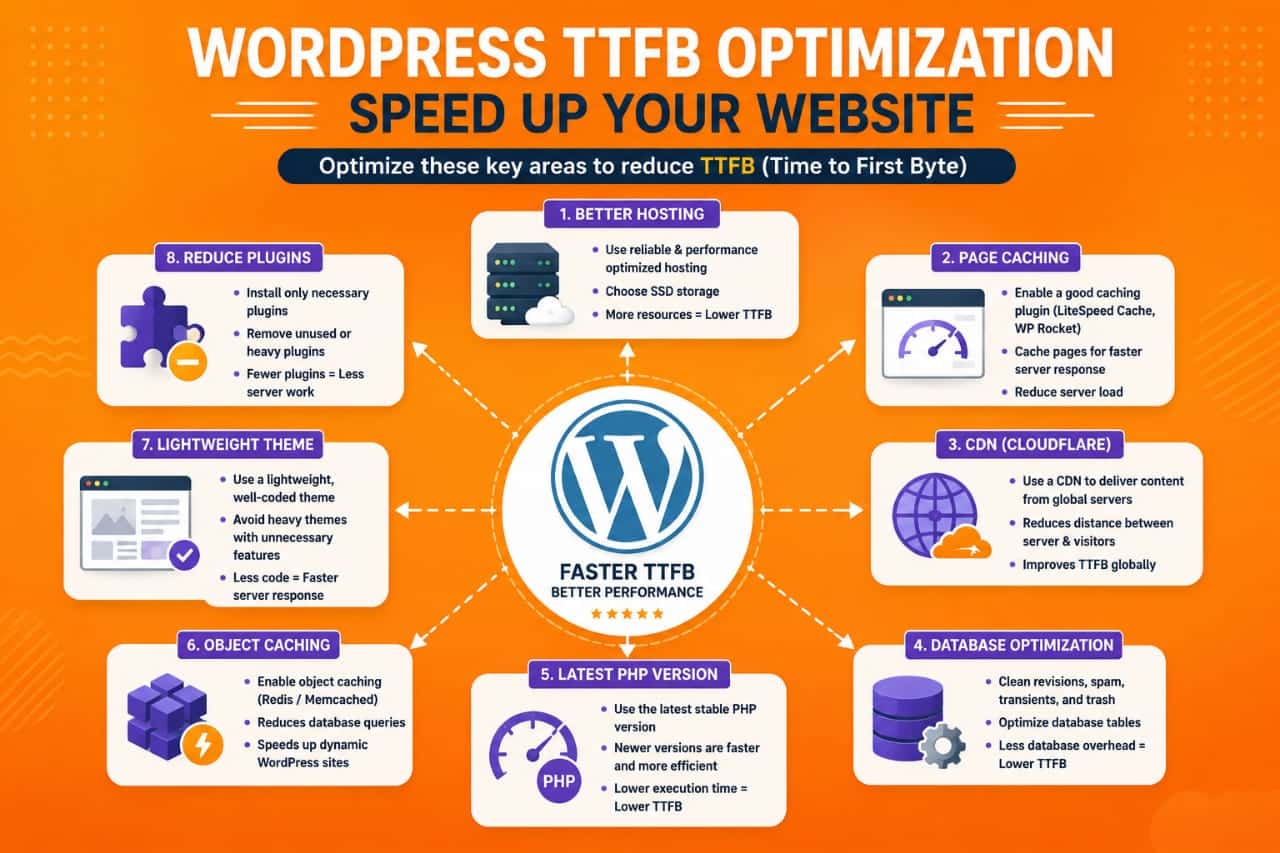
A high TTFB doesn't necessarily mean your website is slow, but it does indicate that the server is taking longer than expected to respond to a visitor's request. Since every page load starts with the server response, reducing TTFB can improve the overall user experience and contribute to better website performance.
After optimizing several WordPress websites, I've found that TTFB issues are rarely caused by a single factor. Instead, they usually result from a combination of slow hosting, inefficient plugins, poor caching, database problems, or unnecessary server-side processing.
In this guide, you'll learn what TTFB is, why it matters, what causes a high server response time, and the most effective ways to reduce TTFB in WordPress using practical optimization techniques in 2026.
The fastest way to reduce TTFB in WordPress is by using high-quality hosting, enabling full-page caching, optimizing your database, reducing heavy plugins, using a CDN, upgrading PHP, and minimizing unnecessary server requests. These improvements help your server respond faster before the page starts loading.
What Is TTFB (Time to First Byte)?
TTFB stands for Time to First Byte. It measures how long your browser waits before receiving the first byte of data from your web server after requesting a webpage.
In simple words, TTFB measures your server's response speed.
The process looks like this:
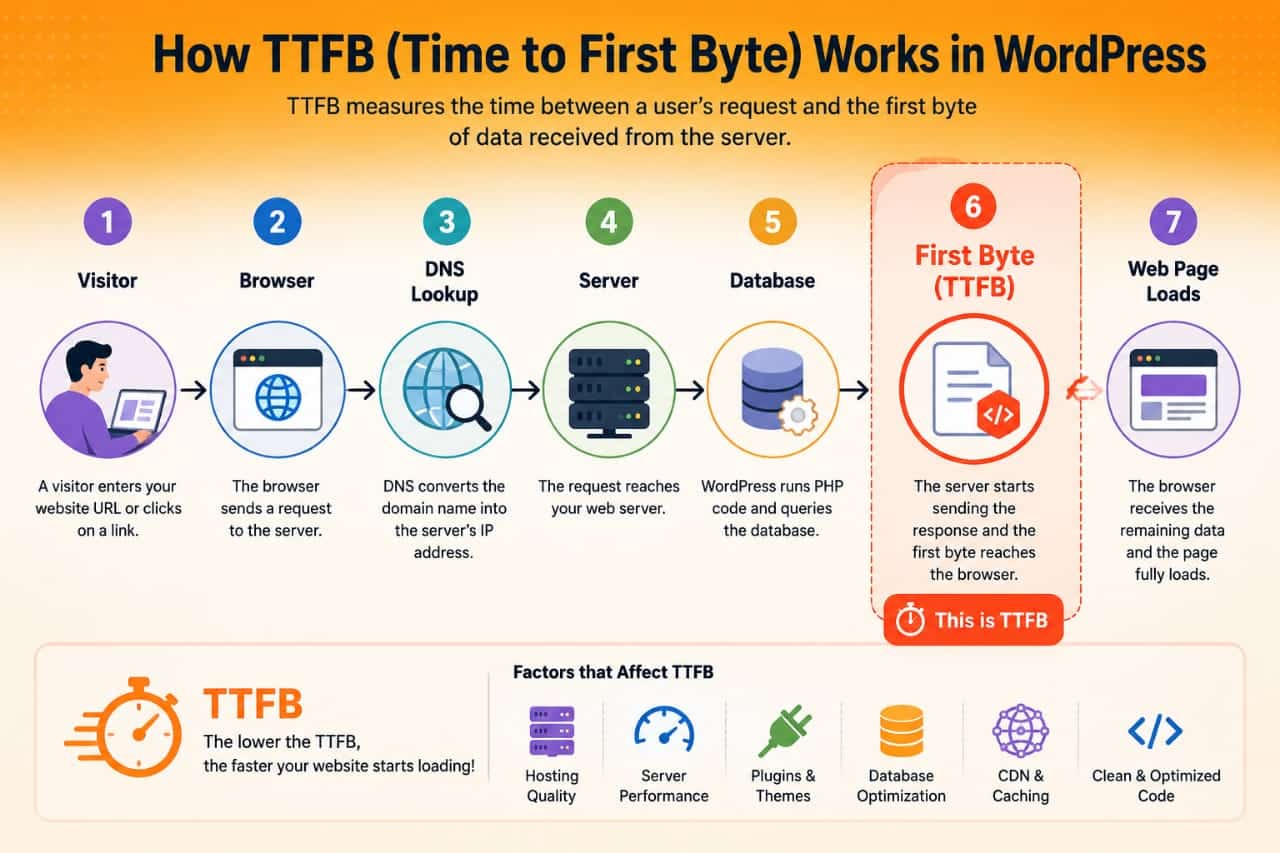
- Your visitor requests a webpage.
- The request reaches your web server.
- WordPress processes PHP, plugins, themes, and database queries.
- The server begins sending data.
- The first byte reaches the visitor's browser.
The shorter this process takes, the lower your TTFB.
Why TTFB Matters
Although TTFB isn't the only website speed metric, it affects how quickly a page begins loading.
A faster server response generally leads to:
- Better user experience
- Improved Core Web Vitals support
- Faster page rendering
- Lower bounce rates
- More responsive websites
Reducing TTFB won't automatically improve search rankings, but it contributes to better overall website performance.
What Is Considered a Good TTFB?
| TTFB | Performance |
|---|---|
| Under 200 ms | Excellent |
| 200–500 ms | Good |
| 500–800 ms | Needs Improvement |
| Above 800 ms | Poor |
Keep in mind that acceptable values vary depending on your website, hosting environment, and application complexity.
What Causes High TTFB?
Several factors can increase server response time.
The most common causes include:
- Slow web hosting
- Overloaded shared servers
- Heavy WordPress themes
- Poorly coded plugins
- Large database queries
- Disabled caching
- Outdated PHP versions
- Slow DNS resolution
- High server traffic
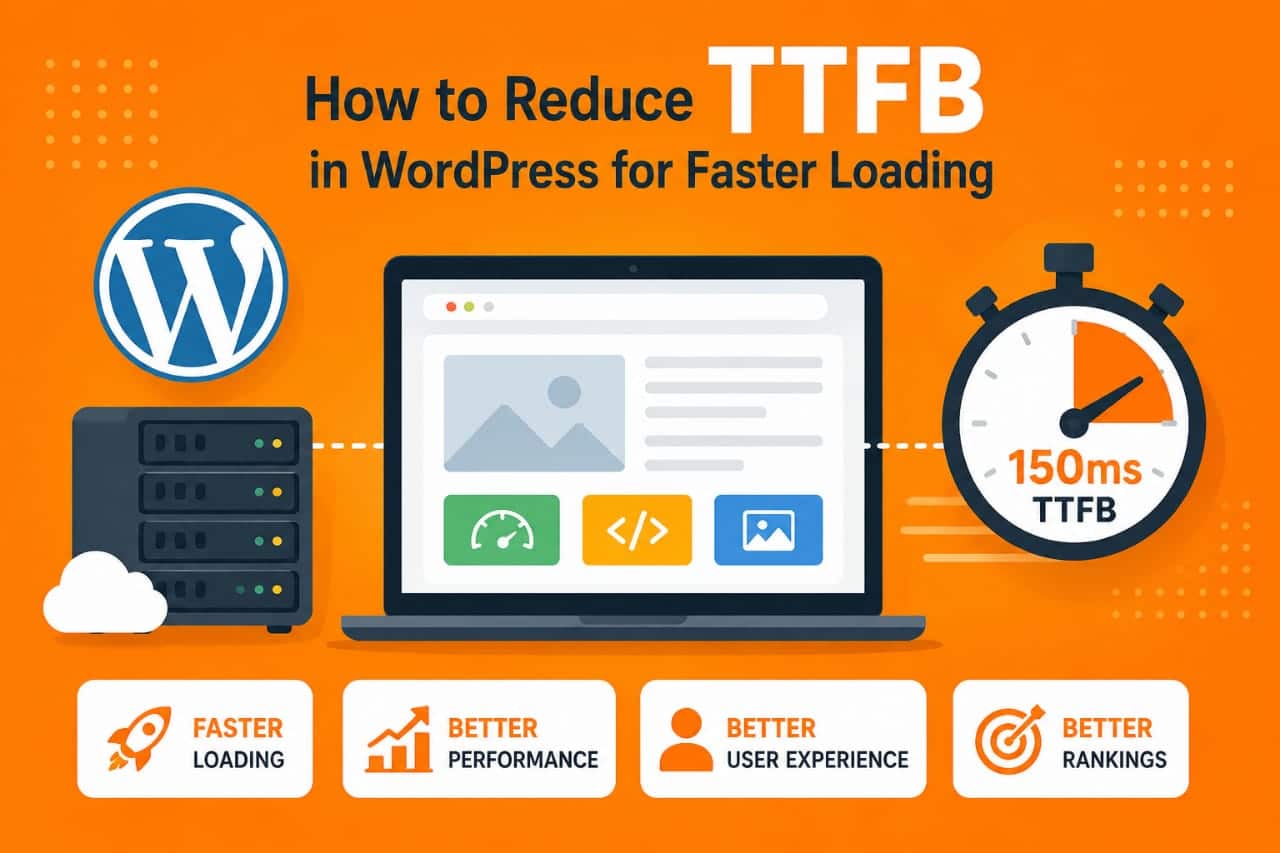
Improving TTFB usually requires optimizing multiple areas instead of fixing a single issue.
1. Upgrade Your Hosting
The hosting provider has one of the biggest influences on TTFB.
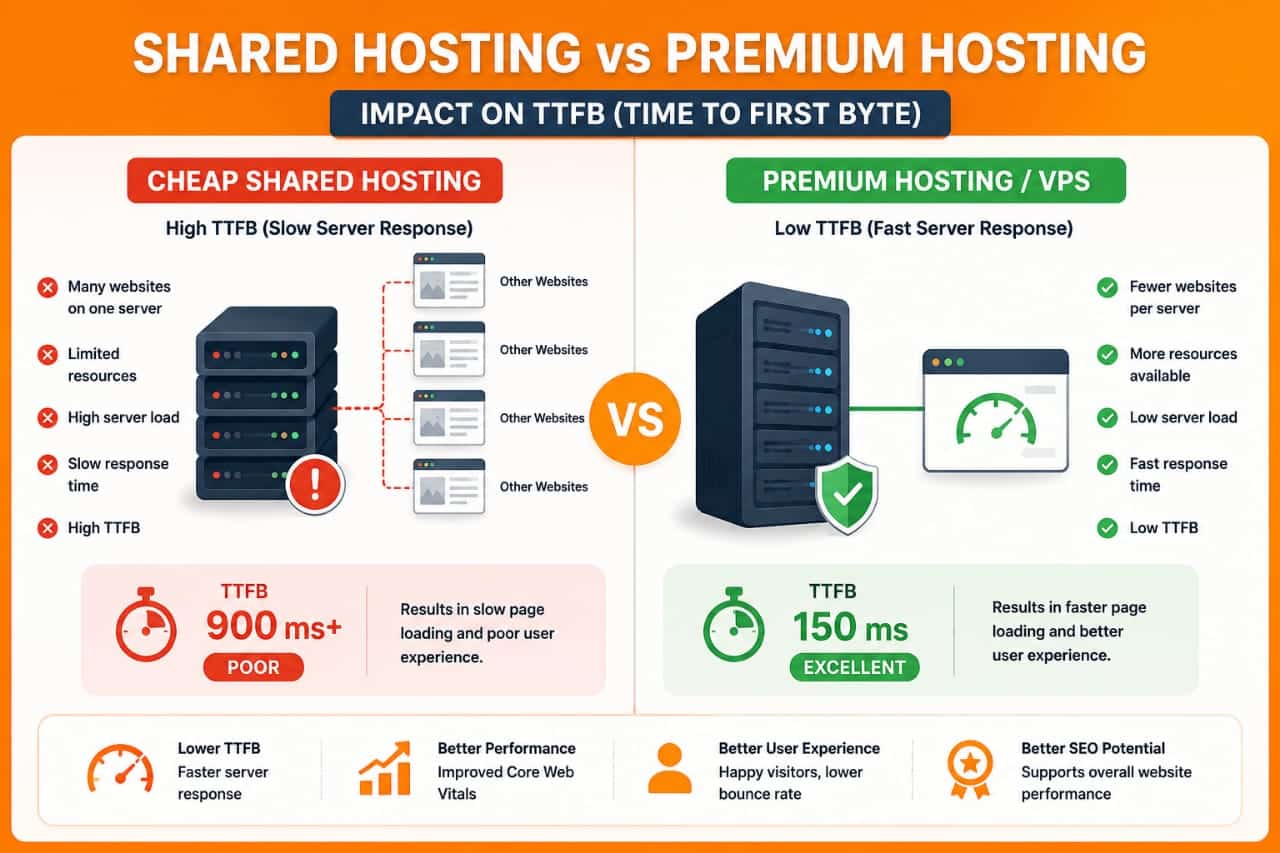
Low-cost shared hosting often performs well for small websites, but overloaded servers can increase response times during busy periods.
If your website has outgrown its hosting plan, upgrading to a better shared plan, managed WordPress hosting, or VPS hosting may provide more consistent performance.
2. Enable Full-Page Caching
Without caching, WordPress generates every page dynamically by processing PHP files, plugins, themes, and database queries.
Page caching stores a ready-to-serve version of your pages so the server can respond much faster.
Popular caching plugins include:
- LiteSpeed Cache
- WP Rocket
- W3 Total Cache
- Cache Enabler
Proper caching is one of the most effective ways to reduce TTFB.
3. Use a Content Delivery Network (CDN)
A CDN stores copies of your website on servers located around the world.
Instead of every visitor connecting to your origin server, requests are often served from a location closer to the user.
Benefits include:
- Reduced latency
- Faster global performance
- Lower server load
- Improved content delivery
Popular CDN providers include Cloudflare, Bunny.net, and QUIC.cloud.
4. Upgrade to the Latest PHP Version
Modern PHP versions execute WordPress code more efficiently than older releases.
Running a supported PHP version can improve server performance while also providing security updates.
Before upgrading, verify that your theme and plugins are compatible with the new PHP version.
5. Remove Heavy Plugins
Every plugin adds additional processing. Poorly optimized plugins can increase database queries and PHP execution time.
Review your installed plugins regularly and remove any that are unnecessary or duplicate existing functionality.
Most TTFB issues I've encountered weren't caused by WordPress itself. In many cases, switching to better hosting, enabling proper caching, and removing a few resource-heavy plugins significantly reduced server response time without changing the website's design.
6. Optimize Your WordPress Database
Over time, your WordPress database collects unnecessary data such as post revisions, spam comments, expired transients, and orphaned metadata. A bloated database increases the amount of work your server performs before sending a response.
Regular database maintenance can improve server efficiency.
You can optimize your database by:
- Removing post revisions.
- Deleting spam and trashed comments.
- Cleaning expired transients.
- Optimizing database tables.
- Removing unused plugin data.
Always create a backup before making database changes.
7. Enable Object Caching
Object caching stores frequently used database queries in memory so WordPress doesn't need to generate the same data repeatedly.
This is especially helpful for:
- Large WordPress websites
- WooCommerce stores
- Membership websites
- Dynamic content
Redis and Memcached are two widely used object caching solutions supported by many hosting providers.
8. Optimize DNS Response Time
Before a visitor reaches your website, their browser must first resolve your domain name through DNS.
Slow DNS providers can increase the overall waiting time before your server even begins processing the request.
Reliable DNS providers include:
- Cloudflare DNS
- Google Public DNS
- Quad9
Choosing a fast and reliable DNS provider helps reduce connection delays.
9. Use a Lightweight WordPress Theme
Heavy themes often include unnecessary scripts, animations, and features that increase server processing time.
Lightweight themes generally require fewer resources.
Popular performance-focused themes include:
- Astra
- GeneratePress
- Neve
- Kadence
A clean theme won't solve every TTFB issue, but it reduces unnecessary processing.
10. Reduce External Requests
Many websites load fonts, analytics scripts, advertisements, chat widgets, and social media assets from external servers.
Each additional request can increase loading complexity.
Review your website and remove services that don't provide significant value.
11. Enable GZIP or Brotli Compression
Compression reduces the size of files sent from your server to visitors.
Modern hosting providers and CDNs often support:
- GZIP Compression
- Brotli Compression
While compression mainly reduces download size rather than server processing time, it contributes to faster overall page loading.
12. Upgrade to HTTP/3
HTTP/3 is the latest version of the HTTP protocol and offers performance improvements over older versions, particularly on unstable or high-latency networks.
Many CDN providers, including Cloudflare, support HTTP/3 automatically.
If your hosting environment supports it, enabling HTTP/3 may improve the browsing experience for some visitors.
13. Configure Cloudflare Correctly
Cloudflare provides several features that can help reduce server load and improve performance.
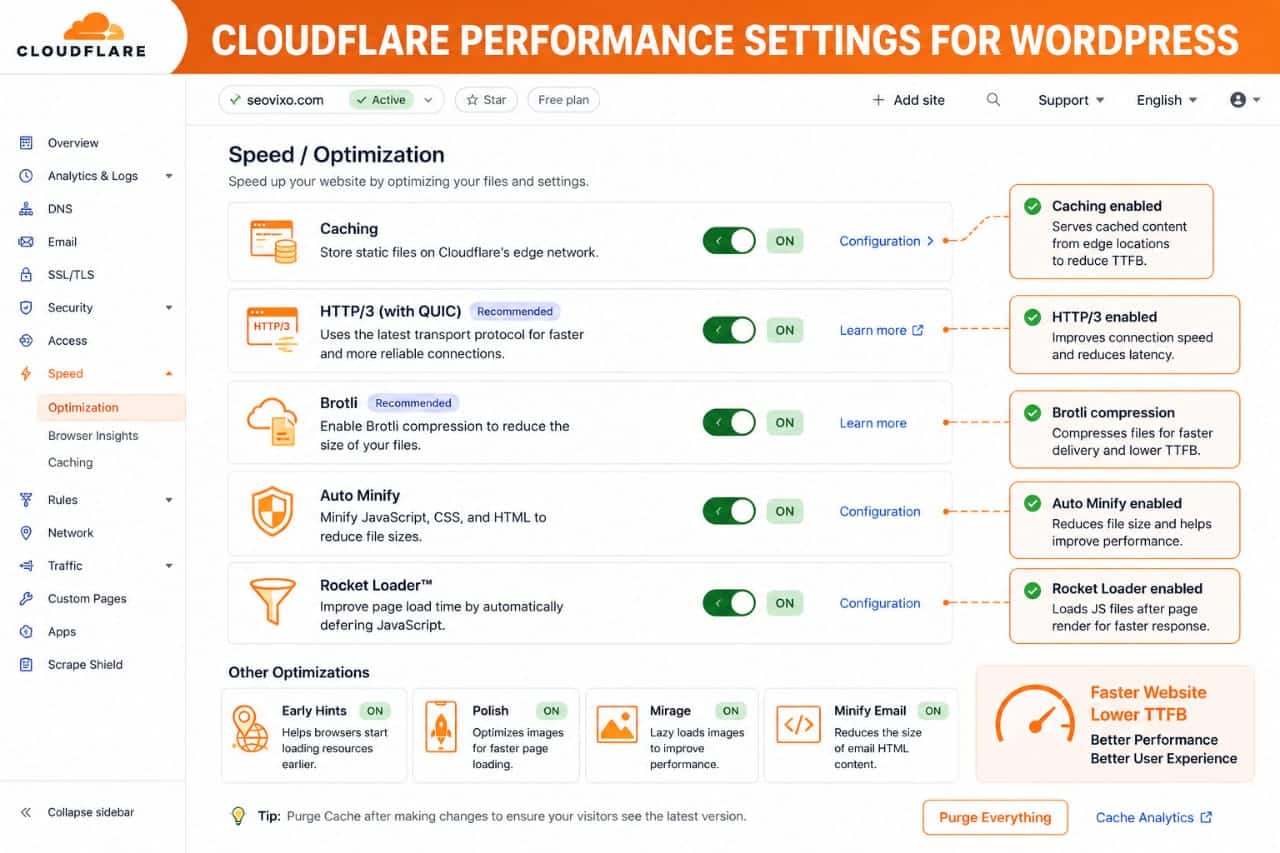
Useful settings include:
- Automatic HTTPS
- HTTP/3
- Brotli Compression
- Caching
- Always Online
- Image Optimization (available on certain plans)
Proper configuration can improve response times without changing your WordPress installation.
14. Keep WordPress Updated
WordPress core updates often include performance improvements, security fixes, and compatibility enhancements.
In addition to WordPress itself, keep the following updated:
- Themes
- Plugins
- PHP Version
- Server Software
Outdated software can negatively affect performance and security.
15. Monitor Server Performance
Optimizing TTFB isn't a one-time task.
Regularly monitor your website using tools such as:
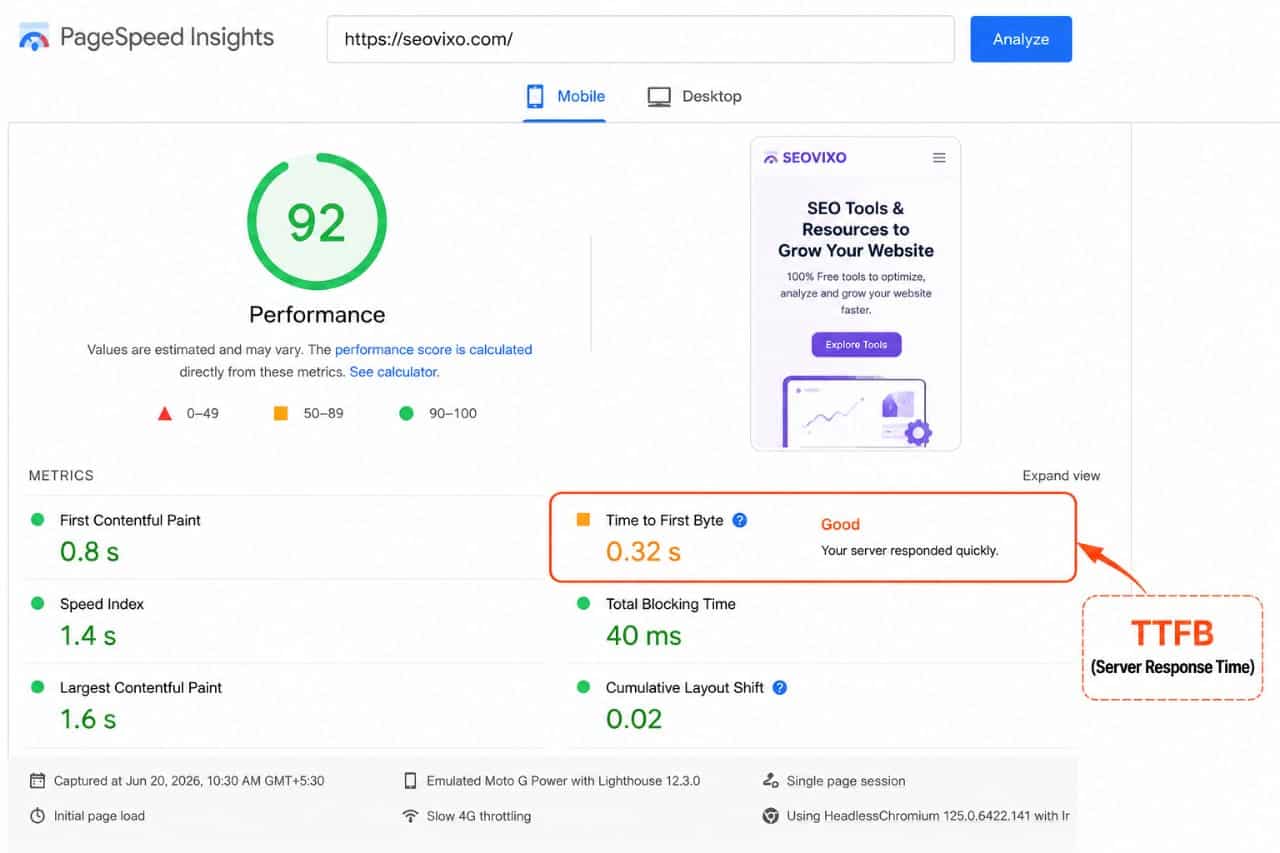
- Google PageSpeed Insights
- GTmetrix
- Pingdom Website Speed Test
- WebPageTest
Compare results after making changes so you know which optimizations have the greatest impact.
Common Mistakes That Increase TTFB
- Using cheap overloaded hosting.
- Installing too many plugins.
- Disabling caching.
- Ignoring database maintenance.
- Running outdated PHP versions.
- Using oversized themes with unnecessary features.
- Adding excessive third-party scripts.
Avoiding these mistakes often provides more benefit than installing additional optimization plugins.
If I had to prioritize only three optimizations, I would choose high-quality hosting, proper page caching, and a CDN. These three improvements typically provide the biggest reduction in TTFB for most WordPress websites before moving on to more advanced optimizations.